Individuelle Funktion Buchungen beschränken

Dieses benutzerdefinierte Feature ermöglicht es Ihnen, die Anzahl gleichzeitiger Buchungen zu begrenzen. Es ist besonders nützlich, wenn Ihre Dienstleistungen zusätzliche Ressourcen wie z. B. einen Zahnarztstuhl oder ein Studiozimmer erfordern. (Eine alternative Möglichkeit zur Begrenzung der Buchungen aufgrund begrenzter Ressourcen ist die Nutzung des Features Verknüpfte Ressourcen). Wenn das Buchungslimit erreicht ist, erscheint das entsprechende Zeitintervall auf der Buchungsseite (und in der Admin-Oberfläche, falls nicht anders eingestellt) wie eine Pause. Es ist möglich, die Gesamtanzahl gleichzeitiger Buchungen zu begrenzen und zusätzlich spezifische Limits pro Dienstleistung festzulegen.
Beispiel: Sie haben 2 Anbieter und 1 Raum und beide Anbieter sind um 10:00 Uhr verfügbar.
Jeder Anbieter kann 1 Person gleichzeitig bedienen, also könnten insgesamt 2 Personen um 10:00 Uhr buchen.
Aber Sie möchten diese Zahl auf 1 Person begrenzen, weil nur 1 Raum verfügbar ist.
Sie müssen das benutzerdefinierte Feature "Limitierte Buchungen" aktivieren und das Limit auf 1 setzen.
Wenn dann jemand um 10:00 Uhr bucht, wird dieser Zeitraum für den anderen Anbieter blockiert.
Bitte beachten!
- Dieses Feature ist nicht kompatibel mit Verfügbare Plätze anzeigen
- How to use
- 1. Enable this custom feature on your Custom Features page.
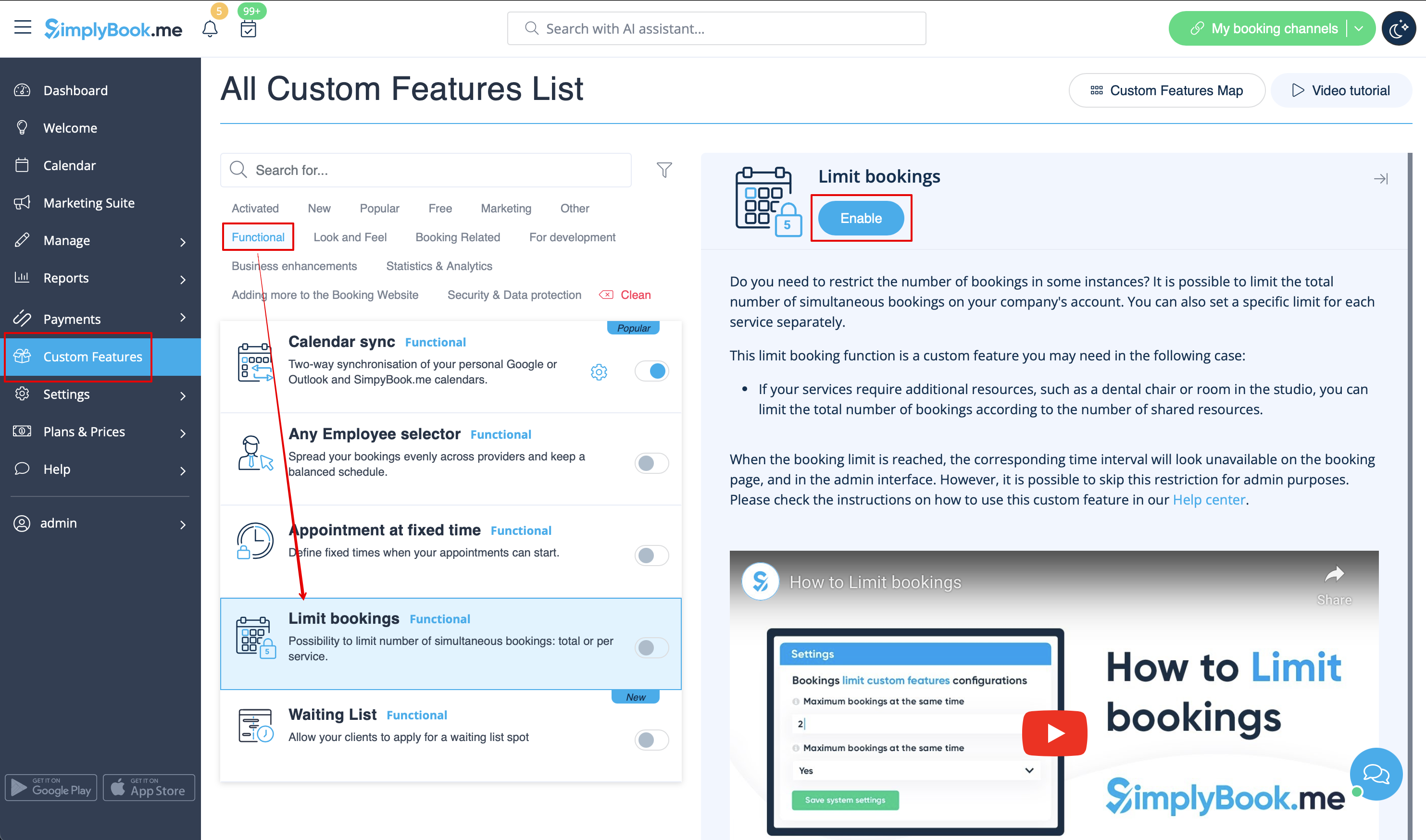
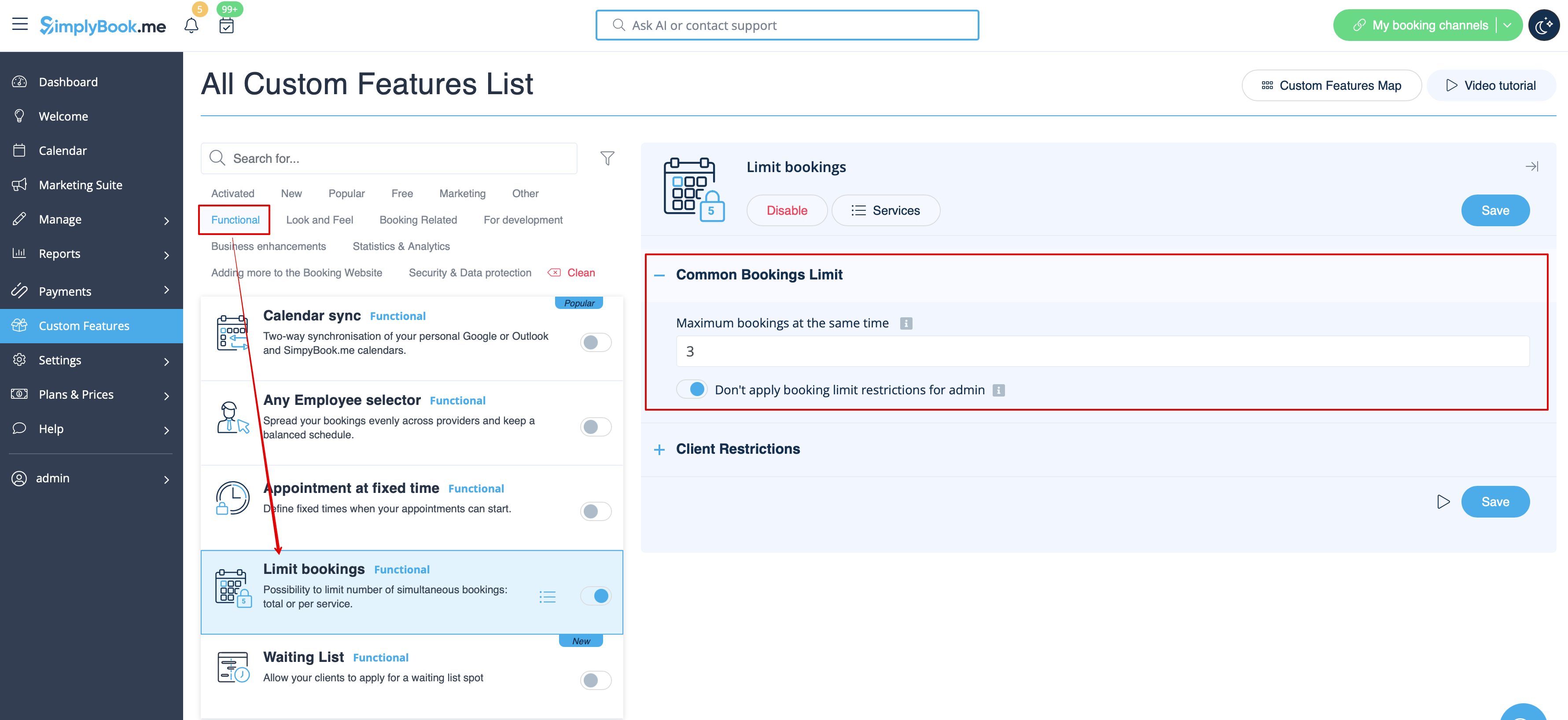
- 2. Go to its settings on the right if you need to limit number of bookings for the whole system.
- 3. If you need to set the limit per timeslot for the whole system please expand the first "Common bookings limit" block and indicate the desired number. As the result the bookings will be limited to this amount for all the services and classes you have.
- 4. In case you would like to add client limitations please use the second block there "Client Restrictions" and set the desired pattern.
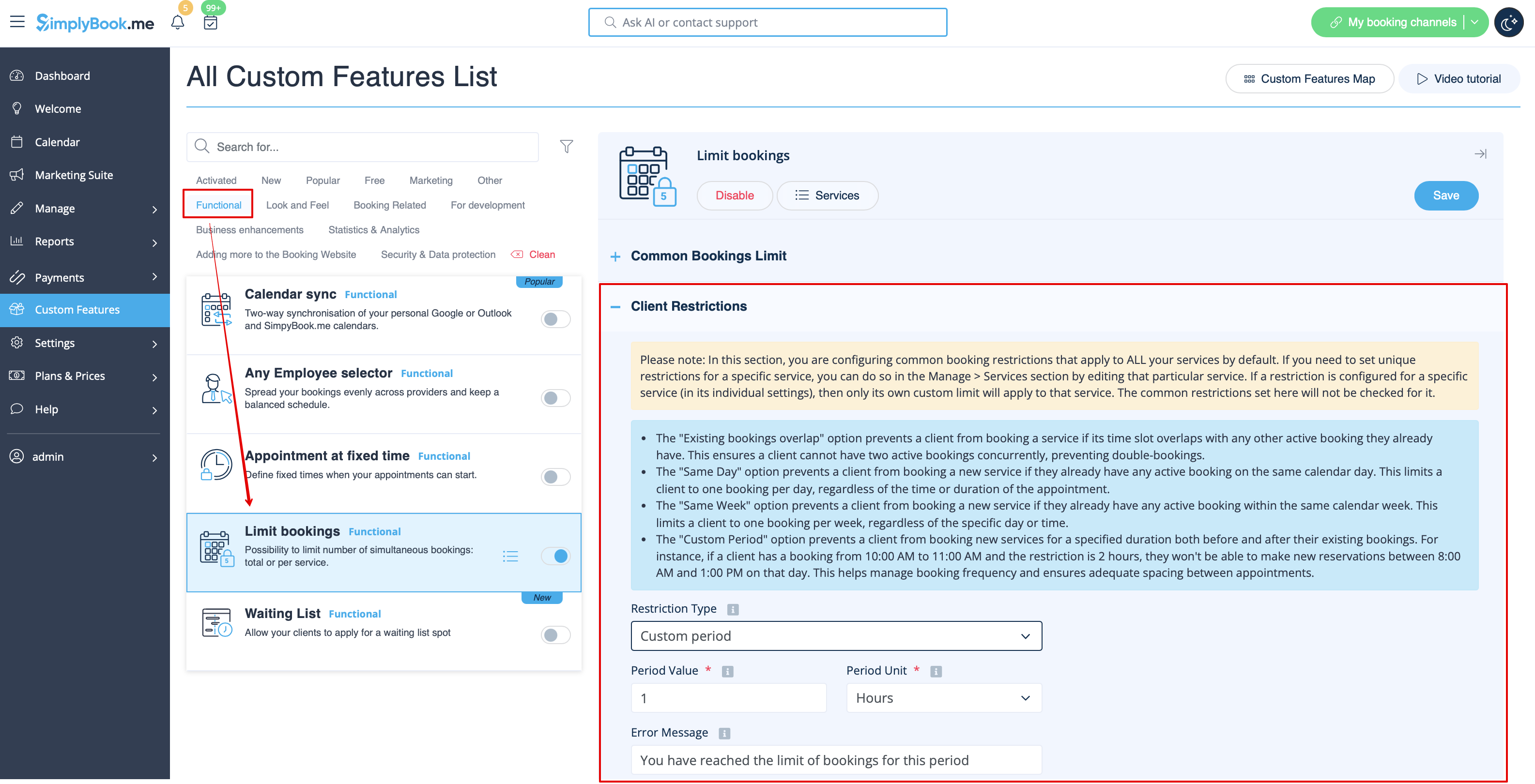
The available options:
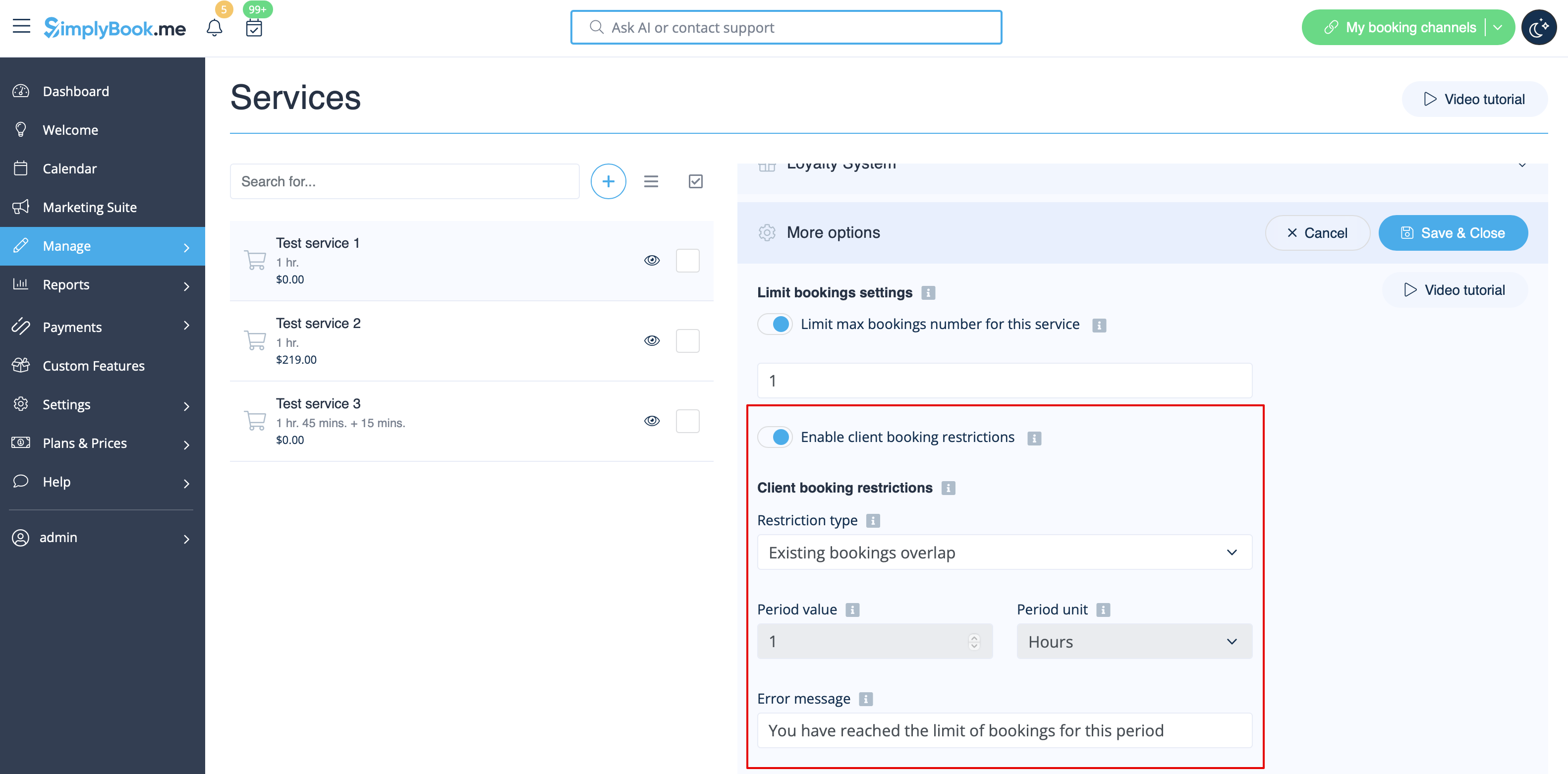
- The Existing bookings overlap option prevents a client from booking a service if its time slot overlaps with any other active booking they already have. This ensures a client cannot have two active bookings concurrently, preventing double-bookings.
- The Same Day option prevents a client from booking a new service if they already have any active booking on the same calendar day. This limits a client to one booking per day, regardless of the time or duration of the appointment.
- The Same Week option prevents a client from booking a new service if they already have any active booking within the same calendar week. This limits a client to one booking per week, regardless of the specific day or time.
- The Custom Period option prevents a client from booking new services for a specified duration both before and after their existing bookings. For instance, if a client has a booking from 10:00 AM to 11:00 AM and the restriction is 2 hours, they won't be able to make new reservations between 8:00 AM and 1:00 PM on that day. This helps manage booking frequency and ensures adequate spacing between appointments.
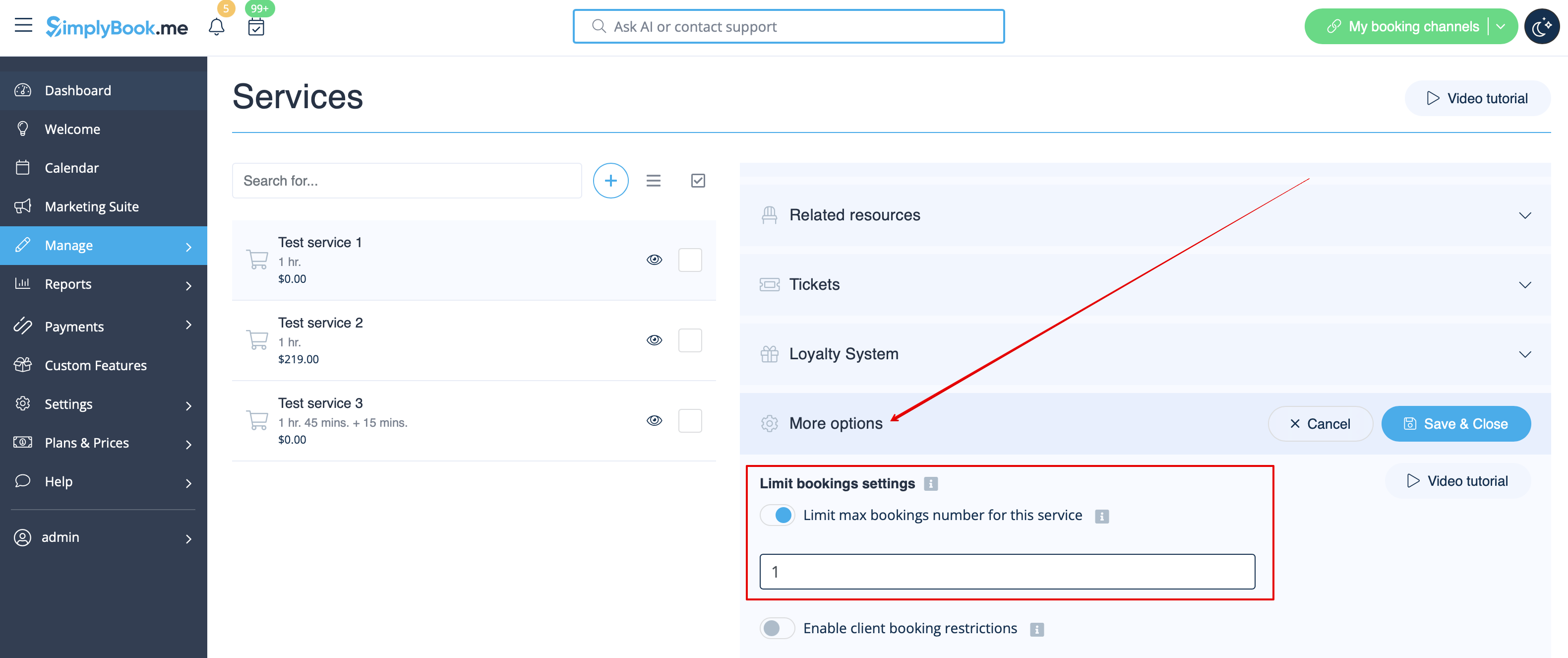
- 5. If you need to set the limit for certain service please navigate to Manage//Services(Classes) page, choose "More options" tab and set the desired number per service/class. You fill find both options there: per timeslot and per client