From SimplyBook.me
Showing below up to 50 results in range #2,751 to #2,800.
-
 Rewards and referrals enable path.png 1,000 × 373; 106 KB
-
 Room evening times.png 1,000 × 431; 114 KB
-
 Room evening times new.png 1,000 × 440; 52 KB
-
 Room relation.png 1,000 × 486; 90 KB
-
 Rooms.png 999 × 518; 321 KB
-
 Rsz plugin icon.jpg 75 × 75; 3 KB
-
 Rsz settings big 1x.png 169 × 137; 12 KB
-
 SMSPackages750.png 750 × 371; 52 KB
-
 SMTP settings.png 1,581 × 815; 56 KB
-
 SMTP settings1.png 1,000 × 515; 55 KB
-
 SSL.png 64 × 64; 3 KB
-
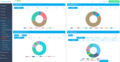 Sales report.png 1,000 × 516; 97 KB
-
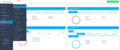 Sales report path new navigation.png 1,906 × 800; 134 KB
-
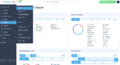 Sales report path redesigned.png 3,046 × 1,654; 475 KB
-
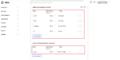 Saml add attribite statements.png 3,018 × 1,498; 236 KB
-
 Saml copy urls from okta.png 3,538 × 1,632; 725 KB
-
 Saml icon.png 100 × 100; 10 KB
-
 Saml proceed to the next.png 3,022 × 1,554; 237 KB
-
 Saml sign on more details.png 2,712 × 1,720; 434 KB
-
 Save and issue the package redesigned.png 2,784 × 1,056; 248 KB
-
 Save link to service path.png 1,600 × 770; 109 KB
-
 Save payment method client side.png 2,434 × 1,642; 214 KB
-
 Save payment method client side new.png 3,006 × 1,168; 214 KB
-
 Save settings widget.png 941 × 174; 10 KB
-
 Save wp design.png 3,272 × 1,620; 319 KB
-
 Saved payment method redesigned.png 2,898 × 1,802; 460 KB
-
 Saved payment method redesigned2.png 2,898 × 1,802; 448 KB
-
 Saved payment methods disable path.png 3,360 × 1,192; 290 KB
-
 Saved payment methods path.png 3,350 × 1,412; 320 KB
-
 Saving the package options.png 1,000 × 488; 66 KB
-
 Sb analytics settings.png 2,000 × 402; 97 KB
-
 Sb confirm connection to wp.png 3,254 × 1,292; 284 KB
-
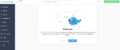 Sb confirm connection to wp new.png 3,250 × 1,344; 276 KB
-
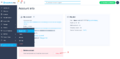 Sb delete account path new flow.png 2,894 × 1,430; 303 KB
-
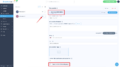 Sb hide second provider.png 3,172 × 1,772; 370 KB
-
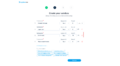 Sb indicate price on sign up.png 1,789 × 990; 124 KB
-
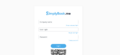 Sb login page.png 2,334 × 1,078; 110 KB
-
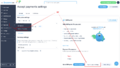 Sb path to tilopay setup.png 3,222 × 1,832; 566 KB
-
 Sb payment system settings path sumup.png 3,096 × 1,798; 554 KB
-
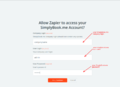 Sbm credentials to zapier.png 961 × 693; 77 KB
-
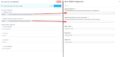 Sbm saml basic settings page.png 1,000 × 478; 87 KB
-
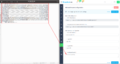 Sbm saml certificate copy.png 1,000 × 530; 159 KB
-
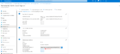 Sbm saml download cetrificate.png 1,000 × 446; 96 KB
-
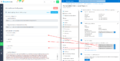 Sbm saml to tutorial block.png 1,000 × 508; 193 KB
-
 Sbpay app in zapier.png 3,406 × 2,282; 447 KB
-
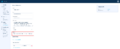 Sbpay company settings page - address.png 2,486 × 1,021; 161 KB
-
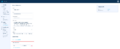 Sbpay company settings page - tax info.png 2,486 × 1,021; 161 KB
-
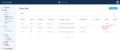 Sbpay edit tax path.png 2,786 × 1,160; 253 KB
-
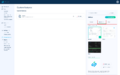 Sbpay invoice appearance settings.png 1,825 × 1,140; 208 KB
-
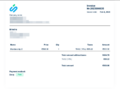 Sbpay invoice example.png 882 × 652; 55 KB


