Revision as of 12:12, 15 May 2025 by Admin (talk | contribs) (Created page with "'''comment utiliser''' <span style="background-color:#d4f8e5; padding:5px; border-radius:5px;">les champs client</span> :1. Activez la fonctionnalité personnalisée <span style="background-color:#d4f8e5; padding:5px; border-radius:5px;">Champs client</span> sur la page <span style="background-color:#d4f8e5; padding:5px; border-radius:5px;">Fonctionnalités personnalisées</span>. File:Client fiedls enable path redesigned.png|1200px|border|center|link=https://help.simp...")
(diff) ← Older revision | Latest revision (diff) | Newer revision → (diff)

Translations:First and Last Names/3/fr

From SimplyBook.me

comment utiliser les champs client

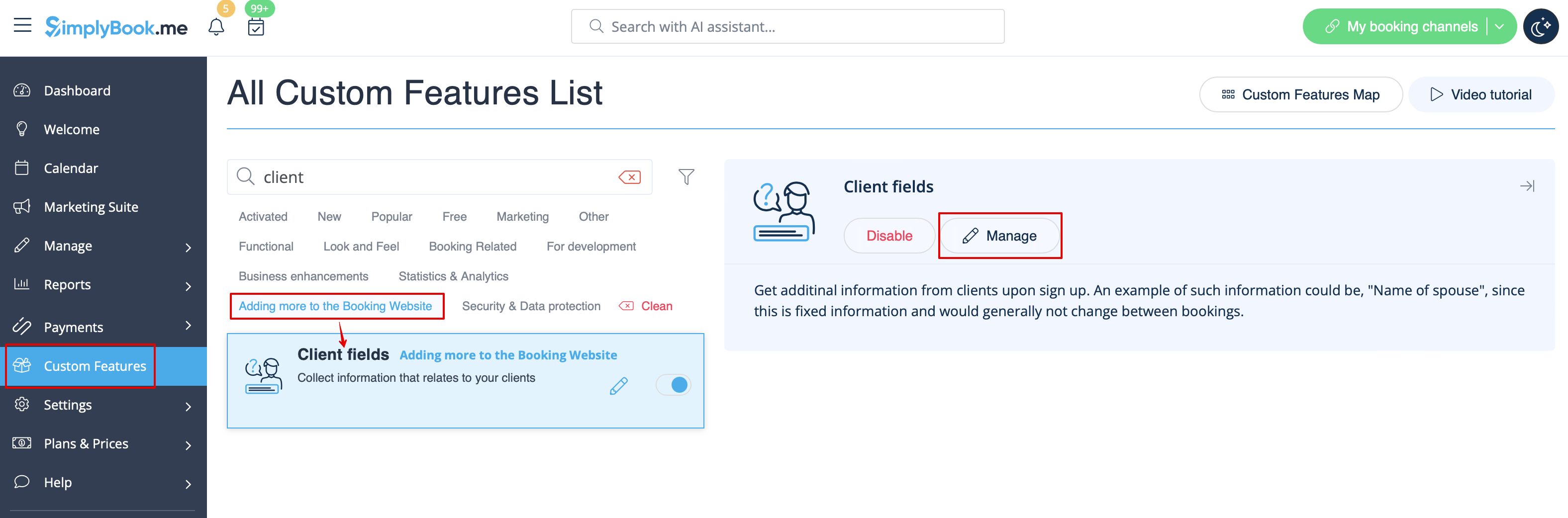
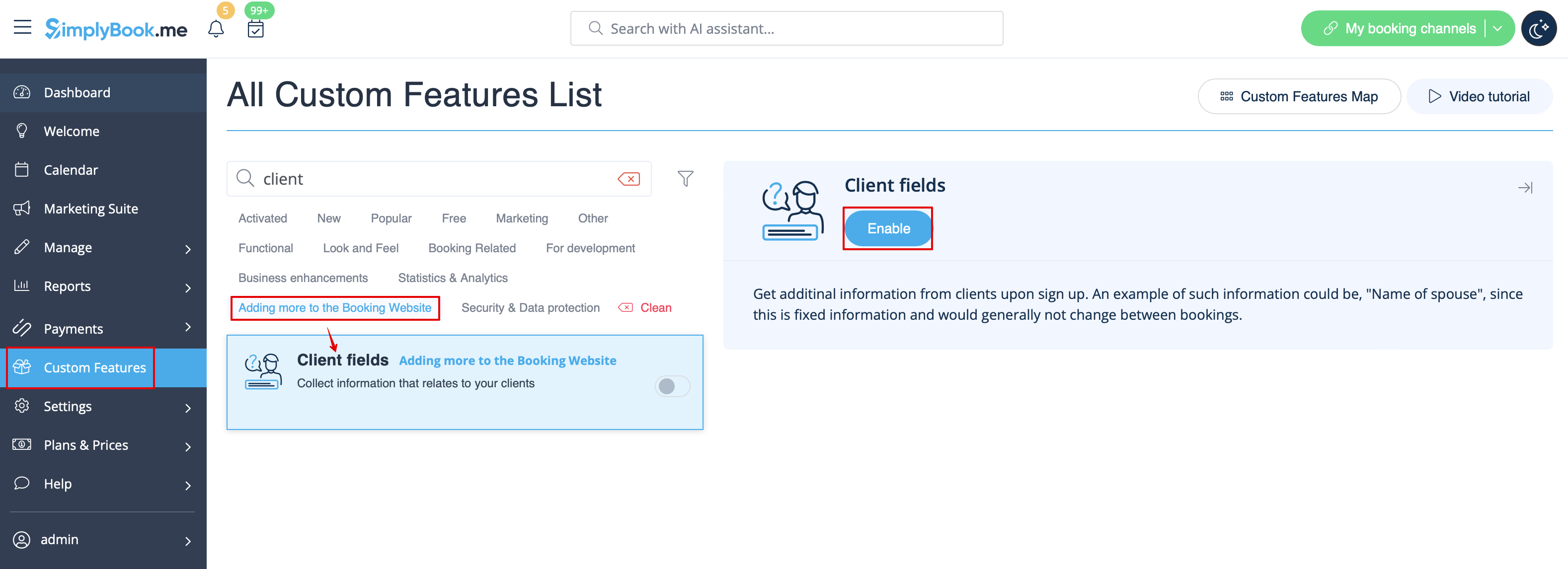
1. Activez la fonctionnalité personnalisée Champs client sur la page Fonctionnalités personnalisées.


2. Accédez à ses paramètres en cliquant sur le lien Gérer.
Ou accédez à Gérer -> Champs client dans le menu de gauche.