Justera kundfakturor
Det kan vara nödvändigt att visa eller dölja vissa uppgifter eller ändra utseendet på de fakturor som systemet skickar till kunderna efter att de har gjort ett köp på din bokningswebbplats.
Du kan justera följande:
1. Company address.
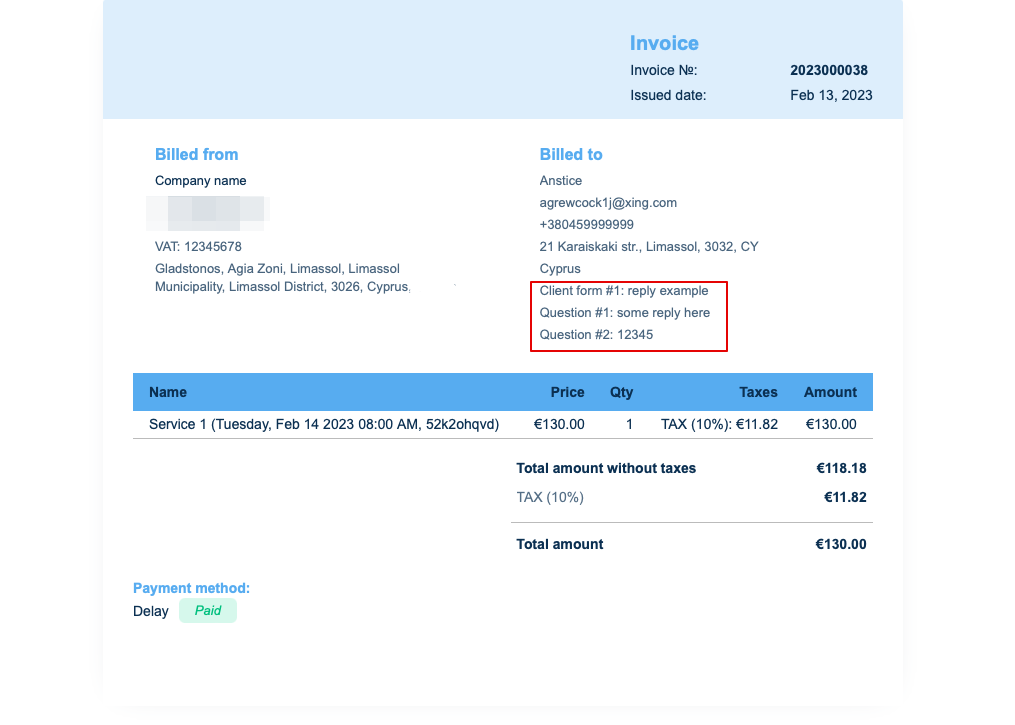
The company address added in Payments(SBPay.me) -> Payment systems -> Settings -> Company profile -> Address will be reflected in the invoices.
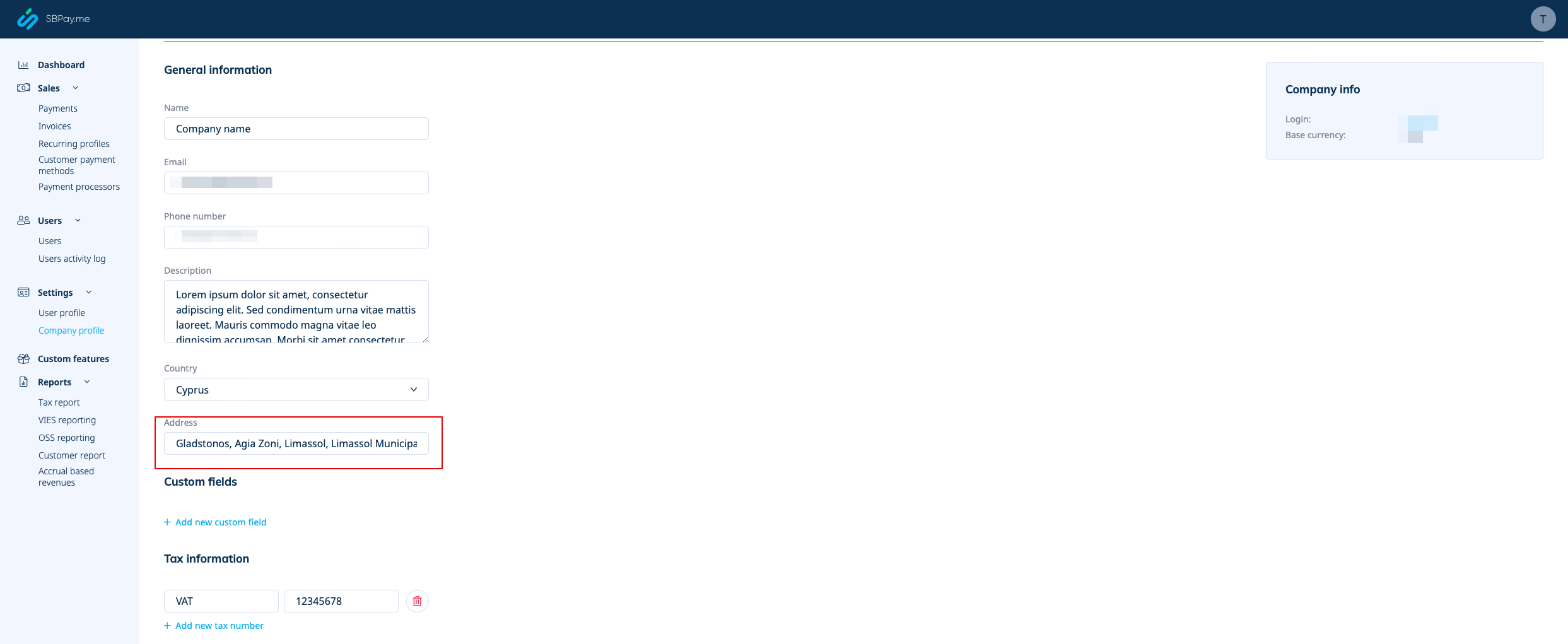
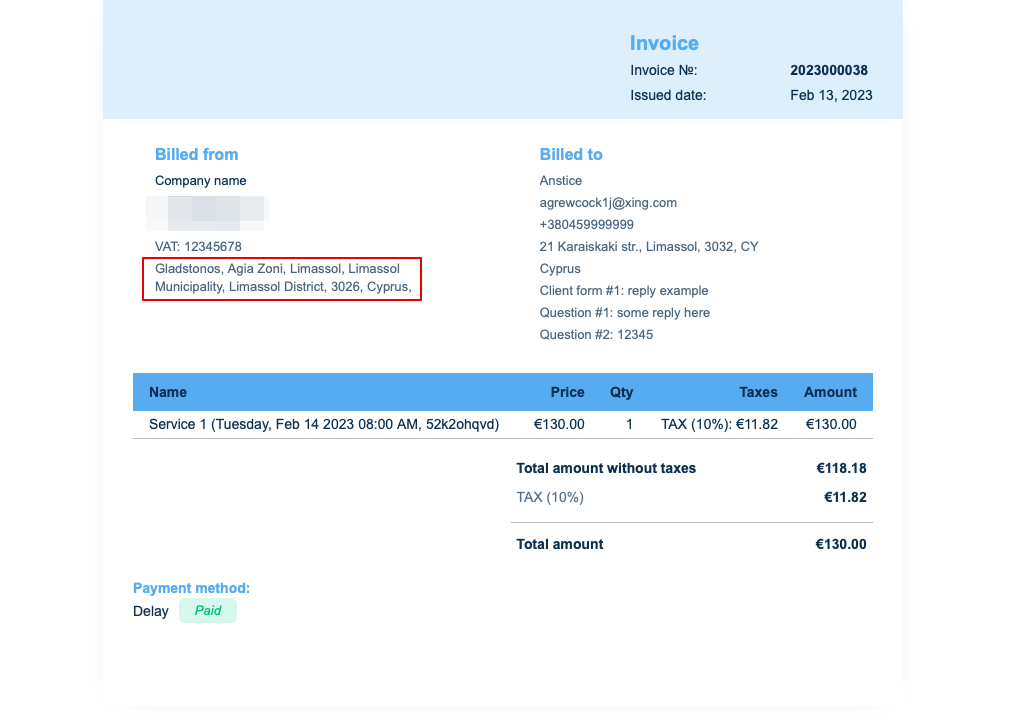
If you need to hide it simply remove address from that field and save settings.
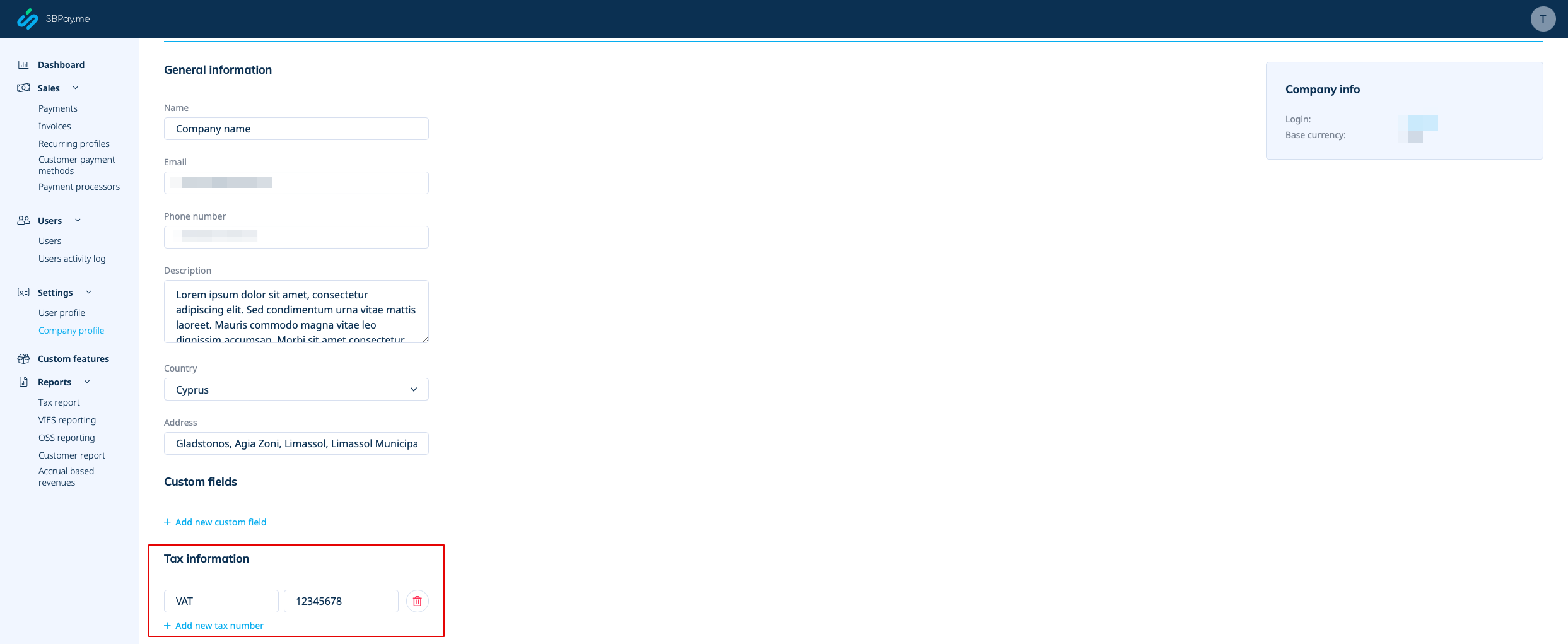
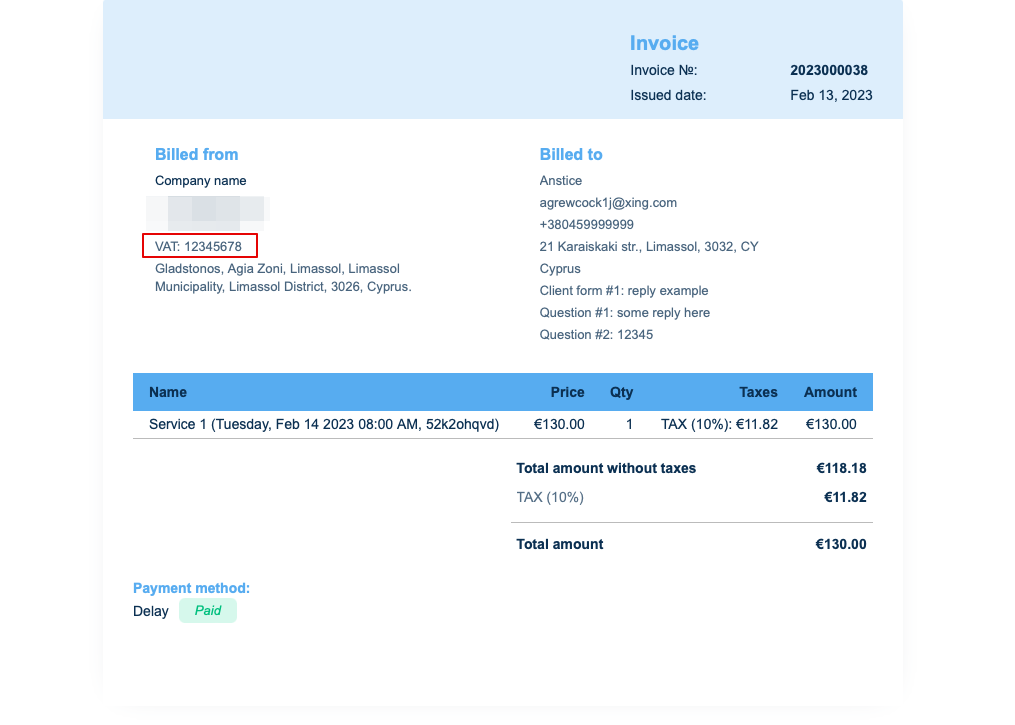
2. Company VAT number.
If it is added in Payments(SBPay.me) -> Payment systems -> Settings -> Company profile -> Tax information it will be included to the invoice header.
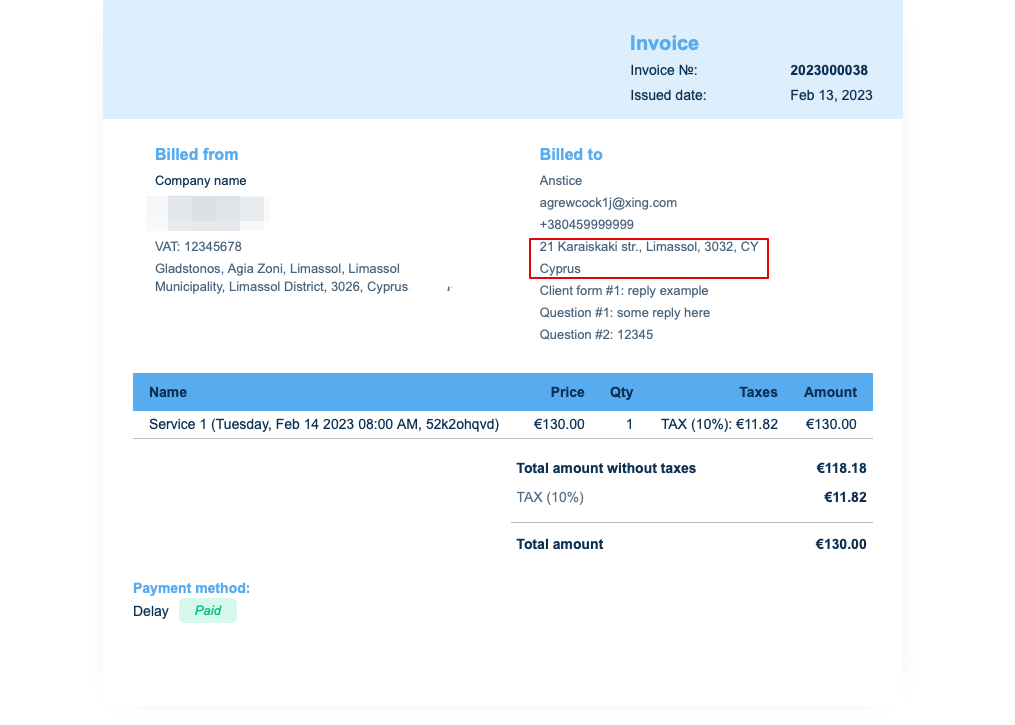
3. Client address.
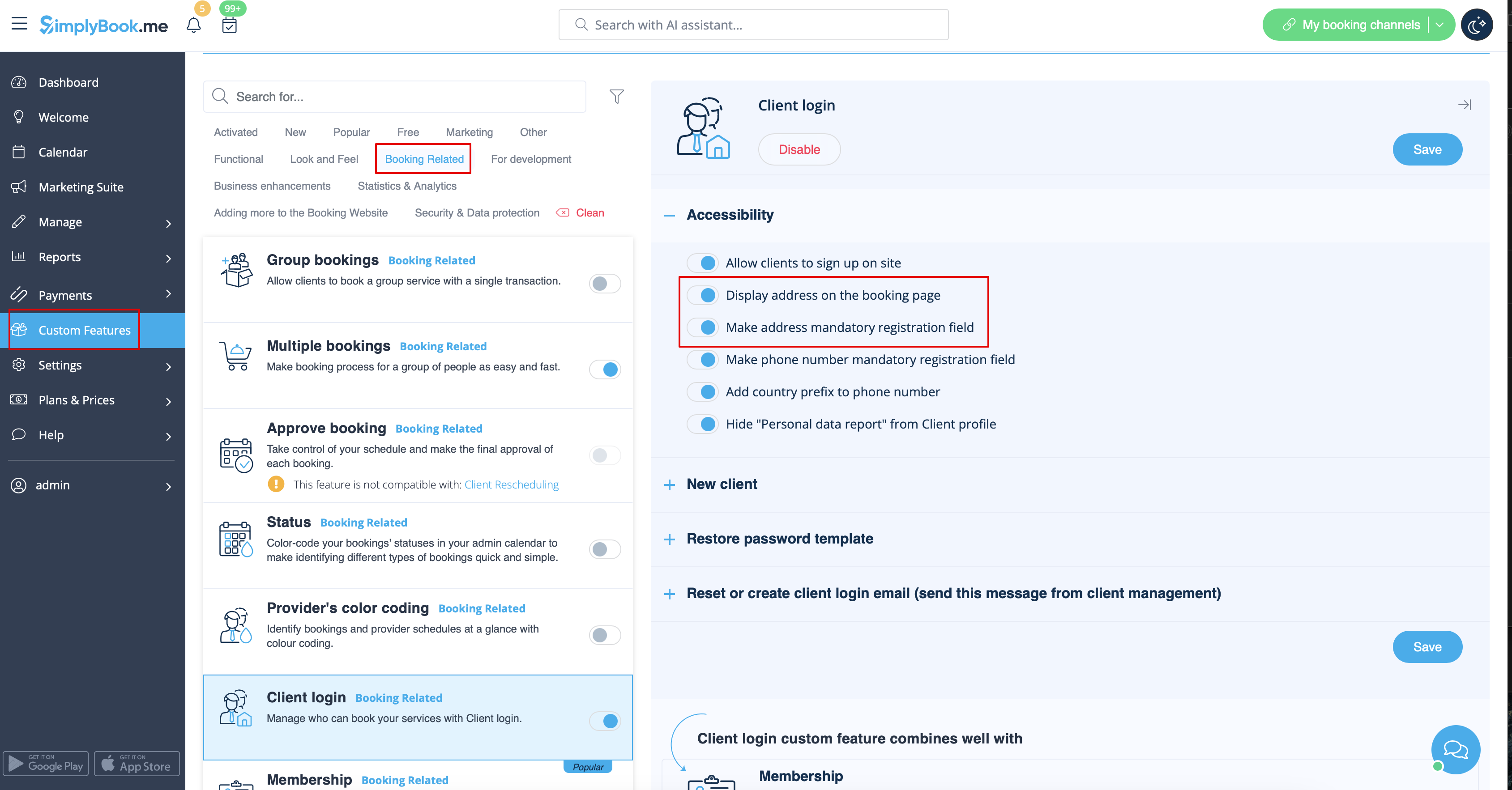
For the client address to be displayed please enable Client Login custom feature, enable both Display address on the booking page and Make address mandatory registration field in Accessibility section. Save settings.
4. Intake forms and Client Fields
You can add certain forms to be displayed in the client information block.
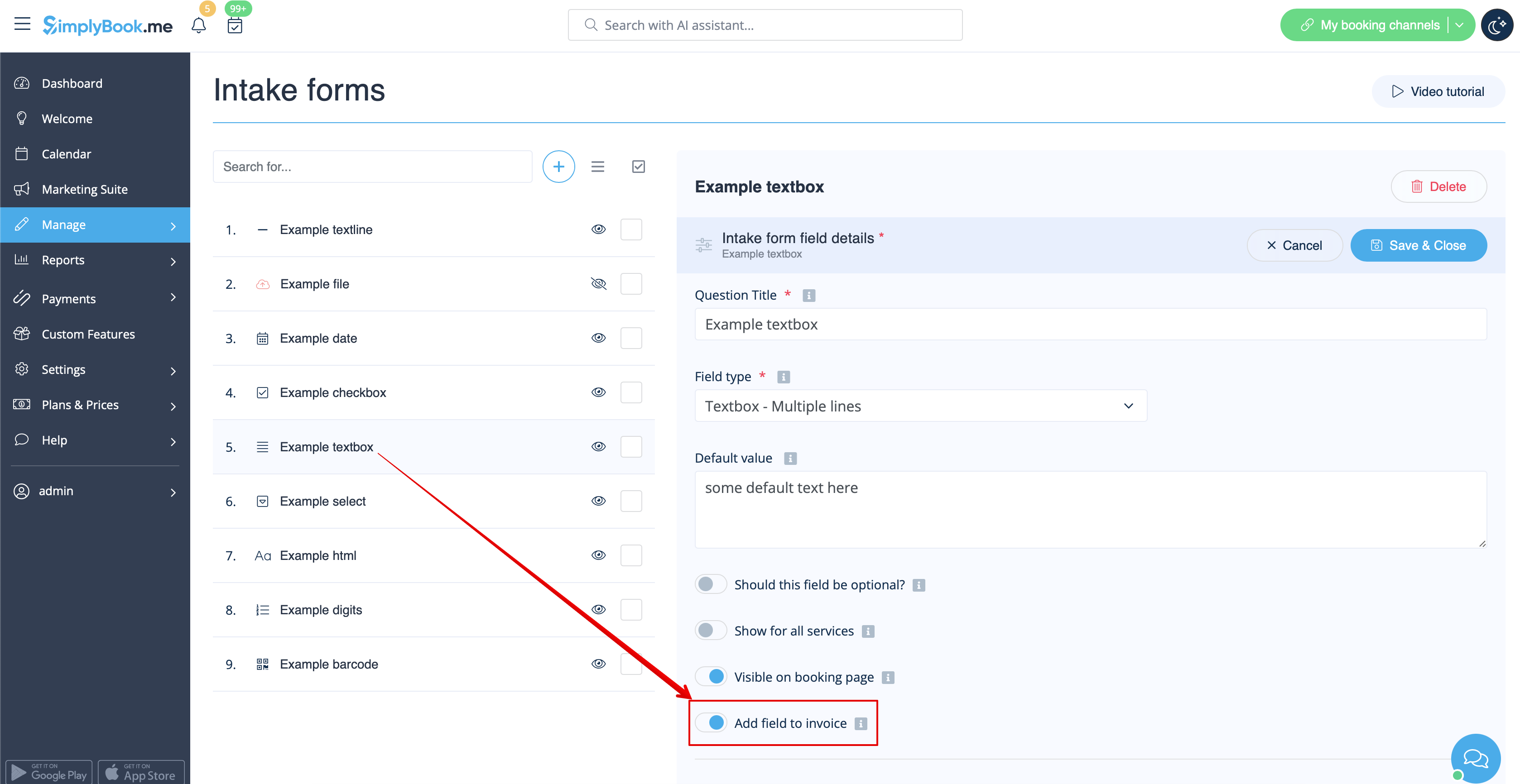
If it is an intake form please go to Manage -> Intake forms -> click on the necessary form to select -> enable Add field to invoice, save settings.
Or if you wish to add a client form then navigate to Manage -> Client fields -> click on the desired field to edit it -> enable Add field to invoice, save.
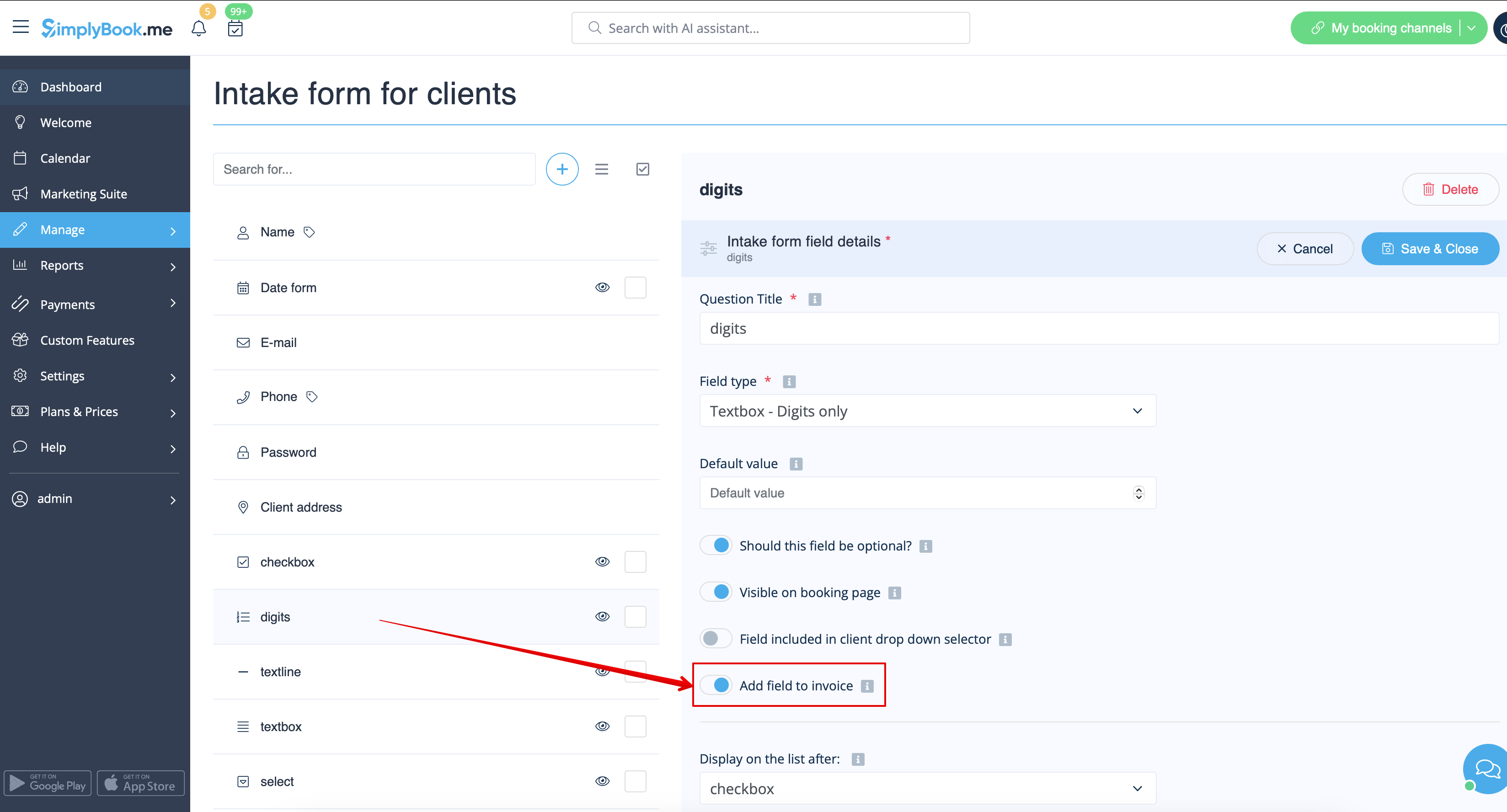
As the result both the form title and the client response will be reflected in the invoice.
5. Invoice design.
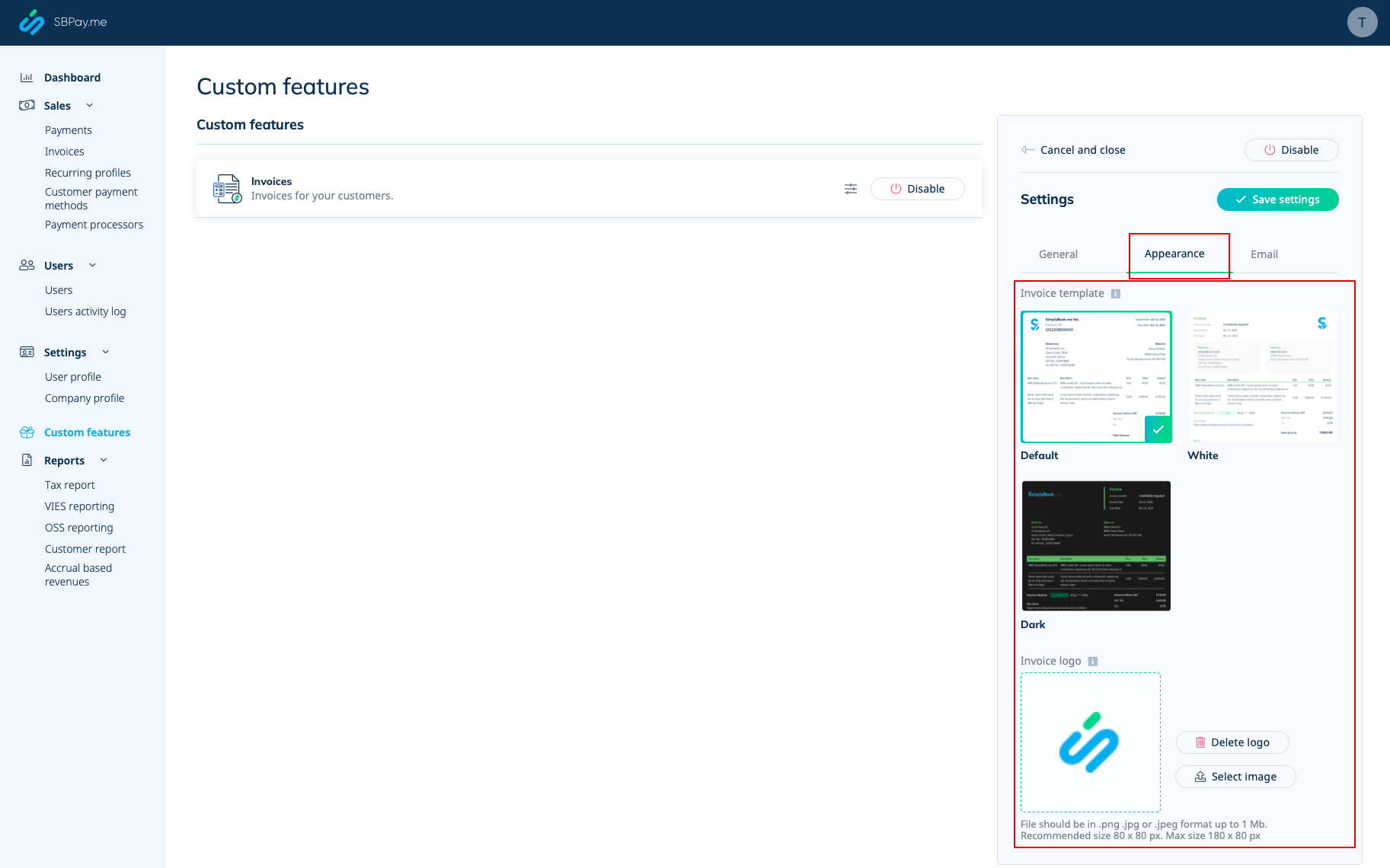
There are three templates to choose from in Payments(SBPay.me) -> Payment systems -> Custom features -> Invoices -> Settings -> Appearance.
Please cheese the one you like the most, add your comopany logo and save settings.
Please note! Importing invoices from external platforms directly into the system is not supported. However, SimplyBook.me offers integration options with various accounting software, including Xero, QuickBooks, and FreshBooks. You can efficiently manage your invoices within your preferred accounting system.
