Translations:Break times/2/en
From SimplyBook.me
Quickly block times from Calendar
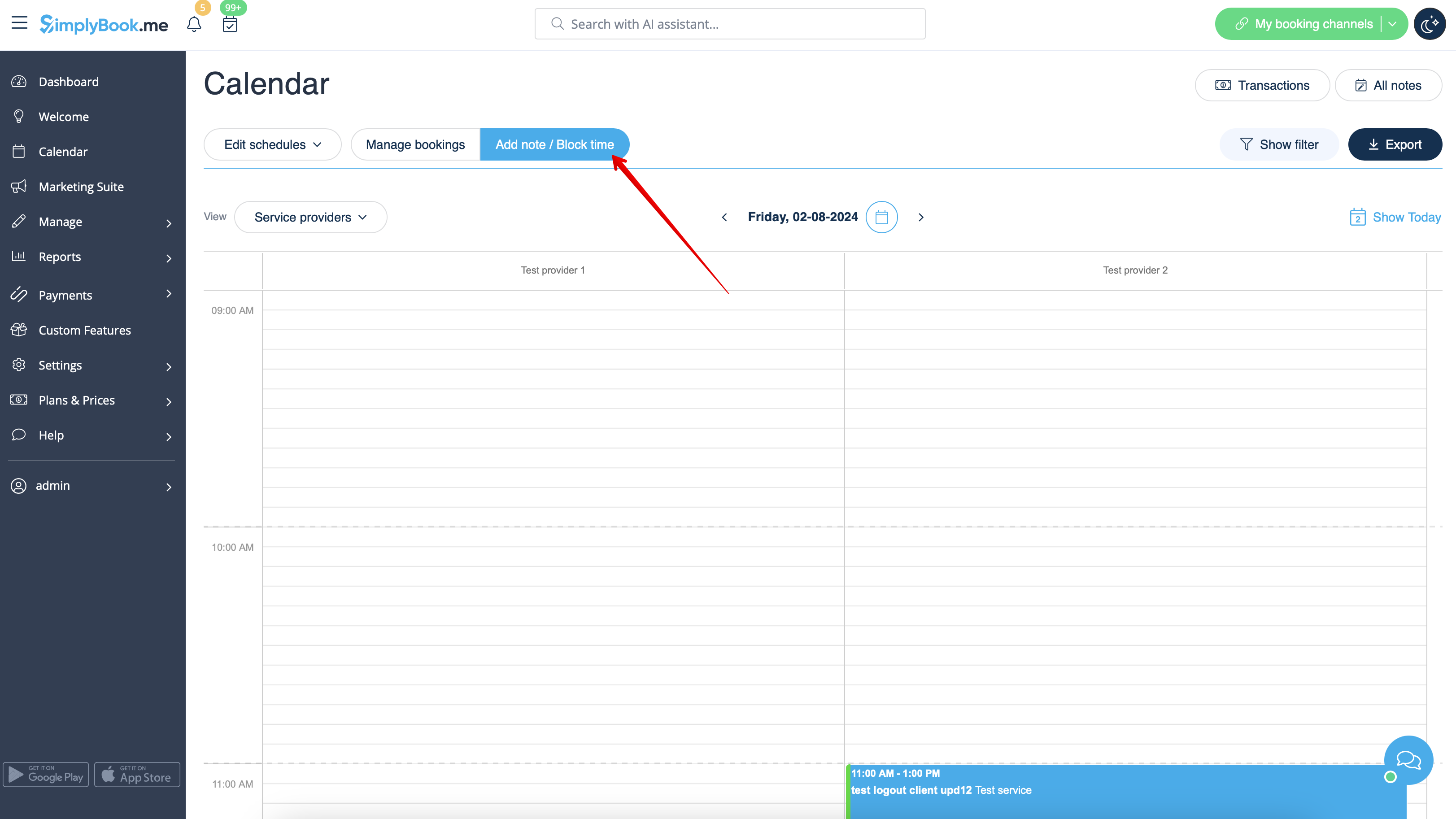
You can close the availability from Calendar page using "Add note/Block time" mode. Switch to it and click on the timeslot you want to close.
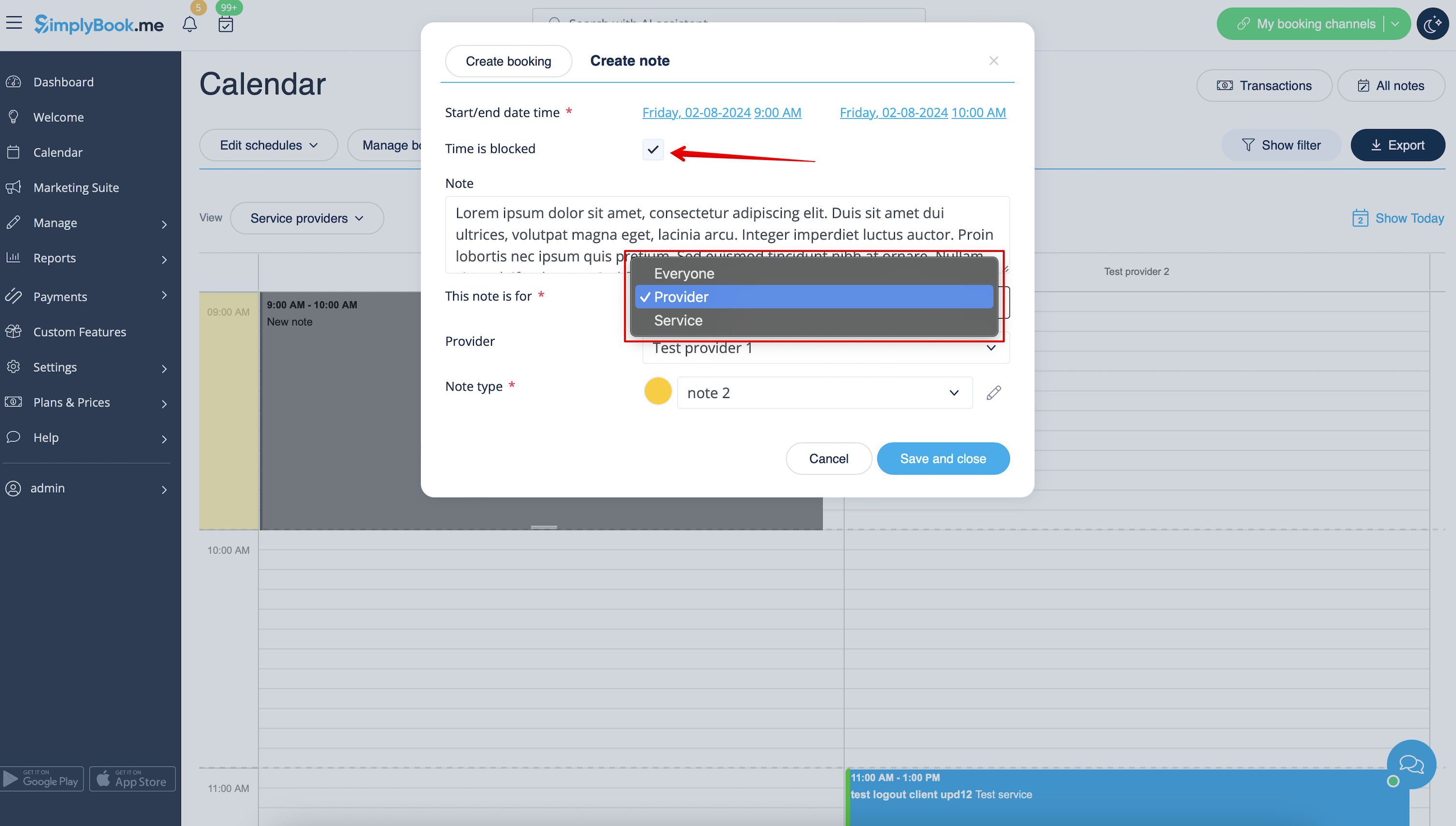
In the note popup check "Time is blocked" option and choose whether you need to block time period for everyone in your company or only for specific provider or service.
Add the reason of blocking if necessary.
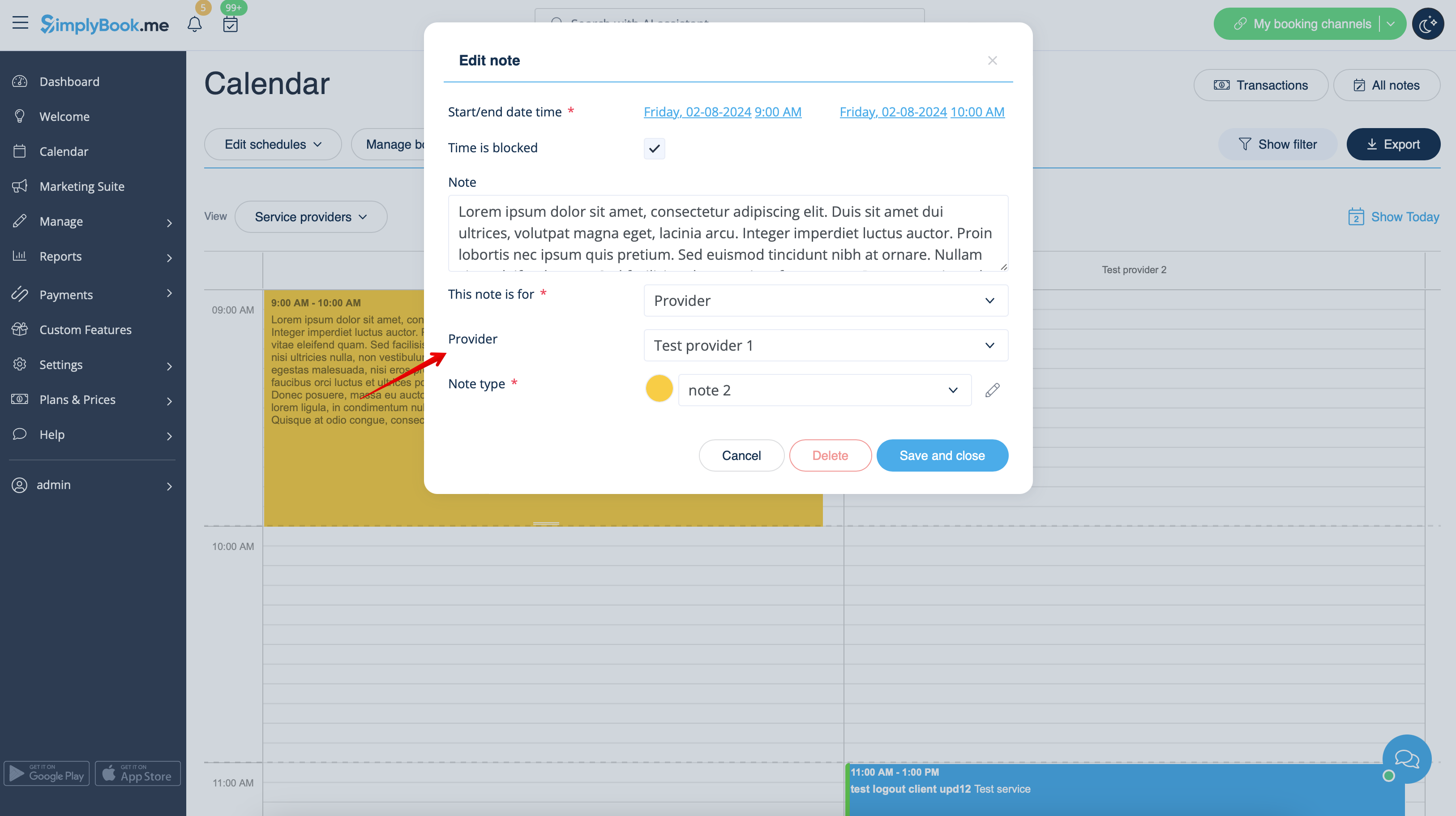
To remove or edit blocked time you simply can click on the corresponding note and delete it or update and save.