Translations:Campaign custom feature/5/en
From SimplyBook.me
Setting up a Campaign:
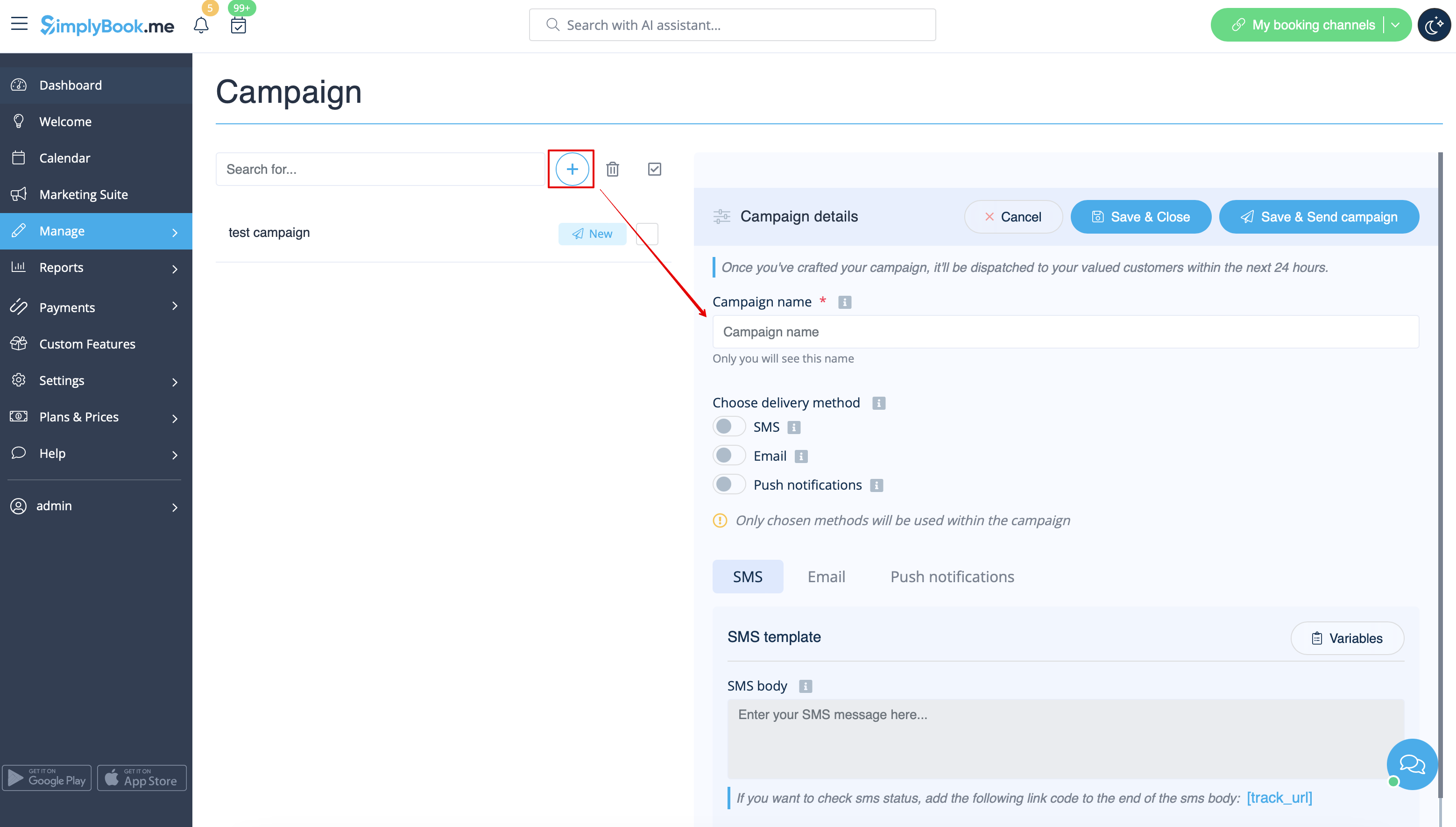
1. Click on "Create new campaign", fill in the Campaign name, select the delivery method, and fill in the template for the chosen delivery method.
You can choose SMS, Email and/or Push notification type.
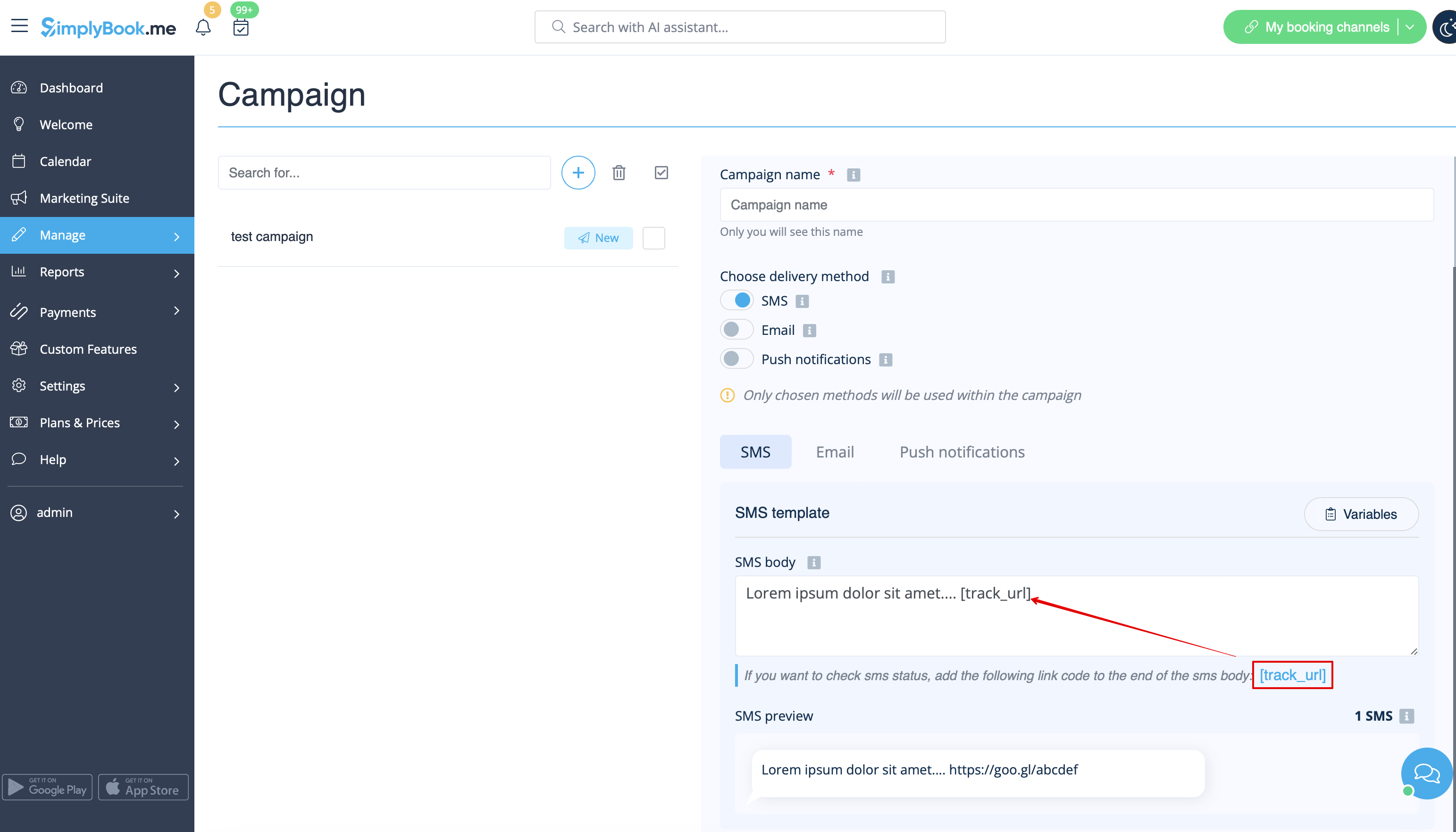
If you want to check SMS delivery status, you can add the following variable to the SMS body: [track_url] If the client opens the link such SMS will be reflected as "Opened" in the campaign statistics.
Statuses for emails and push notifications are tracked automatically.