Налаштована функція «Налаштований домен»
From SimplyBook.me

Ця опція дозволяє встановити власне посилання (URL) на сторінку бронювання з підключенням через захищений канал. Якщо ви маєте власний домен, тепер ви можете просто використовувати сайт бронювання з цією назвою або піддомен цієї назви (частина URL-адреси сайту бронювання /v2/ не може бути змінена).
Please note! This feature is not compatible with Facebook Client Info custom feature.
Video tutorial 
- How to use
- 1. Enable this feature per one-time payment(you will see the exact price in your account) on your Custom features page.
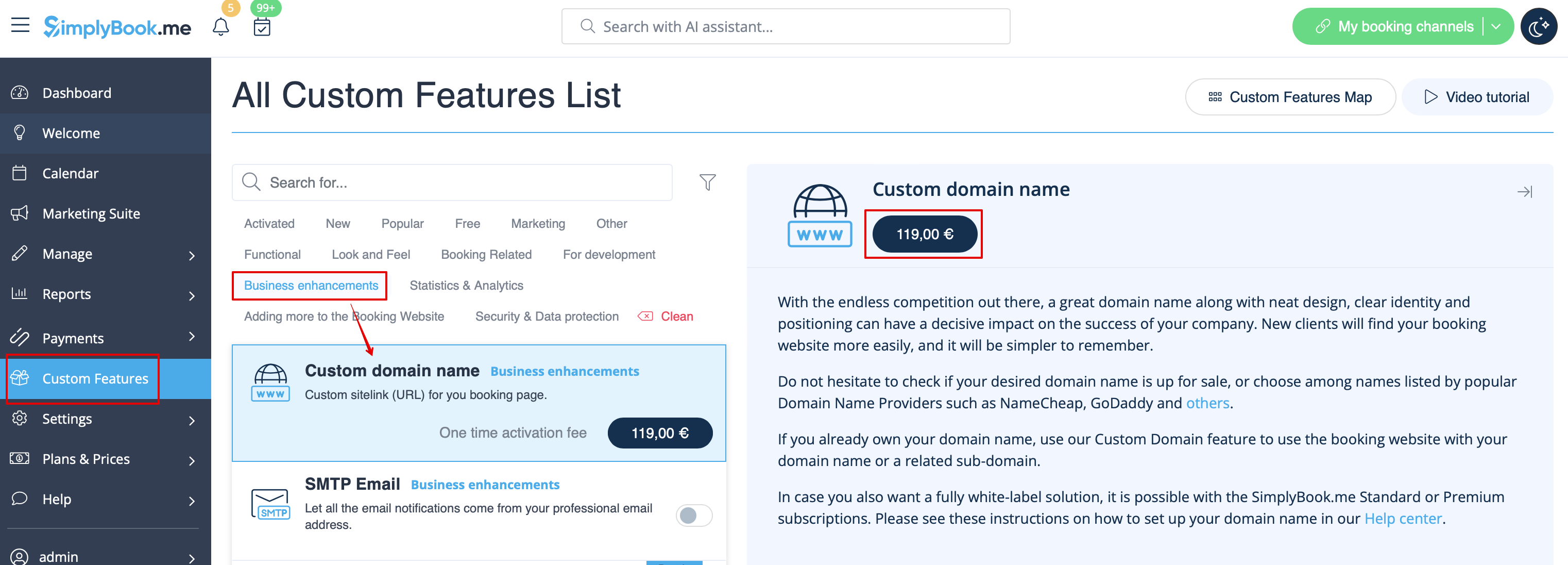
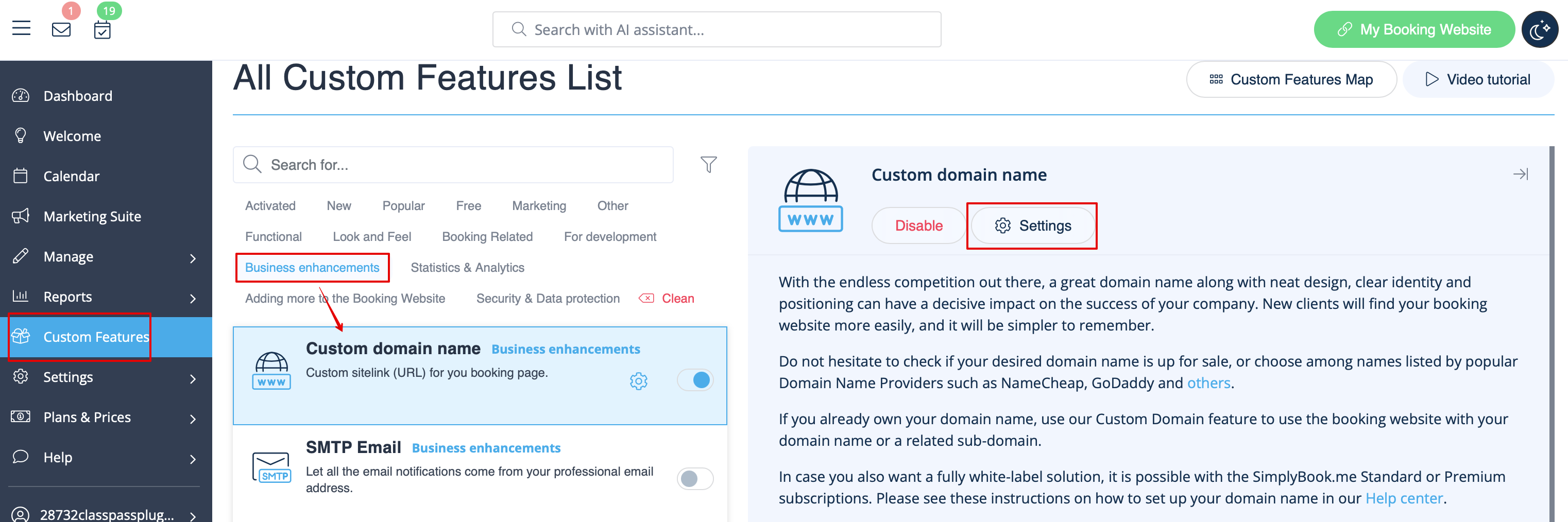
- 2. Go to its "Settings" by selecting the corresponding option on the right side of the page.
- 3. Then in your Domain controller, you need to find where you set the DNS records and set A-record to IP mentioned in this feature settings.
- Please note! AAAA (IPv6) record must not be set, otherwise SSL certificate cannot be issued.
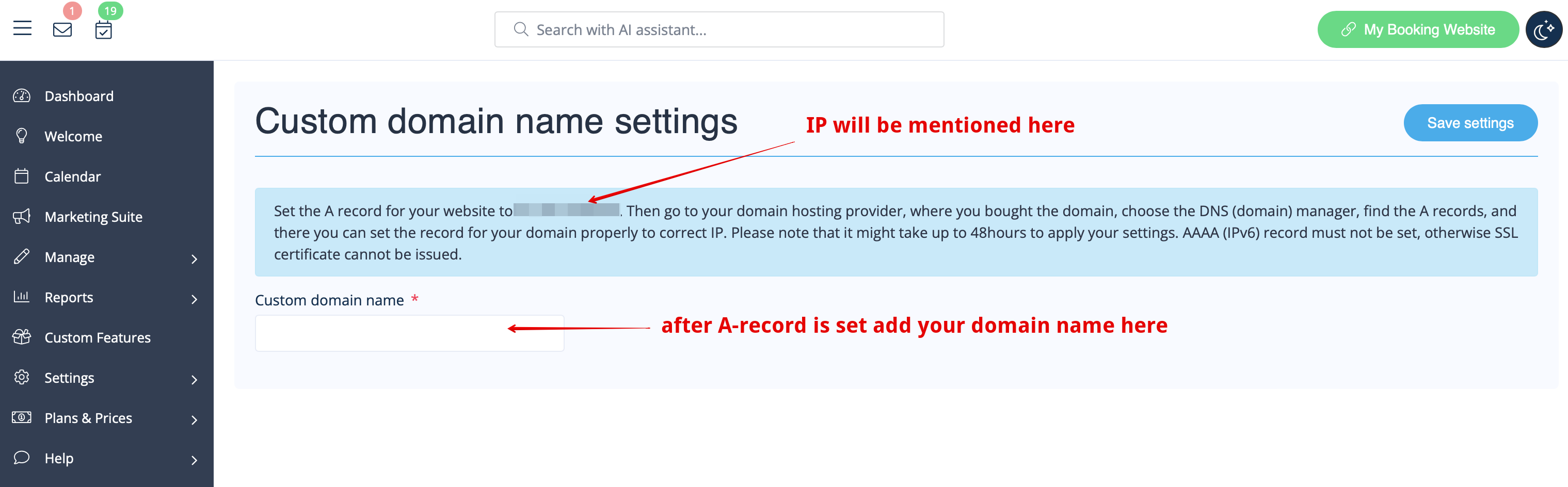
- After A-records are set enter domain name you wish to use in its settings and save.
- Then we will automatically receive the request and apply the settings on our side(it may take some time - usually around 24-48h). As soon as they are applied your domain name starts working for the booking site.
- If you wish to change Custom Domain name to different one from the one set before it can be done for additional price as new SSL certificates need to be created. There will be a button in this custom feature settings that will allow you to process the change if needed. For additional information please contact support.
Useful links:
