Translations:Membership custom feature/9/en
From SimplyBook.me
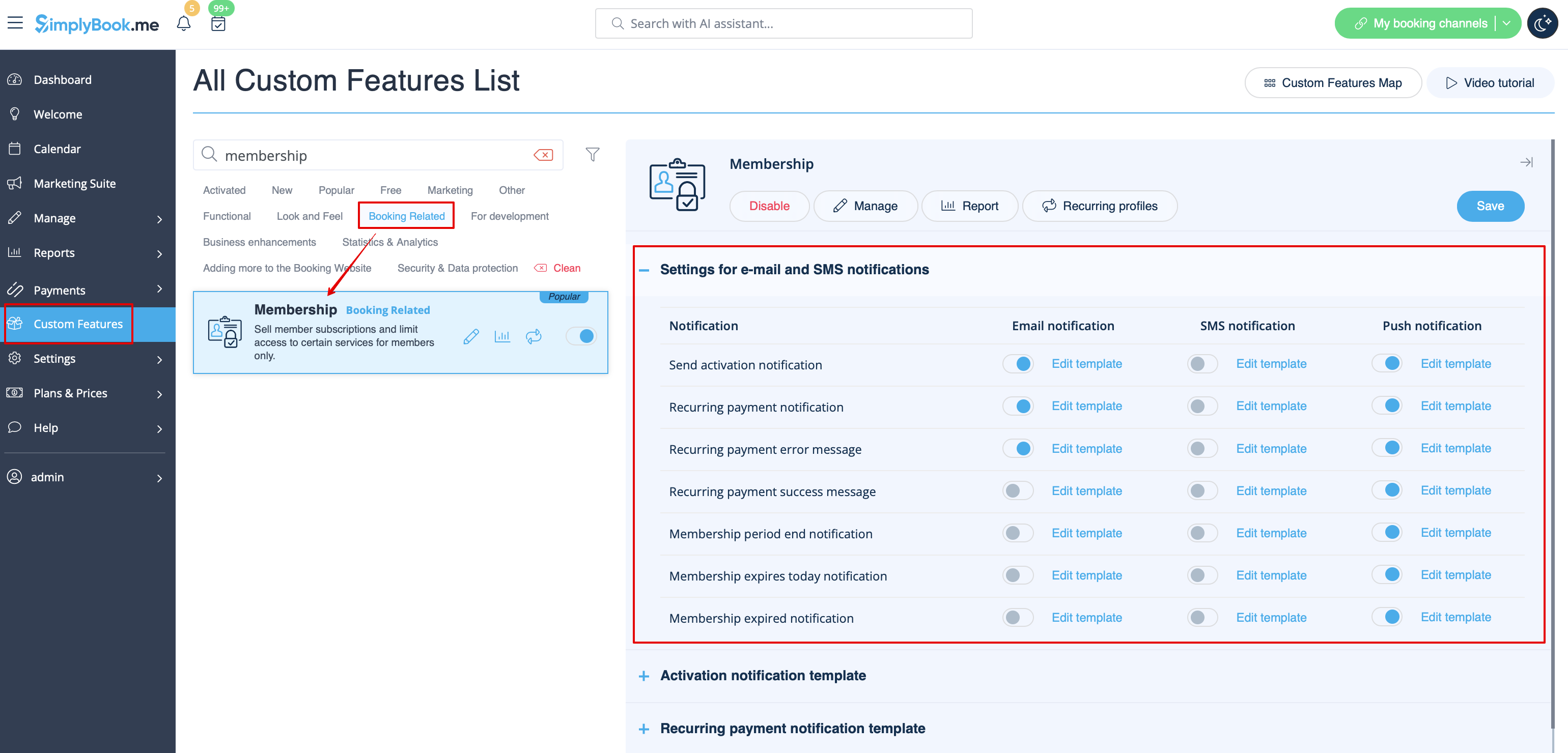
- To adjust your templates please navigate to Custom features -> Membership -> click on its name on the left to open right-side options and see the list of available notifications:
- You can use the variables to automatically add the corresponding information to each email/SMS notification.
[[File:Membership variables redesigned.png|1200px|border|center|link=https://help.simplybook.me/images/4/46/Membership_variables_redesigned.png]
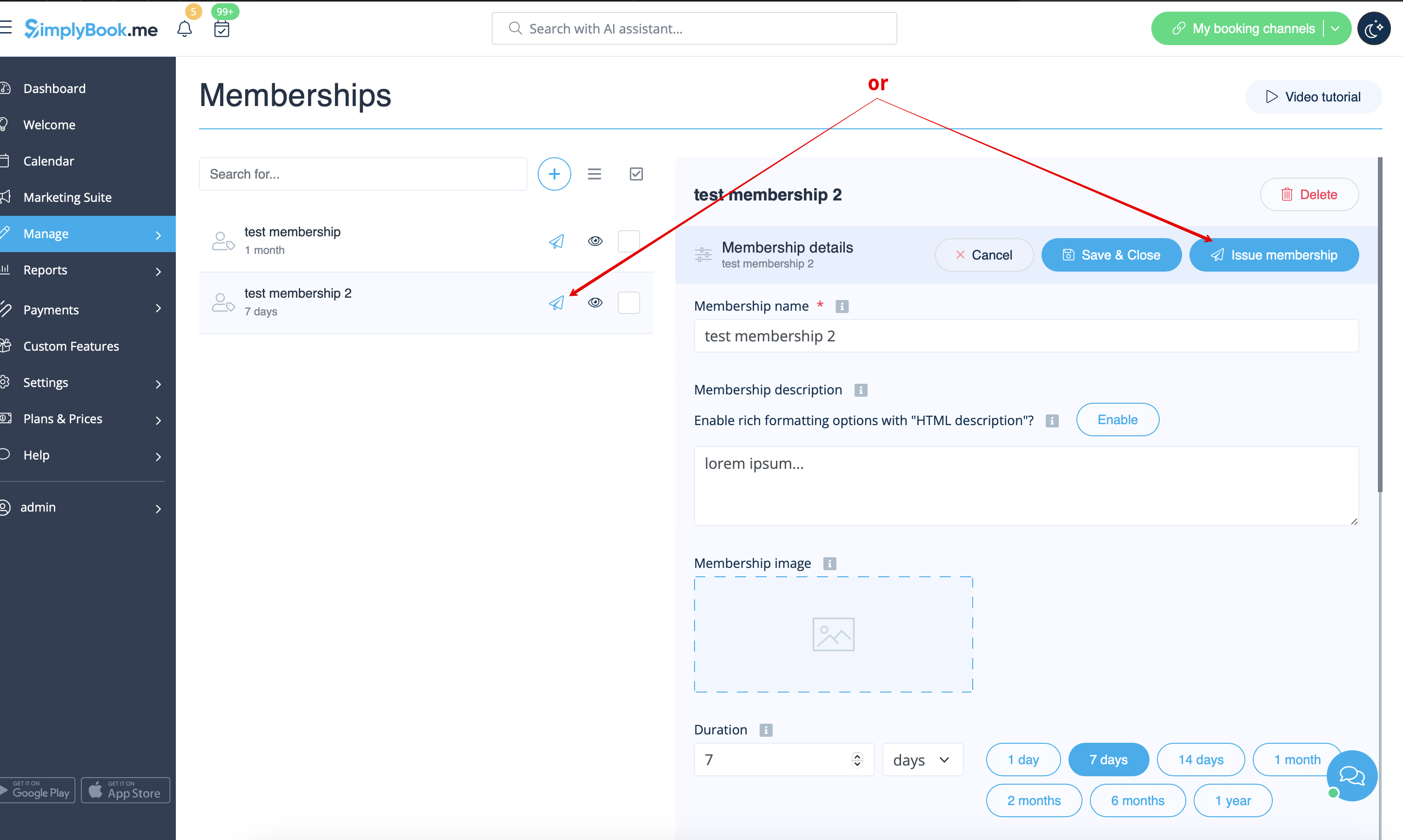
- 5. (optional) You may need to issue membership to some clients from admin side if they have already paid or you have given them some free period.
- You can do that from the same Manage -> Memberships page by clicking on Issue membership button either near the membership name or in the top right corner of membership editing window.