Translations:Quest rooms/3/en
From SimplyBook.me
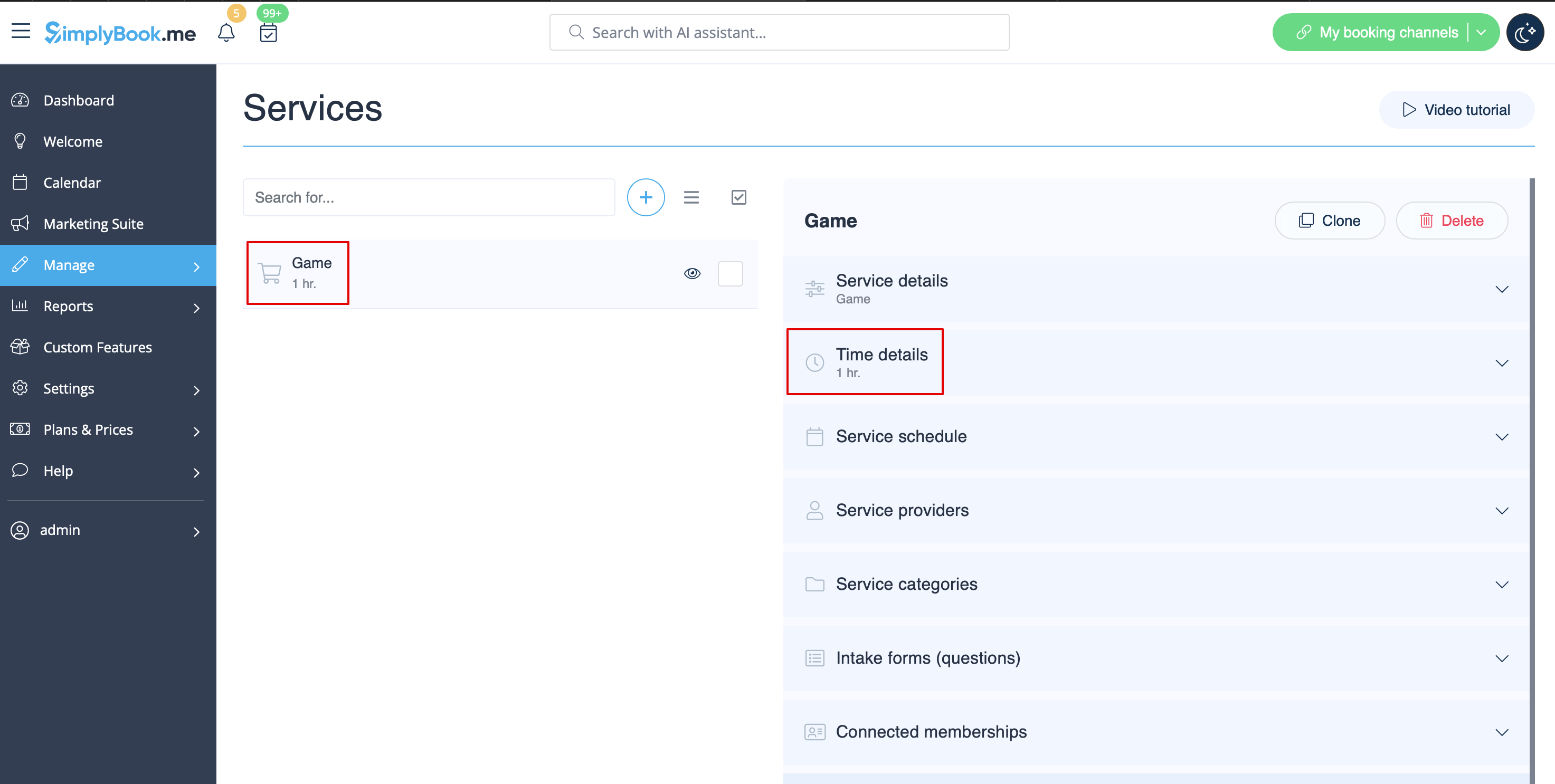
- 1. Create service as game with corresponding duration in Manage // Services // "+". Use Manage // Services // Time details to edit service duration.
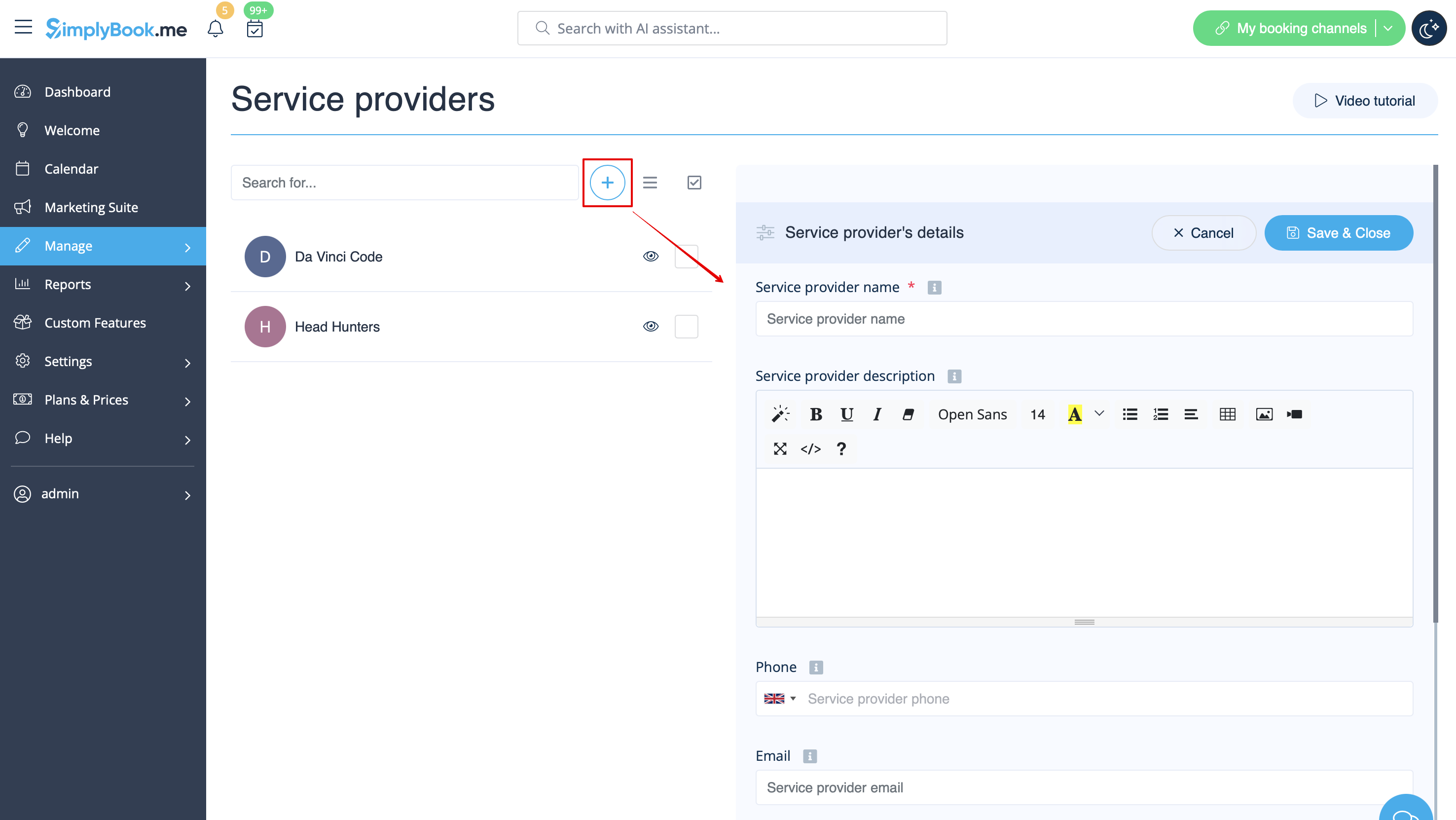
- 2. Make providers as rooms. In Manage // Service Providers // "+" to add new service provider - create the number of providers equal to the rooms you have.
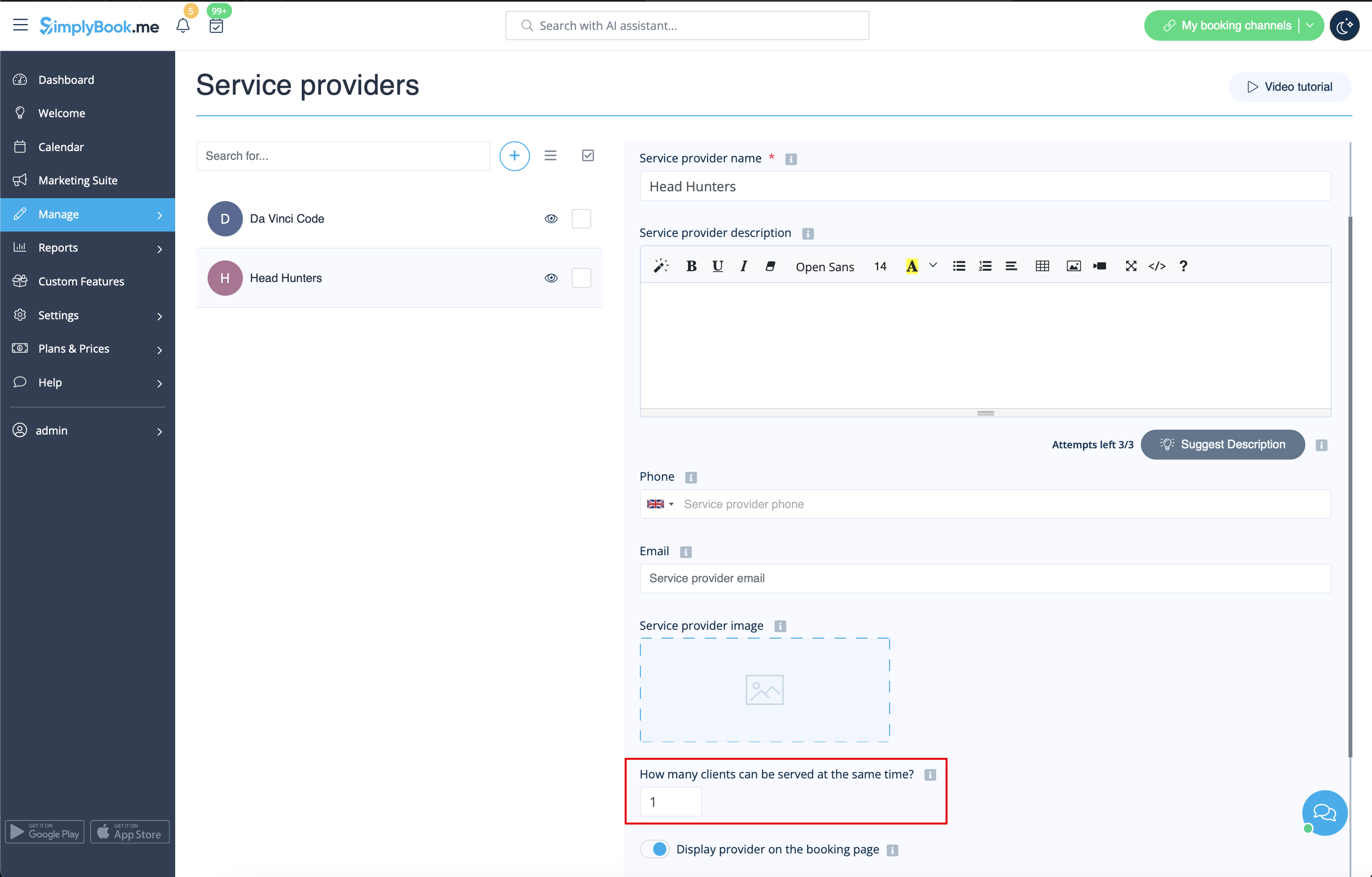
- 3. Make sure that each provider can serve 1 client at a time.
- 4. You can also set specific availability for that room by clicking on "Customize time settings for this provider" on "Service provider schedule" tab in Manage // Service Providers.
- 5. Rename the word "Employee" on the booking page to "Room" or "Game" in Settings // Custom wording & translations.

- 6. If each room has different price and you plan to accept payments online with our Accept Payments custom feature, create more services in Manage // Services // Add service, set price for those services and relate with rooms by checking correponding boxes in "Service providers" tab.
