Translations:Photo Gallery custom feature/4/en
- How to use
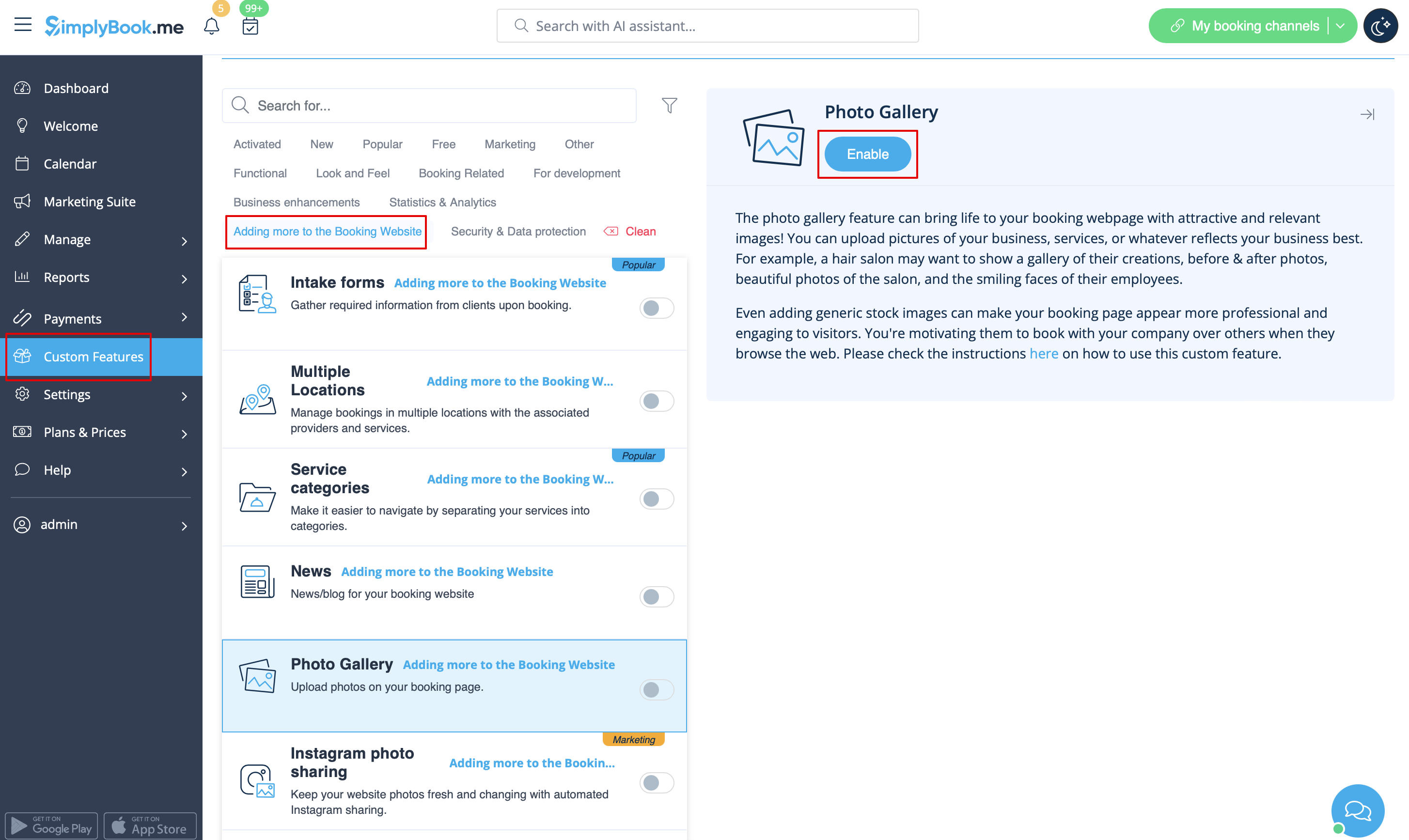
- 1. Enable Photo gallery option on your Custom Features page.
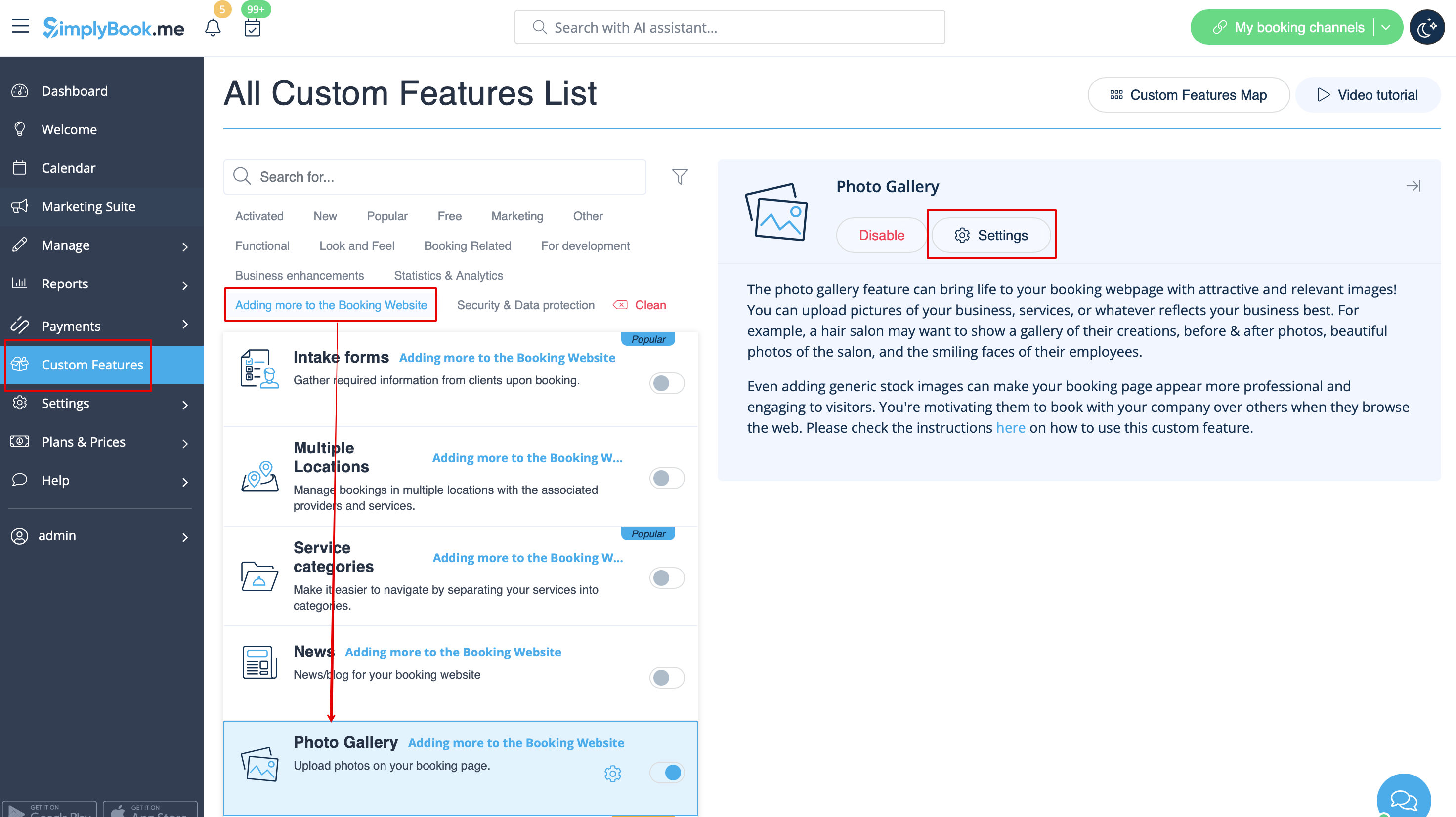
- 2. Click on "Settings" near it.
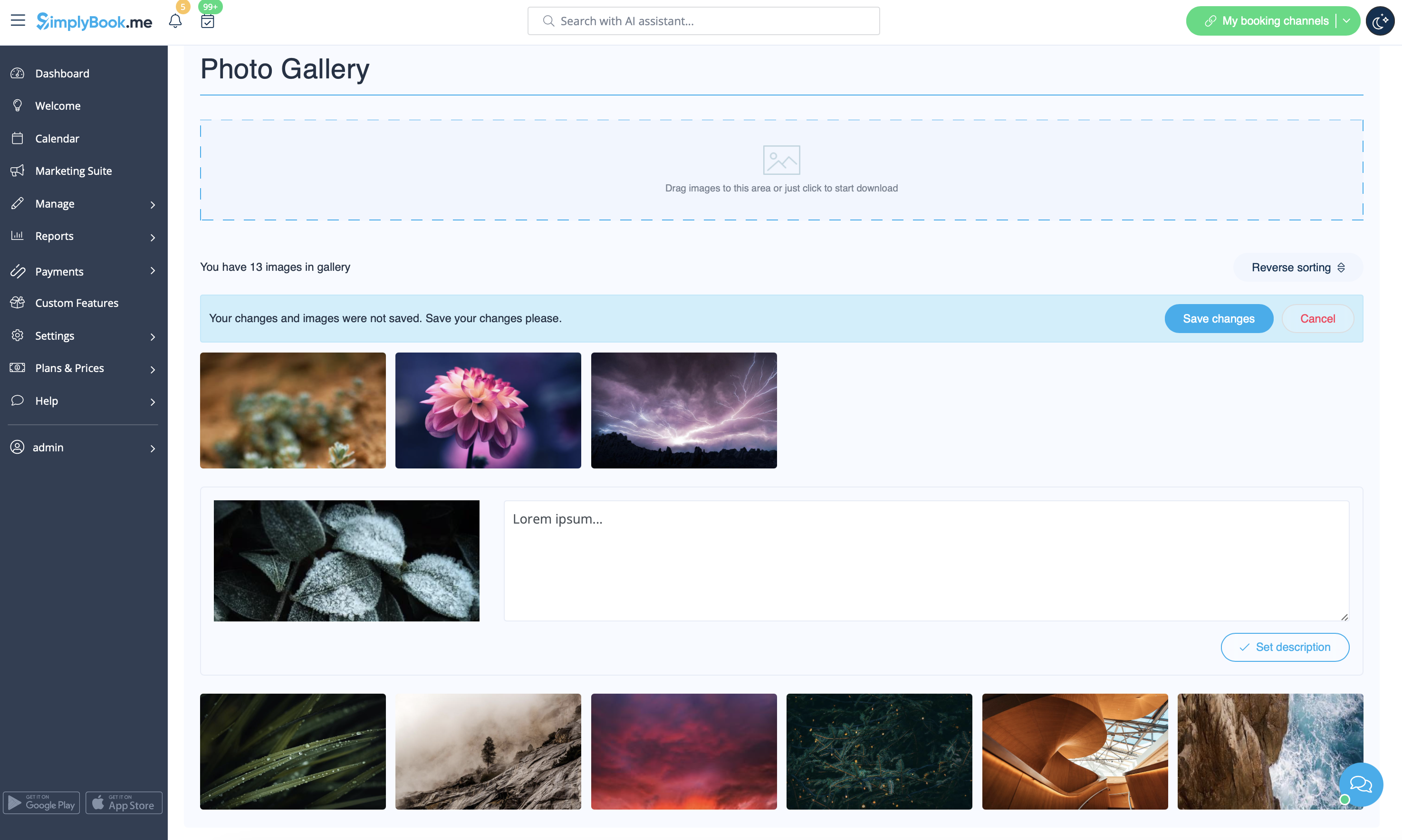
- 3. Upload the images on the page you see, add descriptions if necessary and they will appear in the separate tab on the booking site.