Translations:Tickets custom feature/8/en
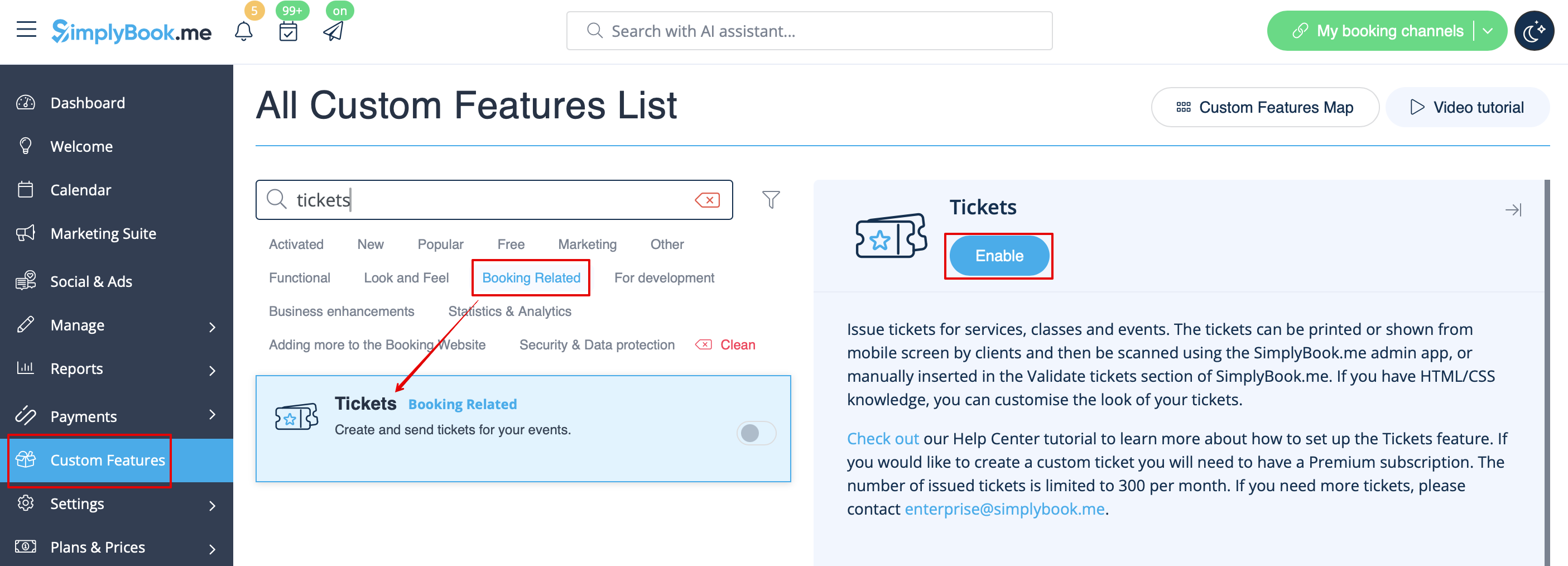
- 1. Enable this feature on your Custom Features page.
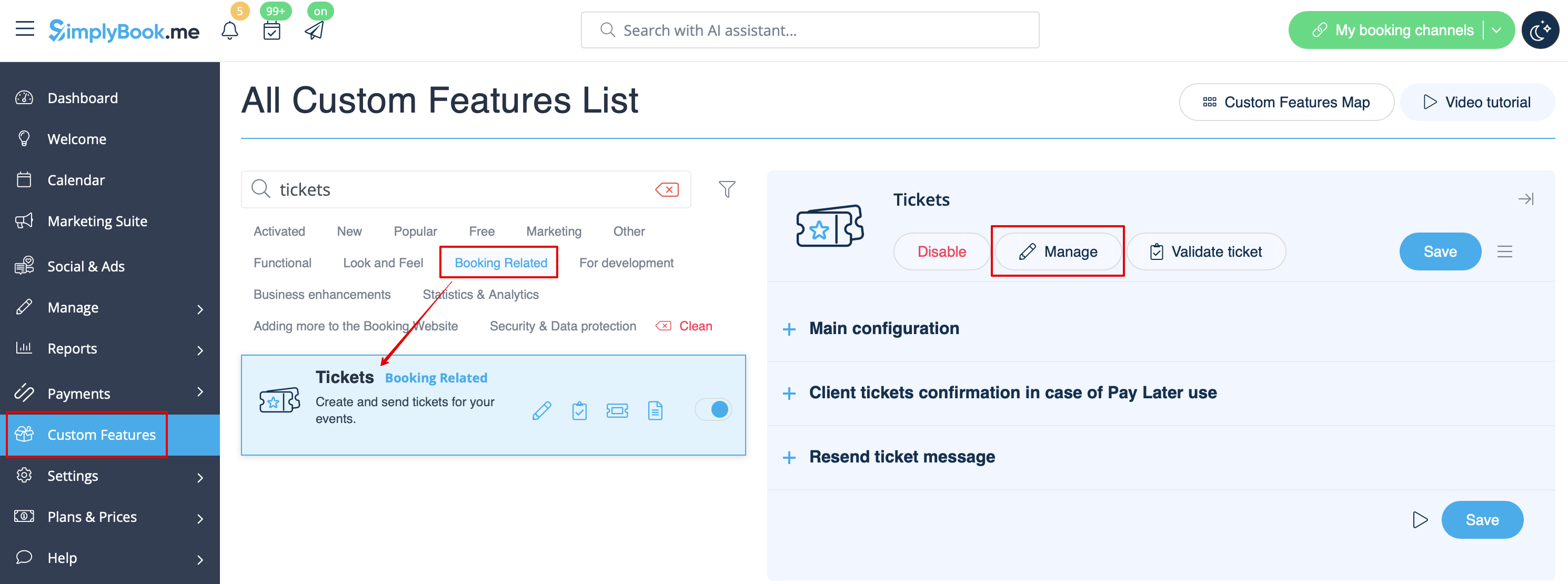
- 2. Navigate to Manage using the link near the enabled feature or go to Manage -> Services section.
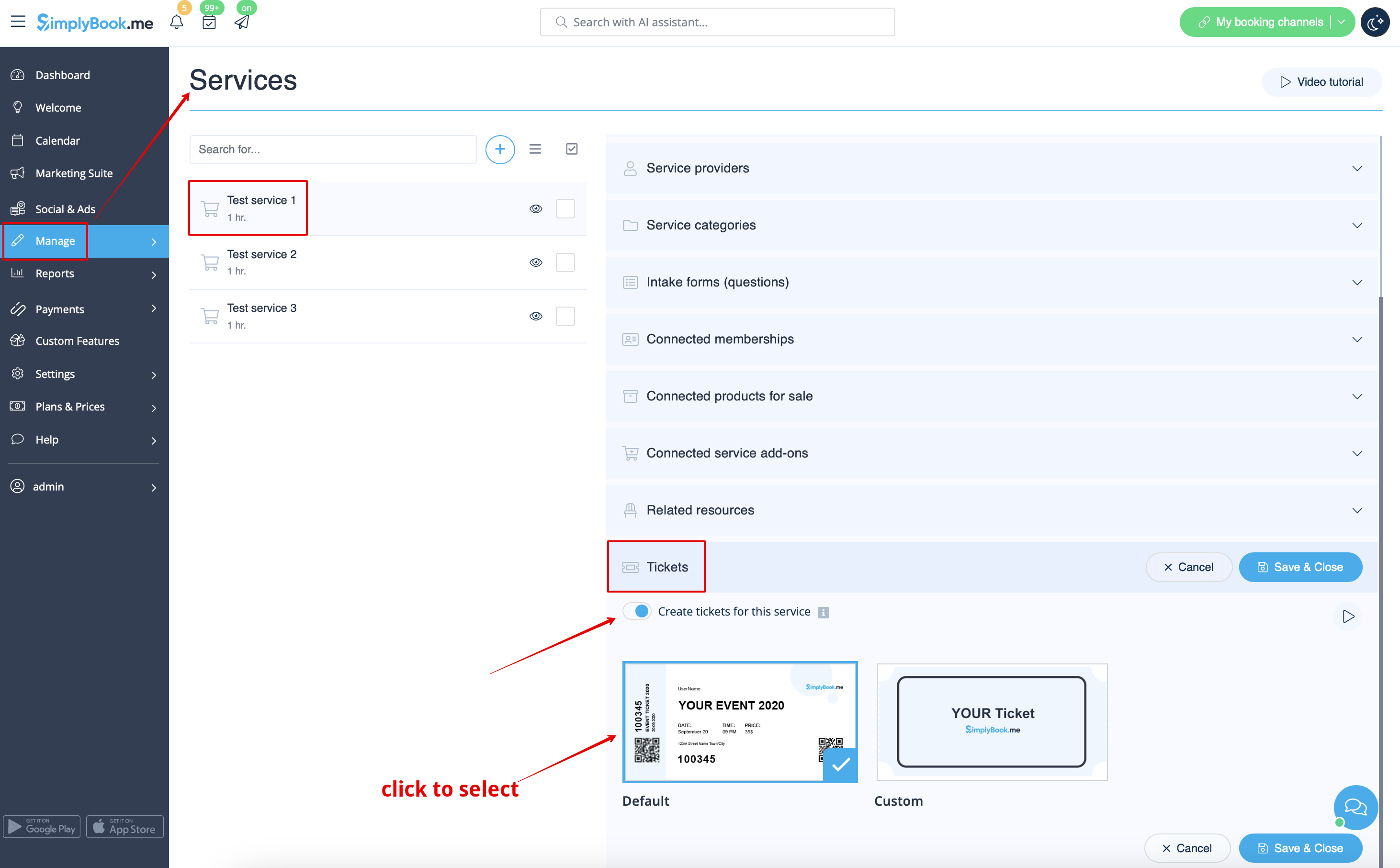
- 3. Select the service you would like to sell the tickets for with a click and go to Tickets tab.
- 4. Enable tickets issuing and connect the template by clicking on it. Save settings.
- (There is one default template, but with Premium plan you can create your own one).