Kategorier och platser
Hur man lägger till kategori
Kategorier är avsedda att gruppera tjänster. De kan läggas till med hjälp av anpassningsfunktionen för tjänstekategorier.
- Så här lägger du till
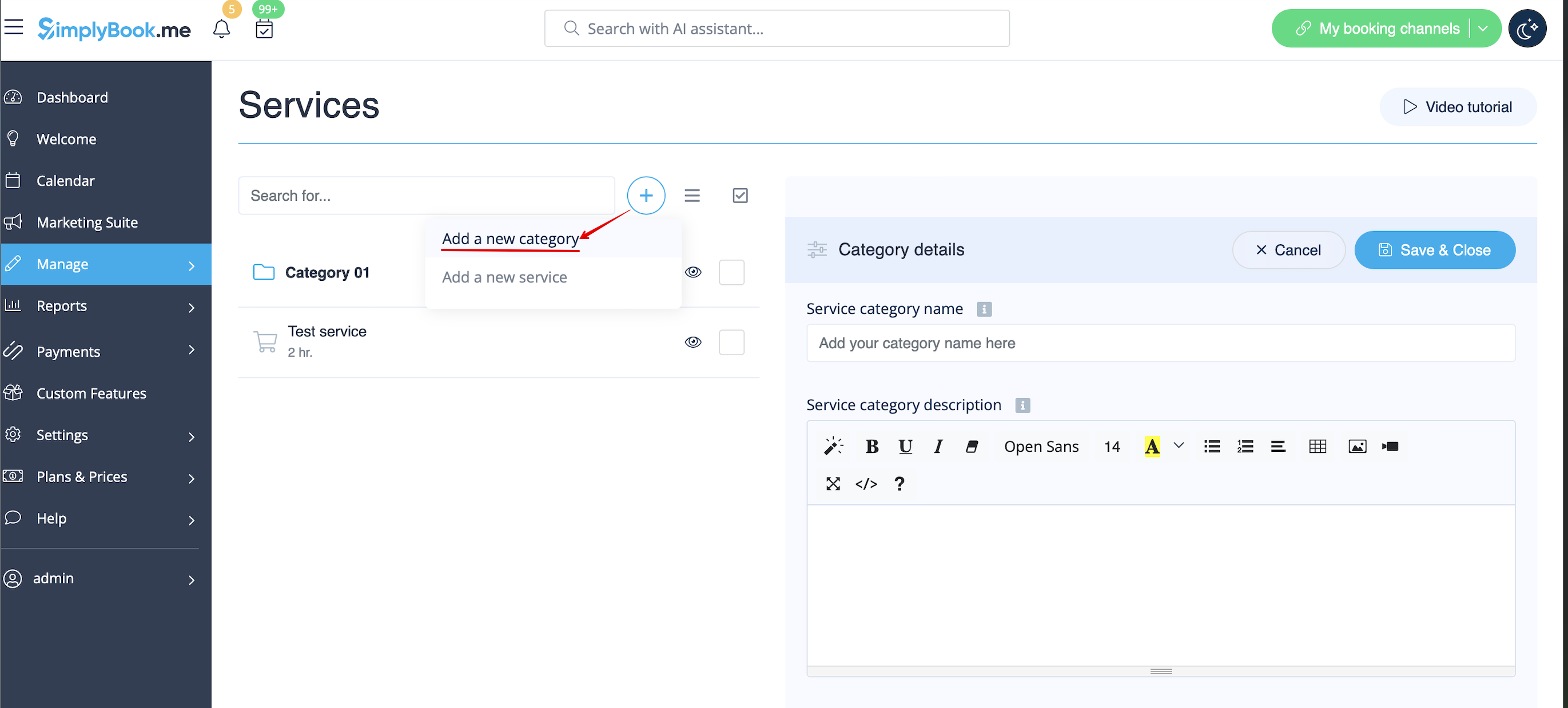
- Aktivera anpassningsfunktionen för tjänstekategorier. Gå sedan till Hantera // Tjänster // "+" och skapa alla nödvändiga kategorier. Klicka på fliken "Kategoritjänster" för motsvarande kategori och markera rutorna för de tjänster som ska kopplas till kategorin.
Hur man lägger till plats
Platser är avsedda att gruppera leverantörer. Kan läggas till med hjälp av anpassningsfunktionen Flera platser.
- Hur man lägger till
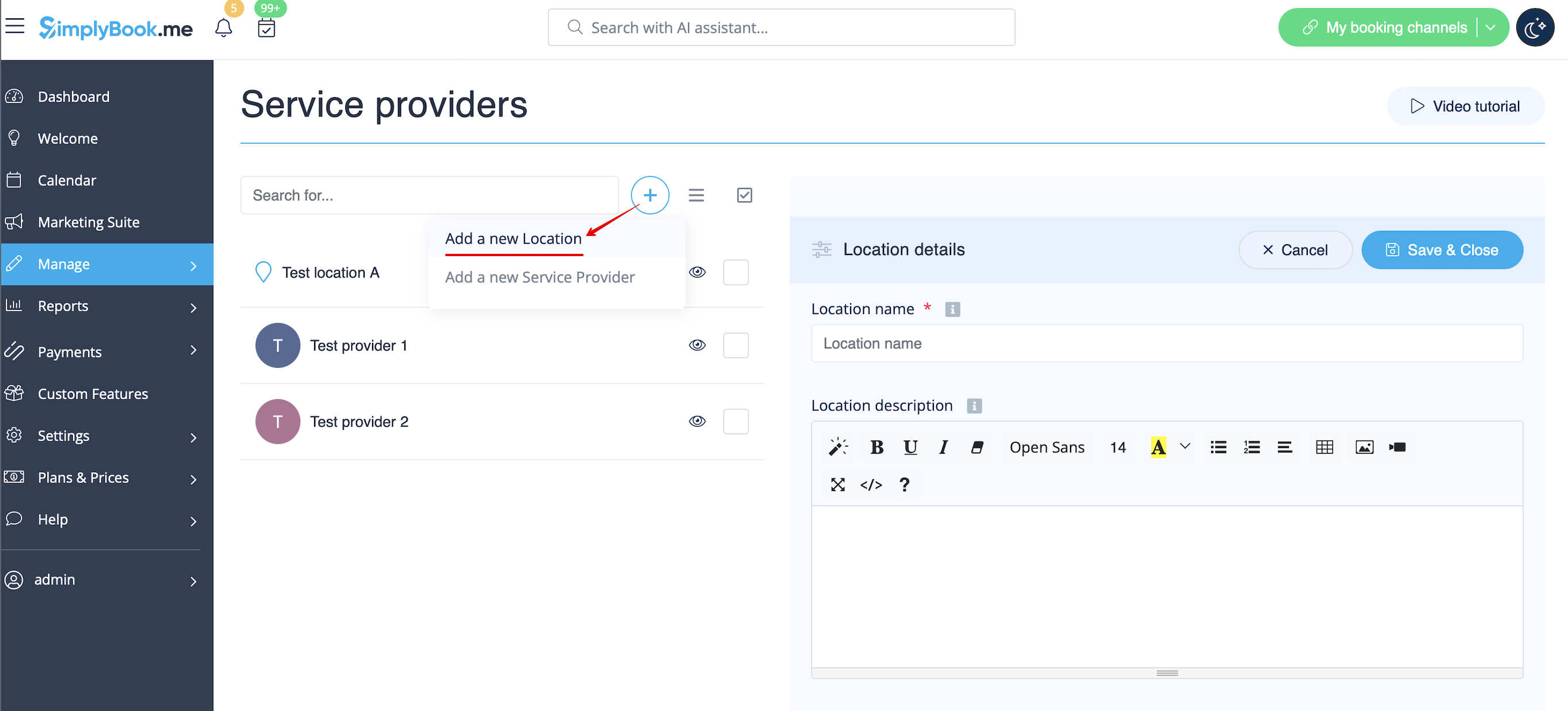
- Aktivera anpassningsfunktionen "Flera platser" och lägg till platser antingen i inställningarna för anpassningsfunktionen eller i Hantera // Tjänsteleverantörer // "+" för att lägga till en ny plats. Klicka på fliken "Platsleverantörer" för motsvarande plats och markera rutorna med tjänsteleverantörer som ska anslutas till platsen.
How to connect location with service
Locations can be related only to service providers, thus if you need to relate service to particular location, you need initially to relate service to service provider:
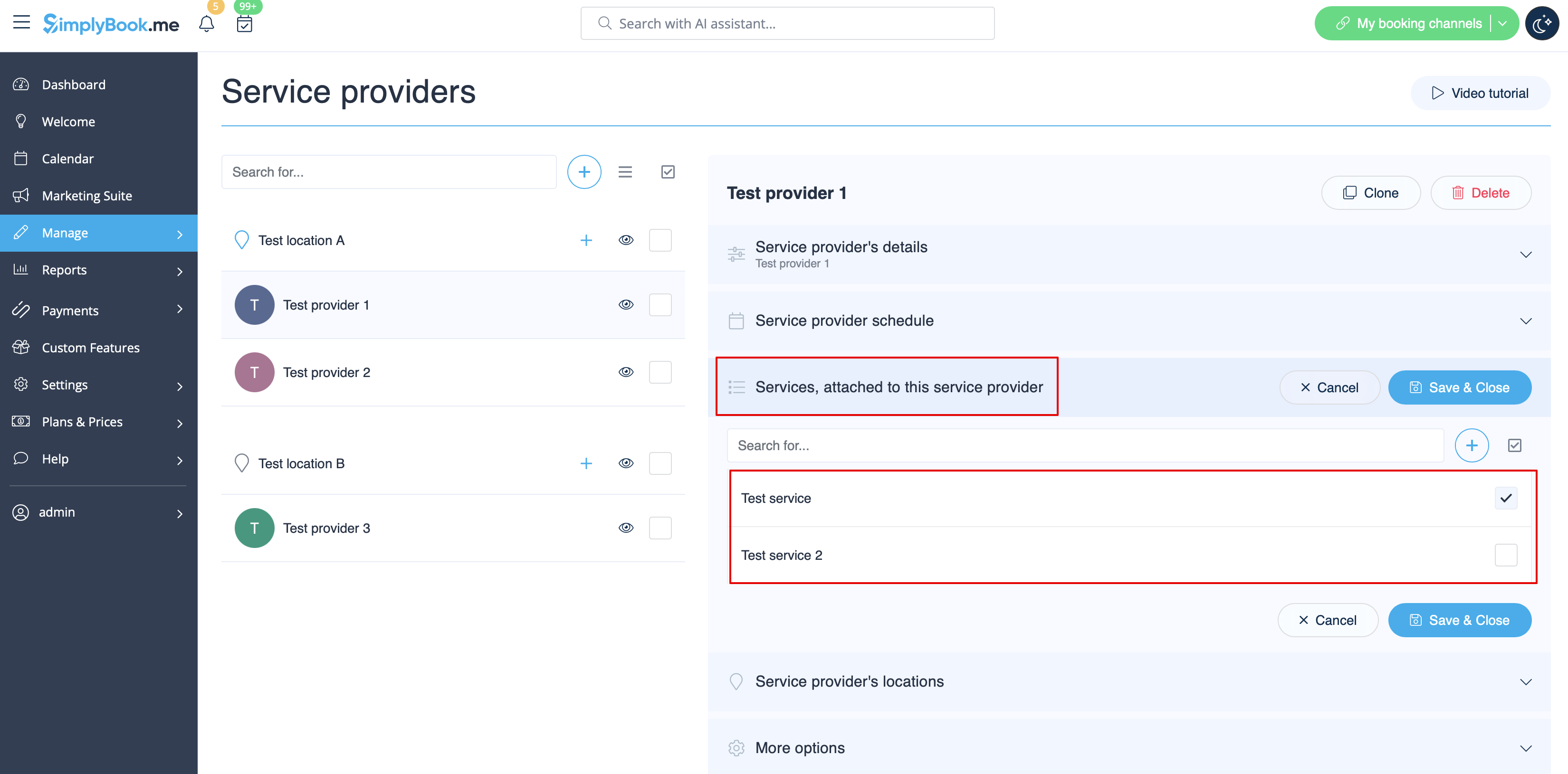
- 1. In Manage//Service Providers switch to “Services, attached to this service provider” tab for the selected provider and check the boxes with services this provider will perform.
Save settings.
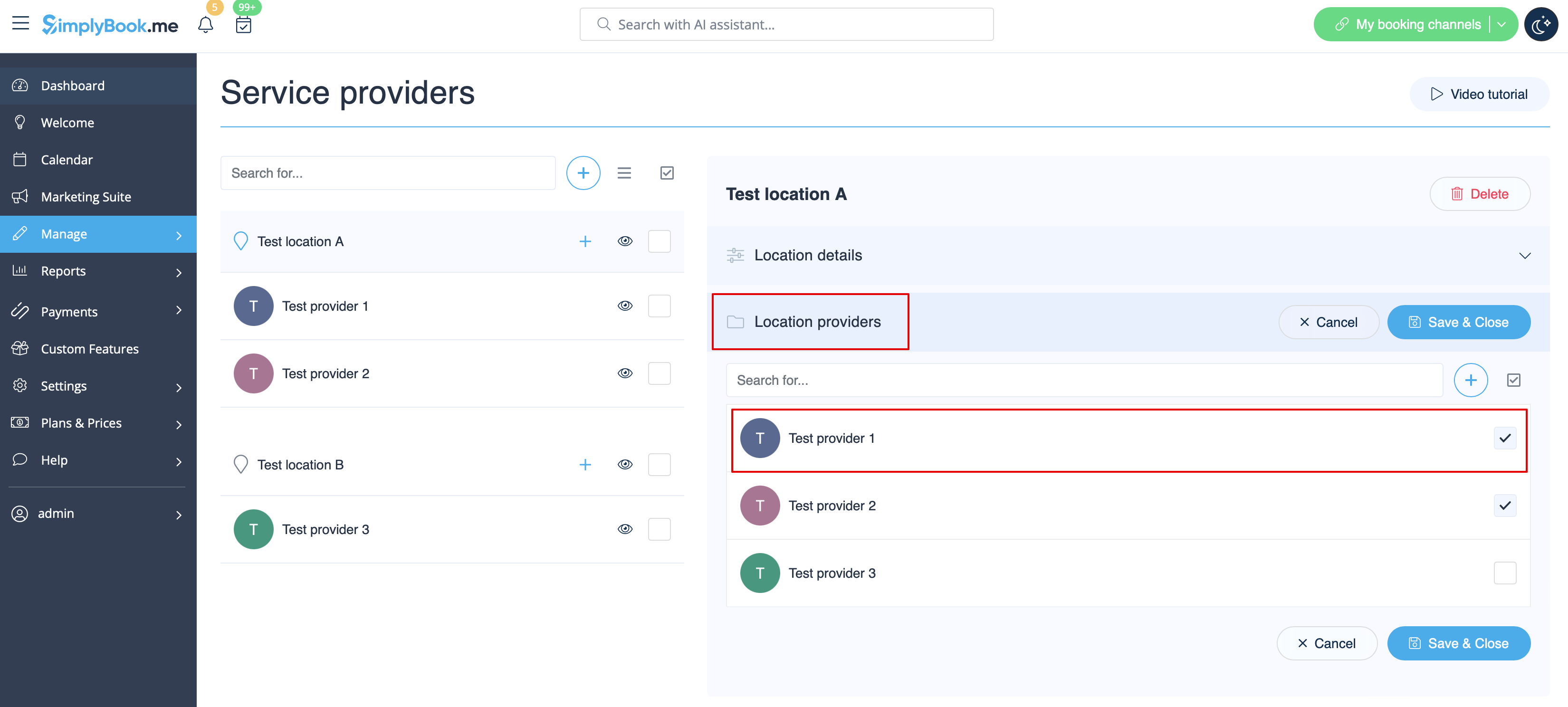
- 2. In Manage//Providers choose location and switch to “Location providers” tab to attach providers to this location by checking the corresponding boxes.
Save settings.
How to set schedule for location
You can set individual schedule for the provider and then relate provider to the location. Thus working hours of the provider related to location will automatically apply to location.
- 1. To set individual schedule for provider please go to Manage//Service Providers, choose necessary provider on the left and switch to “Service provider schedule” tab.
For example, if you work Monday-Friday 9a.m - 5p.m you simply set schedule for those dates by moving the sliders to make time available (bright blue)/not available (light blue).
To make day of the week working/off use switchers near weekday names.
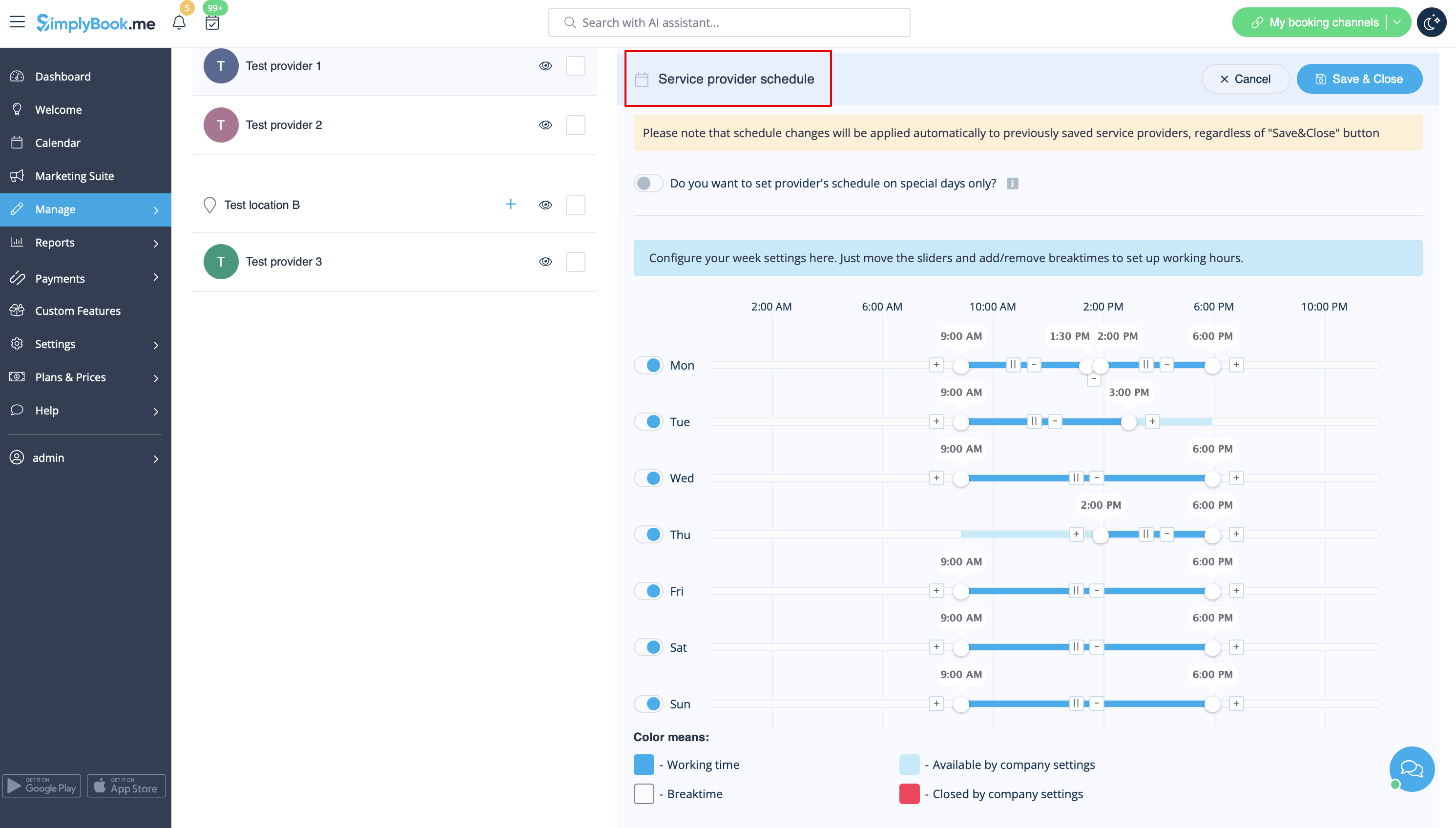
- 2. In Manage//Service Providers choose location and switch to “Location providers” tab to attach provider to location by checking corresponding boxes. Save settings.
How to add location variables to emails
In Settings // Email and SMS settings insert the following variables into your email templates:
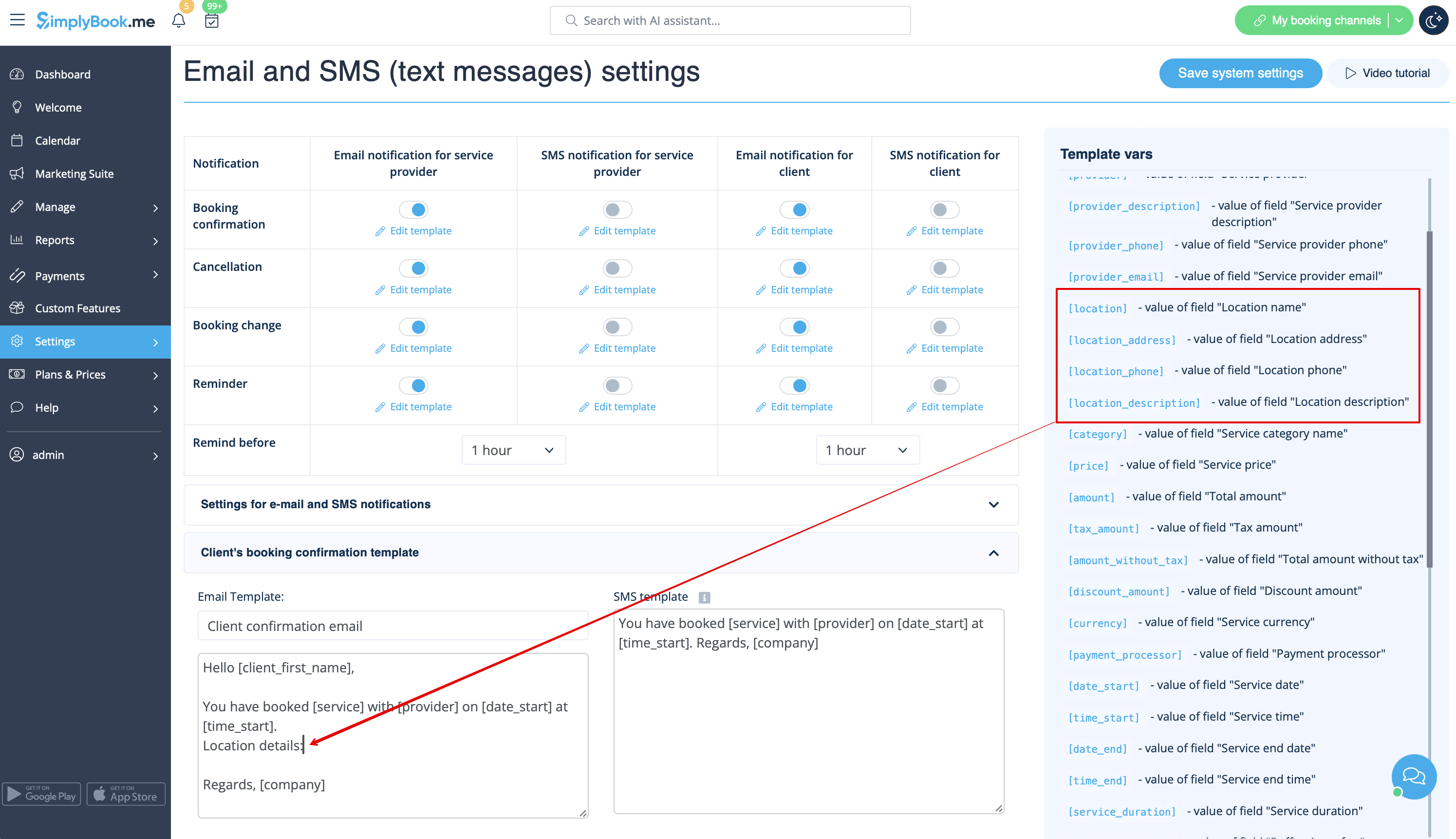
- [location] - value of field "Location name"
- [location_address] - value of field "Location address"
- [location_phone] - value of field "Location phone"
- [location_description] - value of field "Location description"