Joomla-Integration


iFrame-Widget
- 1. Nehmen Sie den iFrame-Code Ihrer Buchungsseite in Einstellungen//Buchungs-Widget-Einstellungen//iFrame-Widget//Widget-Code abrufen.

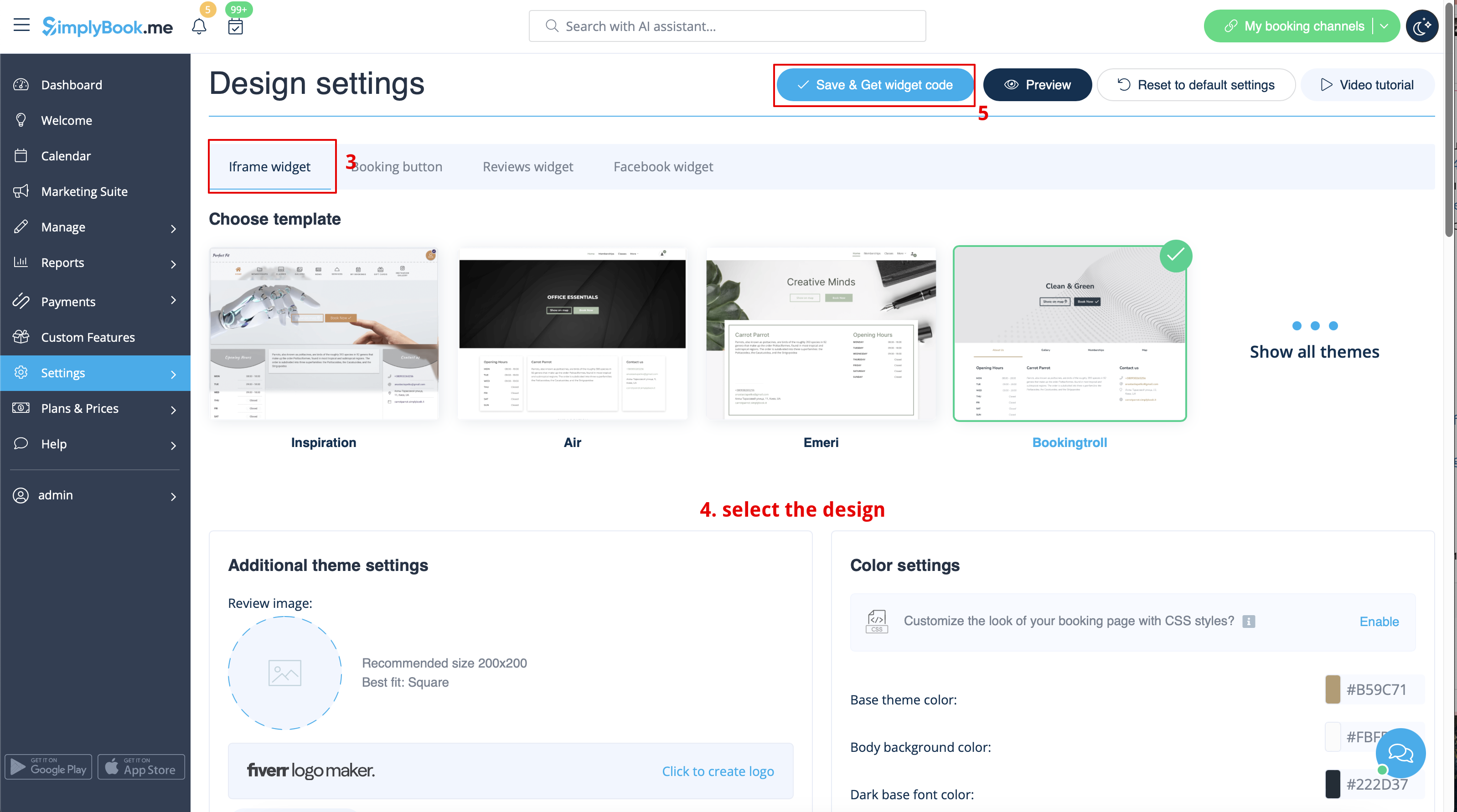

- 2. Gehen Sie nun zu „Inhalt > Artikel“, aktivieren Sie das Kontrollkästchen des Eintrags, in den Sie die Buchungsfunktion einfügen möchten, und klicken Sie auf „Bearbeiten“. Fügen Sie dann den Widget-Code in den HTML-Code <body> Ihrer Website auf der Seite ein, auf der die Buchungsfunktion angezeigt werden soll.

- 3. Speichern Sie die Einstellungen und veröffentlichen Sie die Seite.
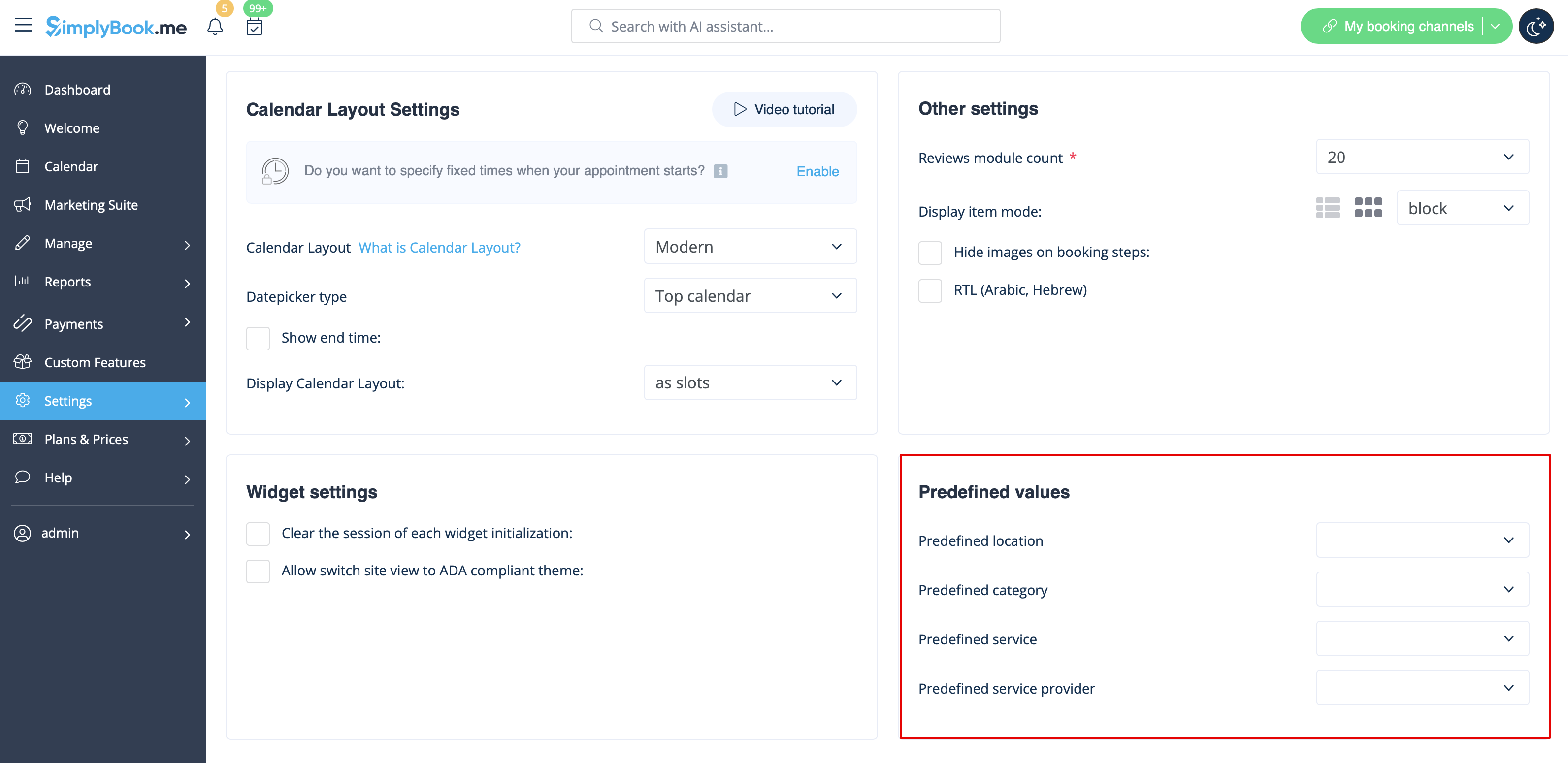
Widget with predefined service, provider, category or location
This option allows you to generate iframe code specifically for service, provider, category or location you have. For example, if you have 2 services A and B and you choose service A as predefined, the widget will open on that service, skipping the step of choosing the service. This feature may be useful if you need to display only certain services on specific page on your website. The steps to generate the code are the same as above, only in the settings of the widget, choose the item you need to predefine.