Translations:How to reschedule booking/2/en
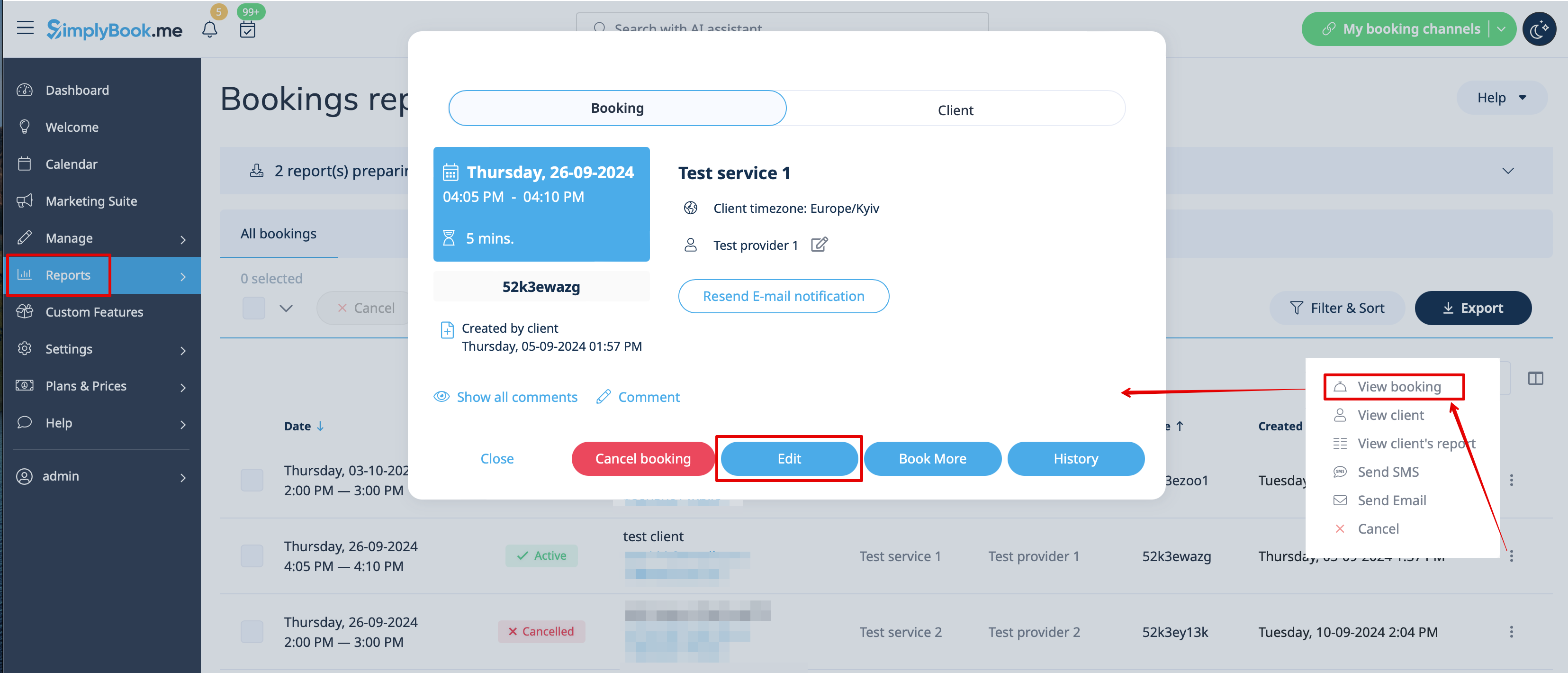
Rescheduling from admin side:
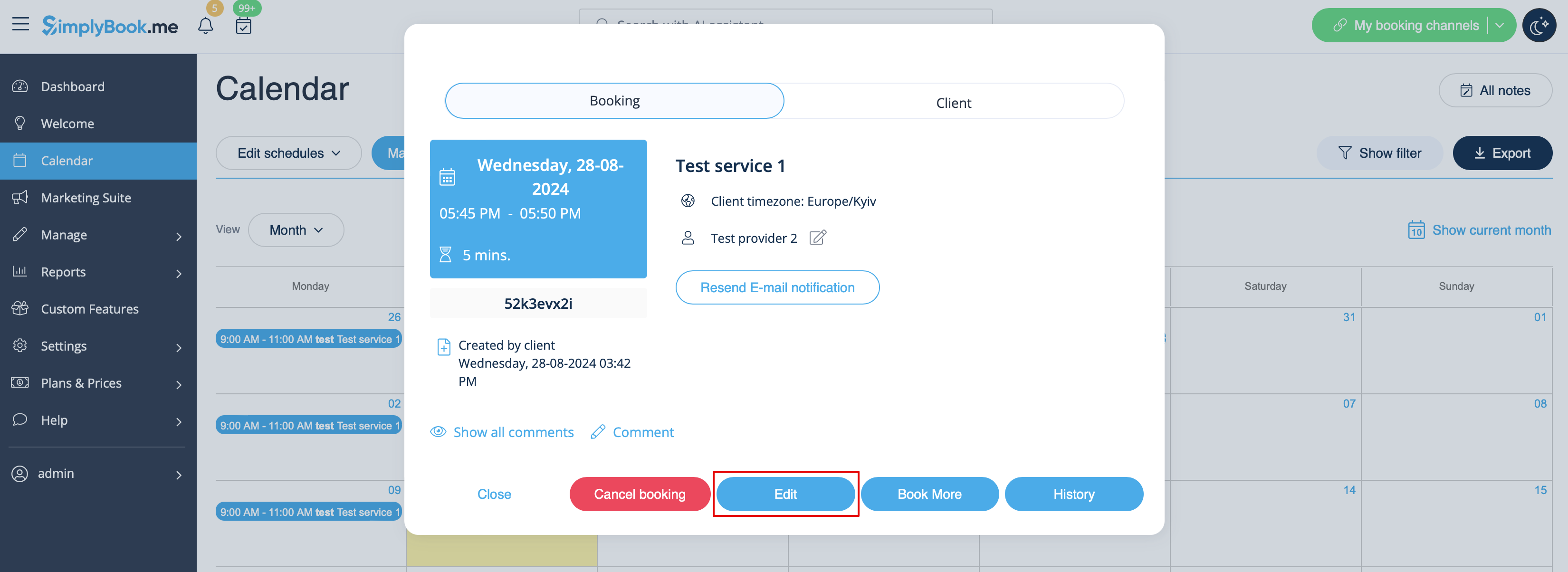
1. In Calendar section.
Click on the booking you wish to reschedule, then choose "Edit" and make necessary changes. Then please click on "Save" for changes to be applied.
2. In Reports//Booking details.
Click on "View" button near corresponding booking, then choose "Edit" and make necessary changes. Then please click on "Save" for changes to be applied.