Translations:Service/Provider relations/2/en
How to create schedules for services
- In our system it is possible to set schedules for each service. In order to do this, follow the next steps:
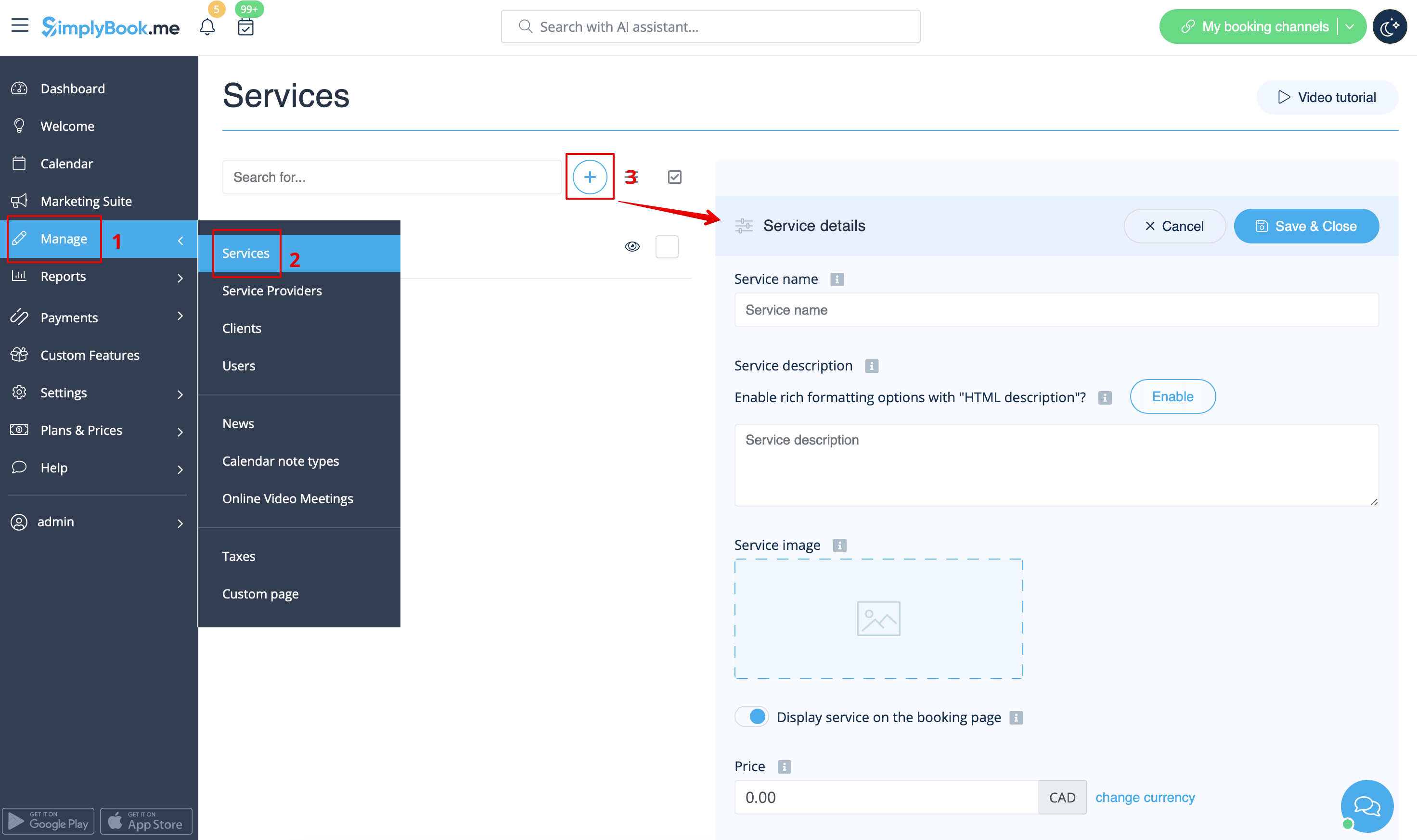
- 1. Go to Manage // Services// Add service and create all necessary services.
- 2. Then in Manage // Services click on "Service schedule" tab and set schedule for each service.
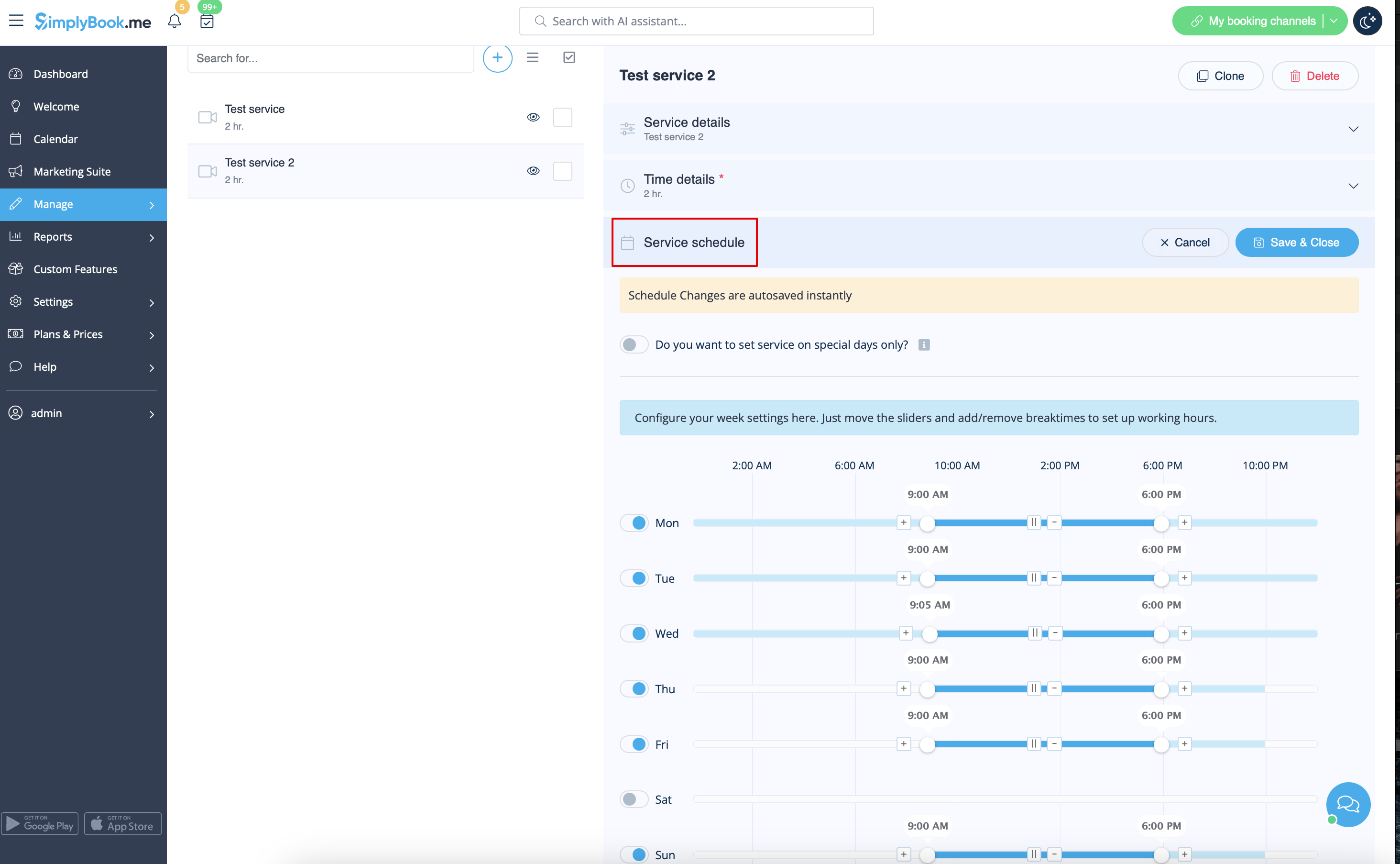
Events (services on particular dates)
Option 1 (as Service with its own schedule)
- 1. In Manage//Services click on "+" icon to create new service.
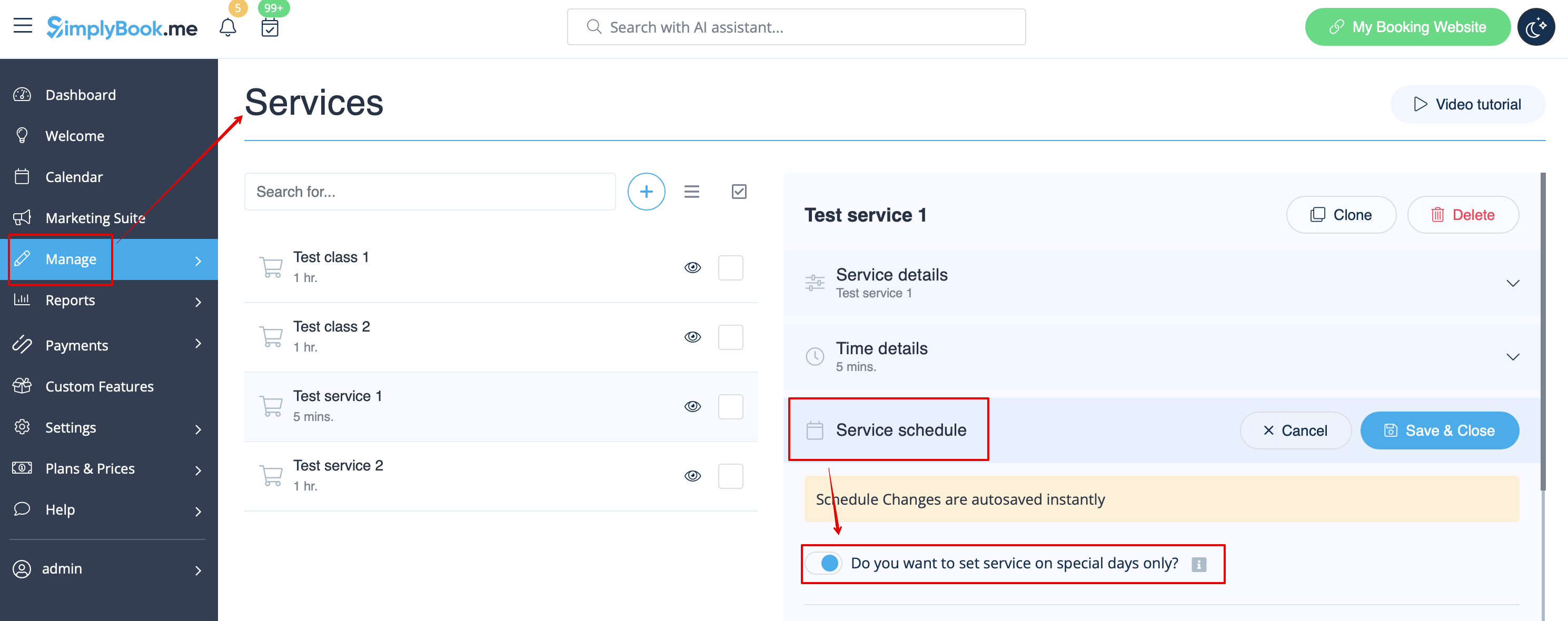
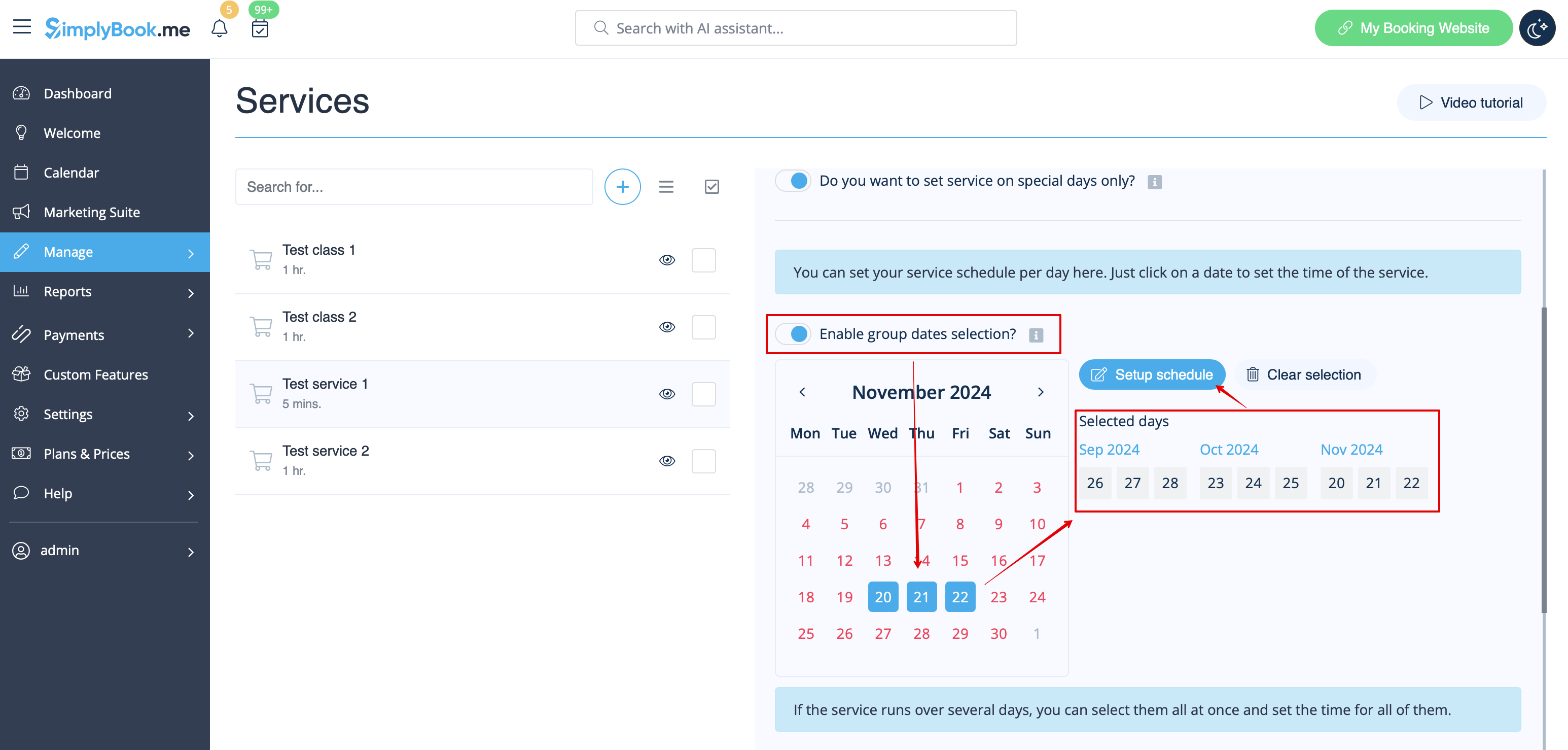
- 2. In Manage//Services choose "Service schedule" tab on the newly created service switch on the option "Do you want to set service on special days only?".
- 3. Then use the calendar, click on the dates that you want to open and set the schedule for these dates by moving the sliders(bright blue zone is open time).
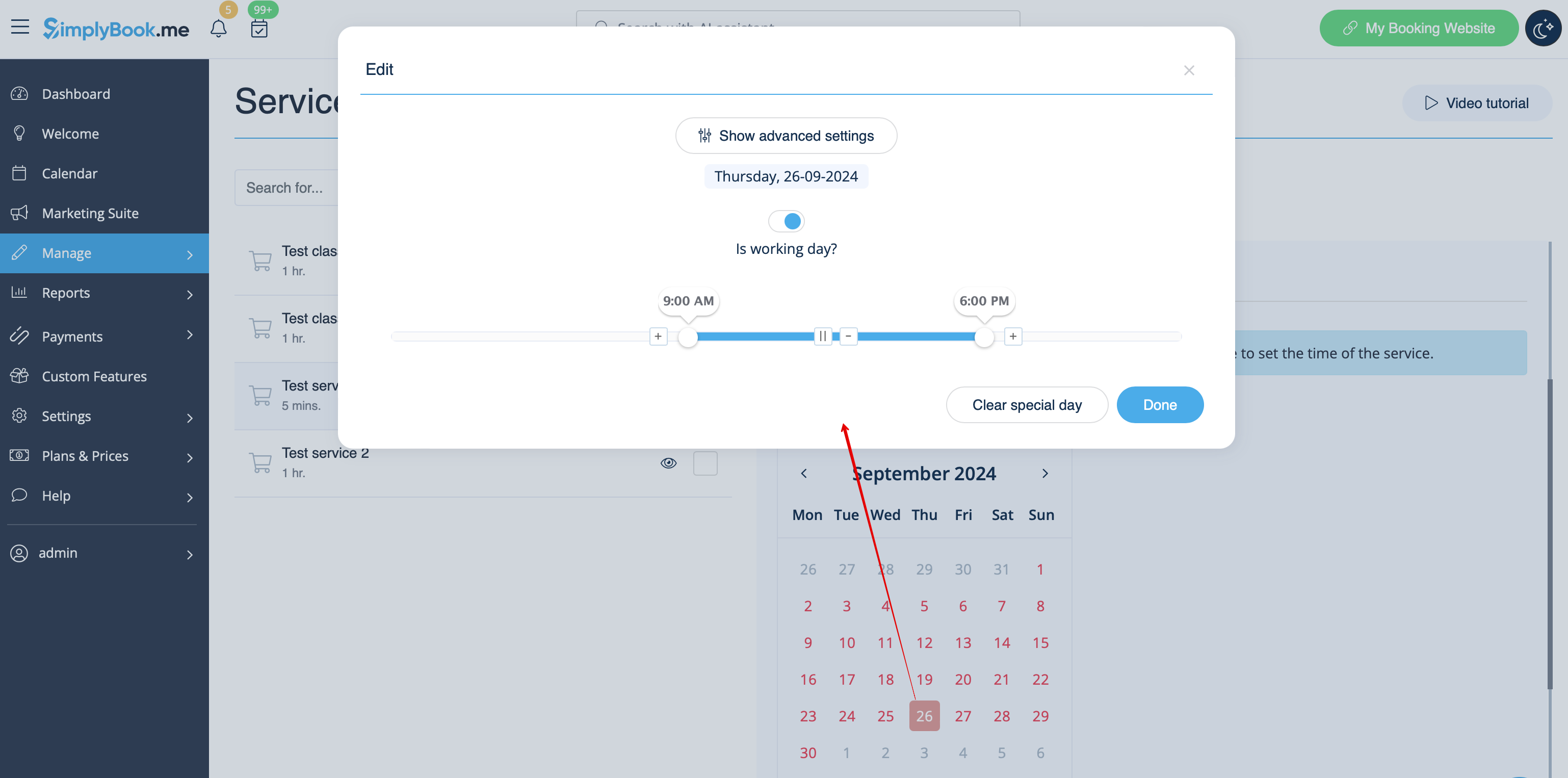
- If you need to select several dates at once please switch on "Enable group dates selection?", choose the dates to edit and click on "Setup schedule" to set the times.
- 4. Connect service to necessary provider in "Service providers" tab.