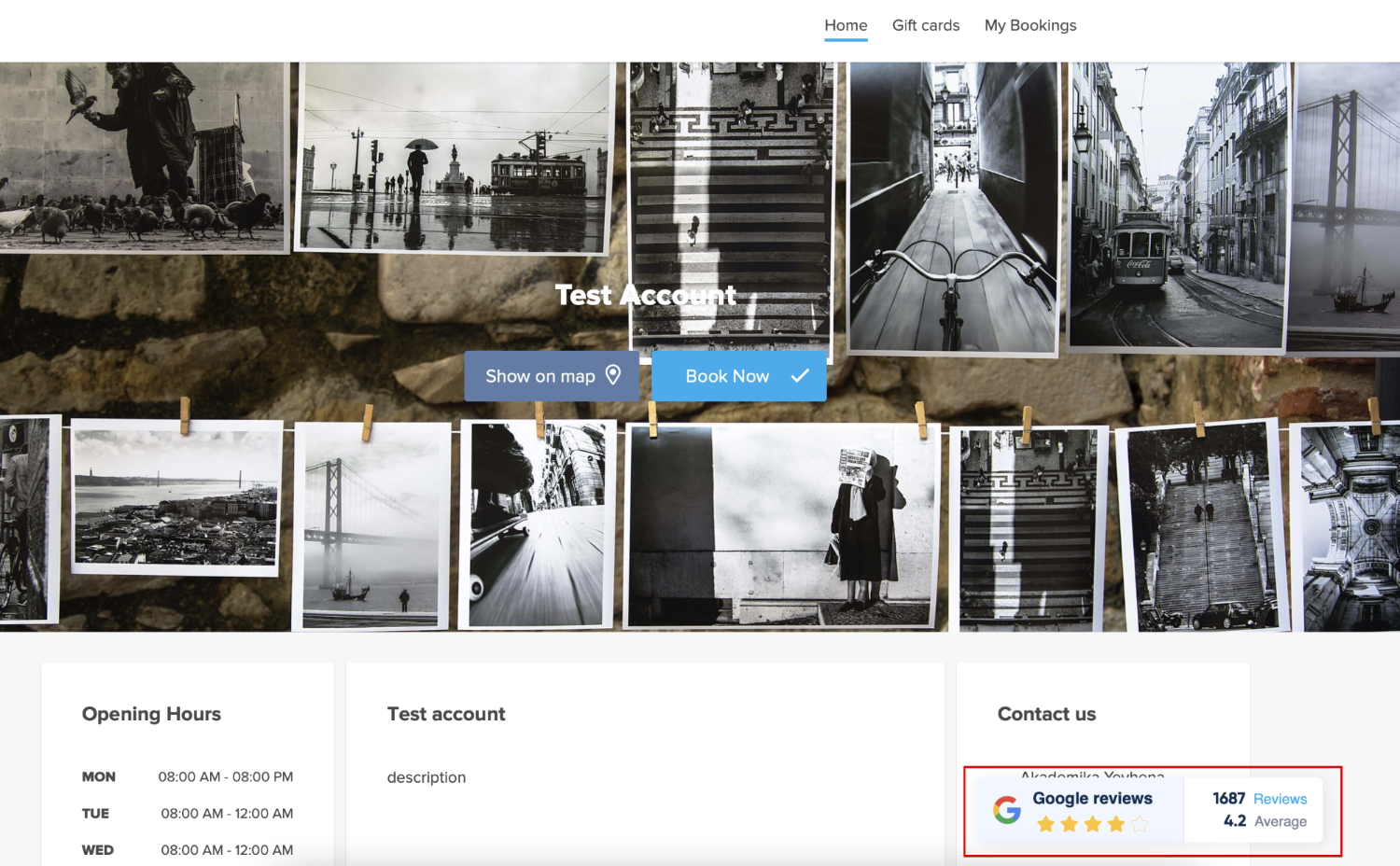
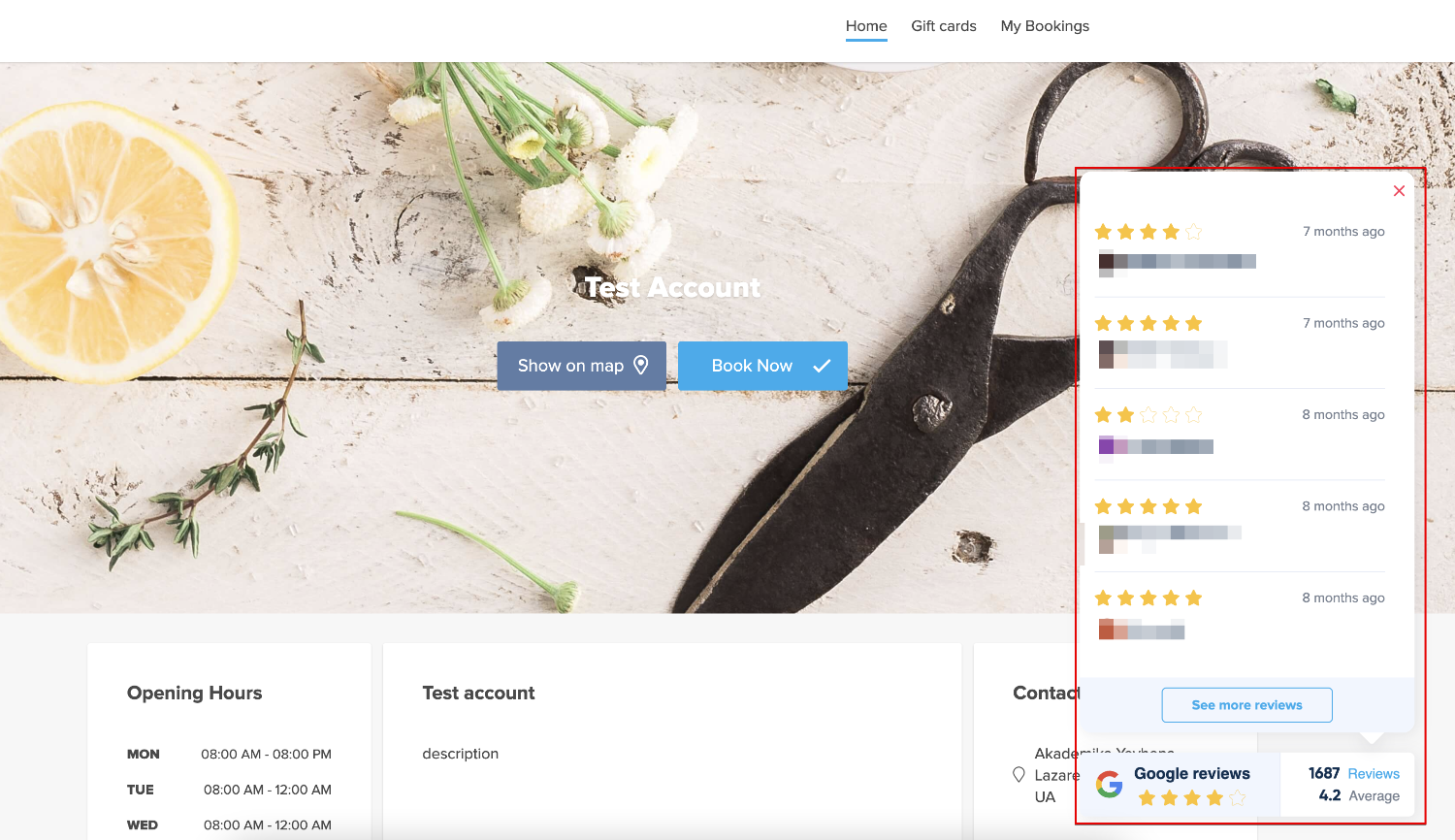
Individuelle Funktion "Google Reviews"

Please note!:
- The feature is available for paid subscriptions only;
- It is important to have a definite address for the Google business location, otherwise it will not be possible to connect the reviews to the booking website or the reviews widget will not be displayed.
- How to use
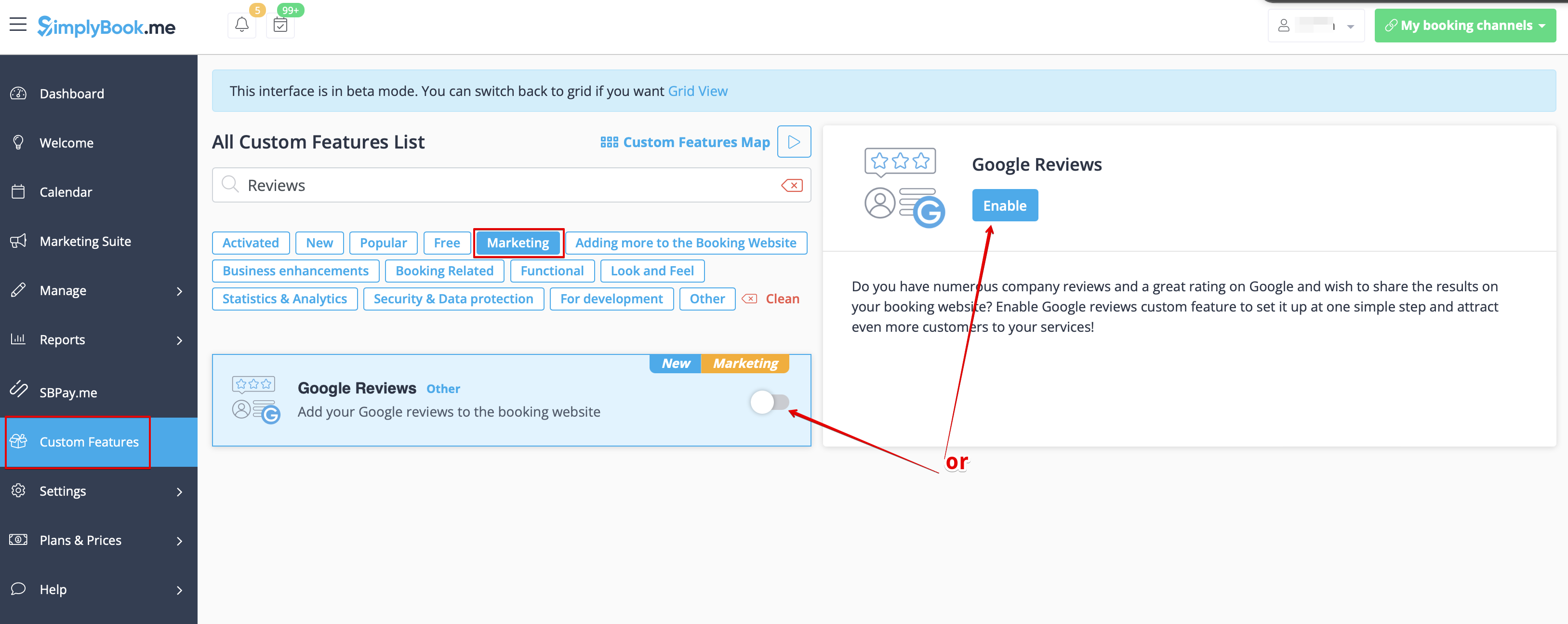
1. Enable Google Reviews on your Custom Features page, Marketing section
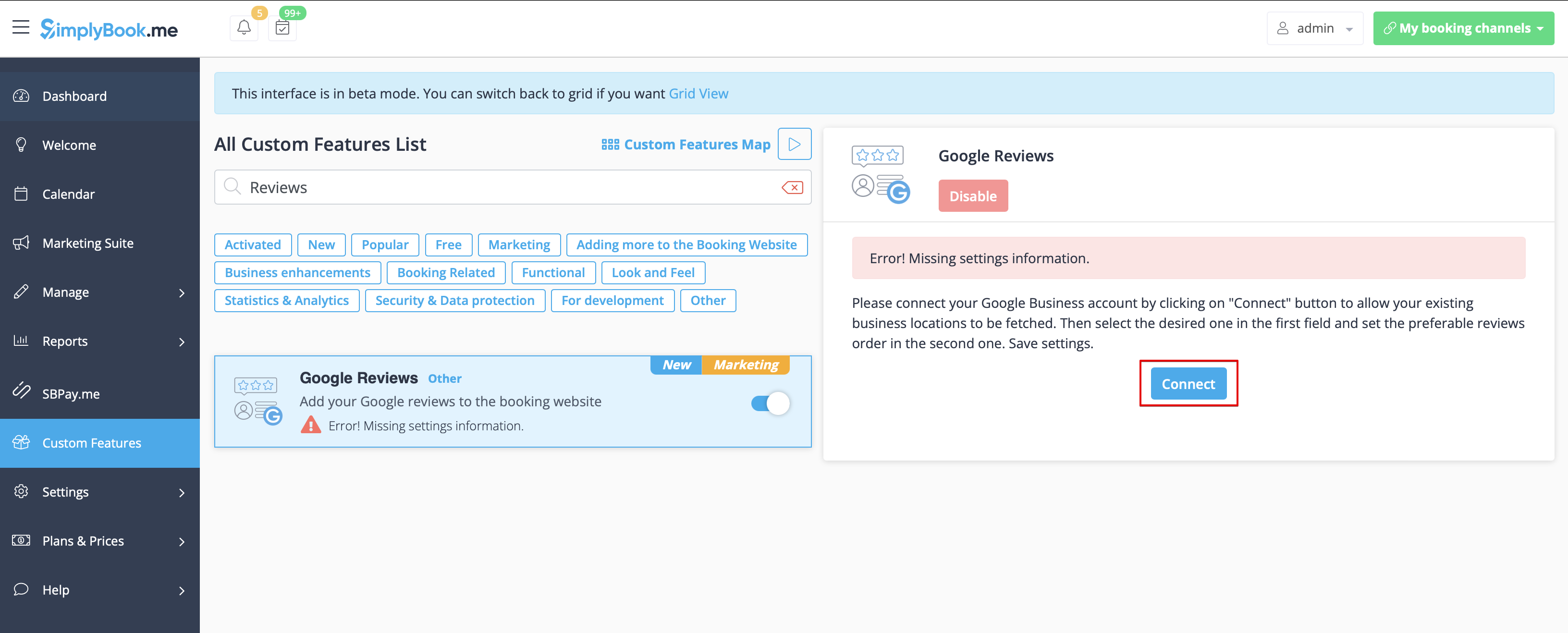
2. Click on Connect button and attach the corresponding Google business profile.
3. Select the business location in the first field.
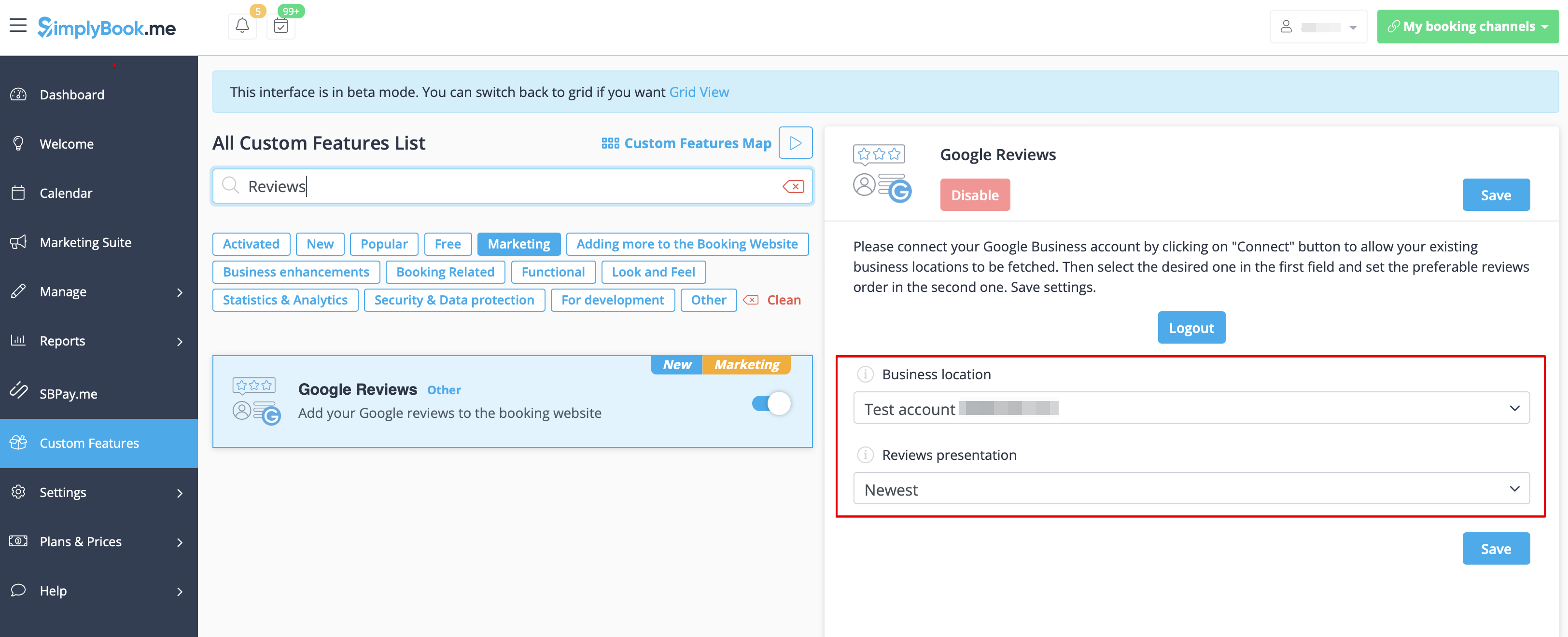
4. (optional) Choose the preferable sorting.
5. And that's it - the reviews widget appears on the Home page of your booking website.