Translations:Booking reports/18/en
Payment transactions report
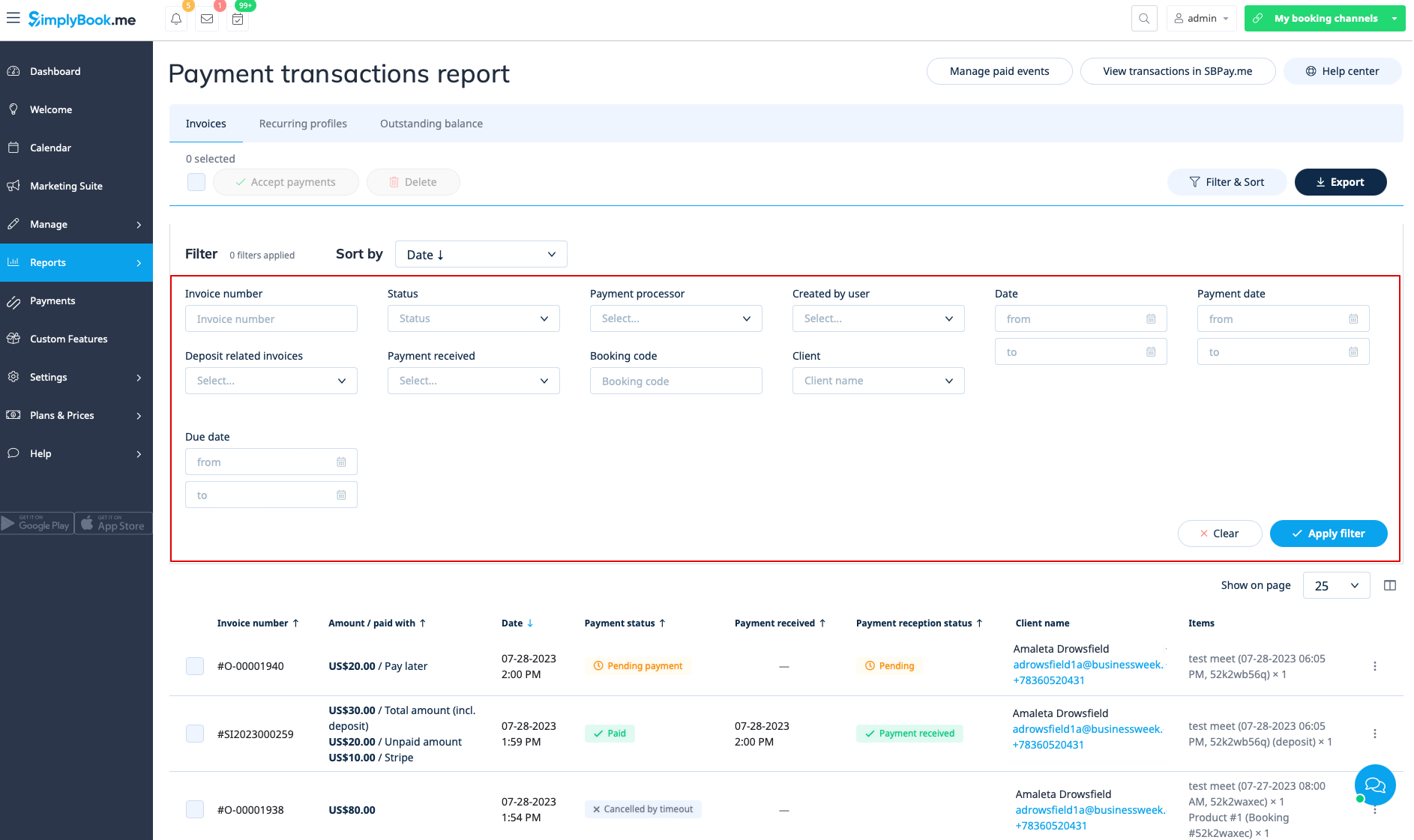
You can access it in Reports//Payment transactions. It allows you to see all payments related information in your system.
In this report you can use three tabs: Invoices, Recurring profiles, Outstanding balance.
In the first Invoices tab you can:
- see all invoices created when the clients were booking the service or purchasing packages, memberships, products for sale and/or gift cards;
- apply coupons or gift cards to pending orders (if you are using Coupons &Gift cards custom feature);
- approve pending payments(for example, if the clients selected “Pay later” on the booking site) using either default payment methods or, with SBPay.me Pro integration, use vaulted cards, send payment links or show QR code to pay;
- see payment processor used;
- process refunds (if SBPay.me Pro integration is enabled);
- view invoices details on SBPay.me side (if SBPay.me integration is enabled);
- print invoices;
- delete invoices;
- filter invoices by:
- invoice/order creation date range;
- invoice number;
- payment date range;
- payment due date range;
- client name;
- unique booking code;
- status(new, pending, paid, cancelled, error);
- payment processor;
- user who has created the record;
- payment received or not.
- export payment information to Excel or .csv (using the filters if needed).