Translations:SBPay.me integration/13/en
Vaulted payments
Please note!
- It requires Client login custom feature to be enabled to use this functionality.
- Not all the payment gateways support this feature. Please check the availability of such an option in the table and/or by contacting your payment gateway support as it may require some adjustments on their side.
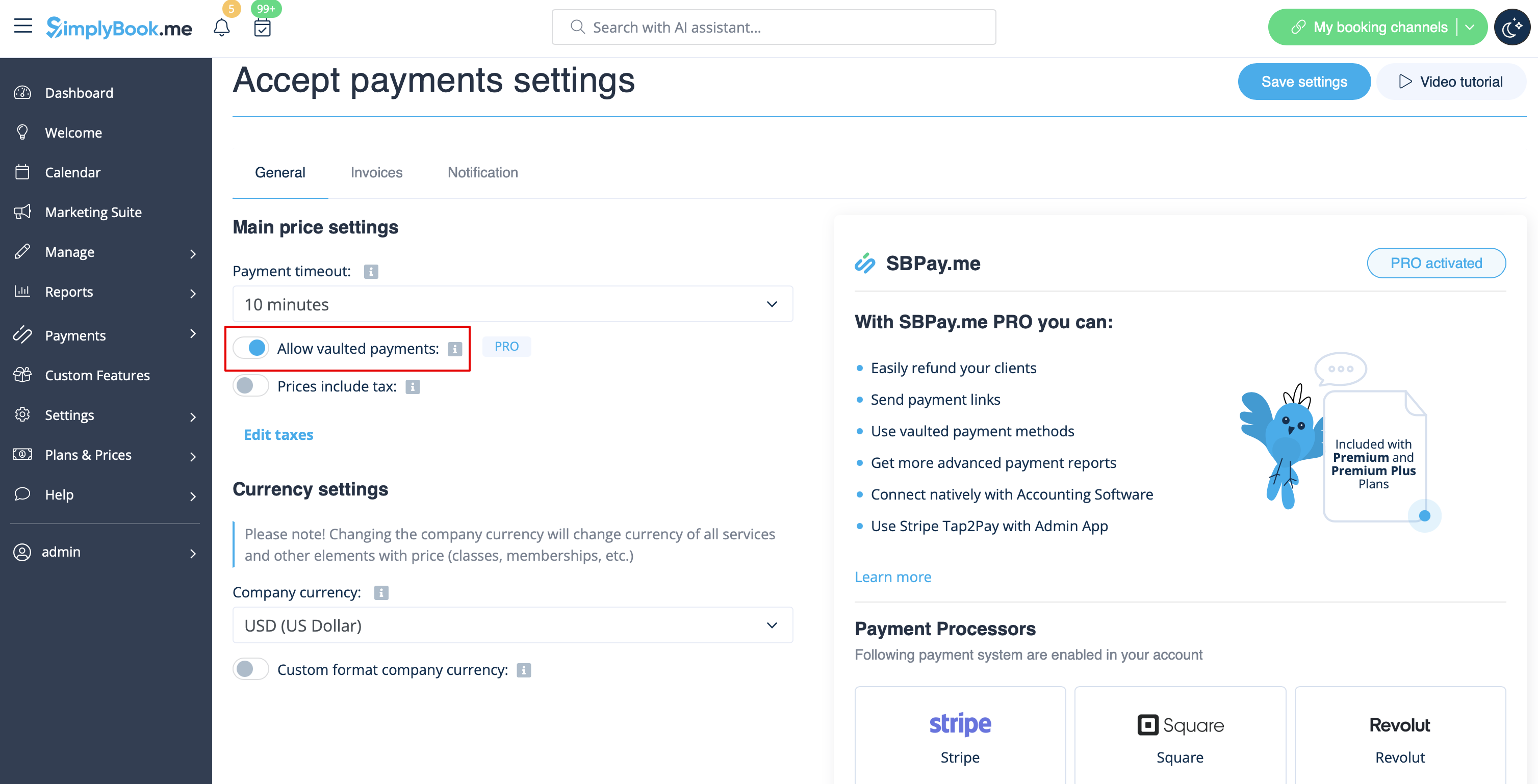
- 1. Enable the option Allow vaulted payments on your Accept payments settings page.
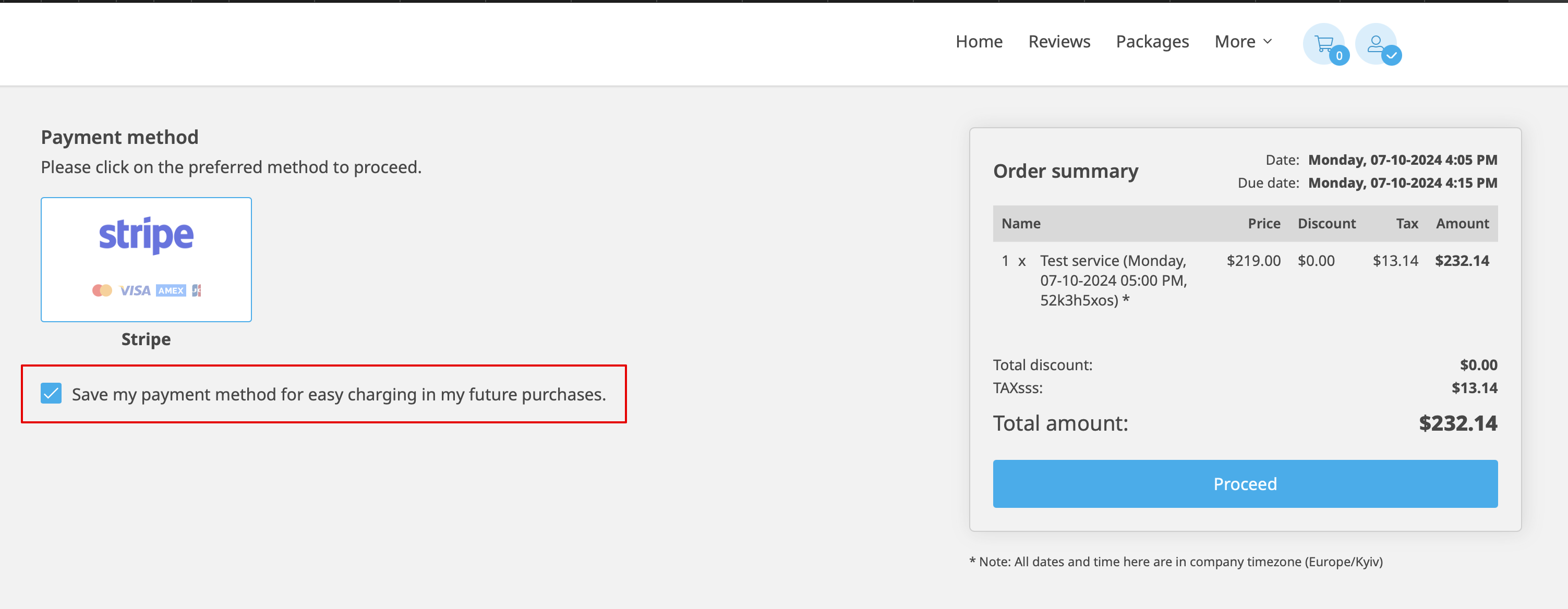
- 2. As the result the client will be able to tick the checkbox Save my payment method for easy charging in my future purchases at checkout on the booking website and his/her payment details will be attached to the client profile.
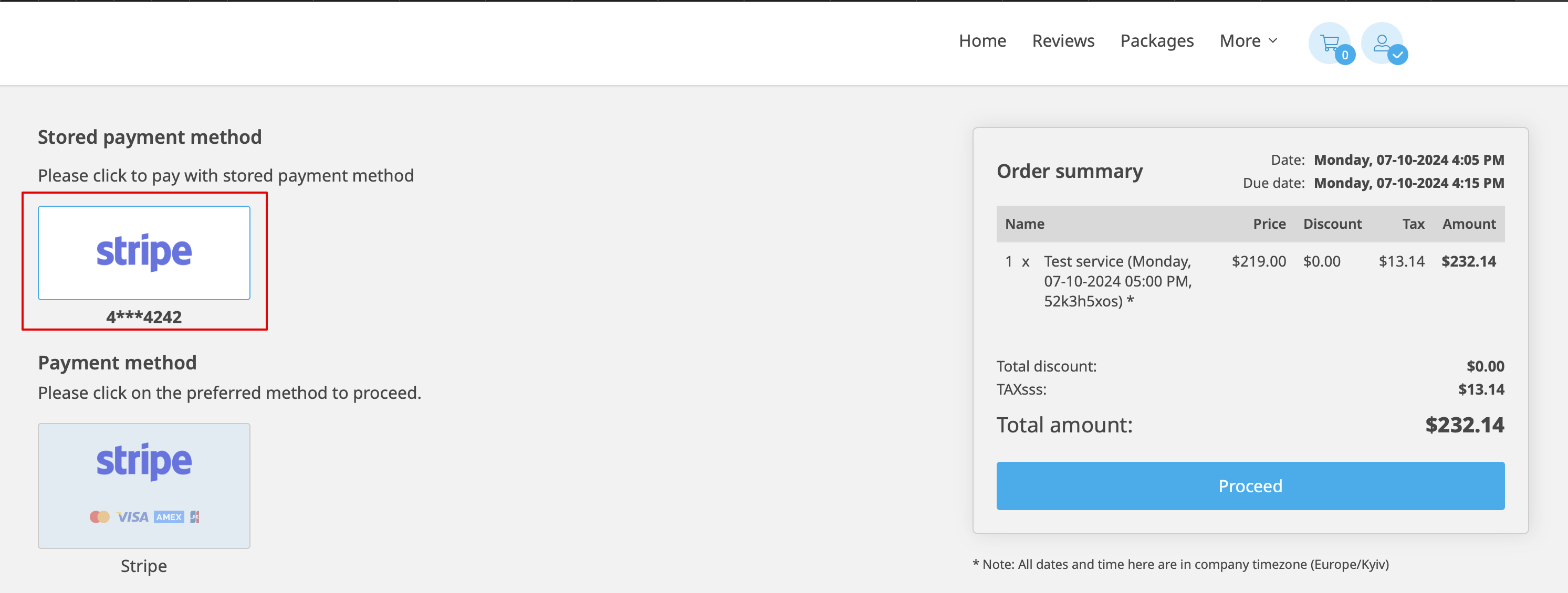
- 3. During the next purchase or booking on the client side he/she can decide whether to confirm the order with the already saved payment method or to choose the new option.
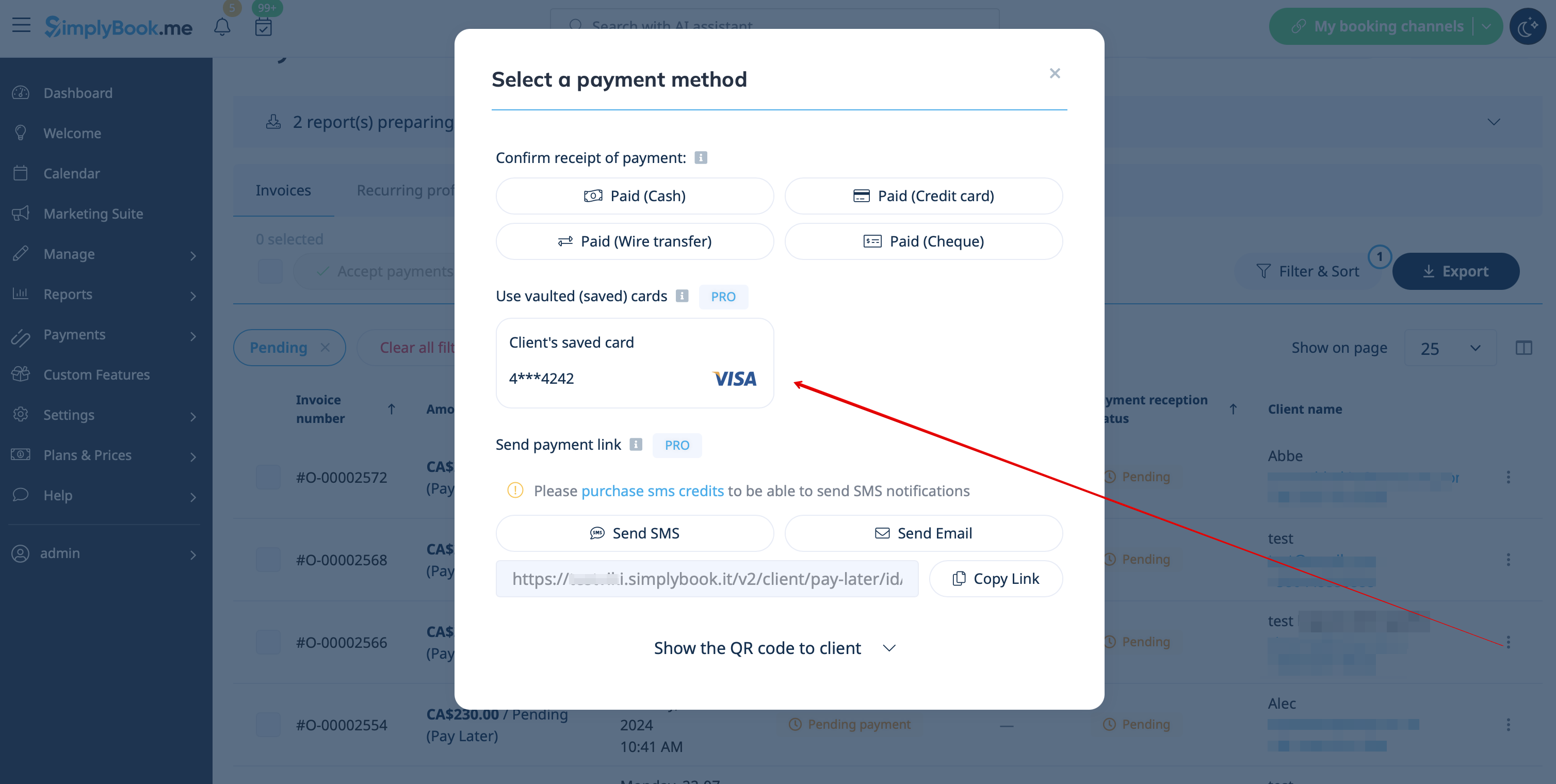
- 4. During the payment approval on the admin side Payment transactions report or sale management inside the POS interface you will also be able to use the client's saved payment method.