SimplyBook.me
Not logged in
English
Log in
Search
Navigation
Help Center
Getting started
Booking website
Time settings
Prices and purchases
Custom Features
Calendar and bookings
Tips for specific businesses
Integration
For developers
Video tutorials
Tools
What links here
Related changes
Special pages
Printable version
Permanent link
Page information
In other languages
Page history
Refresh page
Revision as of 12:20, 16 May 2025 by
FuzzyBot
(
talk
|
contribs
)
(Importing a new version from external source)
(diff) ← Older revision | Latest revision (diff) | Newer revision → (diff)
Translations
:
How to Cancel SimplyBook.me subscription/9/en
Namespaces
Translation unit
Discussion
Views
Read
View source
From SimplyBook.me
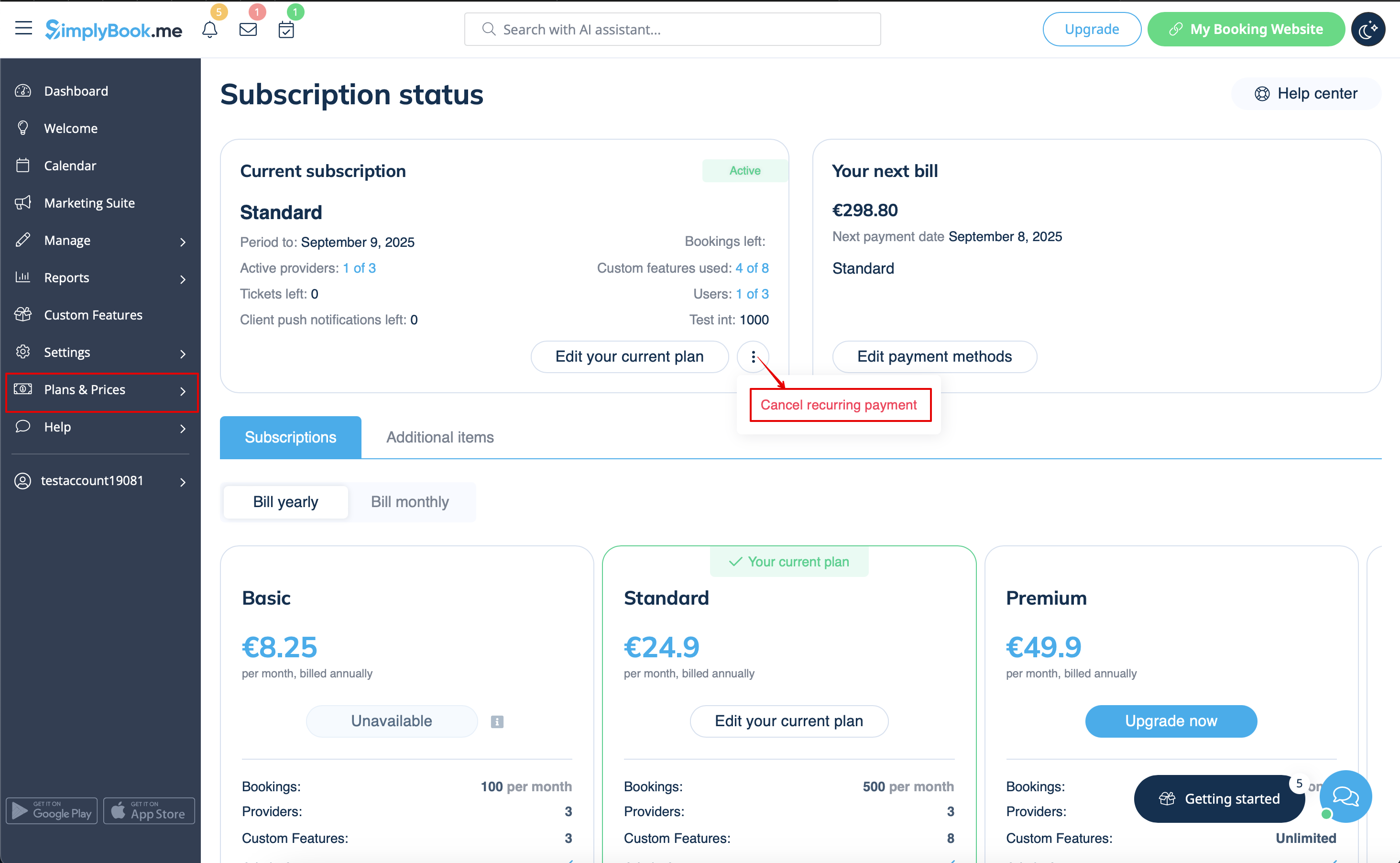
4. As a result there will be no further charges. You will be able to use all the options till the current period expires.
You will be able to buy the desired plan in
Plans & Prices
->
Subscriptions
at any time and set a new recurring profile for a seamless system use.