Sådan opsiger du SimplyBook.me-abonnementet
Efterhånden som din virksomhed udvikler sig, vil dit abonnement muligvis ikke længere opfylde dine behov. Det er ikke noget problem! Du har frihed til at:
- Du kan nemt annullere din tilbagevendende abonnementsbetalingsprofil.
- Vælg en anden plan, der bedre passer til dine behov.
- Hold din konto på hold, indtil du har brug for den igen.
- Få en mere forenklet bookingløsning SimplyMeet.me, hvis SimplyBook.me er for omfattende til dine behov
Vi er her for at give dig en problemfri og fleksibel oplevelse. Hvis du har spørgsmål eller brug for hjælp, står vores supportteam klar til at hjælpe.
Sådan annulleres det betalte abonnement
Hvis du har købt en betalt plan mindst én gang, slettes kontoen ikke automatisk efter opsigelsen af abonnementet, selvom du ikke bruger den i en periode.
Følg nedenstående trin for at opsige din tilbagevendende betaling:
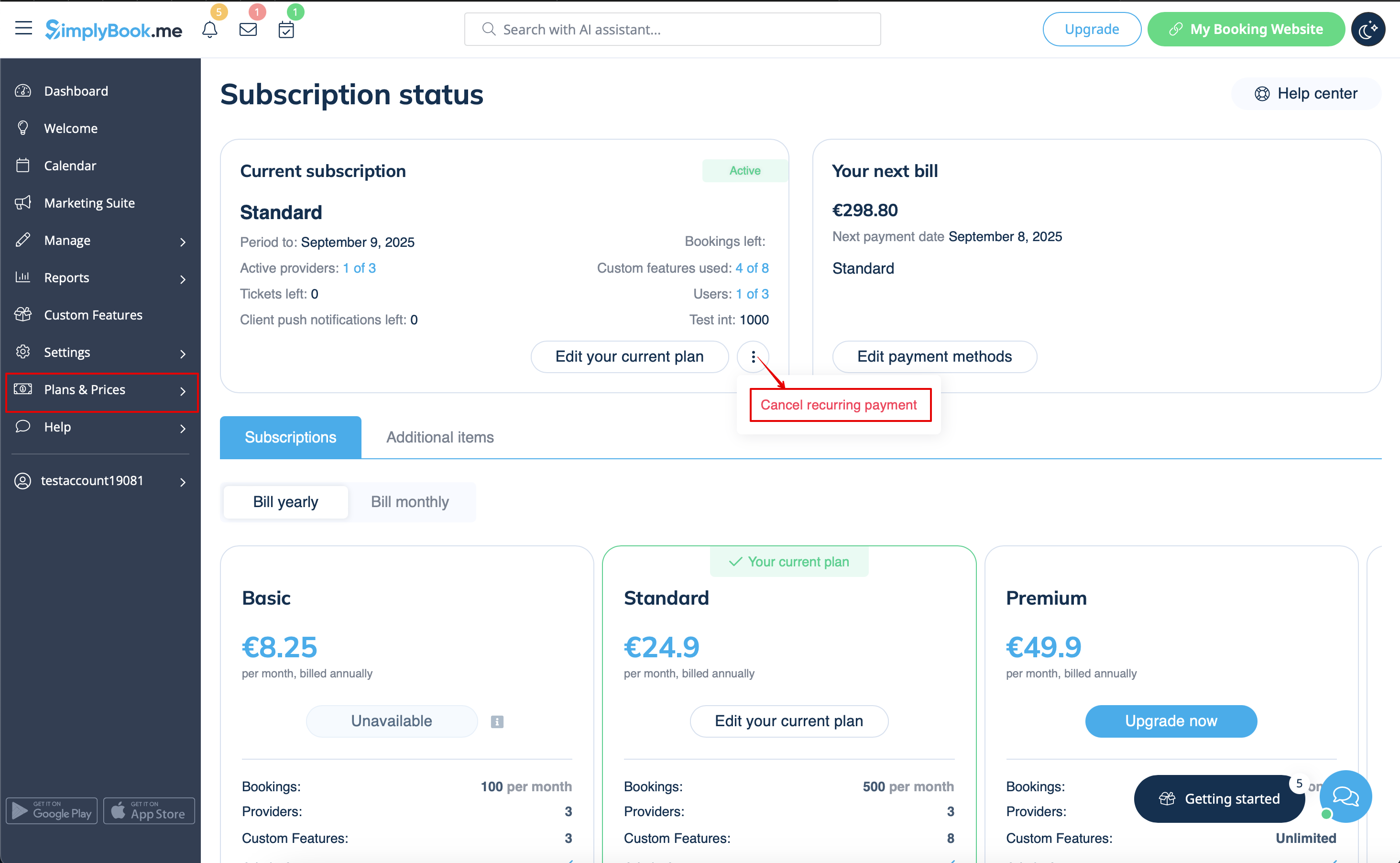
- 1. Gå til siden Abonnementer i din konto.
- 2. I det øverste blok med abonnementsoplysningerne skal du klikke på menuen med de tre prikker.
- 3. Vælg Annuller gentagelse, og bekræft handlingen.
- 4. Der vil derfor ikke være yderligere omkostninger. Du kan bruge alle mulighederne, indtil den aktuelle periode udløber.
- Du kan til enhver tid købe den ønskede plan under Planer og priser -> Abonnementer og indstille en ny tilbagevendende profil for en problemfri brug af systemet.
Sådan nedgraderes abonnementet
Bemærk! Det er ikke muligt at nedgradere til en gratis plan.
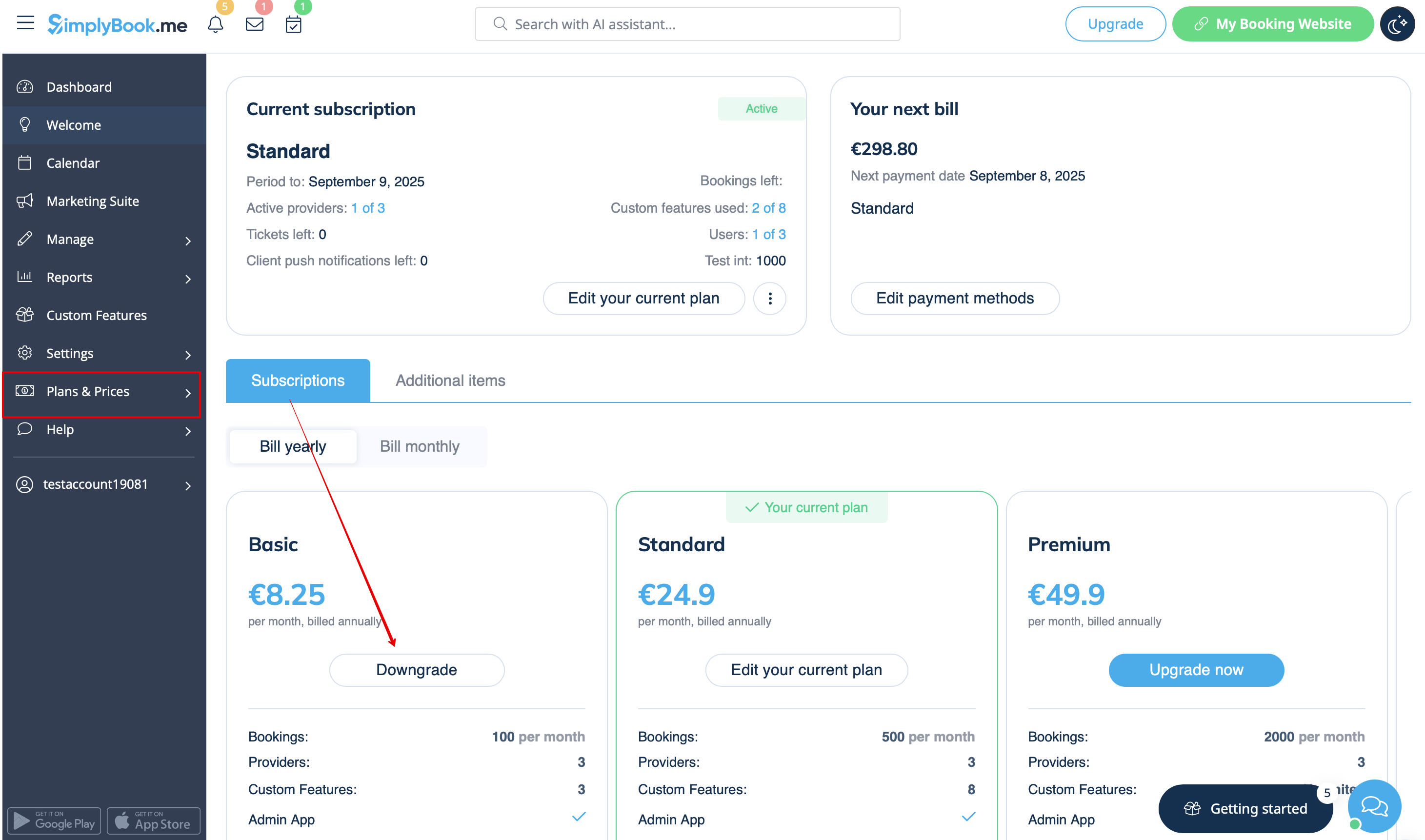
- 1. Gå til siden Planer og priser -> Abonnementer i din konto.
- 2. In the plans options block please click on the Downgrade under the desired plan.
(Please note! It is possible to downgrade if the lower plan can fit all the items activated in your account)
- 3. Check the company details on the left side of the page (they will be used for the invoice) and choose the payment method.
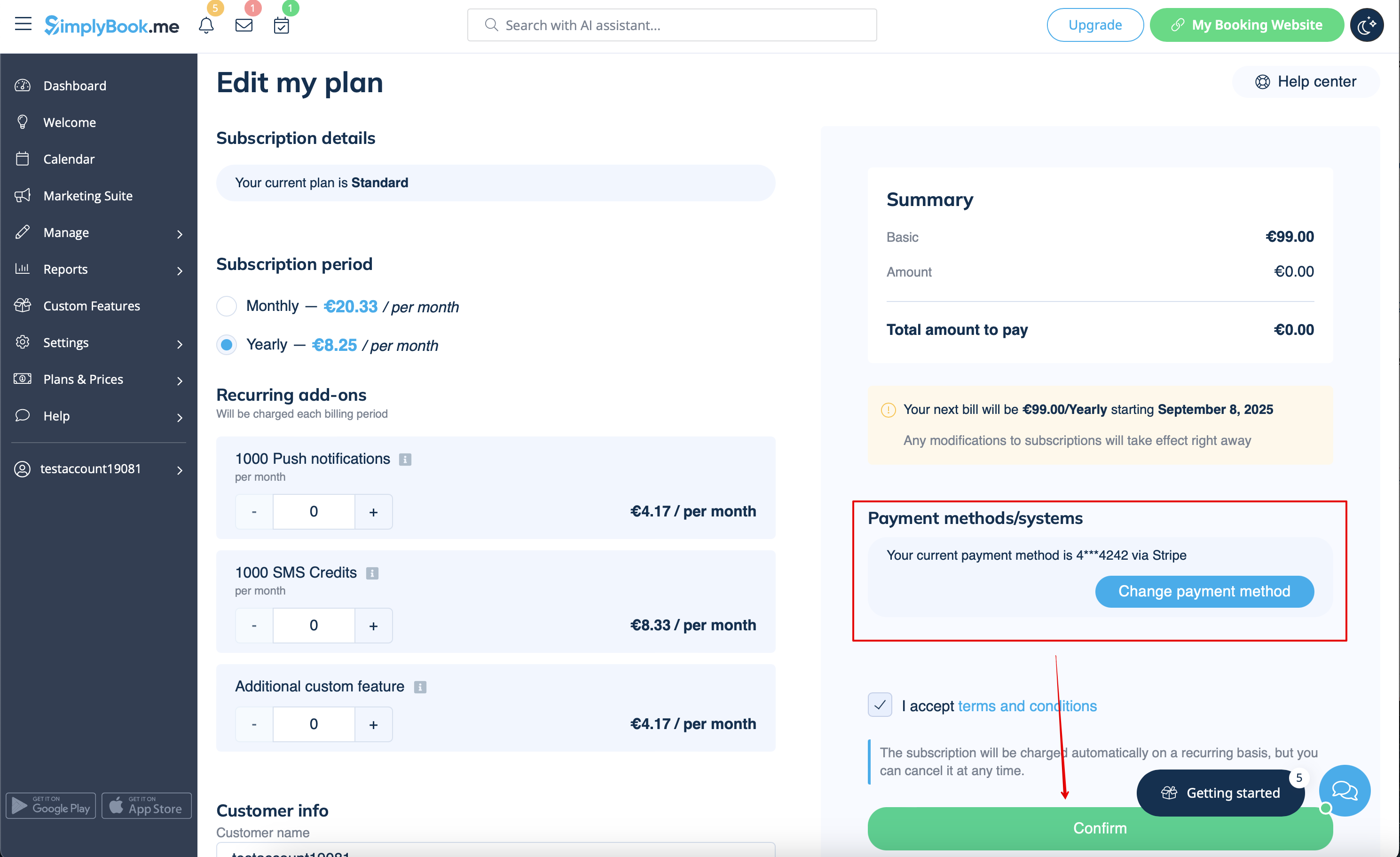
- 4. After you make the payment and it is successfully received by the system, the the new plan will come into action.
Need a simpler solution?
Please contact our support either in LiveChat directly from your account or send an email to support@simplybook.me and we will be happy to help you to choose the best matching plan for your business.
You can also check our SimplyMeet.me solution, a simple meeting scheduling tool with easy setup and a variety of tools at your disposal.
How to delete the account
Before the account removal you may also consider canceling the subscription to not be charged if you have a pause in your business or have a seasonal occupation instead of deleting it.
If that's the case please check the steps for recurring payment cancellation.
Or, if the subscription does not currently fit your needs, you can buy another one according to this.
Of course you can always contact our support for assistance with selecting a new subscription plan to match your current business needs in the best way.
If you are sure that you want to delete the account please follow these simple steps:
- 1. Go to Settings and click on Delete account.
- 2. Select the reason for deletion, confirm your agreement for data deletion, and proceed with the action.
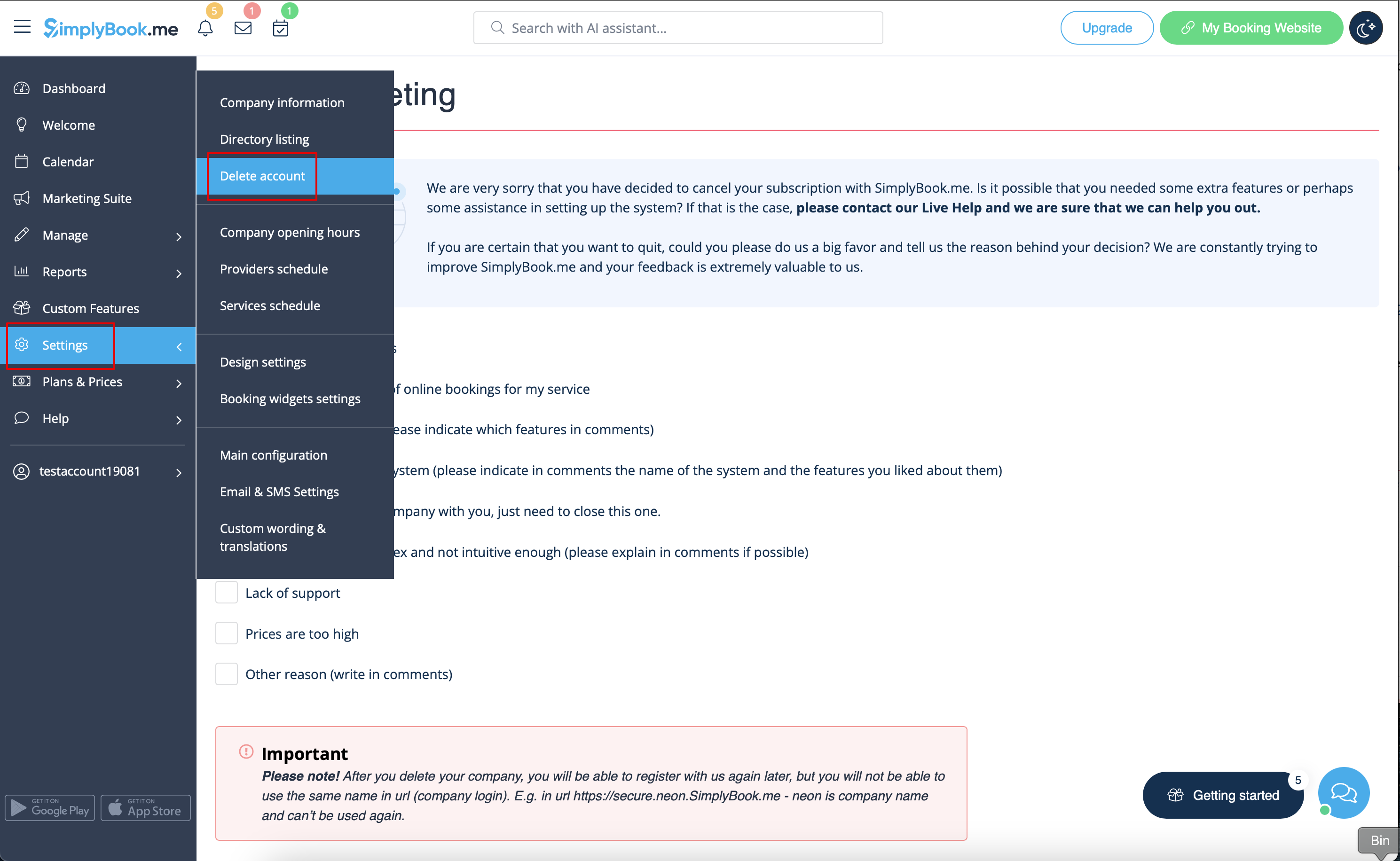
Once completed, your account will be deleted. For a certain period, you'll have the option to restore it. If not, it will be permanently removed from our databases.
