Comment annuler l'abonnement à SimplyBook.me
Au fur et à mesure que votre entreprise évolue, votre formule d'abonnement peut ne plus répondre à vos besoins. Pas d'inquiétude ! Vous avez la possibilité de :
- Annulez facilement votre profil de paiement d'abonnement récurrent.
- Choisissez un autre forfait mieux adapté à vos besoins.
- Mettez votre compte en attente jusqu'à ce que vous en ayez à nouveau besoin.
- Obtenez une solution de réservation plus simple SimplyMeet.me si SimplyBook.me est trop complet pour vos besoins
Nous sommes là pour vous offrir une expérience fluide et flexible. Si vous avez des questions ou besoin d'aide, notre équipe d'assistance est à votre disposition.
Comment annuler l'abonnement payant
Si vous avez acheté au moins une fois un forfait payant, votre compte ne sera pas automatiquement supprimé après la résiliation de votre abonnement, même si vous ne l'utilisez pas pendant un certain temps.
Veuillez suivre les étapes suivantes pour annuler votre paiement récurrent :
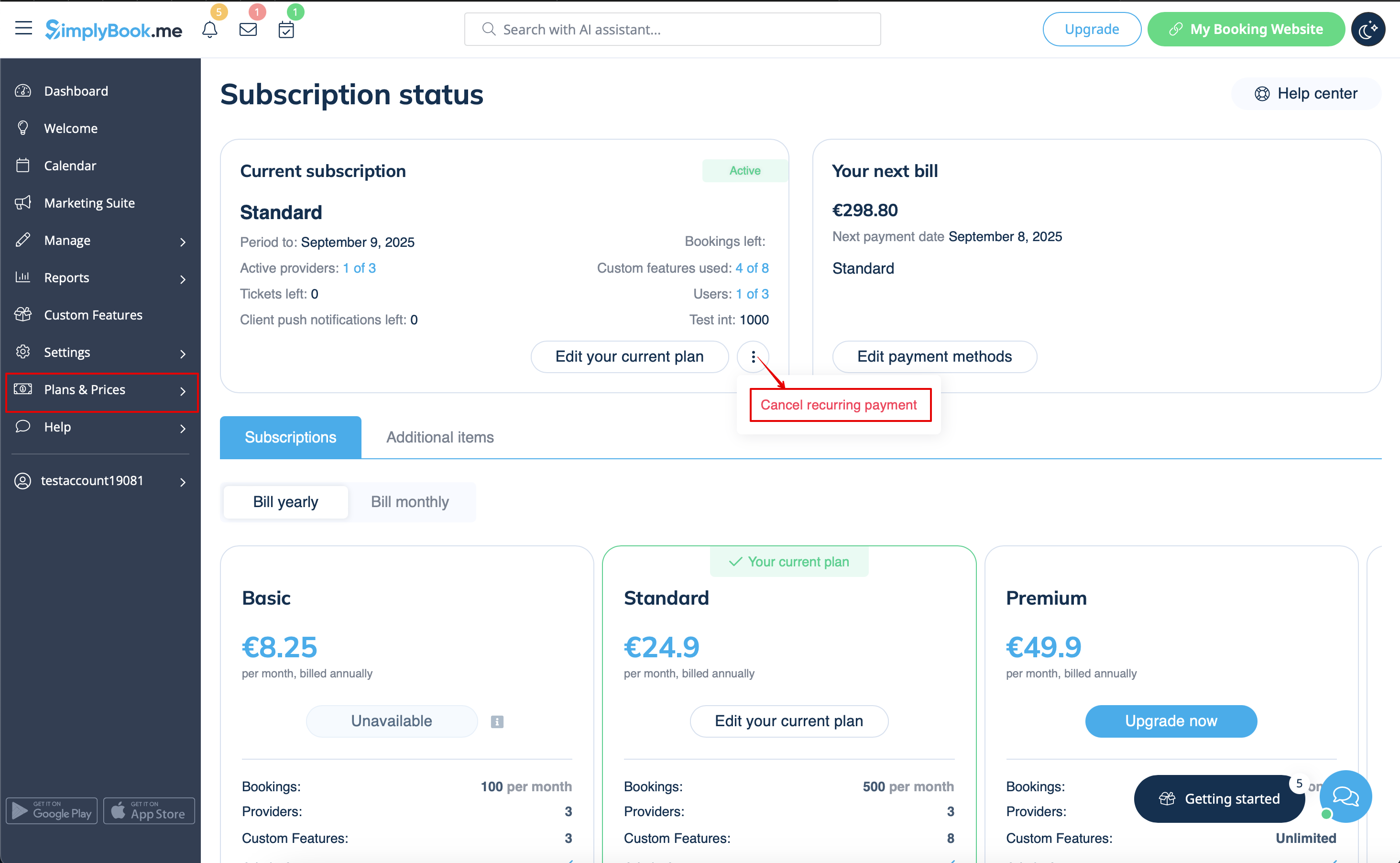
- 1. Accédez à la page Plans et tarifs -> Abonnements dans votre compte.
- 2. Dans le bloc supérieur contenant les détails de l'abonnement, veuillez cliquer sur le menu à trois points.
- 3. Sélectionnez « Annuler la répétition » et confirmez l'action.
- 4. Il n'y aura donc pas de frais supplémentaires. Vous pourrez utiliser toutes les options jusqu'à la fin de la période en cours.
- Vous pourrez acheter le forfait souhaité à tout moment dans Plans et tarifs -> Abonnements et définir un nouveau profil récurrent pour une utilisation fluide du système.
Comment passer à un abonnement inférieur
Remarque importante : il n'est pas possible de passer à un forfait gratuit.
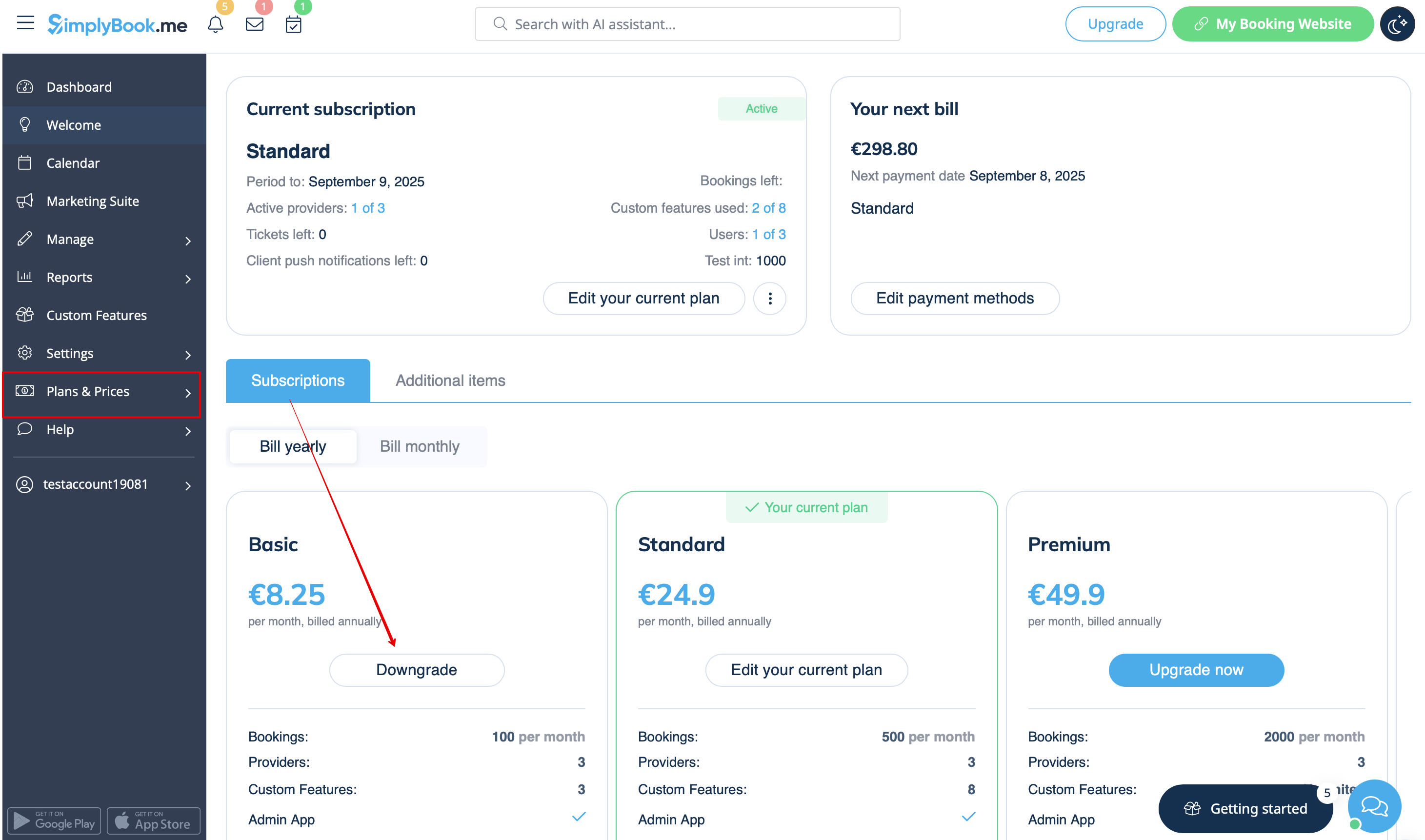
- 1. Navigate to Plans & Prices -> Subscriptions page in your account.
- 2. In the plans options block please click on the Downgrade under the desired plan.
(Please note! It is possible to downgrade if the lower plan can fit all the items activated in your account)
- 3. Check the company details on the left side of the page (they will be used for the invoice) and choose the payment method.
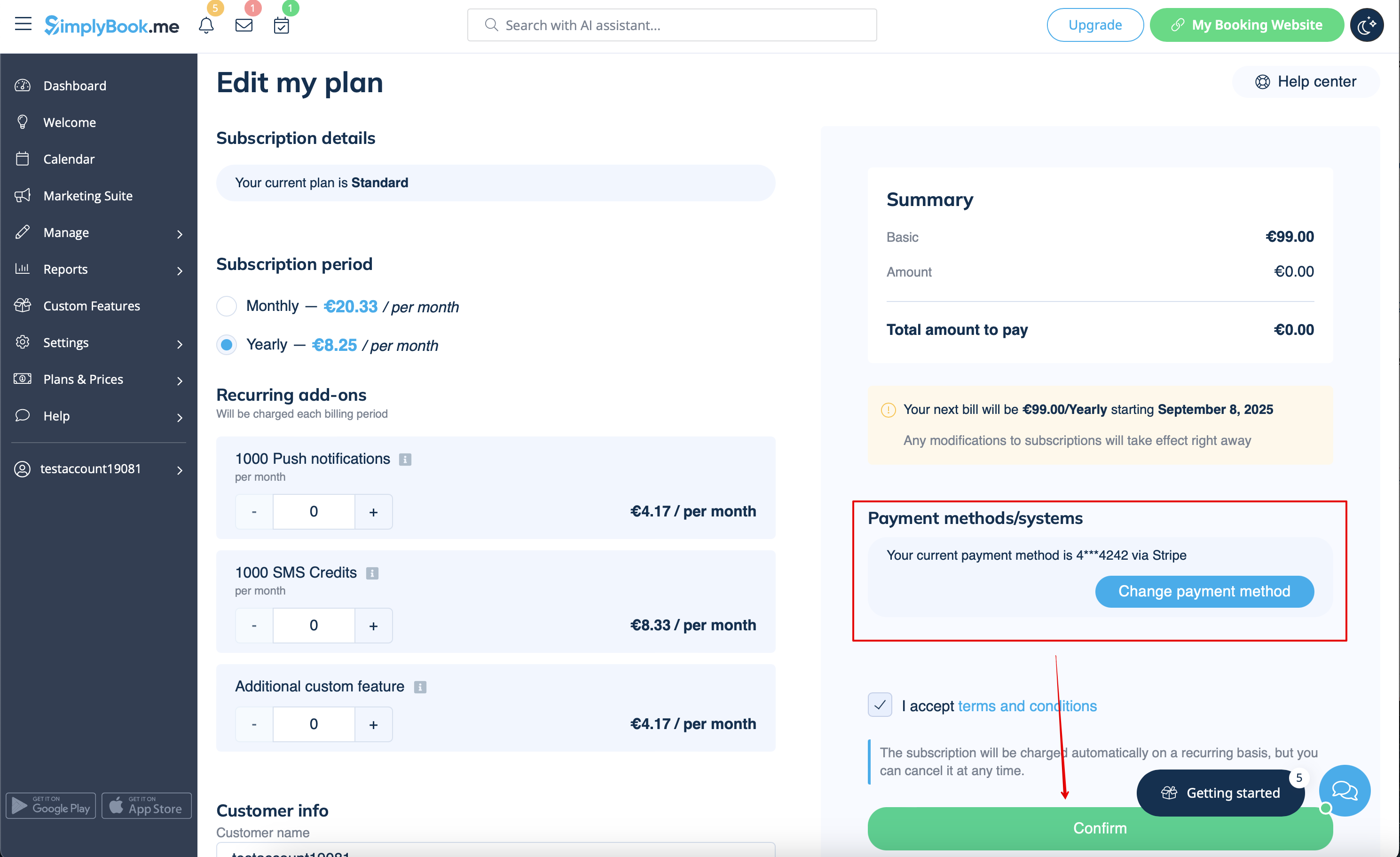
- 4. After you make the payment and it is successfully received by the system, the the new plan will come into action.
Need a simpler solution?
Please contact our support either in LiveChat directly from your account or send an email to support@simplybook.me and we will be happy to help you to choose the best matching plan for your business.
You can also check our SimplyMeet.me solution, a simple meeting scheduling tool with easy setup and a variety of tools at your disposal.
How to delete the account
Before the account removal you may also consider canceling the subscription to not be charged if you have a pause in your business or have a seasonal occupation instead of deleting it.
If that's the case please check the steps for recurring payment cancellation.
Or, if the subscription does not currently fit your needs, you can buy another one according to this.
Of course you can always contact our support for assistance with selecting a new subscription plan to match your current business needs in the best way.
If you are sure that you want to delete the account please follow these simple steps:
- 1. Go to Settings and click on Delete account.
- 2. Select the reason for deletion, confirm your agreement for data deletion, and proceed with the action.
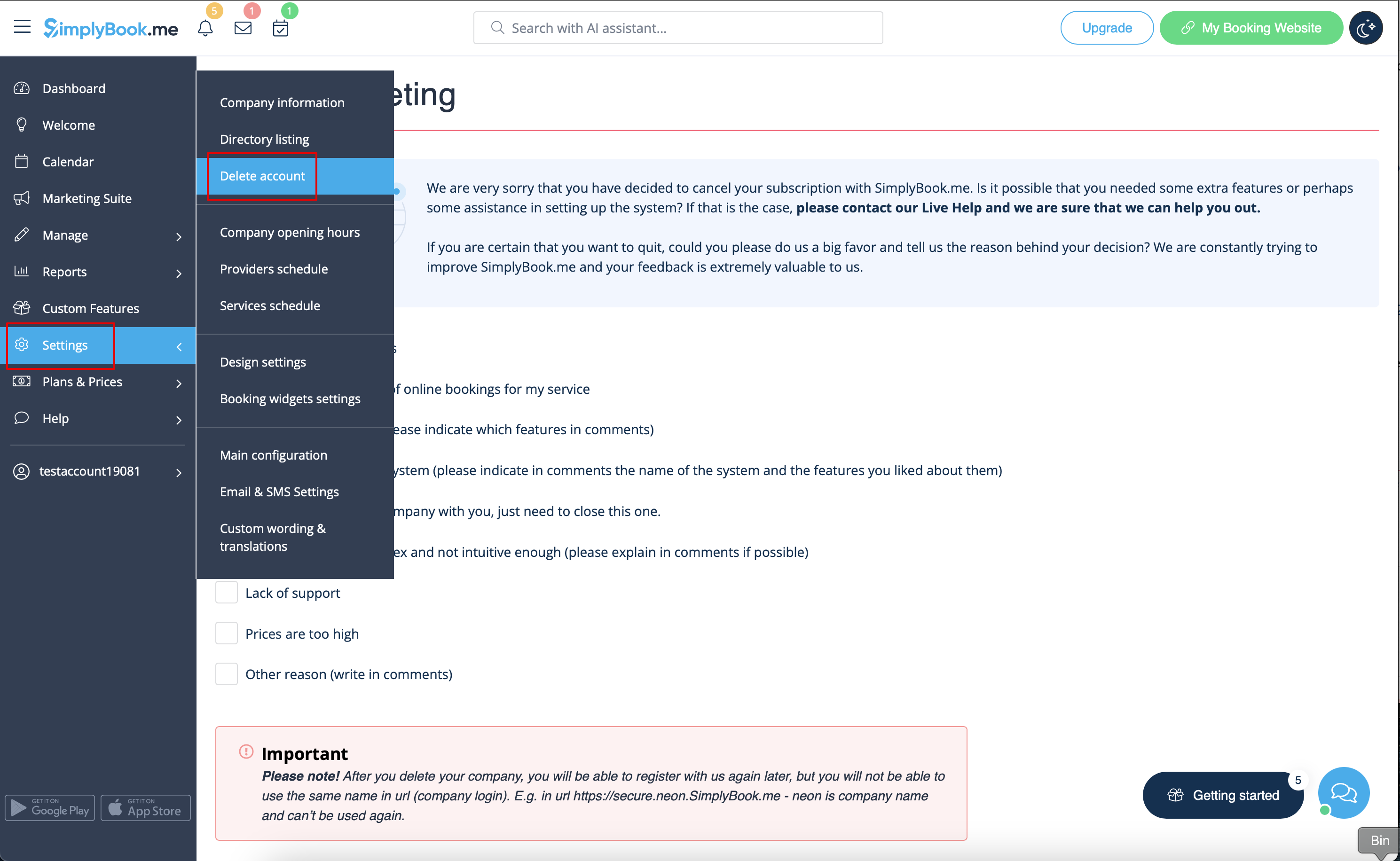
Once completed, your account will be deleted. For a certain period, you'll have the option to restore it. If not, it will be permanently removed from our databases.
