Будь-яка спеціальна функція Employee Selector
From SimplyBook.me

Ви можете використовувати цю спеціальну функцію, щоб додати постачальника послуг під назвою «Будь-який постачальник» на сторінку бронювання, і якщо клієнт вибере цього постачальника, будуть показані всі часи доступних постачальників.

You can also use this Custom Feature to:
- Hide employee step on the booking page.
- Auto allocate any available provider for selected service randomly.
This way the client only chooses the service and the time so it simplifies the booking process.
- How to use
- 1. Enable "Any Employee selector" custom feature in Custom features section.
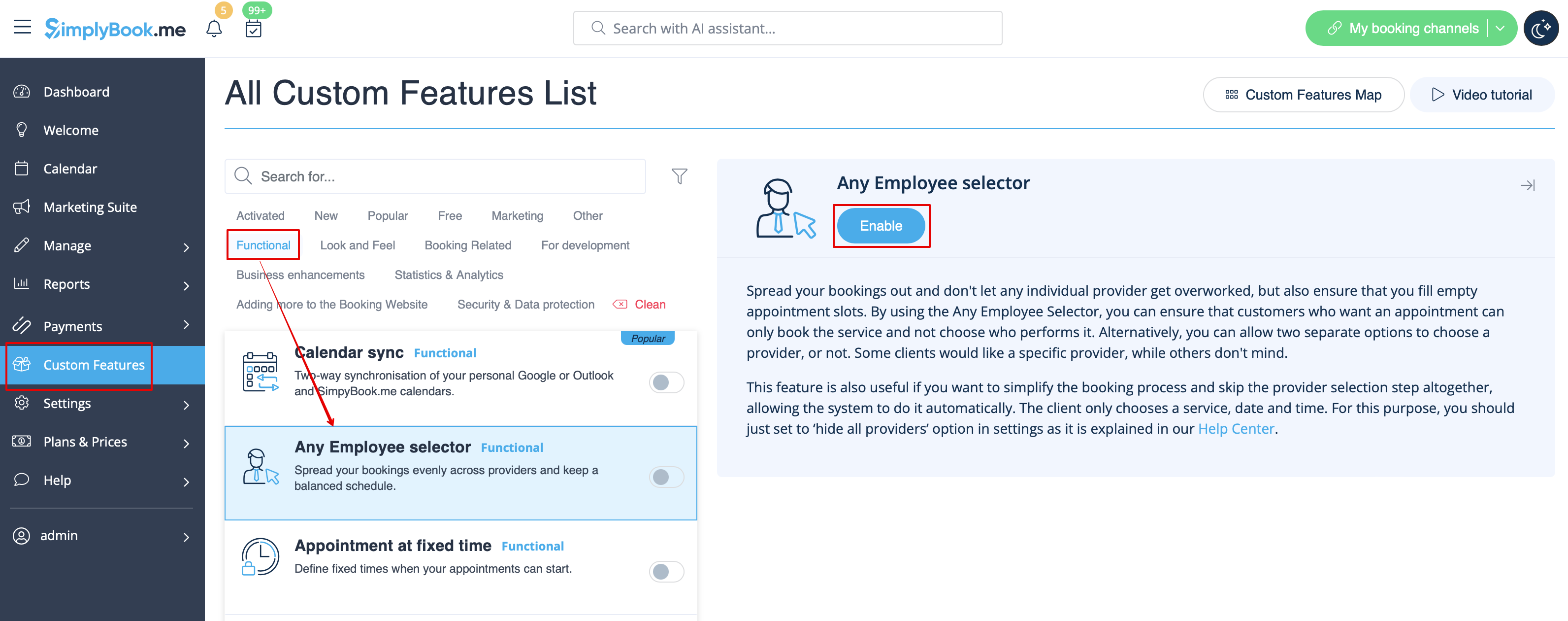
- 2. Go to the settings on the right to adjust "Any employee" option title and description to your needs.
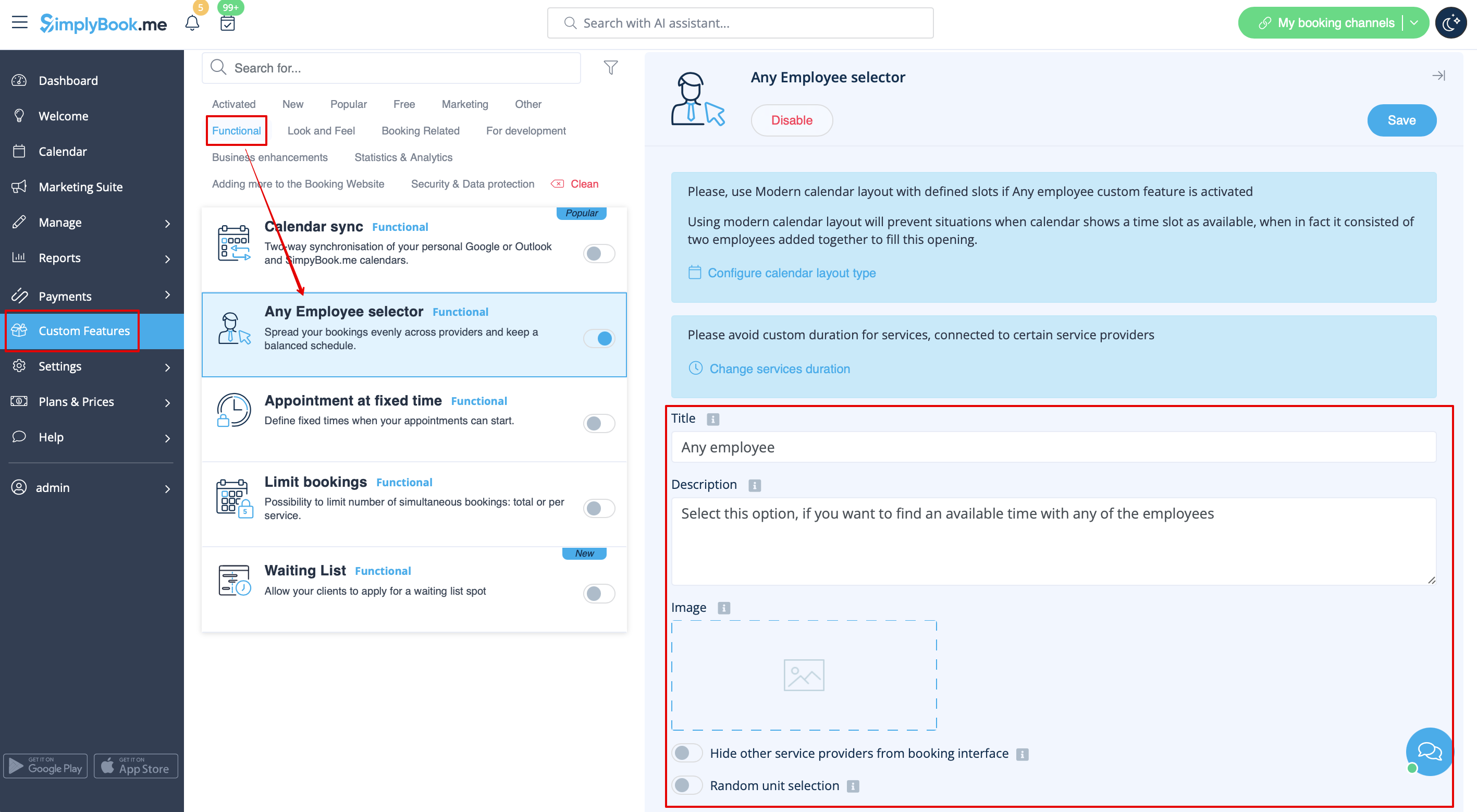
- 3. If you need to hide providers from the booking site and/or assign them randomly please check the corresponding boxes there.
