Alla anpassade funktioner i Employee Selector
From SimplyBook.me

Du kan använda den här anpassade funktionen för att lägga till en tjänsteleverantör som heter "Alla leverantörer" på bokningssidan. Om kunden väljer denna leverantör visas alla tillgängliga leverantörers tider.

You can also use this Custom Feature to:
- Hide employee step on the booking page.
- Auto allocate any available provider for selected service randomly.
This way the client only chooses the service and the time so it simplifies the booking process.
- How to use
- 1. Enable "Any Employee selector" custom feature in Custom features section.
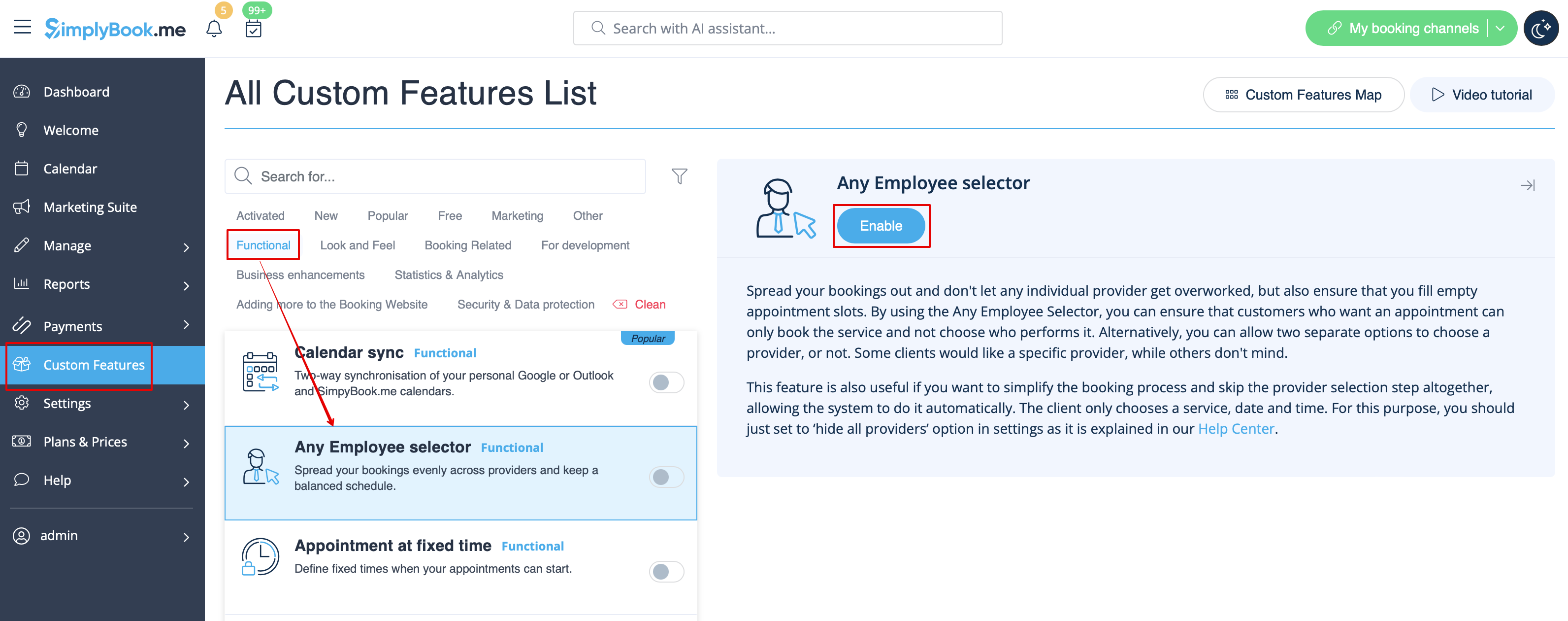
- 2. Go to the settings on the right to adjust "Any employee" option title and description to your needs.
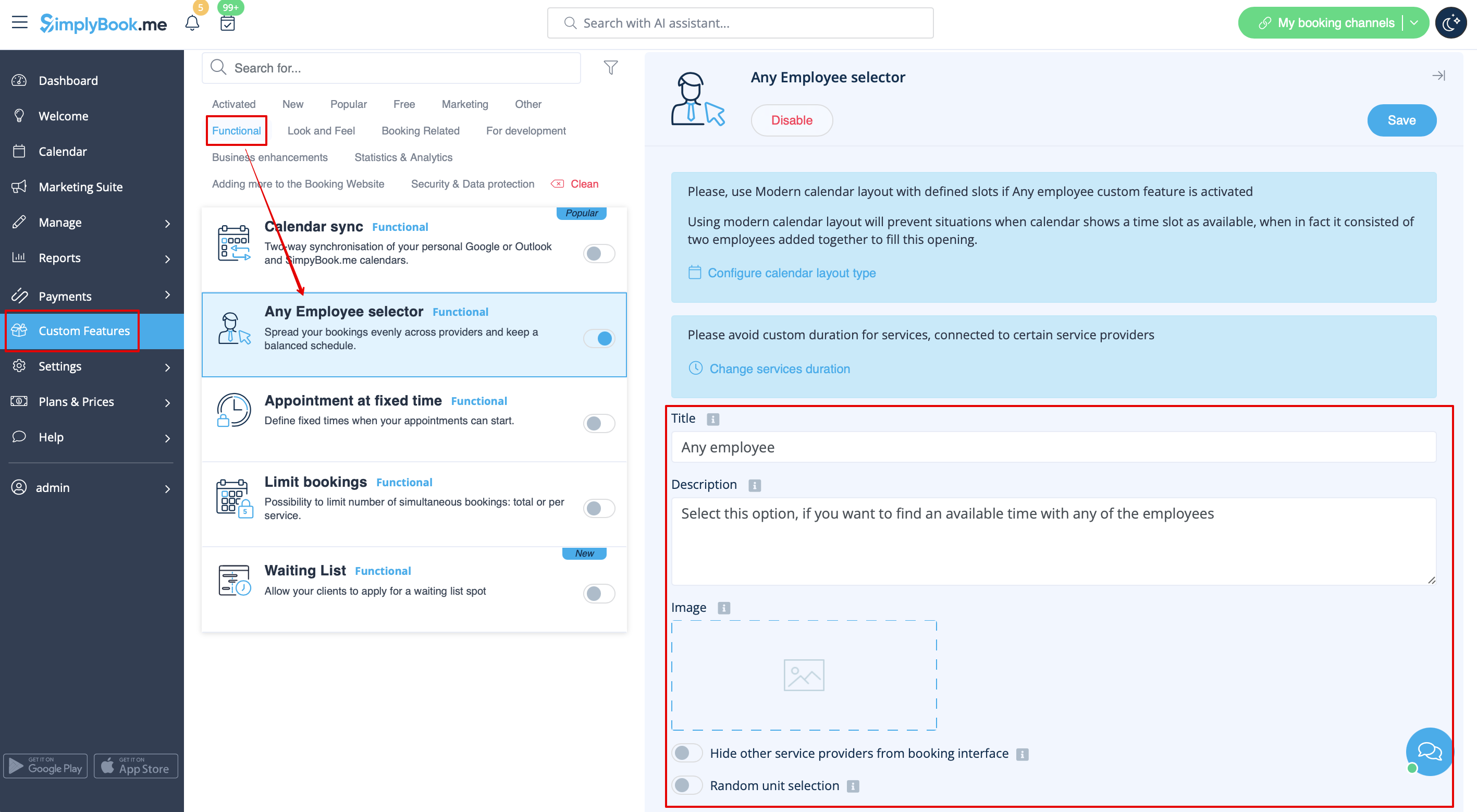
- 3. If you need to hide providers from the booking site and/or assign them randomly please check the corresponding boxes there.
