Filuppladdare – anpassad funktion i Google Drive

png
Aktivera denna anpassade funktion för att låta dina kunder ladda upp signerade dokument eller annan information direkt till ditt Google Drive-konto.
Observera!
- Denna funktion stöds inte fullt ut i administratörsapplikationen. Om du använder den och behöver skapa bokningar därifrån, gör filfälten valfria, eftersom det för närvarande inte är möjligt att ladda upp filer i applikationen. Du kommer dock att kunna se filnamnen i redan gjorda bokningar.
- Den uppladdade filen ska vara mindre än 5 MB och får inte vara en arkivfil eller körbar fil.
- Hur man använder
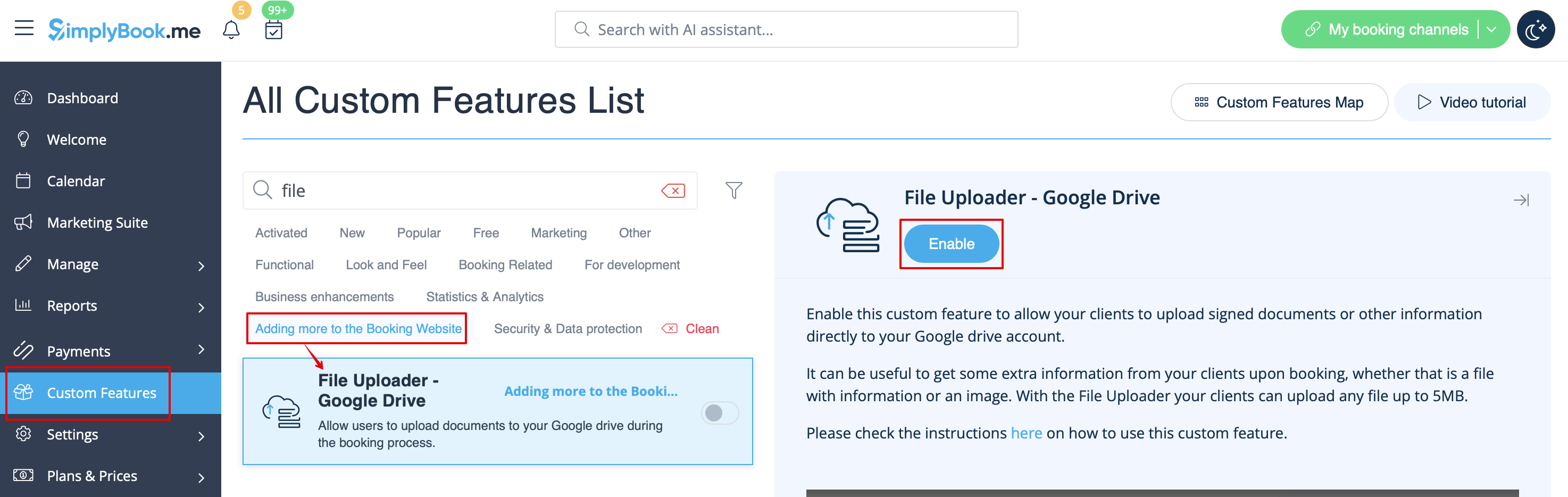
1. Enable this option on your Custom features page -> Adding more to the Booking Website category.
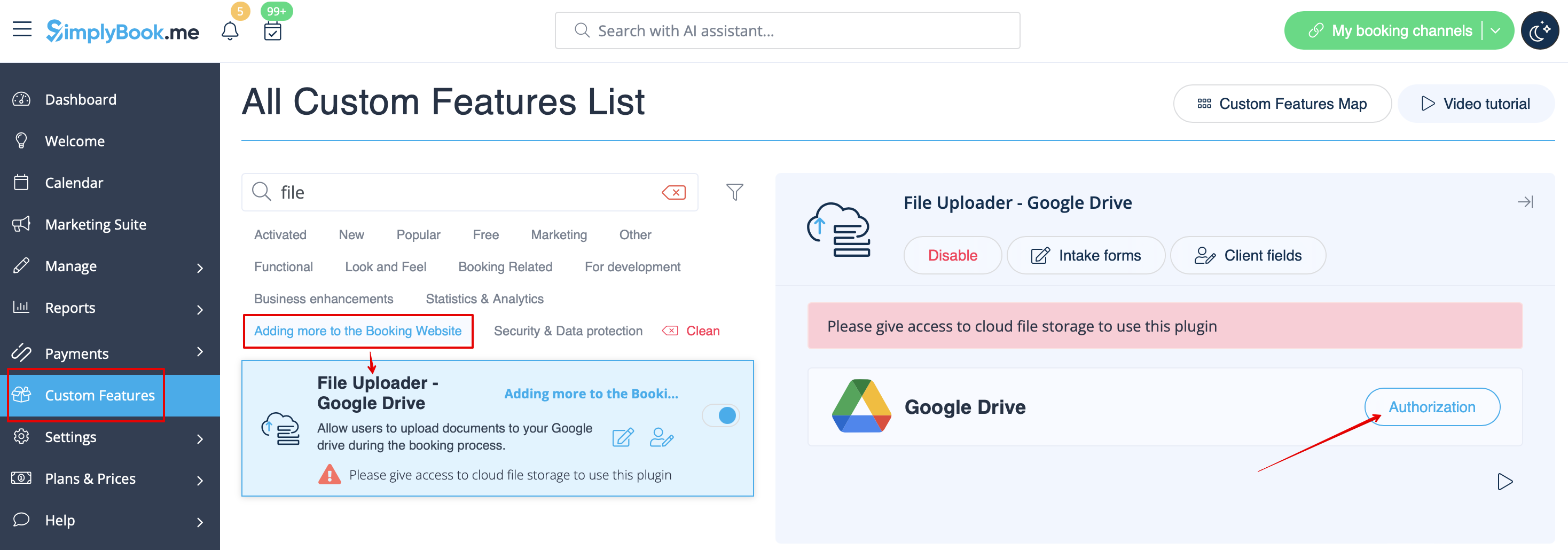
2. On the right side of the page you will see it settings. Click on Authorize to connect to your Google Drive and give the requested permissions.
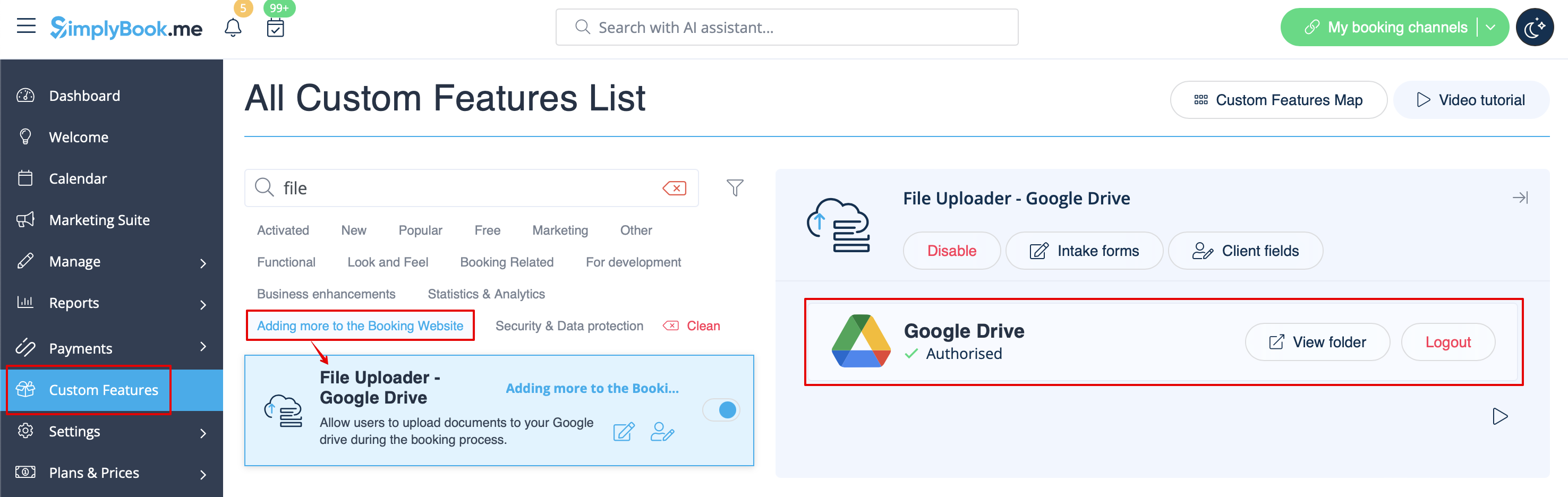
3. After successful connection you will be able to see its status and use the link to the files folder on your Google Drive from the same Custom Features page.
4. Navigate to Manage -> Intake forms or Manage -> Client fields (or enable one or both features if needed) and create File Uploader - Google Drive form.
Make it obligatory or not depending on your needs.

5. After you have created the desired forms the clients will be able to upload their files during the booking process (Intake forms)

or sign up (Client fields)

6. From admin side you will be able to see and download the files either in the booking popup on the Calendar page if it is an intake form
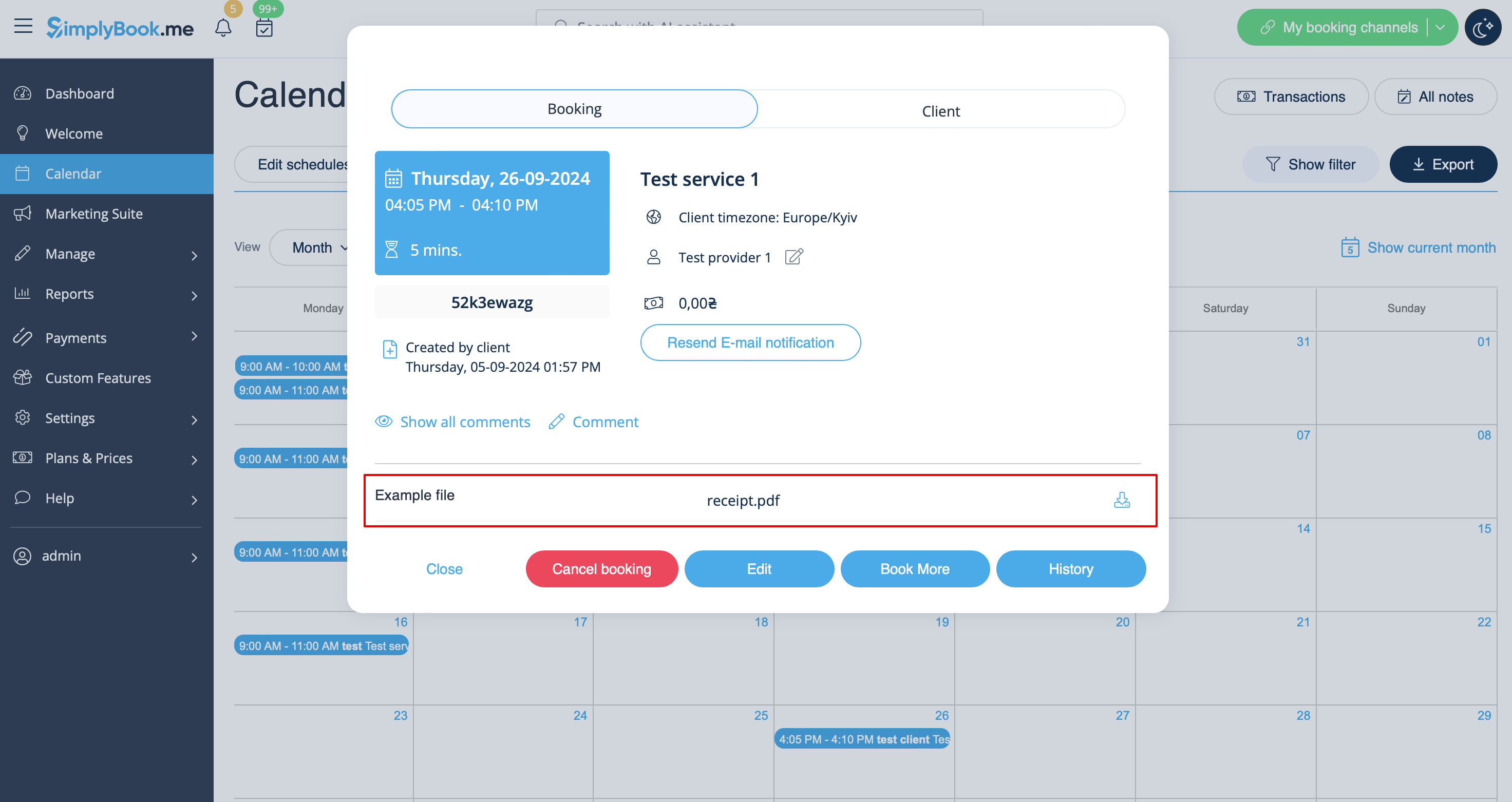
or from Manage -> Clients -> edit the client record if you have it as a client field.
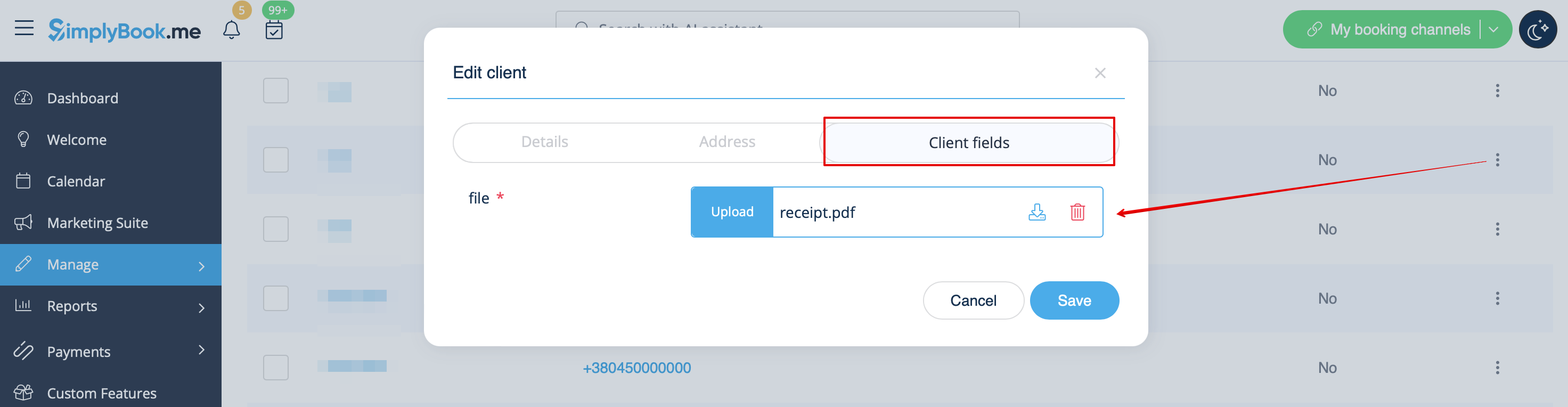
And, for sure, you will be able to manually upload the files during the new booking or client record creation/editing from admin side if necessary.
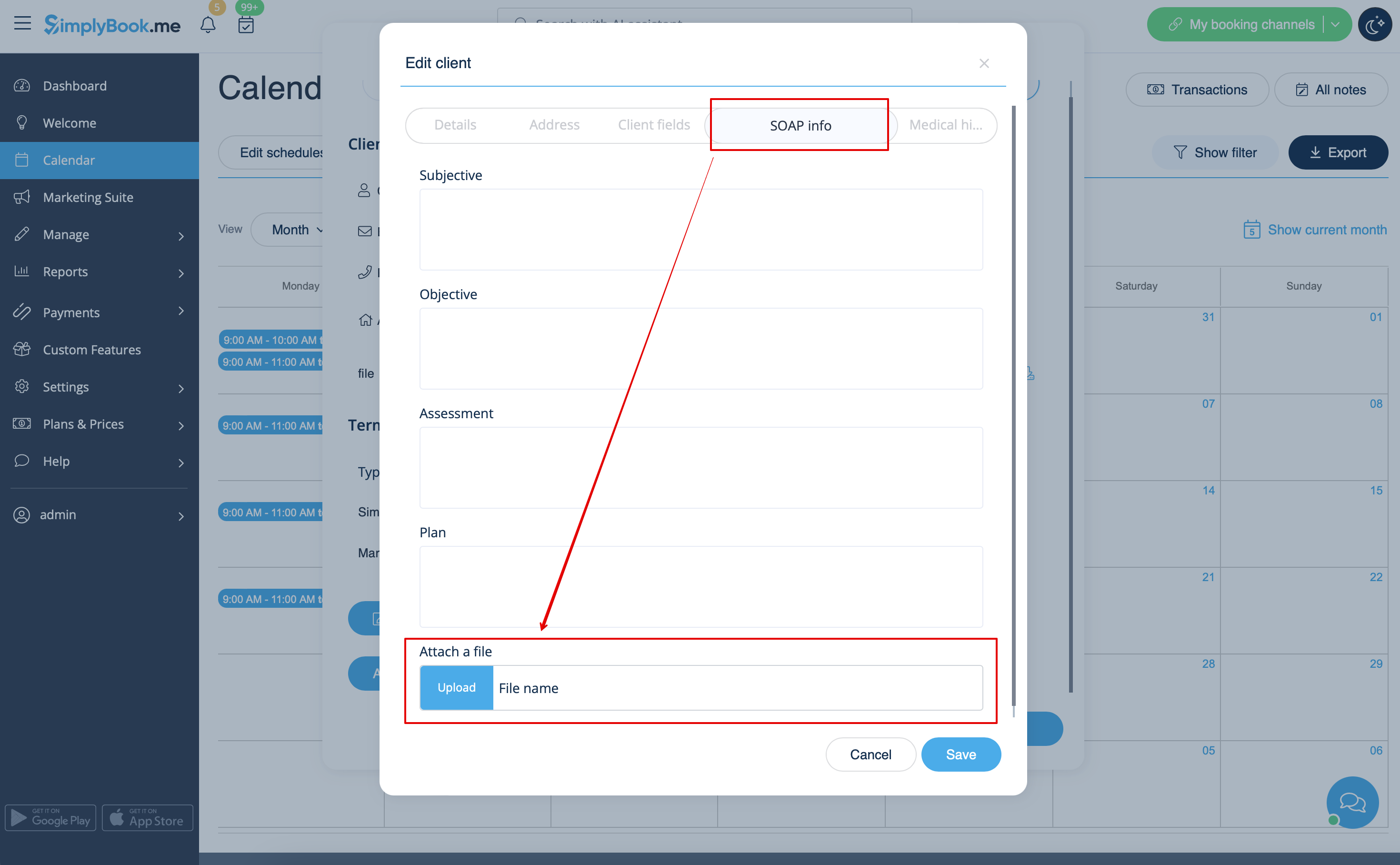
7. If you are also using SOAP with Encryption custom feature you can also enable attaching the file in the SOAP feature settings on your Custom Features page.
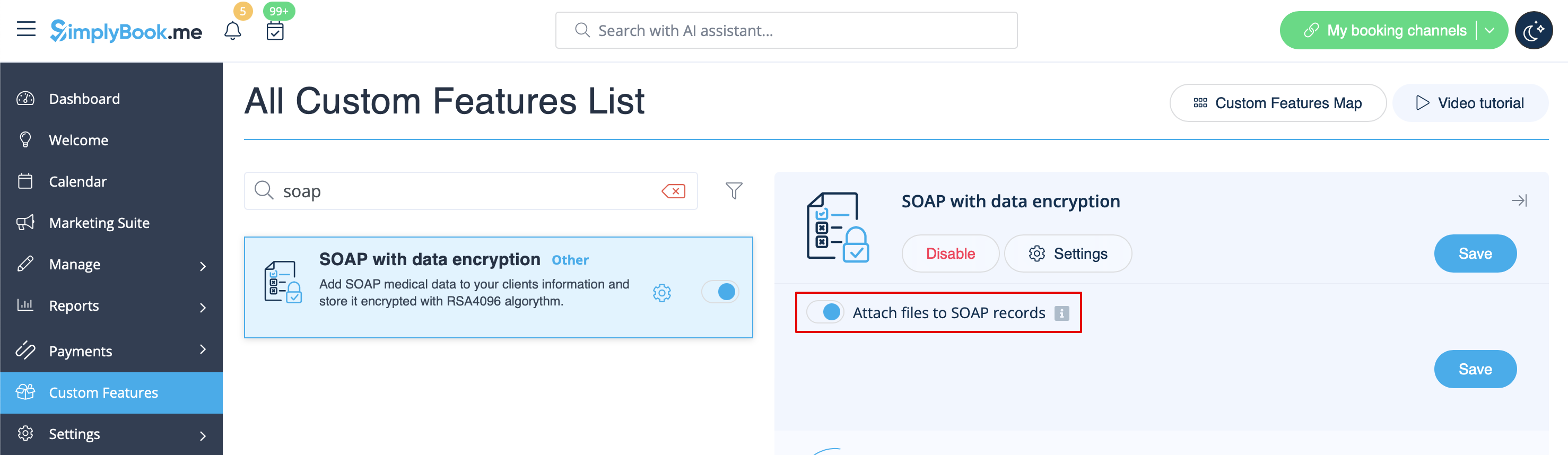
As the result you will have the corresponding form in Manage -> Clients -> SOAP info -> Attach a file.