Téléchargeur de fichiers - fonctionnalité personnalisée de Google Drive

png
Activez cette fonctionnalité personnalisée pour permettre à vos clients de télécharger des documents signés ou d'autres informations directement sur votre compte Google Drive.
Remarque importante !
- Cette fonctionnalité n'est pas entièrement prise en charge dans l'application d'administration. Si vous l'utilisez et que vous devez créer des réservations à partir de là, veuillez rendre les champs de fichier facultatifs, car il n'est actuellement pas possible de télécharger des fichiers dans l'application. Cependant, vous pourrez voir les noms des fichiers dans les rendez-vous déjà créés.
- Le fichier téléchargé doit être inférieur à 5 Mo et ne peut pas être un fichier archive ou exécutable.
- Comment utiliser
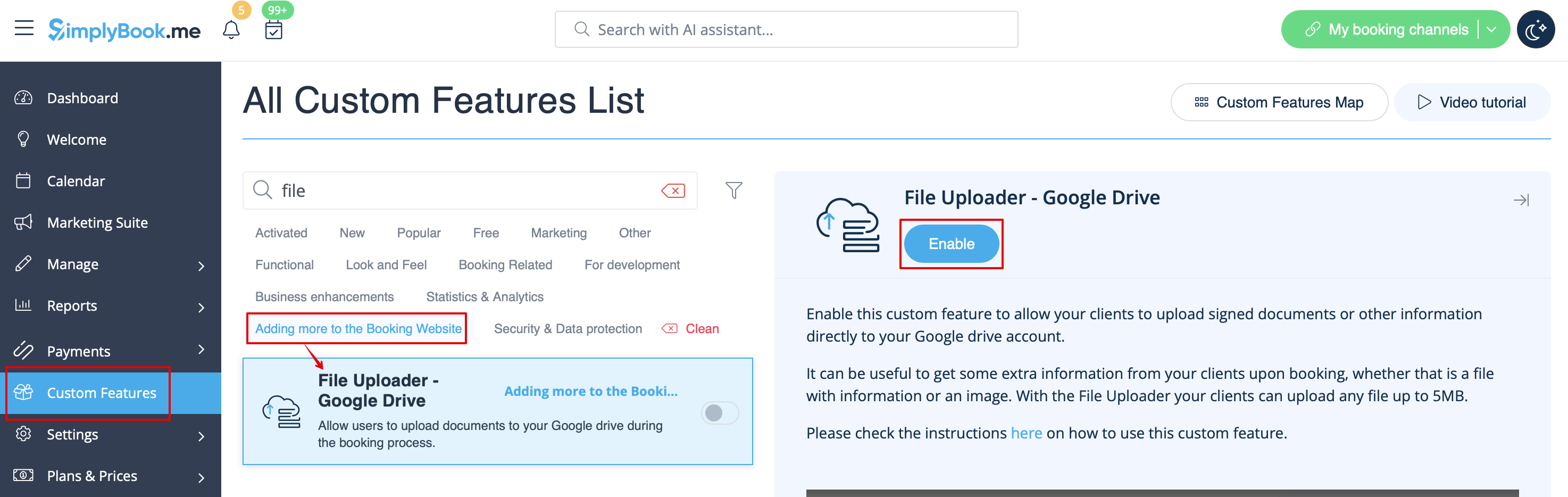
1. Enable this option on your Custom features page -> Adding more to the Booking Website category.
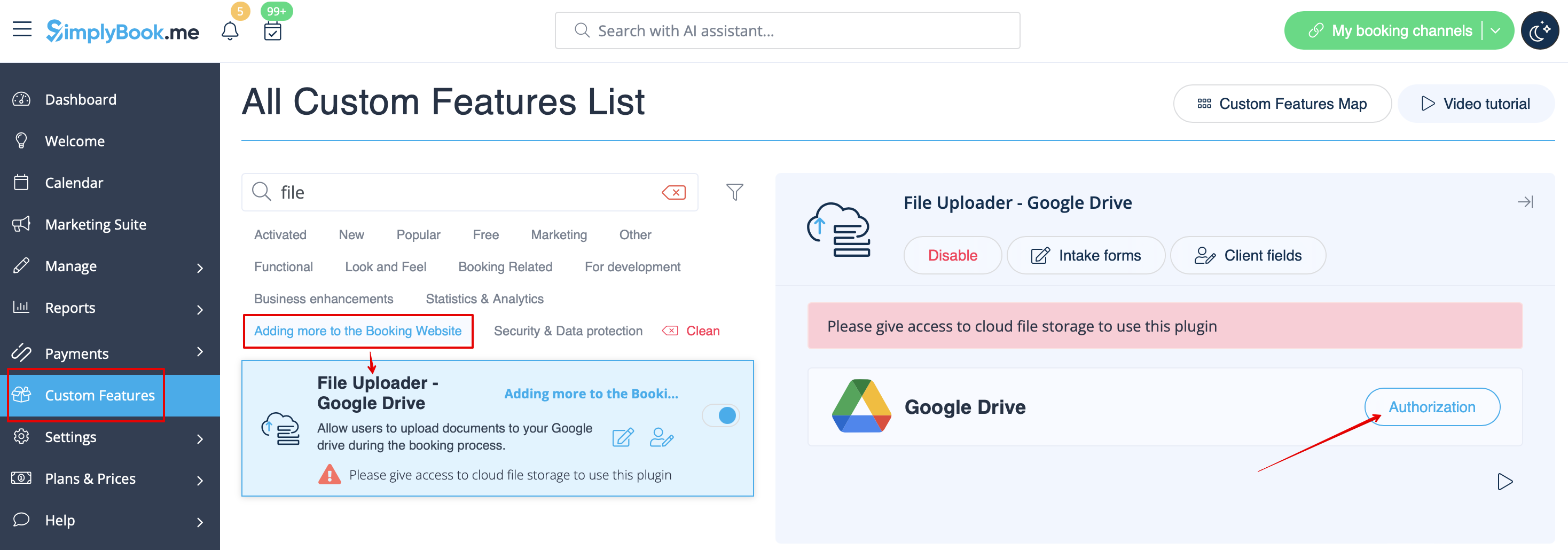
2. On the right side of the page you will see it settings. Click on Authorize to connect to your Google Drive and give the requested permissions.
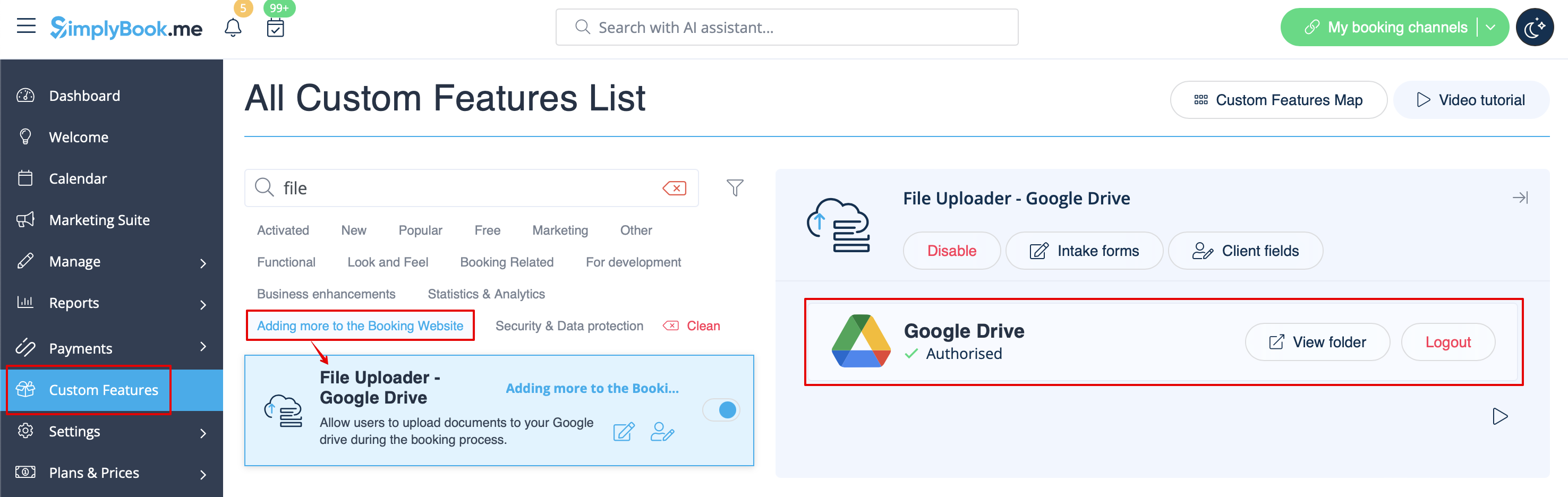
3. After successful connection you will be able to see its status and use the link to the files folder on your Google Drive from the same Custom Features page.
4. Navigate to Manage -> Intake forms or Manage -> Client fields (or enable one or both features if needed) and create File Uploader - Google Drive form.
Make it obligatory or not depending on your needs.

5. After you have created the desired forms the clients will be able to upload their files during the booking process (Intake forms)

or sign up (Client fields)

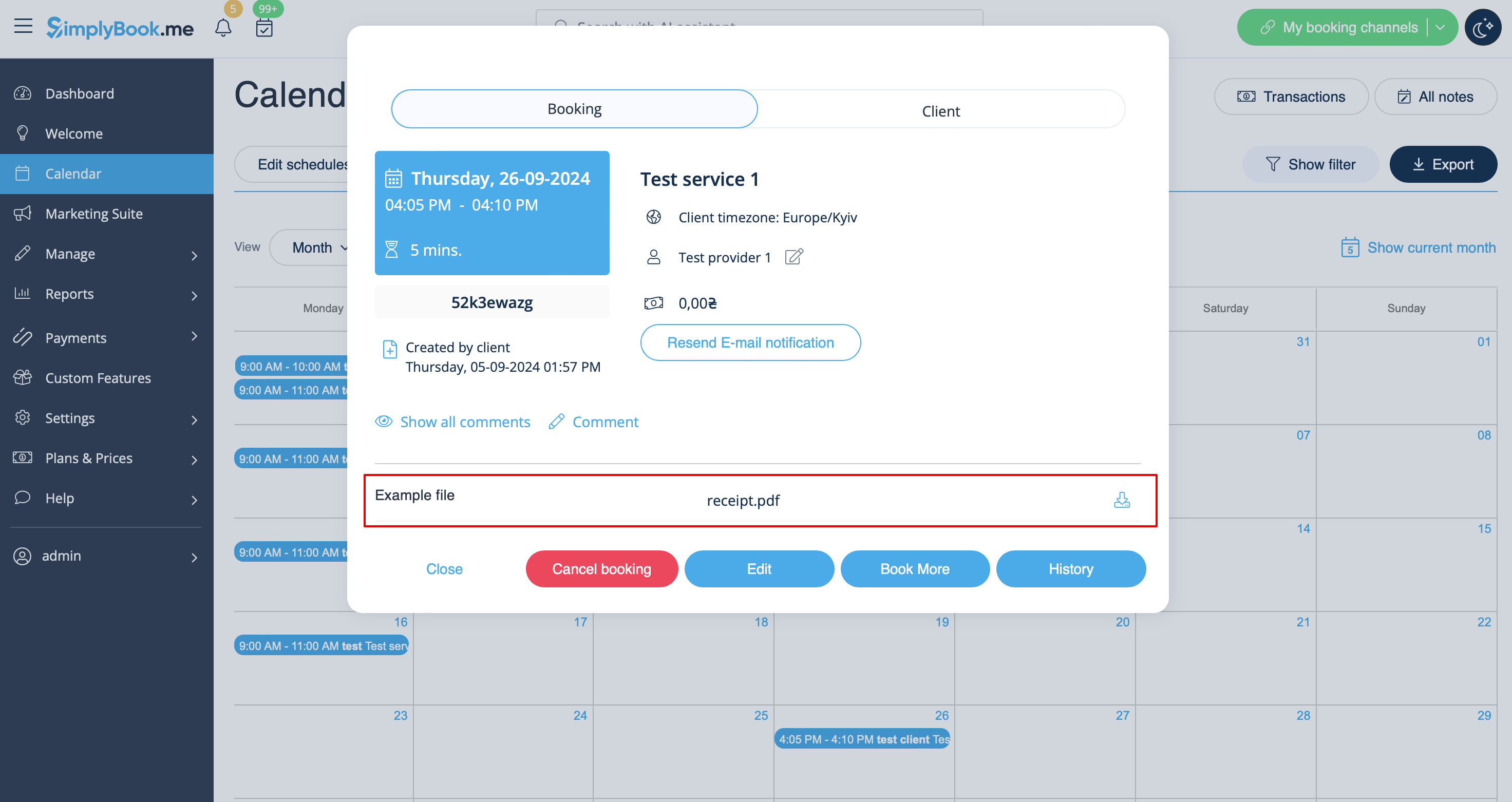
6. From admin side you will be able to see and download the files either in the booking popup on the Calendar page if it is an intake form
or from Manage -> Clients -> edit the client record if you have it as a client field.
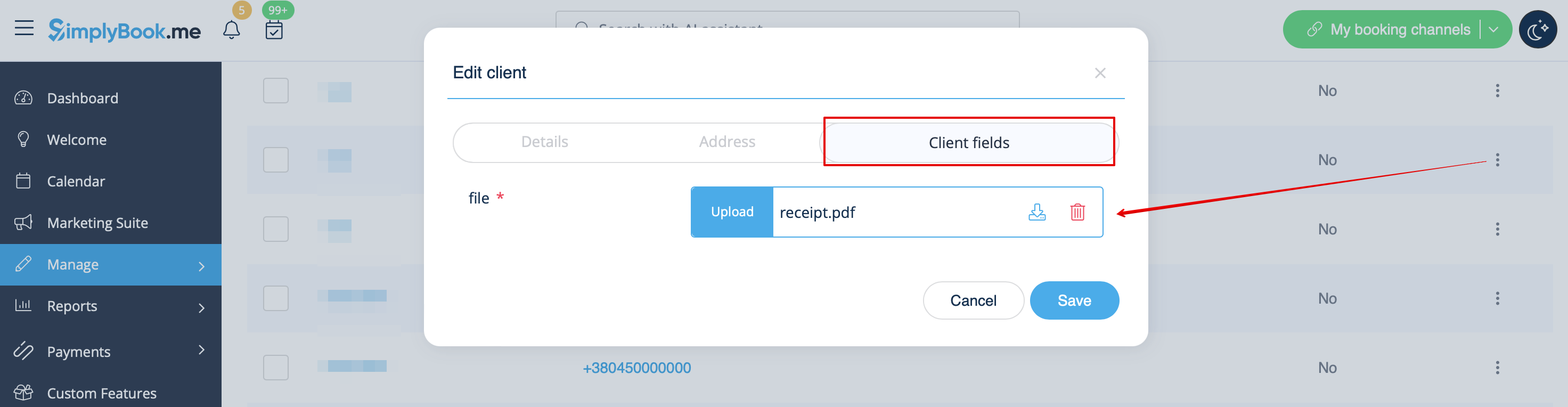
And, for sure, you will be able to manually upload the files during the new booking or client record creation/editing from admin side if necessary.
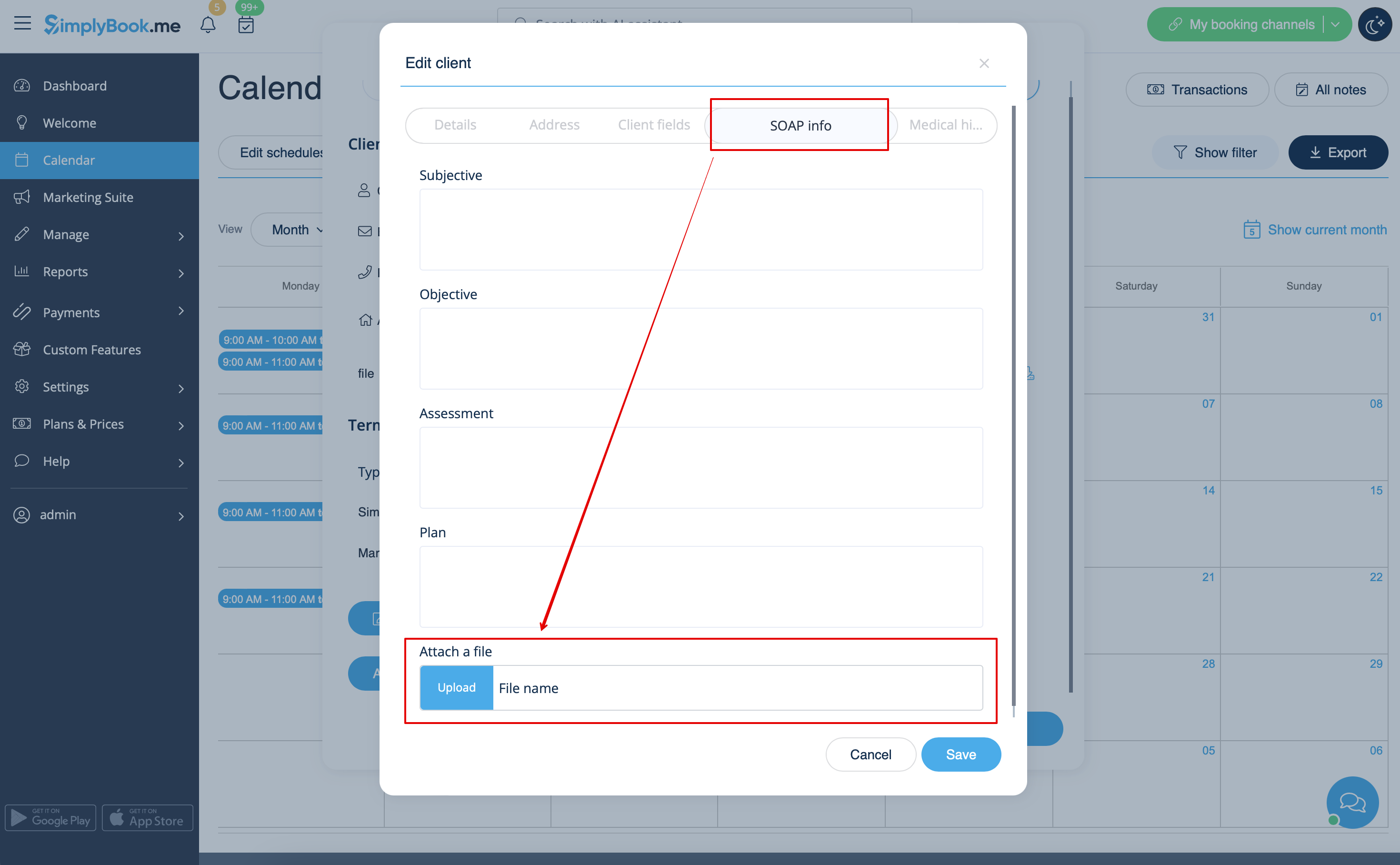
7. If you are also using SOAP with Encryption custom feature you can also enable attaching the file in the SOAP feature settings on your Custom Features page.
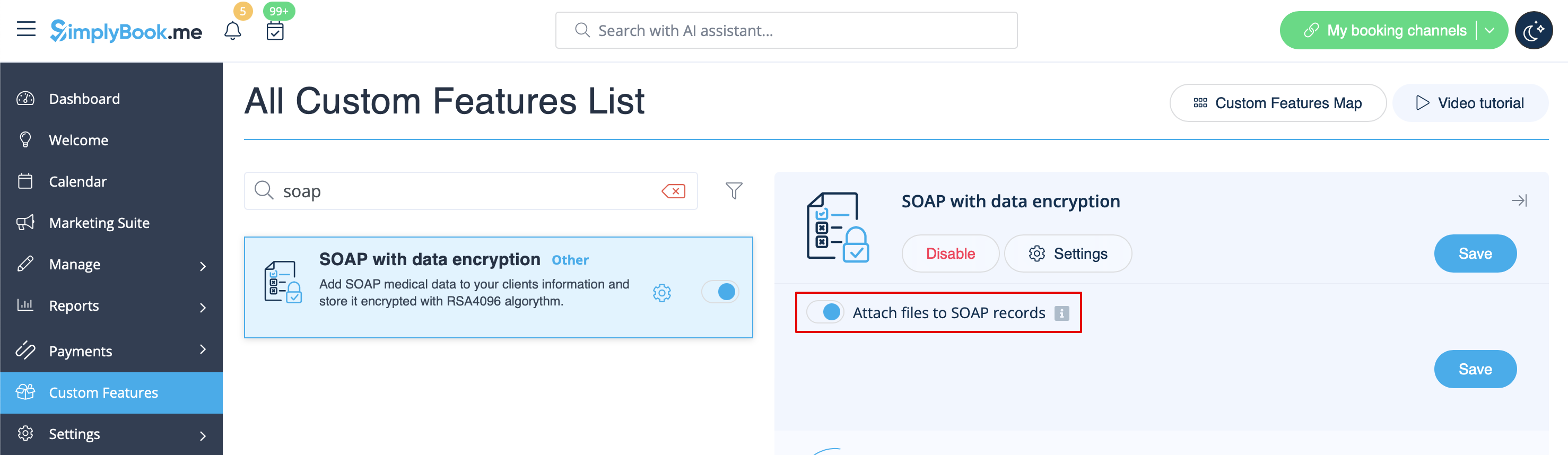
As the result you will have the corresponding form in Manage -> Clients -> SOAP info -> Attach a file.