Translations:Products for Sale custom feature/3/en
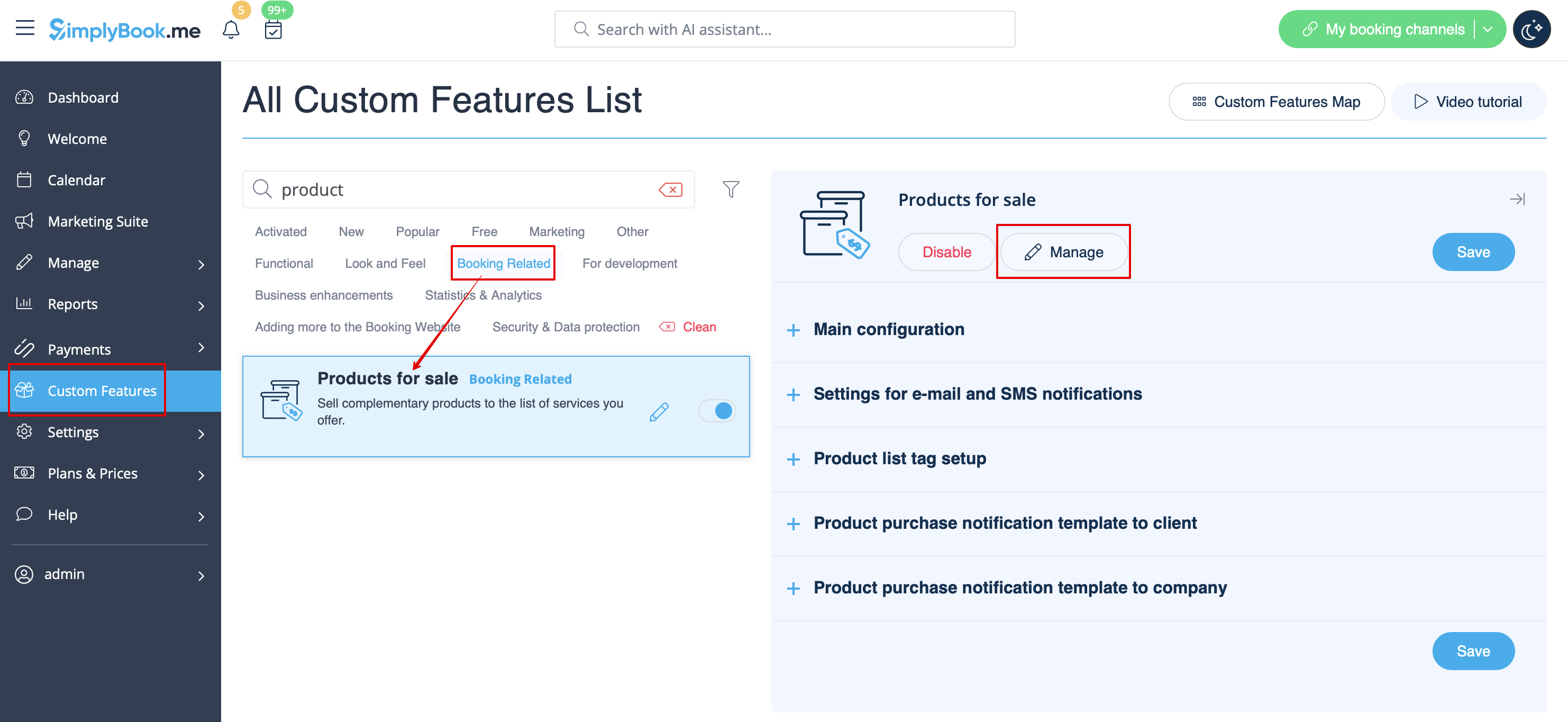
- 2. Click on “Manage” button that will appear there or select "Manage// Products for sale" section and you will get to a page where you will be able to create all necessary products.
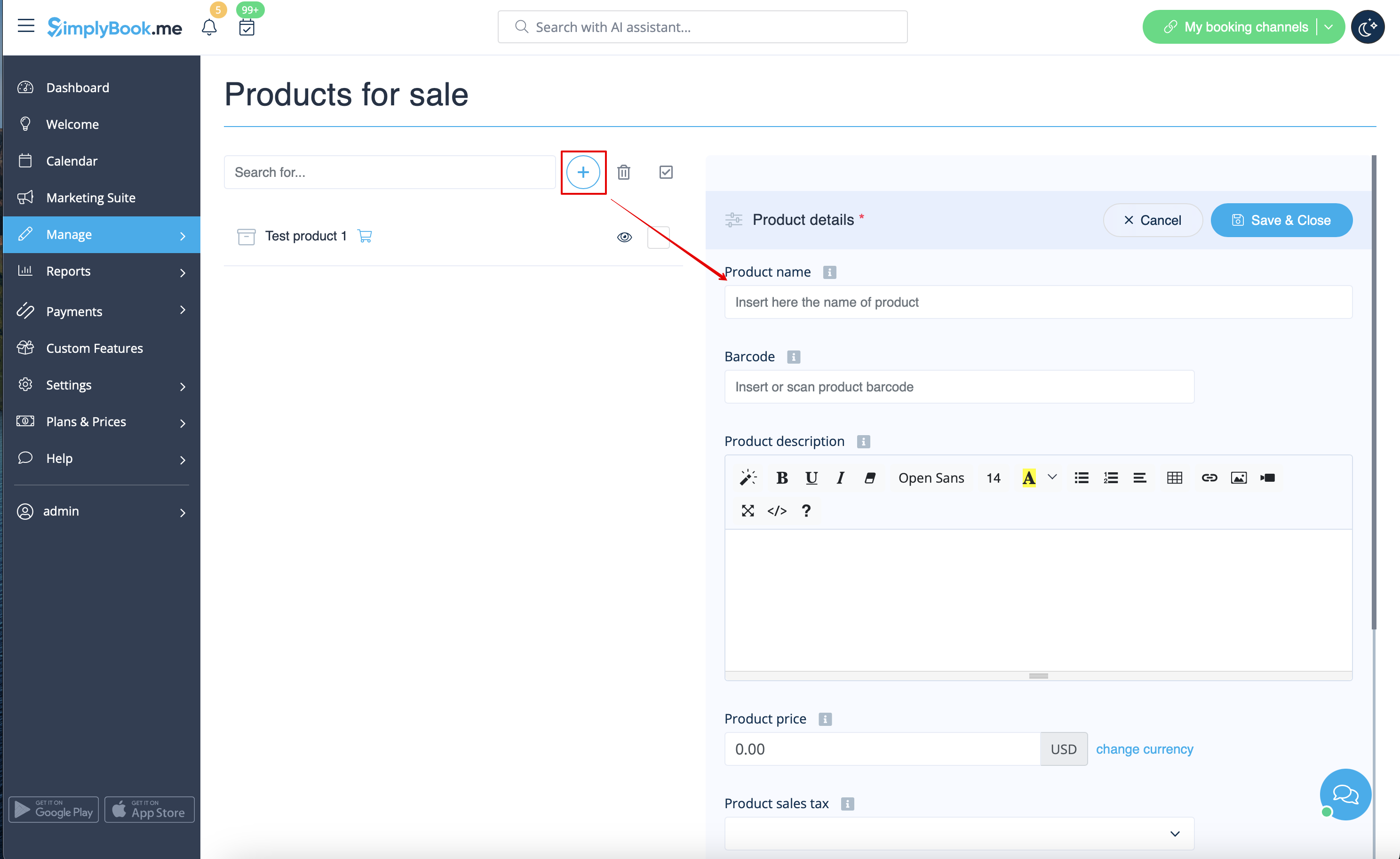
- 3. Click on “+” icon to create new product, set its name, image, description if necessary and price.
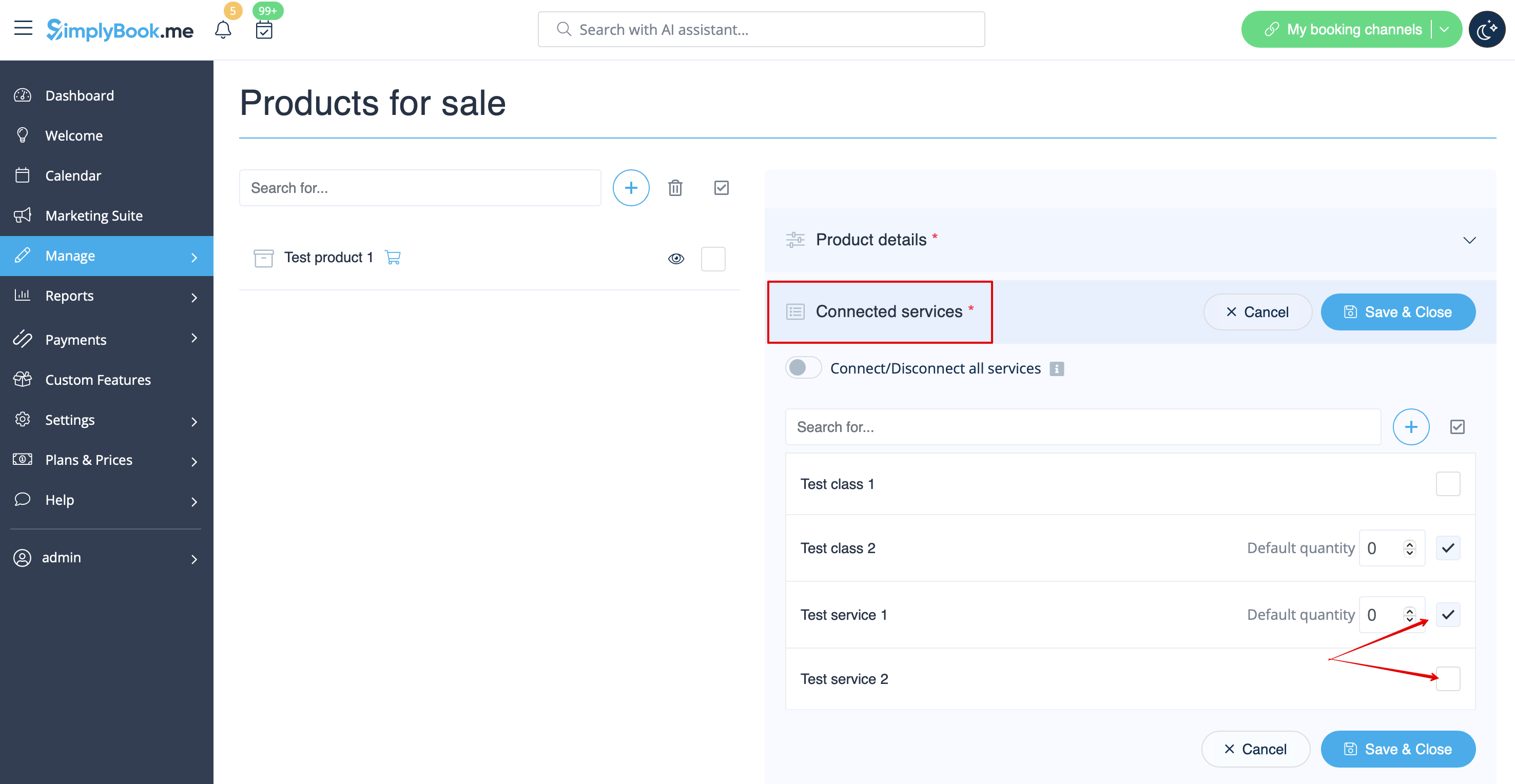
- 4. To relate the product with particular service(s) please use “Connected services” tab and check the boxes with desired services/classes.
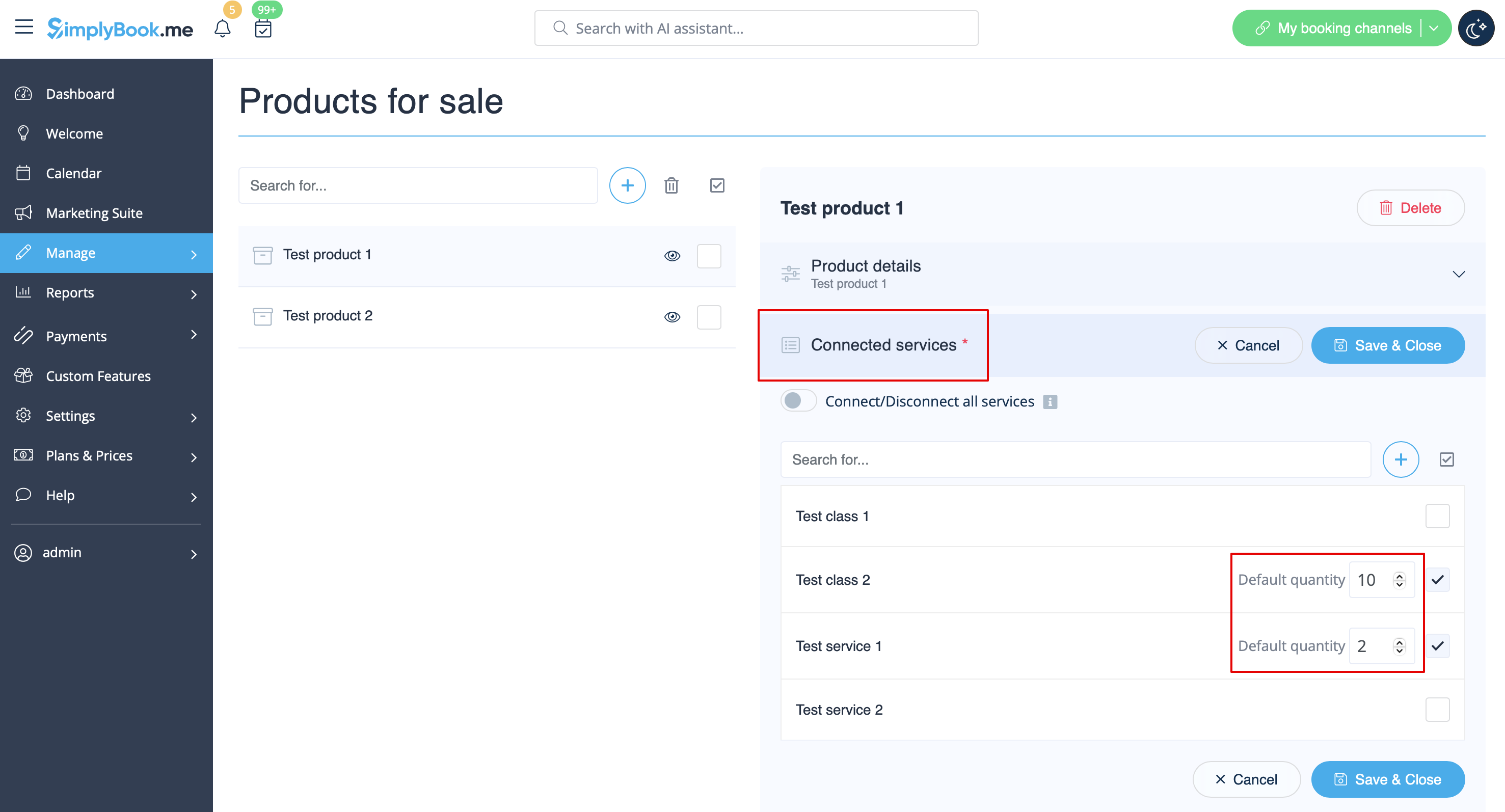
- 5. You can also make product to be selected by default on the booking page and set default amount that will be displayed to clients.
- Please note! The clients will be able to adjust amount to their needs on the booking site or uncheck this product.
Here you can see how the products can look like on the booking page:
