Revision as of 15:36, 19 May 2025 by Admin (talk | contribs) (Created page with ":3. Voeg <span style="background-color:#d4f8e5; padding:5px; border-radius:5px;">Microsoft Teams</span> toe in <span style="background-color:#d4f8e5; padding:5px; border-radius:5px;">MS Azure</span> -> <span style="background-color:#d4f8e5; padding:5px; border-radius:5px;">Azure Active Directory</span> -> <span style="background-color:#d4f8e5; padding:5px; border-radius:5px;">Enterprise-applicaties.</span> border|center <br><b...")
(diff) ← Older revision | Latest revision (diff) | Newer revision → (diff)

Translations:Online Video Meetings Custom Feature/12/nl

From SimplyBook.me
3. Voeg Microsoft Teams toe in MS Azure -> Azure Active Directory -> Enterprise-applicaties.


Voeg vervolgens uw gebruiker (of de gebruiker die u wilt koppelen aan SimplyBook.me) toe in Enterprise-applicaties -> Microsoft Teams -> Gebruikers en groepen aan de kant van MS Azure.


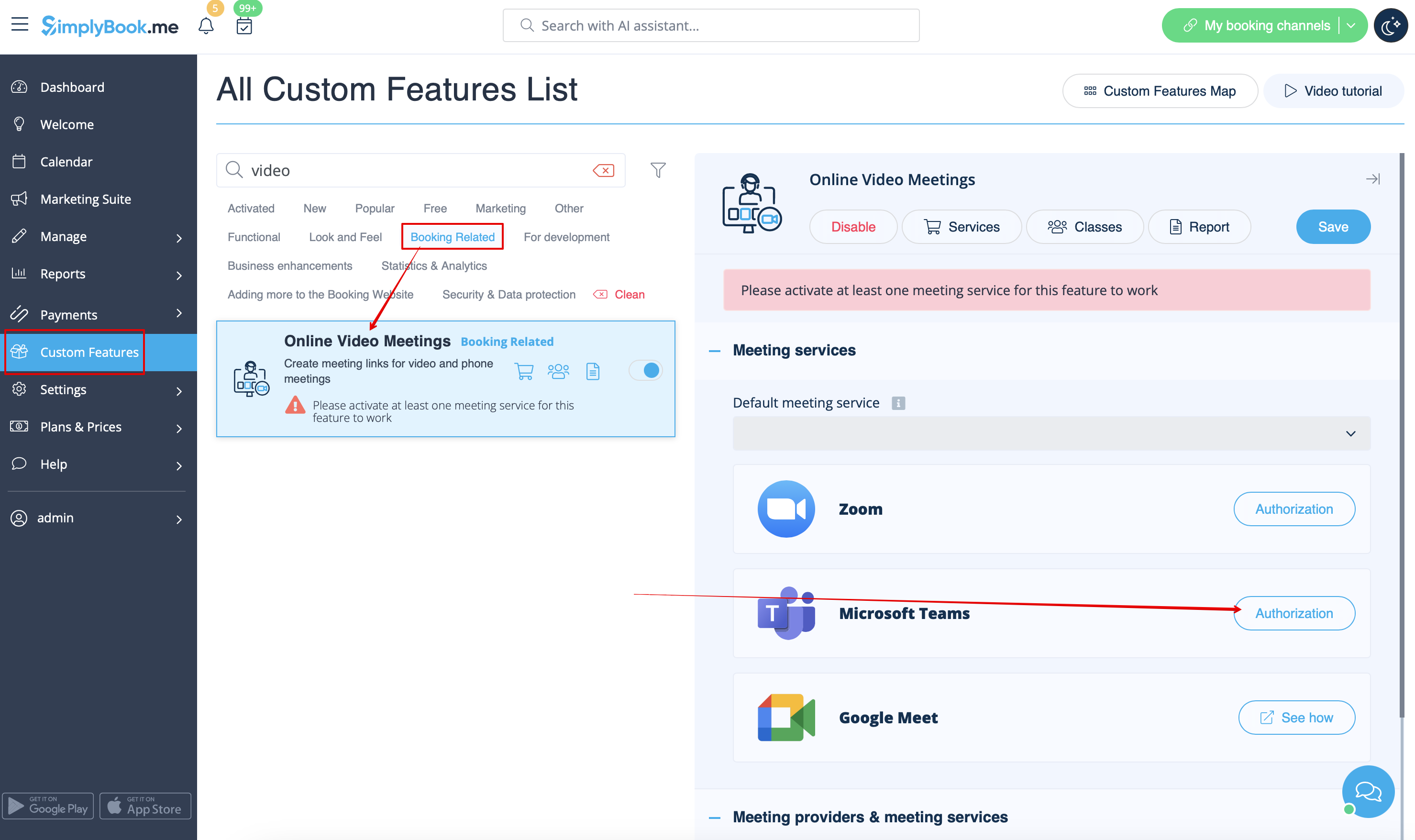
4. Klik aan de kant van SimplyBook.me op het blok Vergaderdiensten en kies Autorisatie naast Microsoft Teams.
Verbind uw Microsoft-account.