Translations:Status custom feature/4/en
- How to use
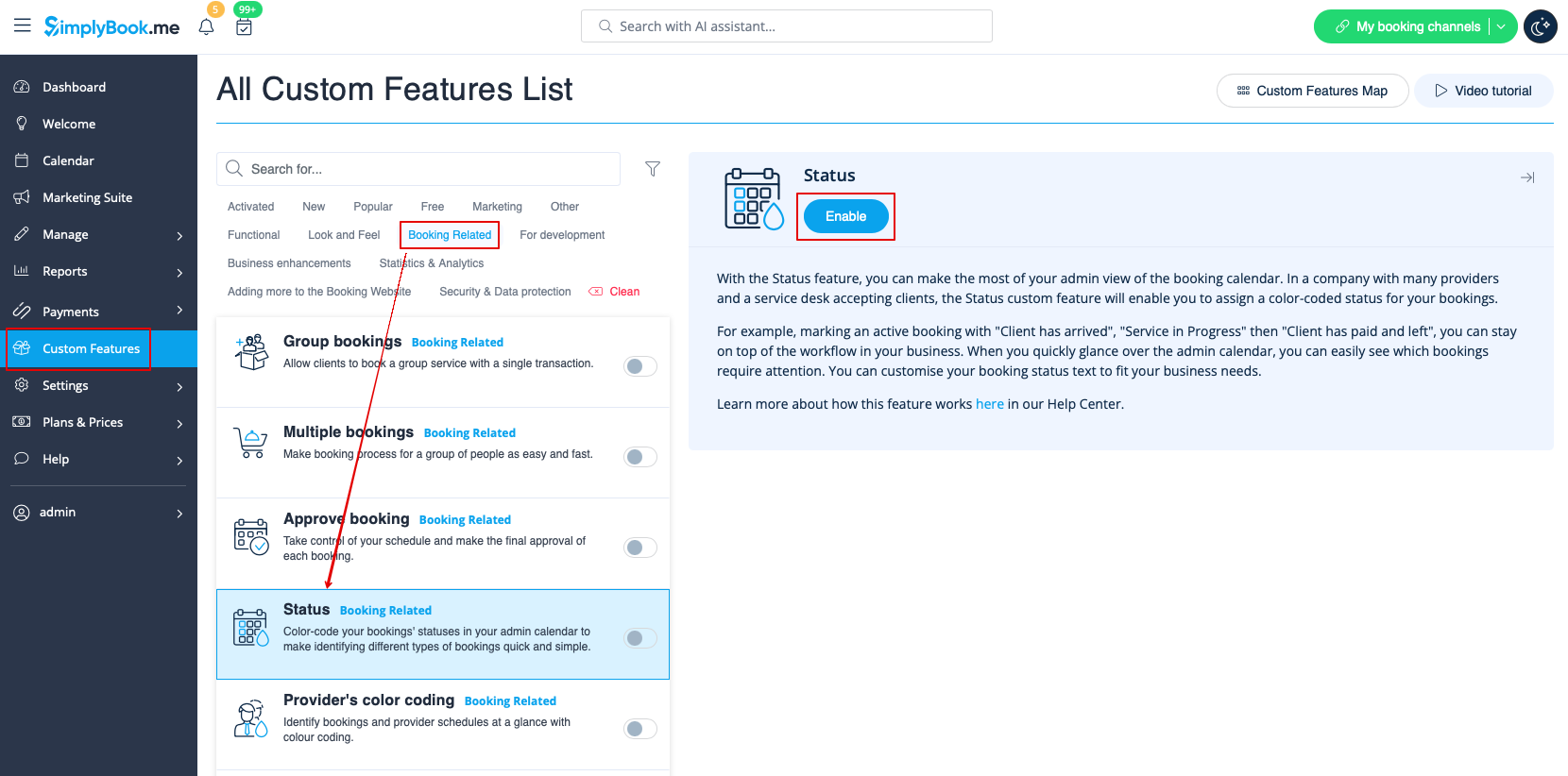
- 1. Activate this custom feature in the Custom Features section//Booking related.
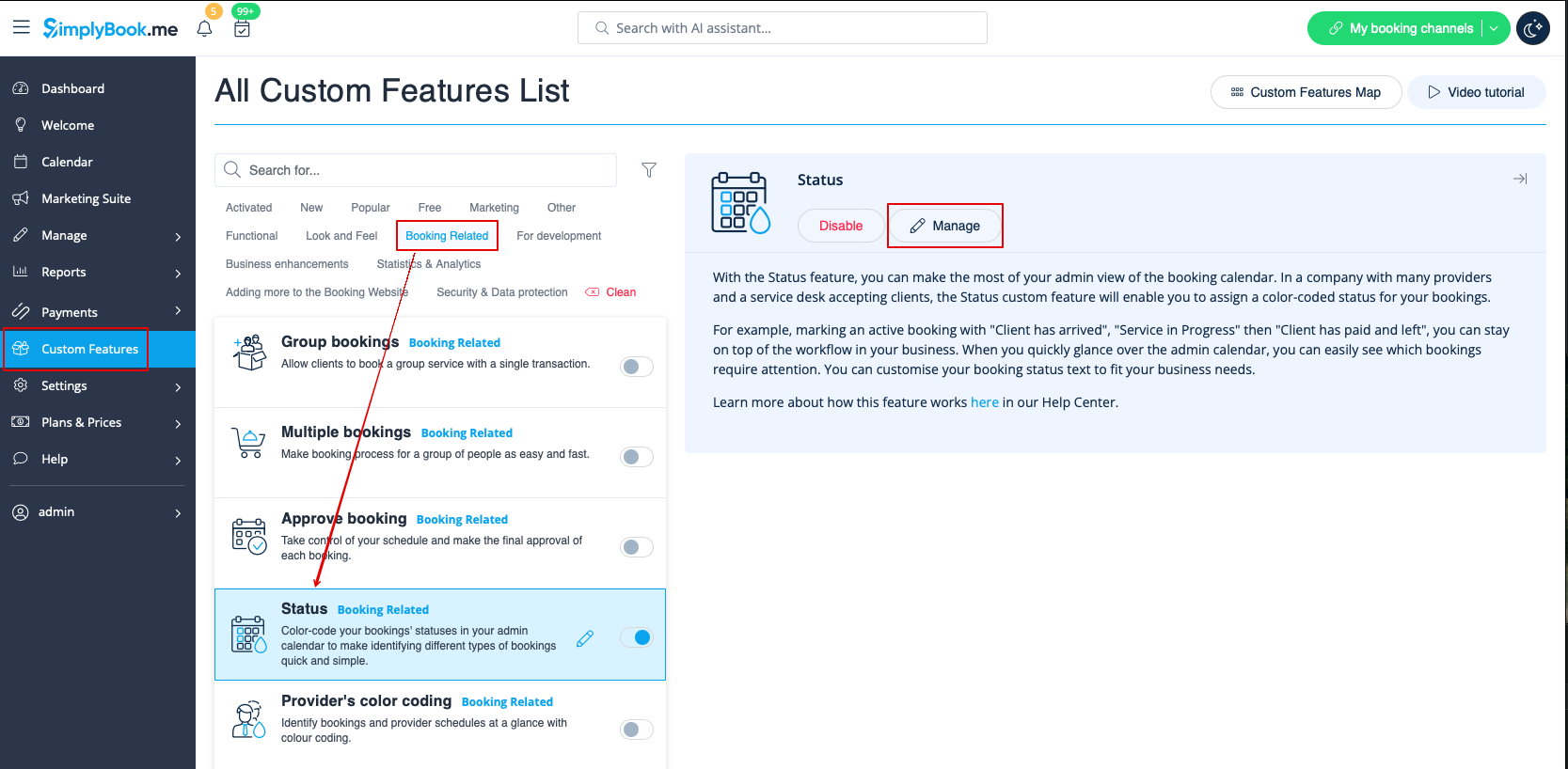
- 2. Go to the settings of this custom feature by click on "Manage".
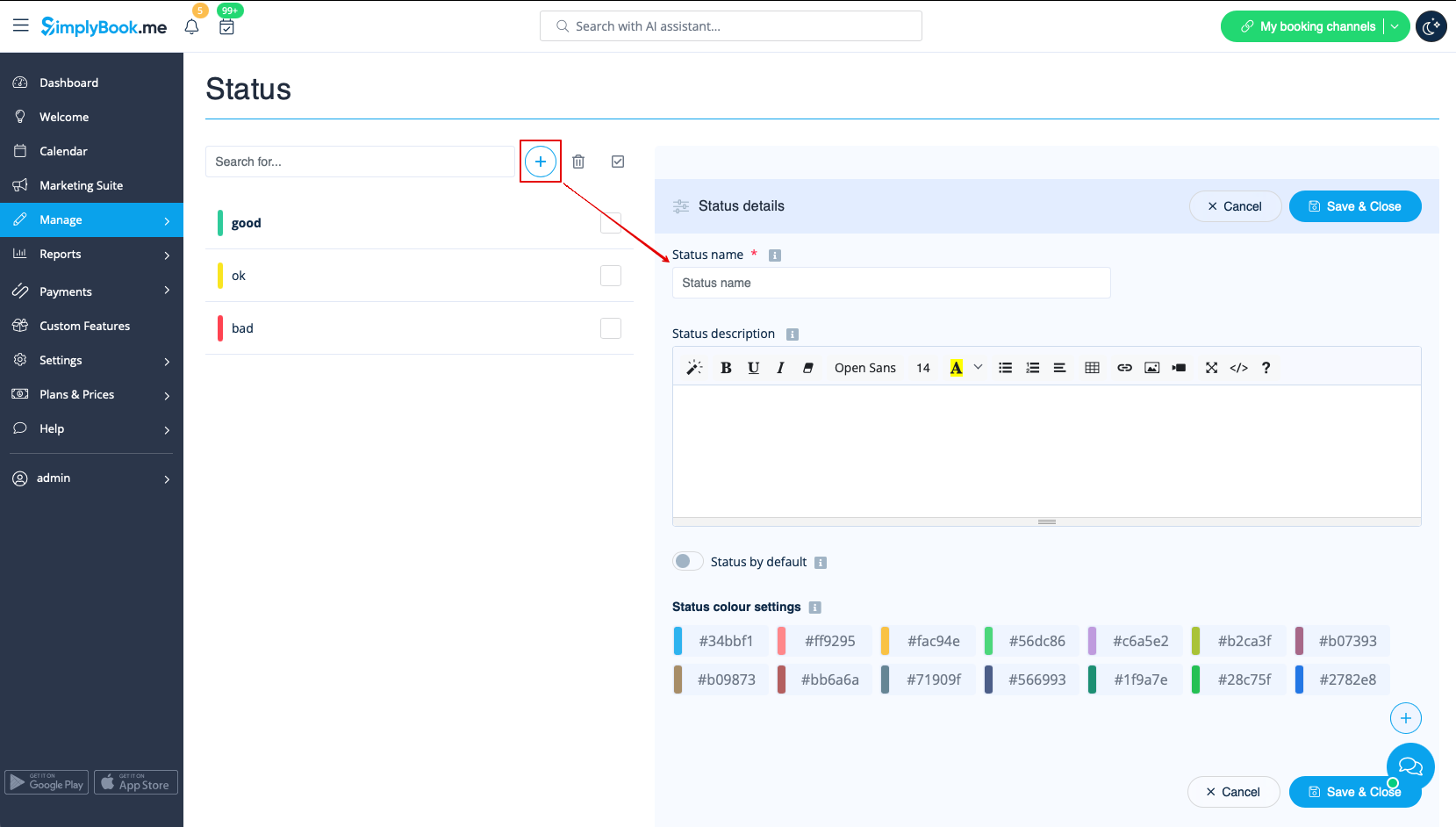
- 3. Press "+" to add new status.
- Insert "Name", "Description" and assign the color to this status. If you leave the switcher "Status by default" on, such status will automatically apply to all new bookings.