Translations:Telegram Notifications custom feature/6/en
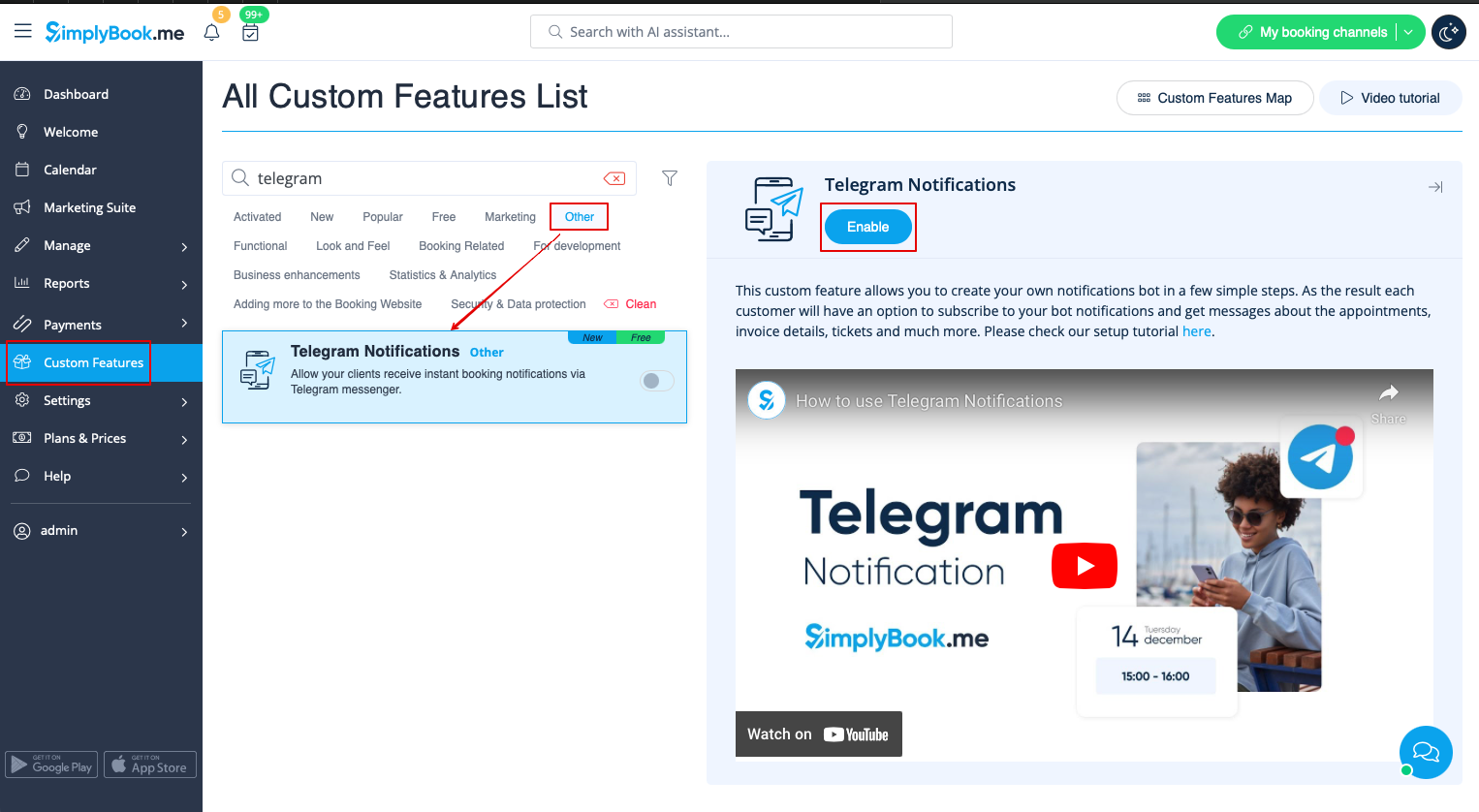
1. Enable Telegram Notifications on your Custom features page -> Other section.
2. Navigate to helper bot BotFather using the link in the instructions on the right side of the SimplyBook.me page.
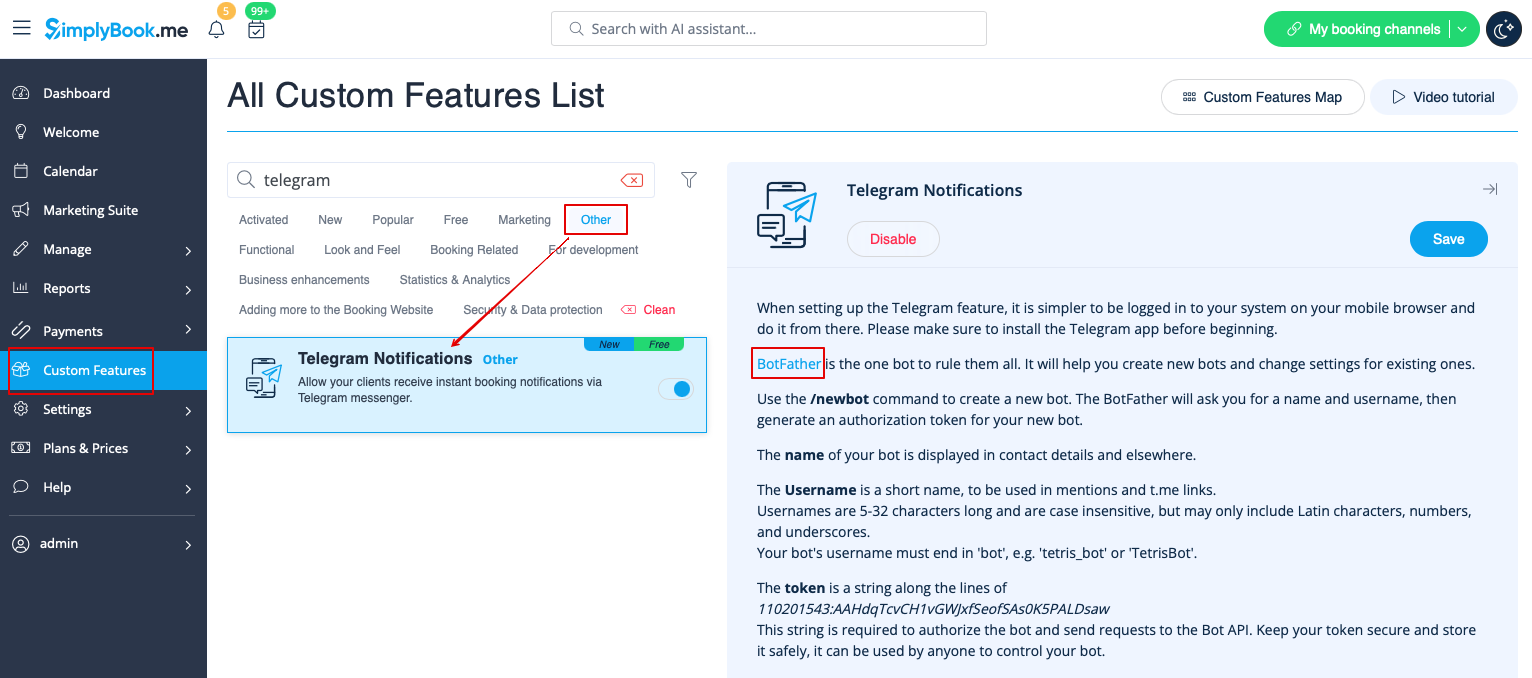
3. Start the setup process in the BotFather bot and select /newbot option, follow the hints there: add the desirable name and username.

4. Copy the token from the result message.
