Translations:Telegram Notifications custom feature/6/fr

Revision as of 15:59, 19 May 2025 by Admin (talk | contribs) (Created page with "1. Activez <span style="background-color:#d4f8e5; padding:5px; border-radius:5px;">les notifications Telegram</span> sur votre page <span style="background-color:#d4f8e5; padding:5px; border-radius:5px;">Fonctionnalités personnalisées</span> -> section <span style="background-color:#d4f8e5; padding:5px; border-radius:5px;">Autres</span>. File:Telegram notifications enable path redesigned.png|1200px|center|link=https://help.simplybook.me/images/2/2e/Telegram_notifi...")
(diff) ← Older revision | Latest revision (diff) | Newer revision → (diff)

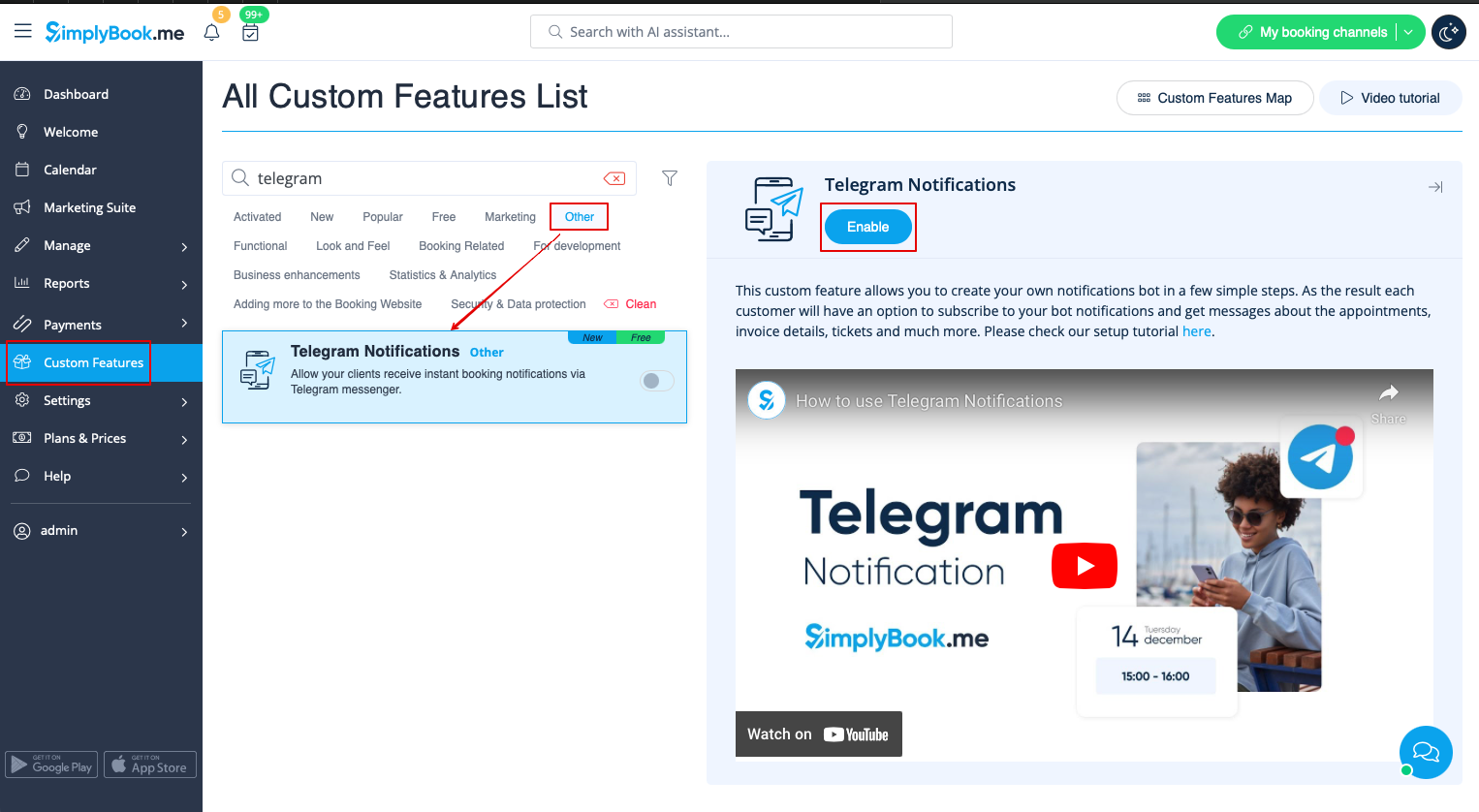
1. Activez les notifications Telegram sur votre page Fonctionnalités personnalisées -> section Autres.


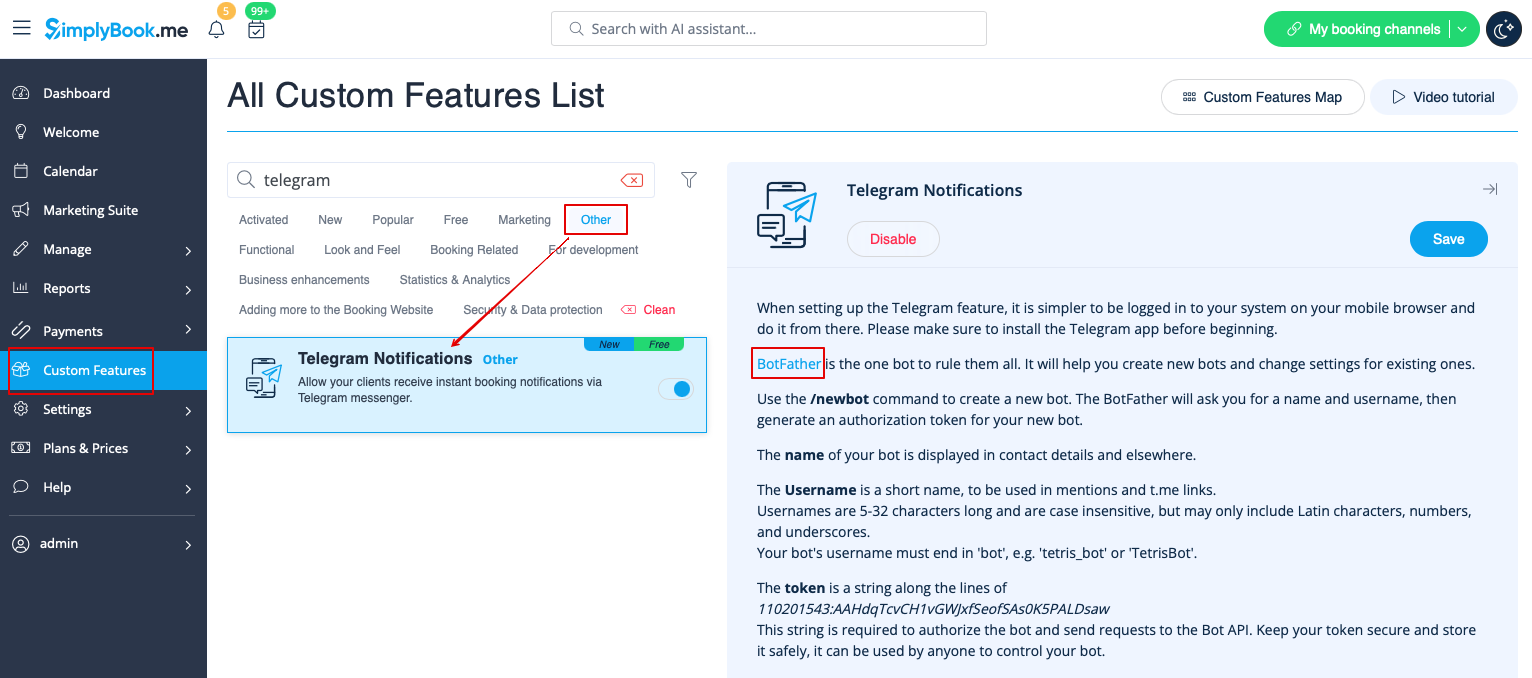
2. Accédez au bot d'aide BotFather à l'aide du lien figurant dans les instructions à droite de la page SimplyBook.me.


3. Lancez le processus de configuration dans le bot BotFather et sélectionnez l'option /newbot, puis suivez les instructions : ajoutez le nom et le nom d'utilisateur souhaités.


4. Copiez le jeton à partir du message de résultat.