SimplyBook.me
Not logged in
English
Log in
Search
Navigation
Help Center
Getting started
Booking website
Time settings
Prices and purchases
Custom Features
Calendar and bookings
Tips for specific businesses
Integration
For developers
Video tutorials
Tools
What links here
Related changes
Special pages
Printable version
Permanent link
Page information
In other languages
Page history
Refresh page
Revision as of 09:25, 19 June 2025 by
Admin
(
talk
|
contribs
)
(Created page with "=Verfügbare Plätze anzeigen= :1. Aktivieren Sie <span style="background-color:#d4f8e5; padding:5px; border-radius:5px;">Verfügbare Plätze anzeigen</span> im Bereich <span style="background-color:#d4f8e5; padding:5px; border-radius:5px;">Zusatzfunktionen</span>.
1200px|border|center|link=https://help.simplybook.me/images/0/0c/Display_remaining_spaces_enable_path_redesigned.png
<br><br> :2. (optional) Aktivie...")
(diff) ← Older revision | Latest revision (diff) | Newer revision → (diff)
Translations
:
How to change the way time slots are shown/8/de
Namespaces
Translation unit
Discussion
Views
Read
View source
From SimplyBook.me
Verfügbare Plätze anzeigen
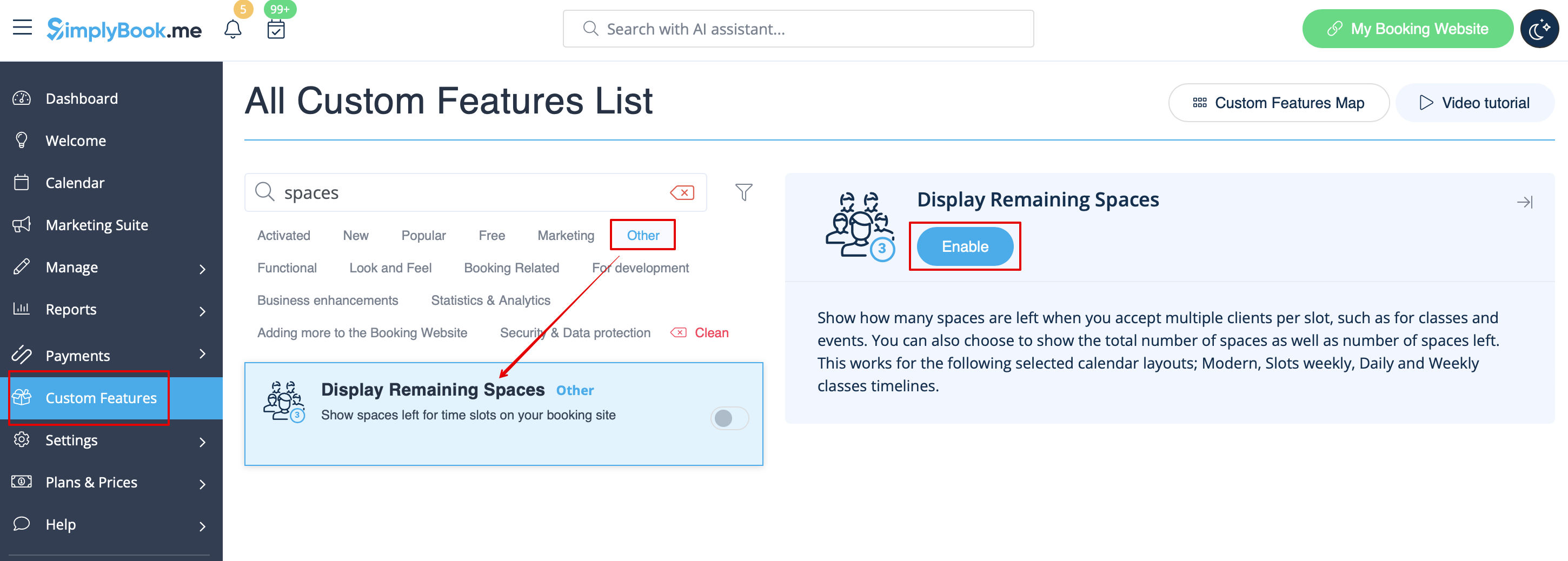
1. Aktivieren Sie
Verfügbare Plätze anzeigen
im Bereich
Zusatzfunktionen
.
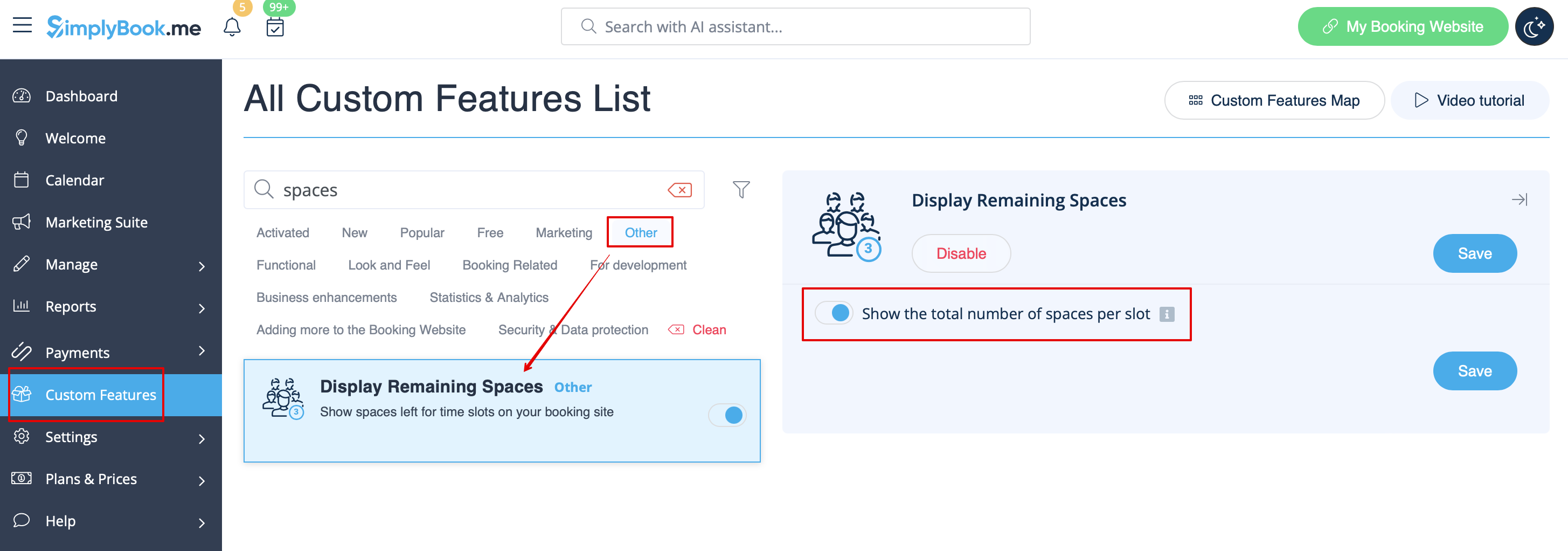
2. (optional) Aktivieren Sie die Option zur Anzeige der
Gesamtanzahl der Plätze
.
3. Kunden sehen dann die Anzahl der verbleibenden Plätze pro Zeitfenster (und die Gesamtanzahl, falls aktiviert).