Revision as of 07:36, 1 July 2025 by Admin (talk | contribs) (Created page with "{{#seo: |title=Giv andre adgang til systemet - SimplyBook.me |description=Del systemadgang sikkert med teammedlemmer. Administrer tilladelser og roller effektivt. Lær hvordan her! |titlemode=tilføj |keywords=faq, ofte stillede spørgsmål, reservationssoftware, spørgsmål om aftalesystem, onlineaftaler, kalendersoftware, reservationssystem, reservationskalender, planlægningssoftware, online aftaleplanlægning, online planlægning, plugins, tilpassede funktioner, link...")
(diff) ← Older revision | Latest revision (diff) | Newer revision → (diff)

Giv andre personer adgang til systemet

From SimplyBook.me


You can create a separate user for the person who needs to access your admin page in Manage -> Users and assign the corresponding rights to him/her.
See the list of available user roles here.
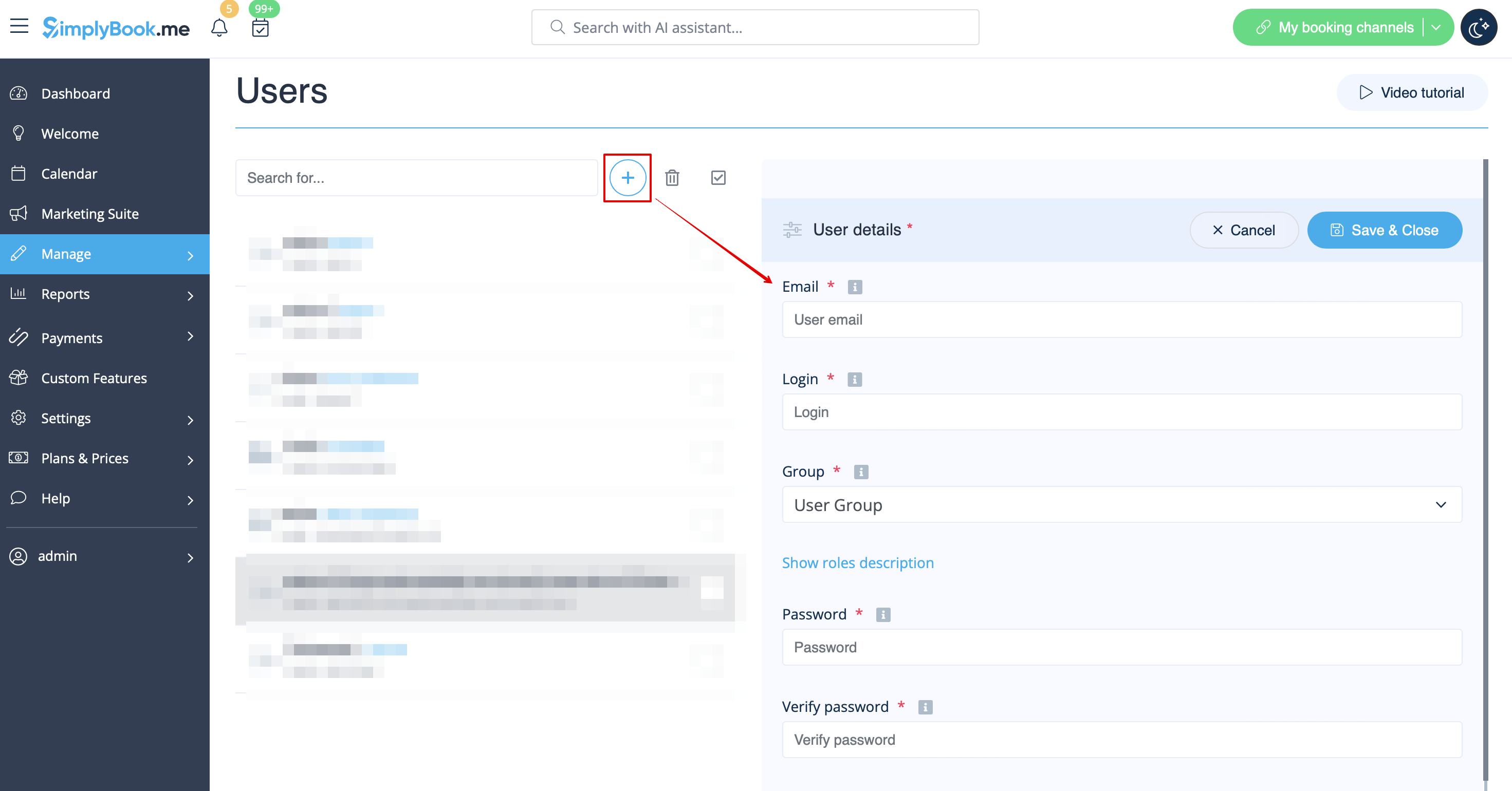
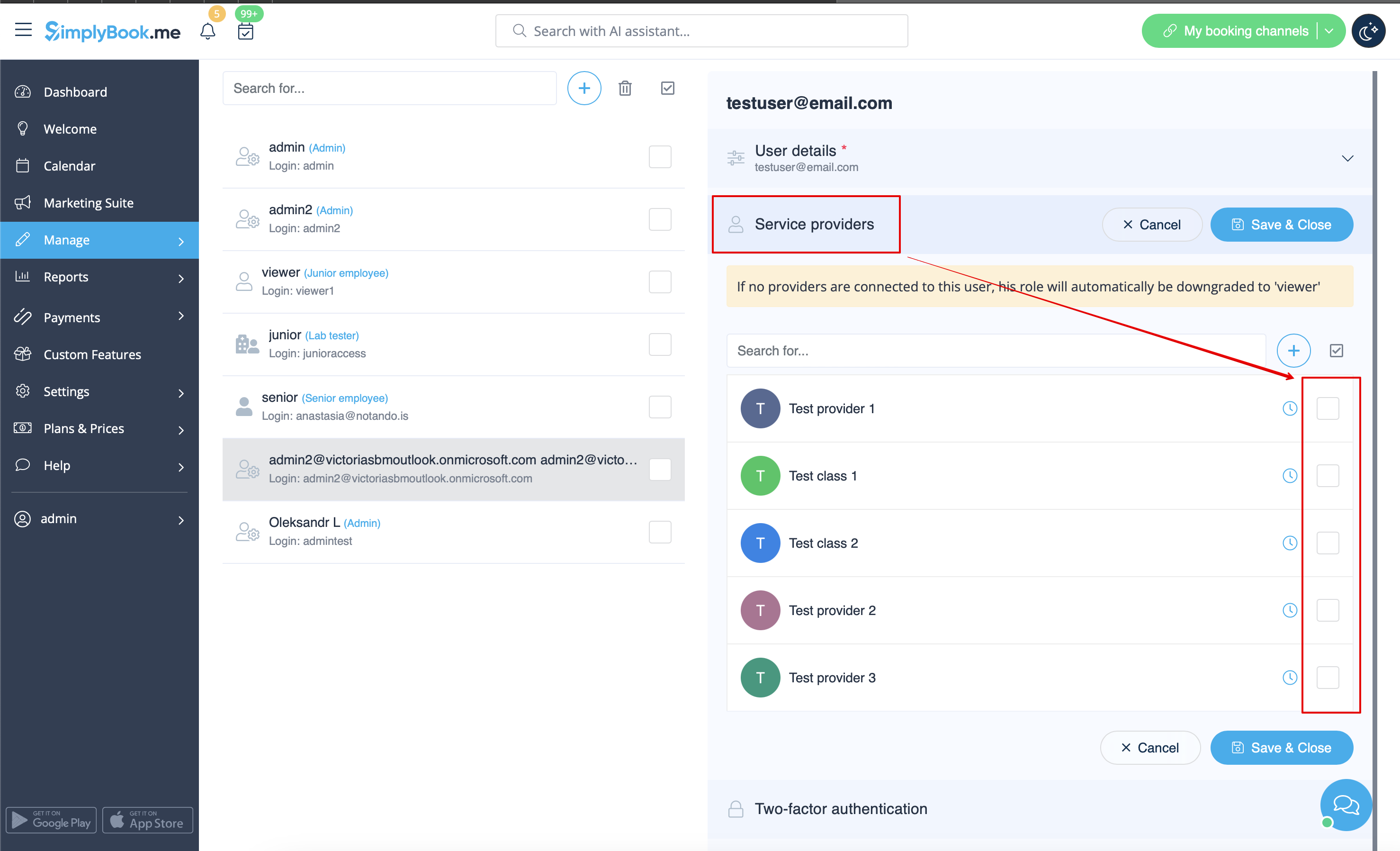


When adding new user details just enable the switch Send login information to user and save the user record.
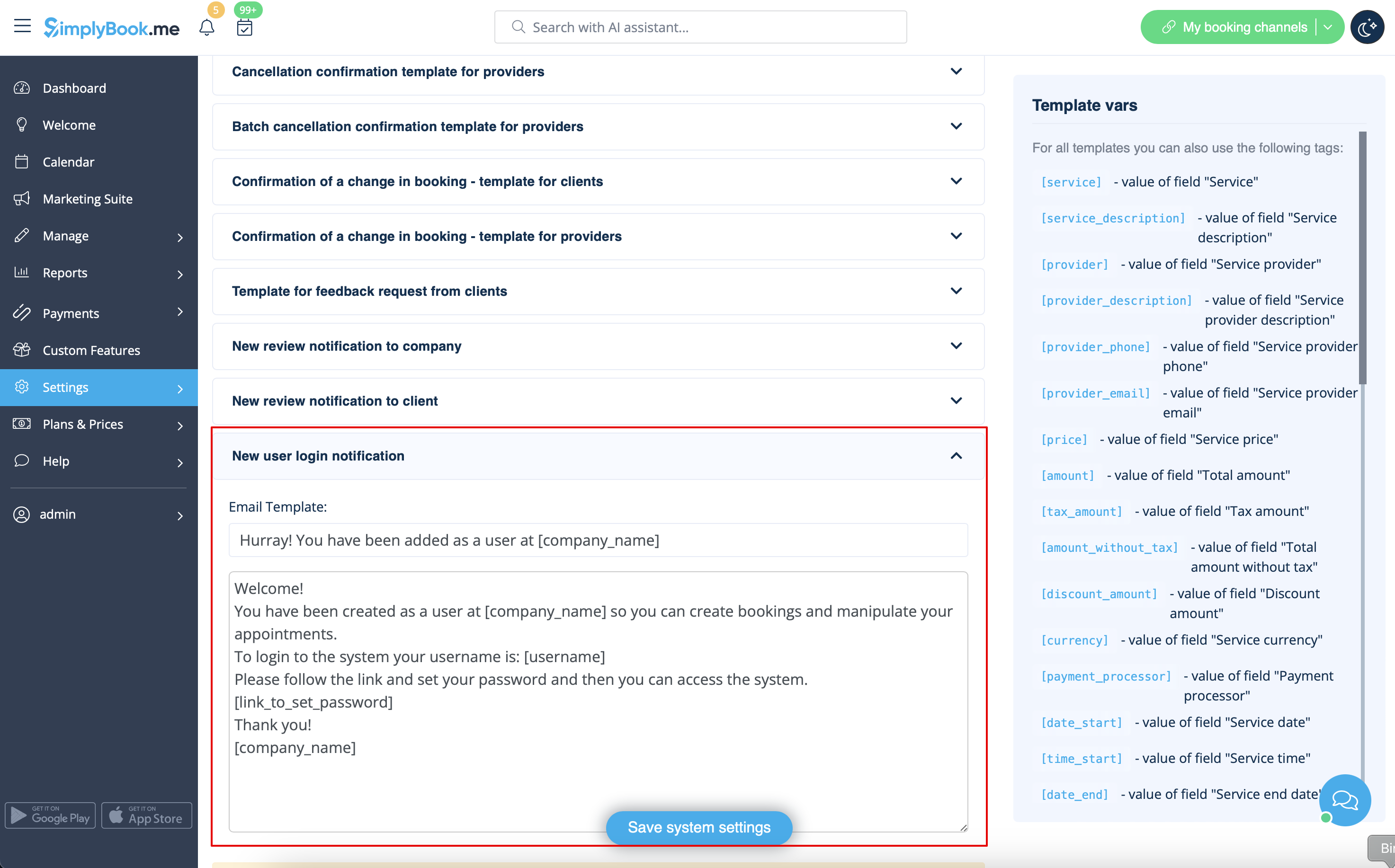
The system will automatically send the email with the login credentials according to the template you have set in Settings -> Email and SMS Settings -> New user login notification.


Or you can manually send login and password to your users along with the link to your admin page after saving the user.