Translations:Custom interval before service reservation custom feature/5/en
2. Go to Manage -> Services and choose the service you wish to adjust. Click on Time details tab and within these settings, you can set the minimum and maximum time intervals required before a booking can be made.
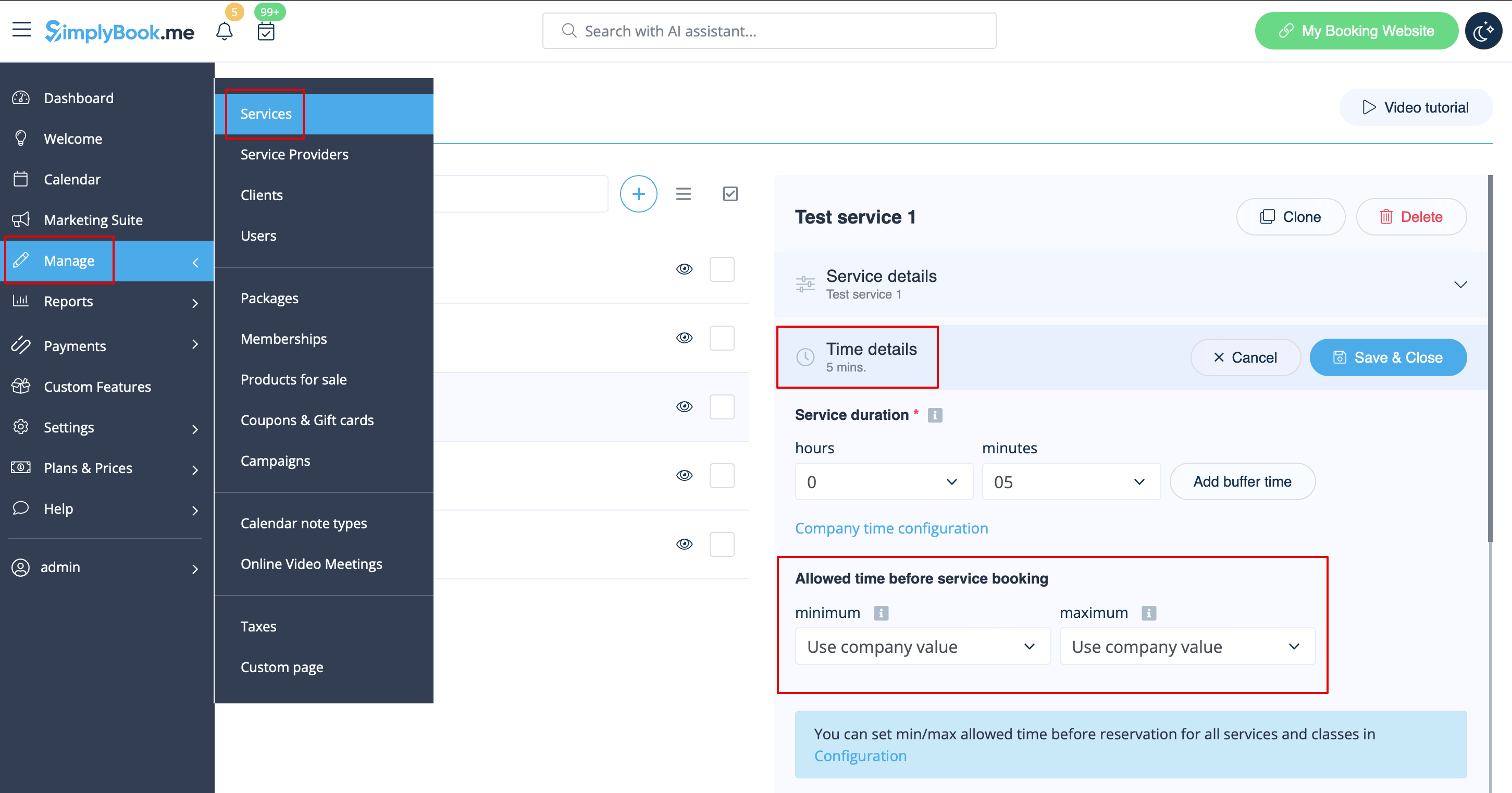
For example, if you set a minimum time interval of 2 hours, your customers cannot book a service or class less than 2 hours in advance. If you set a maximum time interval of 5 days, your customers cannot book a service or class more than 5 days in advance.