Brugerdefineret interval før servicebooking – brugerdefineret funktion
Denne nye funktion giver brugerne mulighed for at indstille brugerdefinerede minimums- og maksimumsintervaller før booking for hver service eller klasse. Denne funktion giver brugeren mere kontrol over deres bookingplan og giver dem mulighed for at tilpasse deres services til deres specifikke behov.
- Sådan bruges
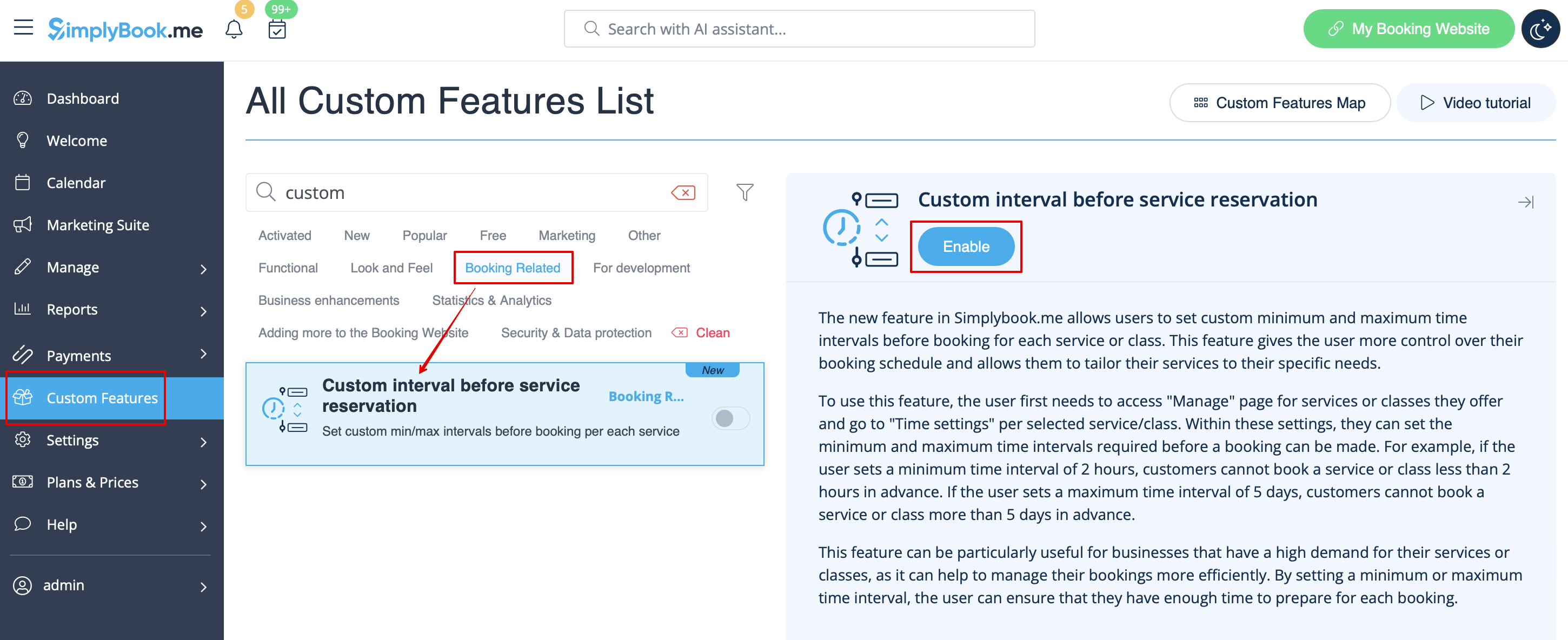
1. Enable Custom interval before service reservation custom feature in the Custom Feature section -> Booking Related.
2. Go to Manage -> Services and choose the service you wish to adjust. Click on Time details tab and within these settings, you can set the minimum and maximum time intervals required before a booking can be made.
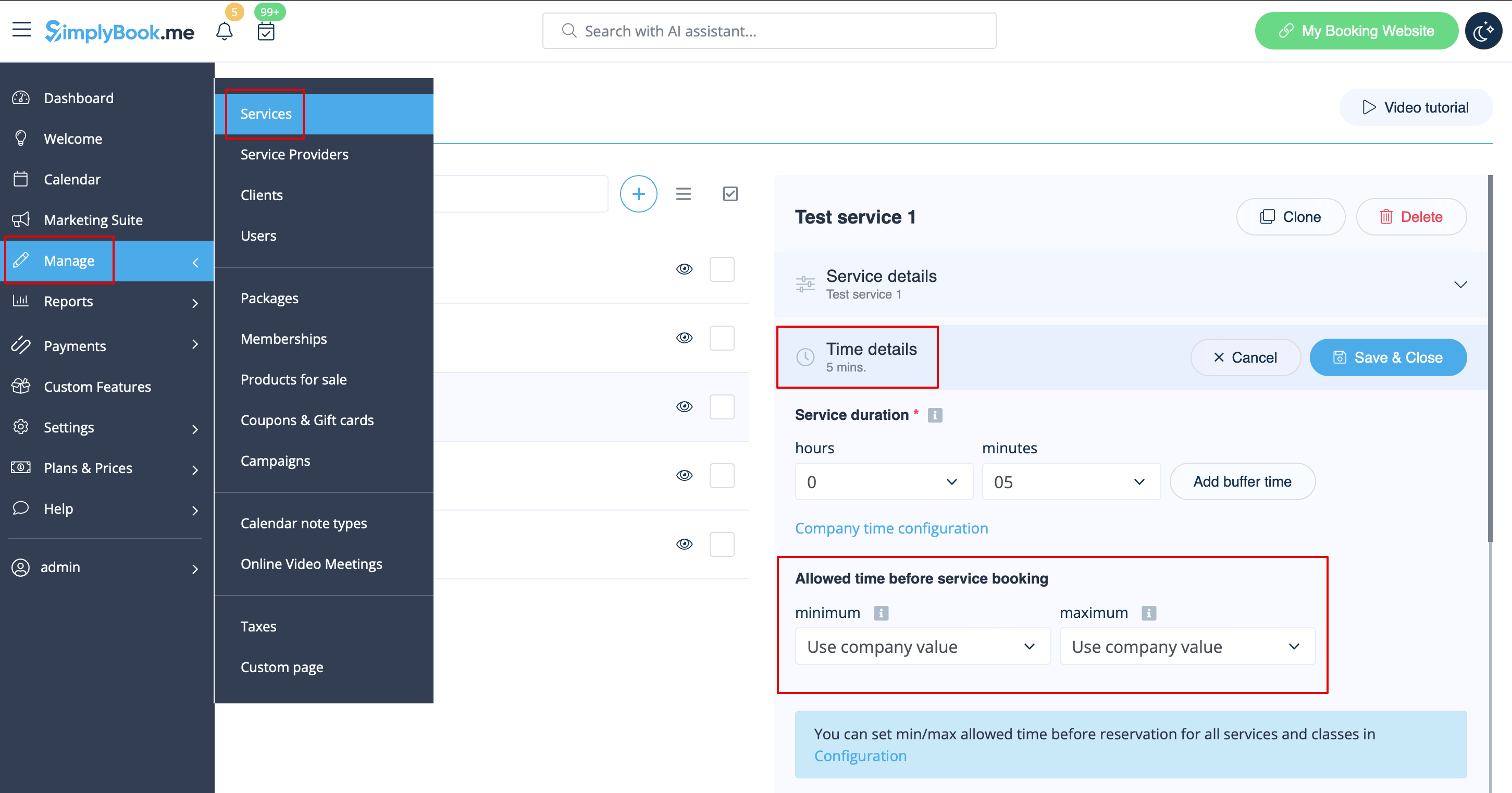
For example, if you set a minimum time interval of 2 hours, your customers cannot book a service or class less than 2 hours in advance. If you set a maximum time interval of 5 days, your customers cannot book a service or class more than 5 days in advance.
3. After all adjustments done, click on Save&Close button.
This feature can be particularly useful for businesses that have a high demand for their services or classes, as it can help to manage their bookings more efficiently. By setting a minimum or maximum time interval, the user can ensure that they have enough time to prepare for each booking.