Virksomhedens åbningstider vs. leverandørens/tjenesteudbyderens arbejdstid
Det er det generelle tidspunkt, hvor ALLE dine udbydere og tjenester arbejder. Udbyderes og tjenesters arbejdstid skal ligge inden for virksomhedens åbningstider, så hvis du har flere udbydere og tjenester, skal du sørge for at åbne i virksomhedens åbningstider, så alle udbyderes og tjenesters arbejdstid er dækket.
Virksomhedens tidsplan kan redigeres i Indstillinger -> Virksomhedens åbningstider.
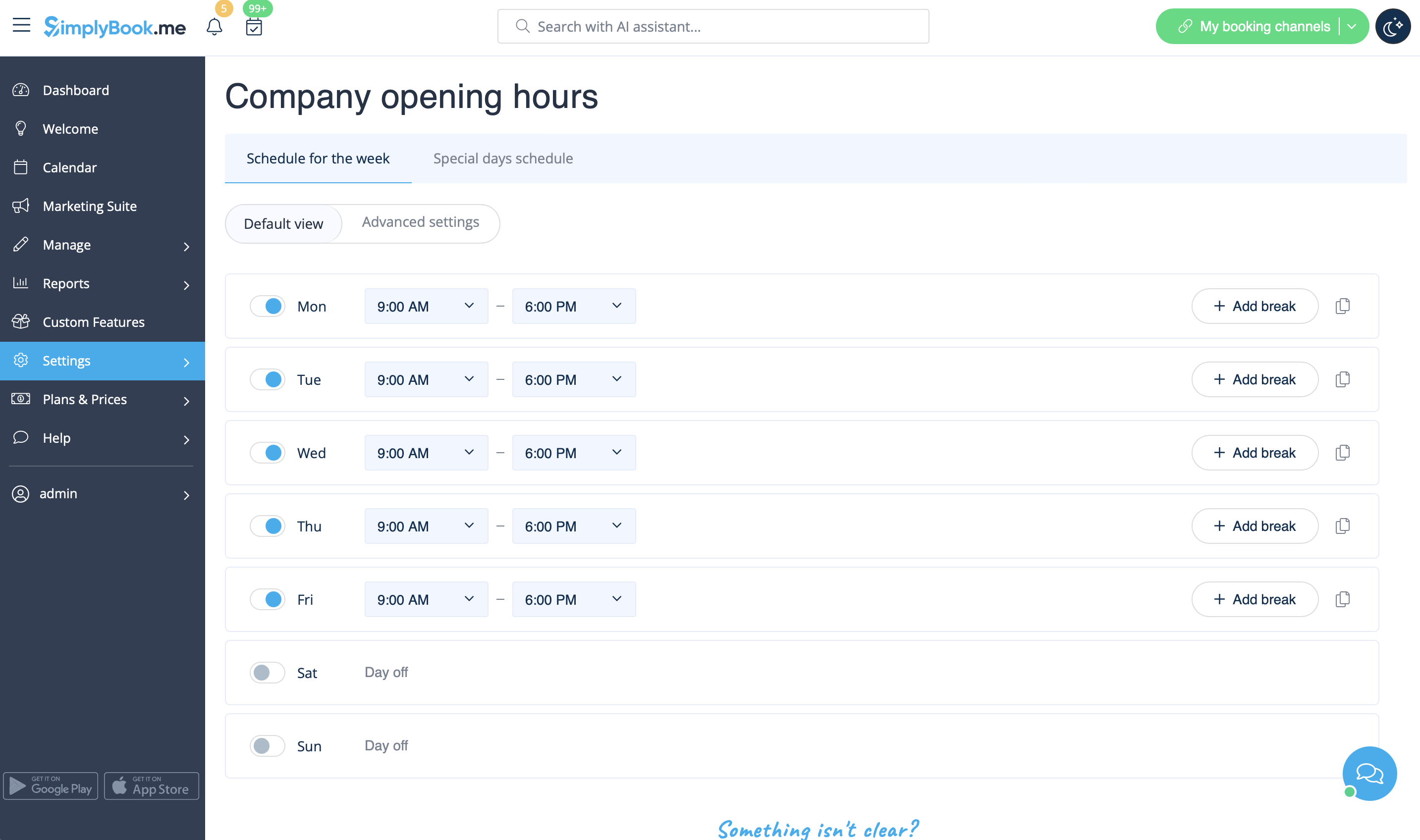
- Virksomhedens åbningstider
- Service provider schedule
Individual schedule of each service provider. Should be within opening hours of the company. It can be edited in Settings -> Providers schedule. If you can't open certain time for provider, please open this time for the company first.
- Service schedule
Individual schedule of each service. Should be within opening hours of the company. It can be edited in Settings -> Services schedule. If you can't open certain time for service, please open this time for the company first.
- Company special days
Specific schedule by date, applies to ALL providers and services. Special days of the company are highlighted with yellow. Example: national holidays, when all providers and services are off.
- Provider special days
Specific schedule by date for particular provider. If company and provider have special day at the same date, provider's special day should be within special day of the company (if you have error "service provider can't work when company doesn't work", please go to special days of the company and open slot in company special days). Special days of the provider are highlighted with red and can be seen and edited in Settings -> Providers schedule -> Special days schedule.
- Service special days
Specific schedule by date for particular service. If company and service have special day at the same date, service special day should be within special day of the company (if you have error "service can't be performed when company doesn't work", please go to special days of the company and open slot(s) in company special days). Special days of service are highlighted with red and can be seen and edited in Settings -> Services schedule -> Special days schedule.
- Priorities:
- 1. Provider's/Service special day
- 2. Company special day
- 3. Provider's/Service schedule
- 4. Company opening hours