Öffnungszeiten des Unternehmens vs. Arbeitszeiten des Anbieters/Dienstes
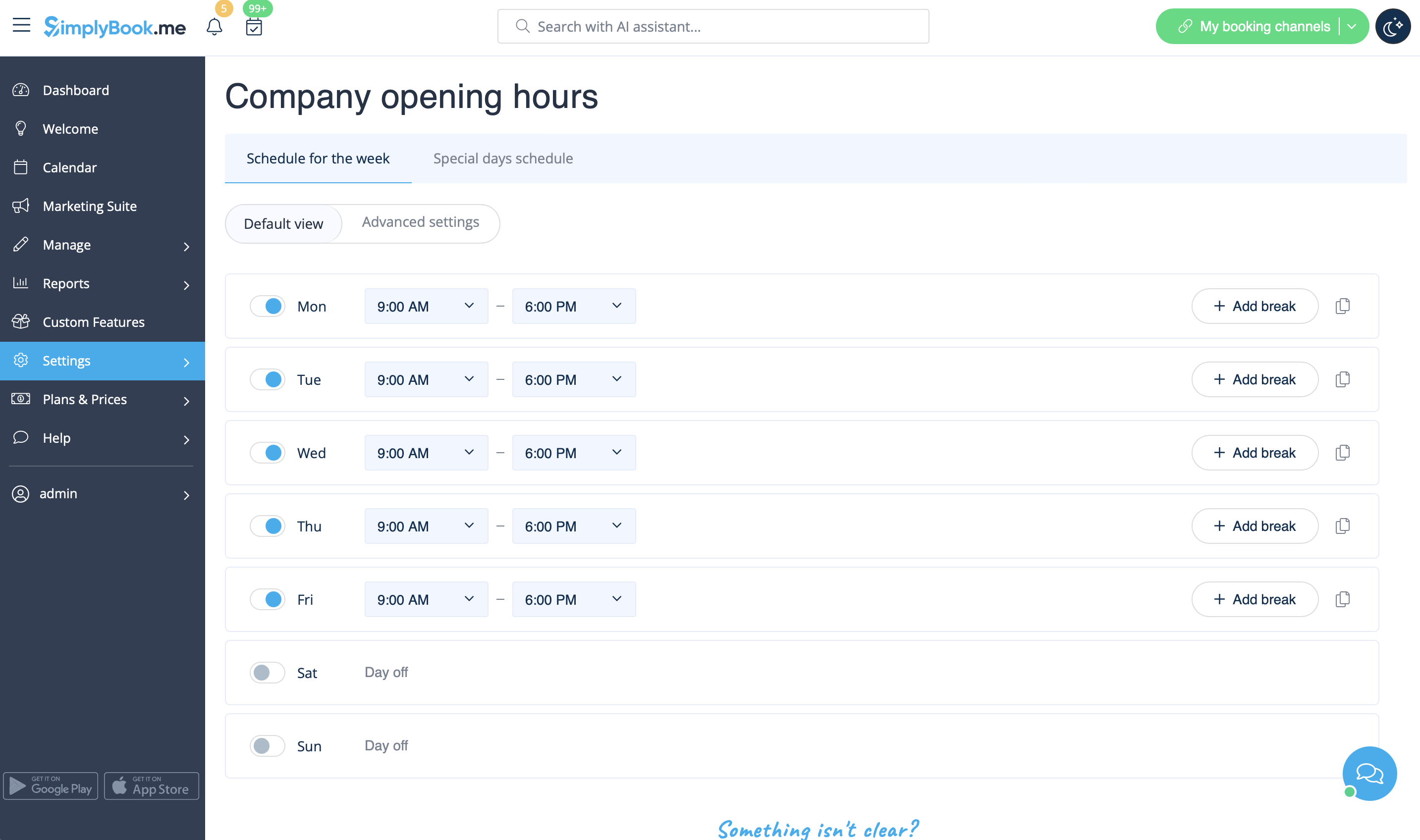
- Öffnungszeiten des Unternehmens
Dies ist die allgemeine Zeit, in der ALLE Ihre Anbieter und Dienstleistungen arbeiten. Die Arbeitszeiten der Anbieter und Dienstleistungen sollten innerhalb der Öffnungszeiten des Unternehmens liegen. Wenn Sie also mehrere Anbieter und Dienstleistungen haben, stellen Sie sicher, dass die Öffnungszeiten des Unternehmens die Arbeitszeiten aller Anbieter und Dienstleistungen abdecken.
Der Unternehmenszeitplan kann unter „Einstellungen“ -> „Öffnungszeiten des Unternehmens“ bearbeitet werden.
- Service provider schedule
Individual schedule of each service provider. Should be within opening hours of the company. It can be edited in Settings -> Providers schedule. If you can't open certain time for provider, please open this time for the company first.
- Service schedule
Individual schedule of each service. Should be within opening hours of the company. It can be edited in Settings -> Services schedule. If you can't open certain time for service, please open this time for the company first.
- Company special days
Specific schedule by date, applies to ALL providers and services. Special days of the company are highlighted with yellow. Example: national holidays, when all providers and services are off.
- Provider special days
Specific schedule by date for particular provider. If company and provider have special day at the same date, provider's special day should be within special day of the company (if you have error "service provider can't work when company doesn't work", please go to special days of the company and open slot in company special days). Special days of the provider are highlighted with red and can be seen and edited in Settings -> Providers schedule -> Special days schedule.
- Service special days
Specific schedule by date for particular service. If company and service have special day at the same date, service special day should be within special day of the company (if you have error "service can't be performed when company doesn't work", please go to special days of the company and open slot(s) in company special days). Special days of service are highlighted with red and can be seen and edited in Settings -> Services schedule -> Special days schedule.
- Priorities:
- 1. Provider's/Service special day
- 2. Company special day
- 3. Provider's/Service schedule
- 4. Company opening hours
