Duda-integratie

Als je je website bouwt op Duda en een strakke, professionele ervaring voor het boeken van afspraken wilt aanbieden, is SimplyBook.me de perfecte oplossing. Met slechts een paar eenvoudige stappen kun je je boekingswidget direct in je Duda-site insluiten. Alle diensten, prijzen, beschikbaarheid en instellingen worden beheerd in je SimplyBook.me-beheeromgeving, terwijl de widget volledig aanpasbaar is om aan te sluiten bij de uitstraling van je website. Laten we beginnen!
- Hoe instellen
- How to set
1. Log into your Duda dashboard.
2. Create a new website or open the existing one where you want to embed the booking widget.
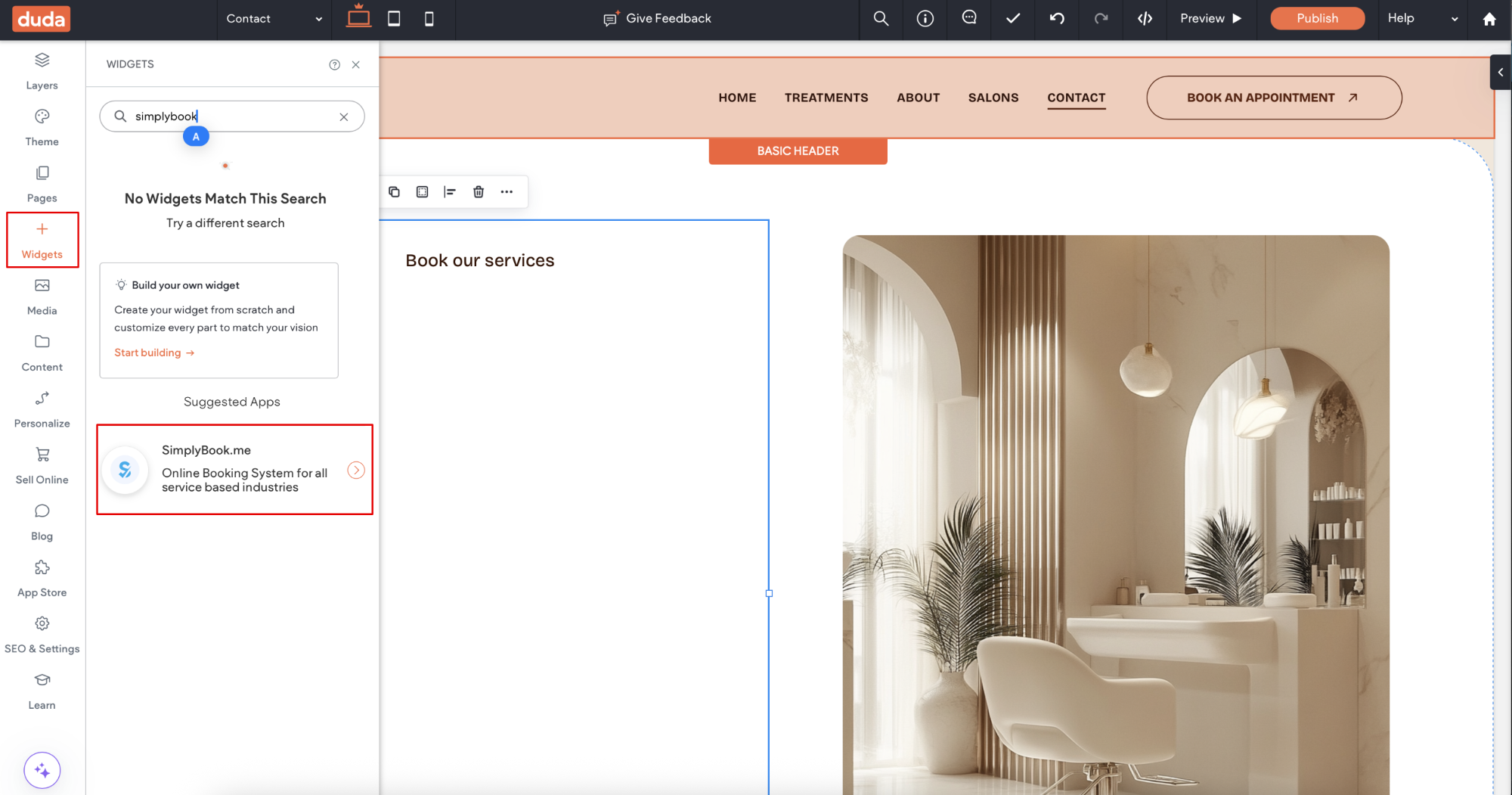
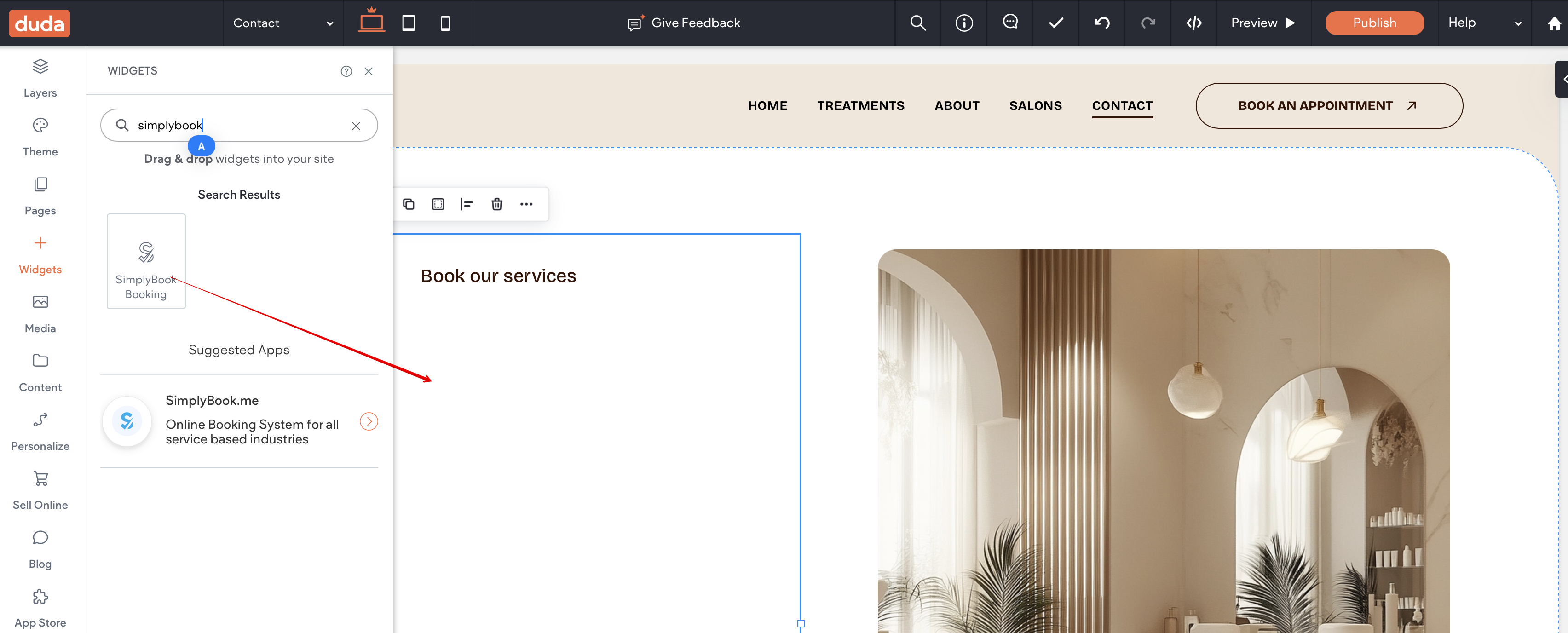
3. Click on Widgets in the left-side menu.
4. Search for 'SimplyBook and install it.
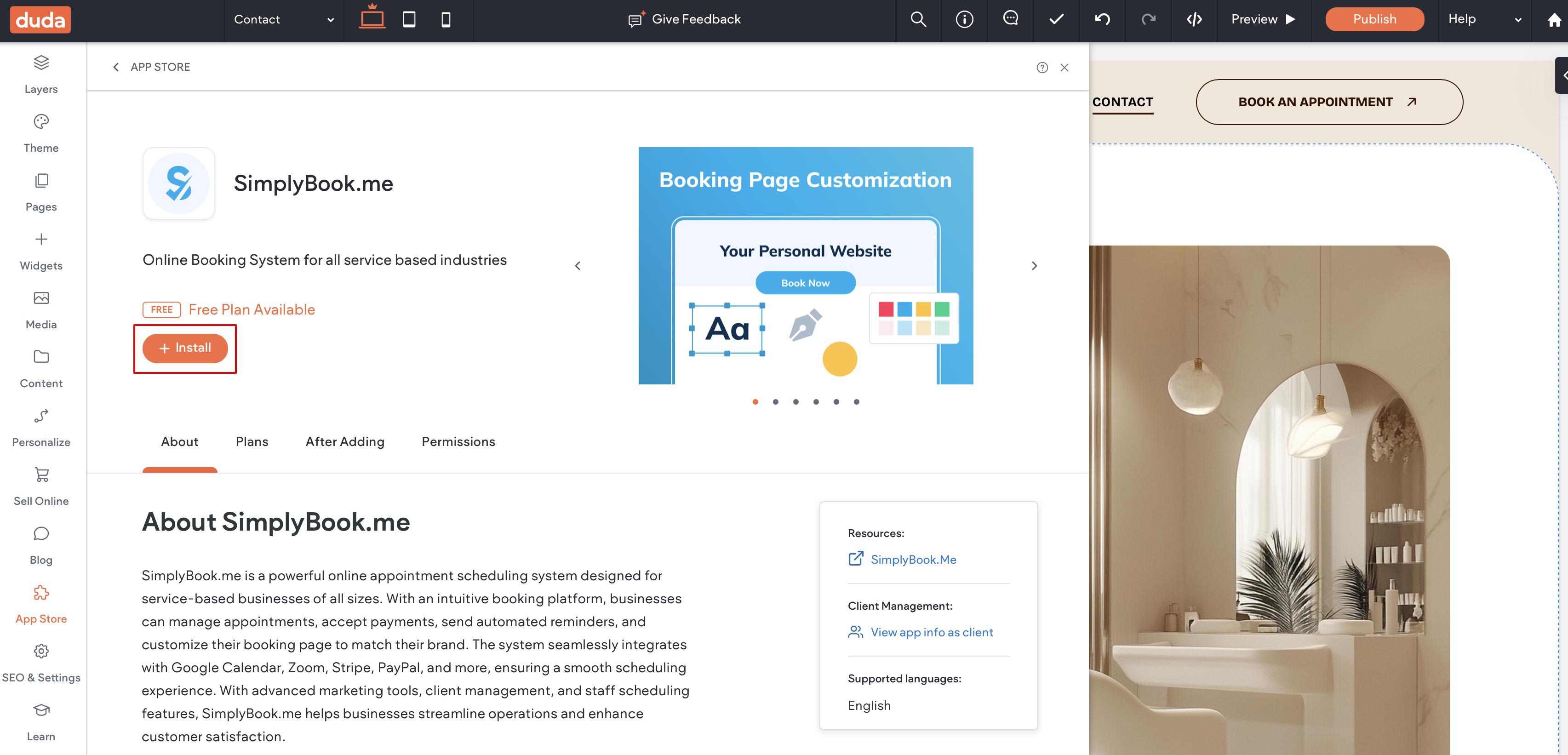
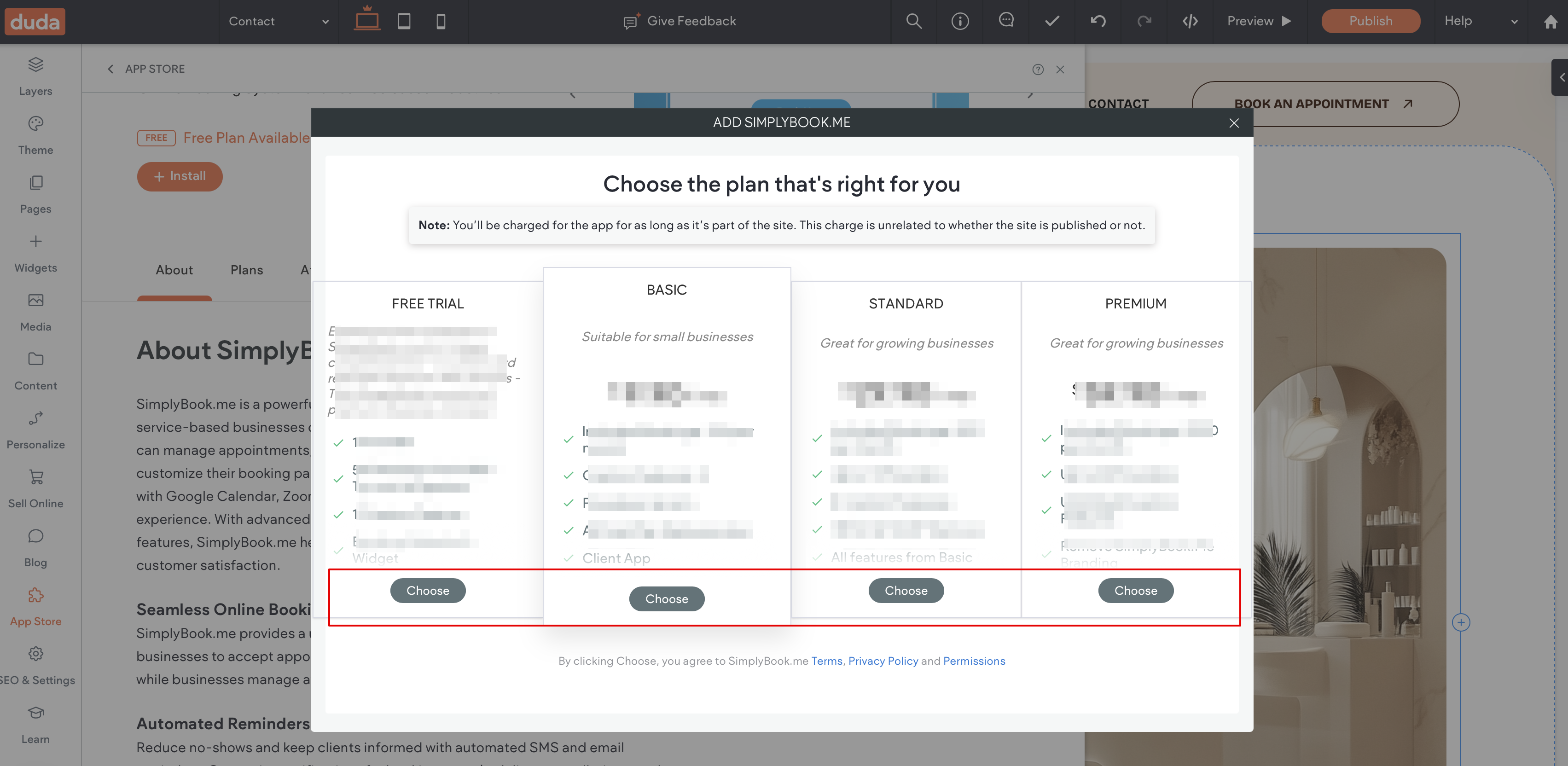
5. Choose the applicable subscription to be applied to your system.
6. Choose a place on the page where the booking tool should appear.
7. Click on Widgets again and select the 'Simplybook booking to drag it to the page.
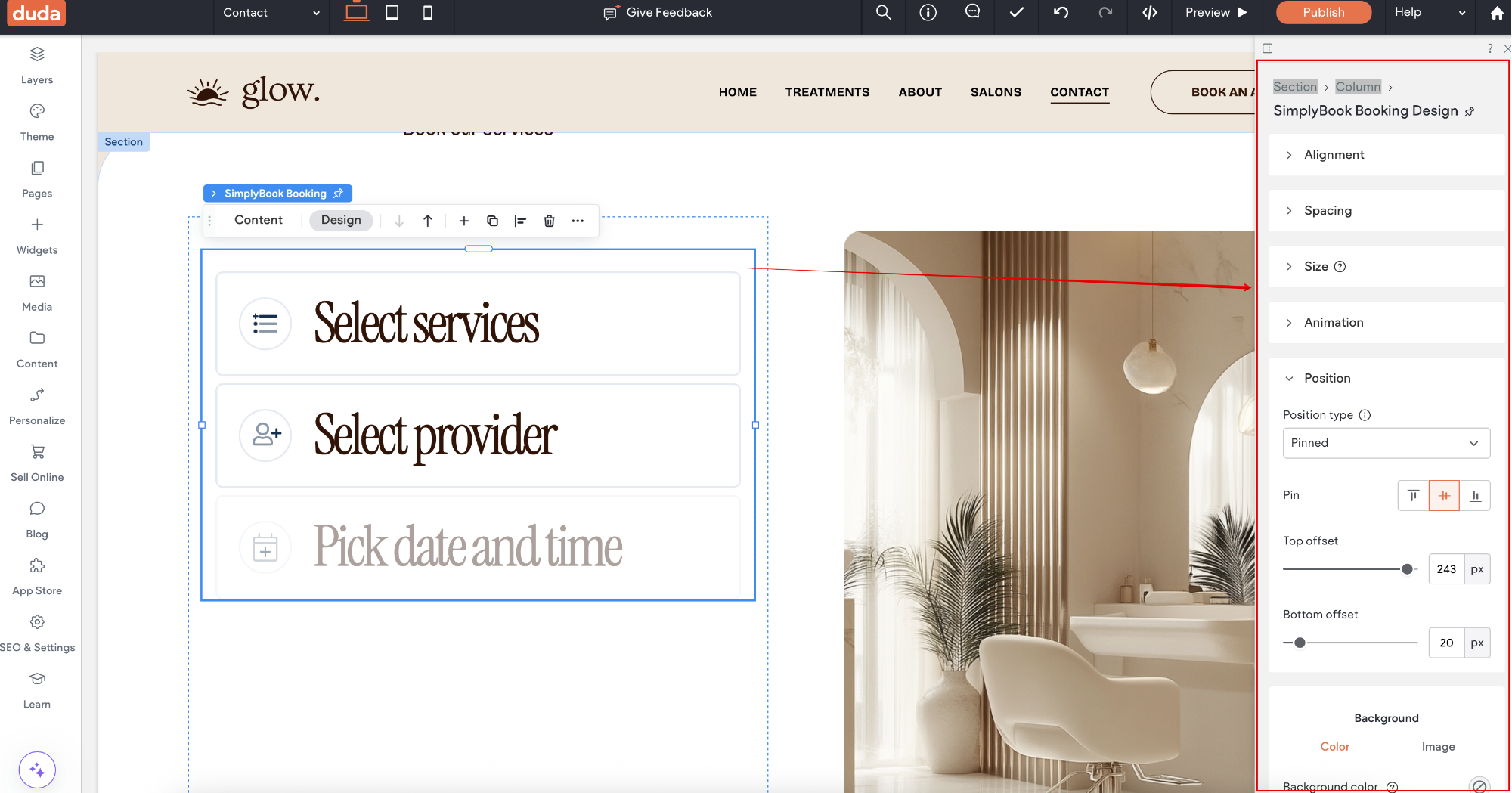
That's it, the widget is added.
8. To adjust the design please use the built-in editing options, the widget will adjust to your website styles.
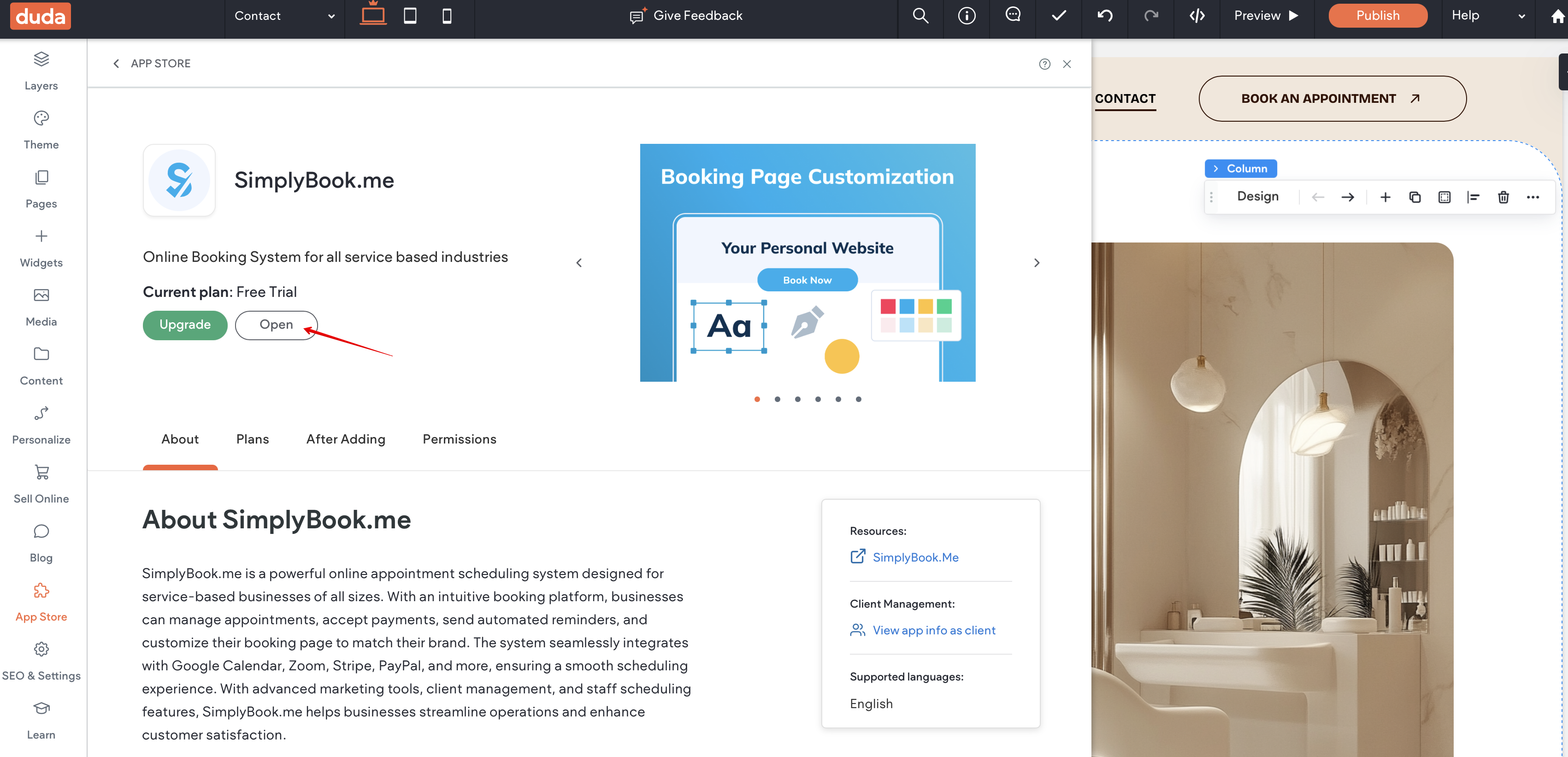
9. To add or edit your services, set prices, etc. please navigate to SimplyBook.me admin interface by clicking on Open button in the installed app.