Translations:Booking reports/5/en
From SimplyBook.me
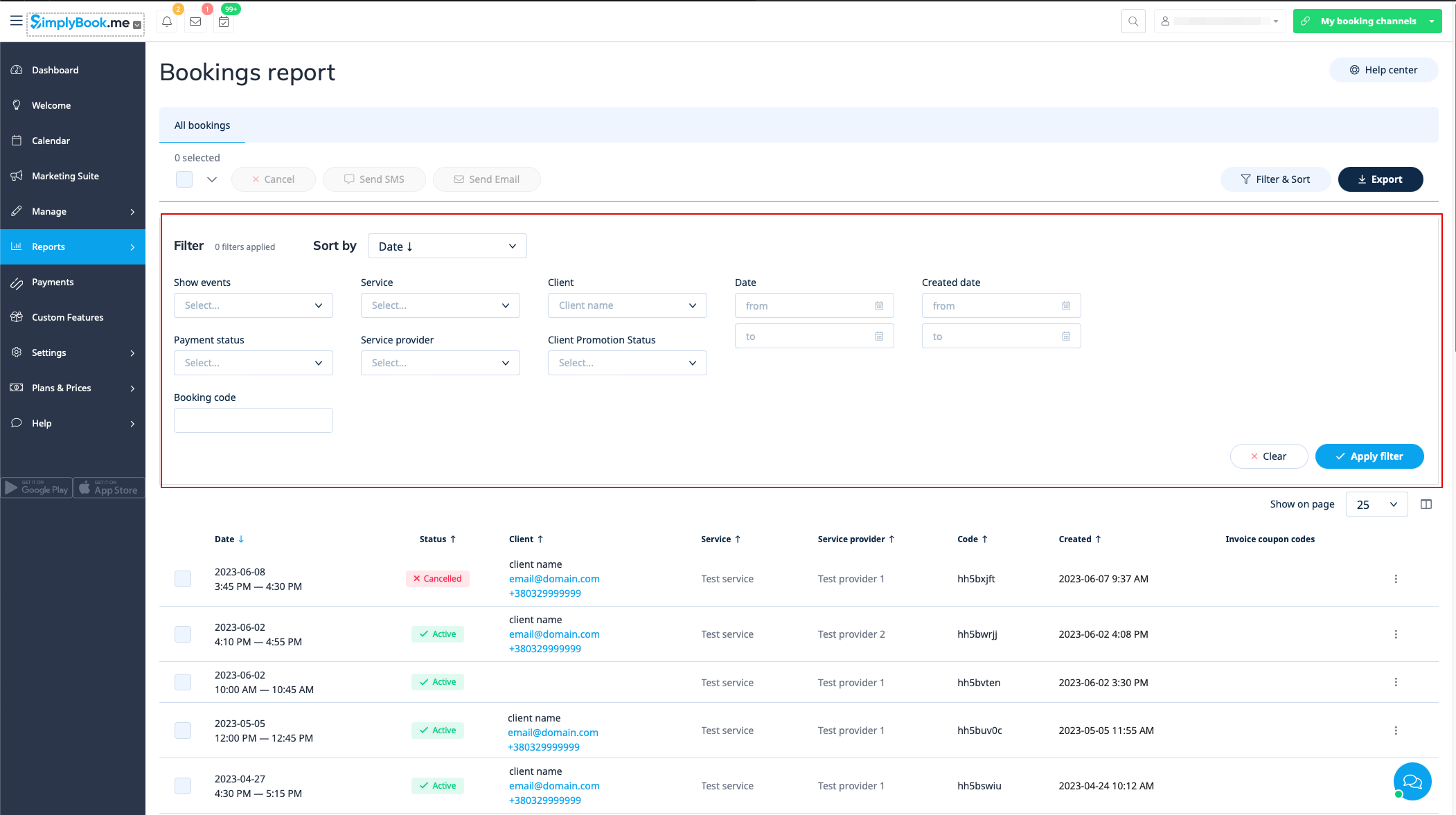
You can find the list of all your bookings in Reports // Booking details.
In this report you can:
- click on “view booking” from the actions menu per each row to see particular booking details;
- send email/sms to your client(s) (you can even use some variables mentioned there);
- go to the specific client report by selecting "View client's report" option in each row;
- filter bookings by:
- date of the booking;
- date when the booking was made;
- service;
- service provider;
- client;
- unique booking code;
- status (all bookings, cancelled bookings, non-cancelled bookings);
- payment status (if accept payments feature is enabled);
- client promotion status (to see only subscribed of unsubscribed ones).
- export bookings to Excel or .csv (use the filters to export only some date range or provider related bookings, choose which columns to export, etc. if necessary).