Translations:Custom CSS custom feature/4/en
From SimplyBook.me
Free custom feature!
- How to use
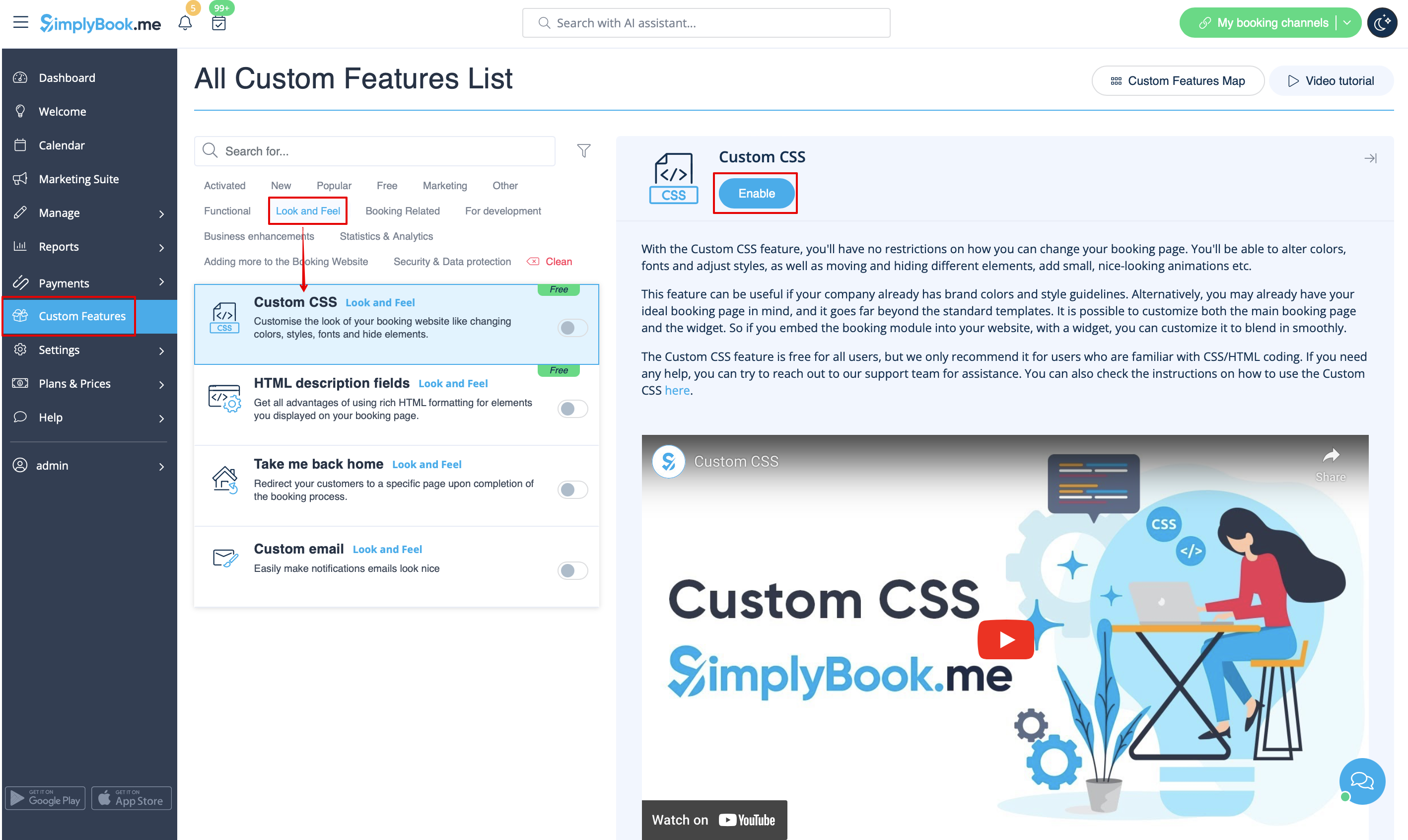
- 1. Enable this option on your Custom Features page.
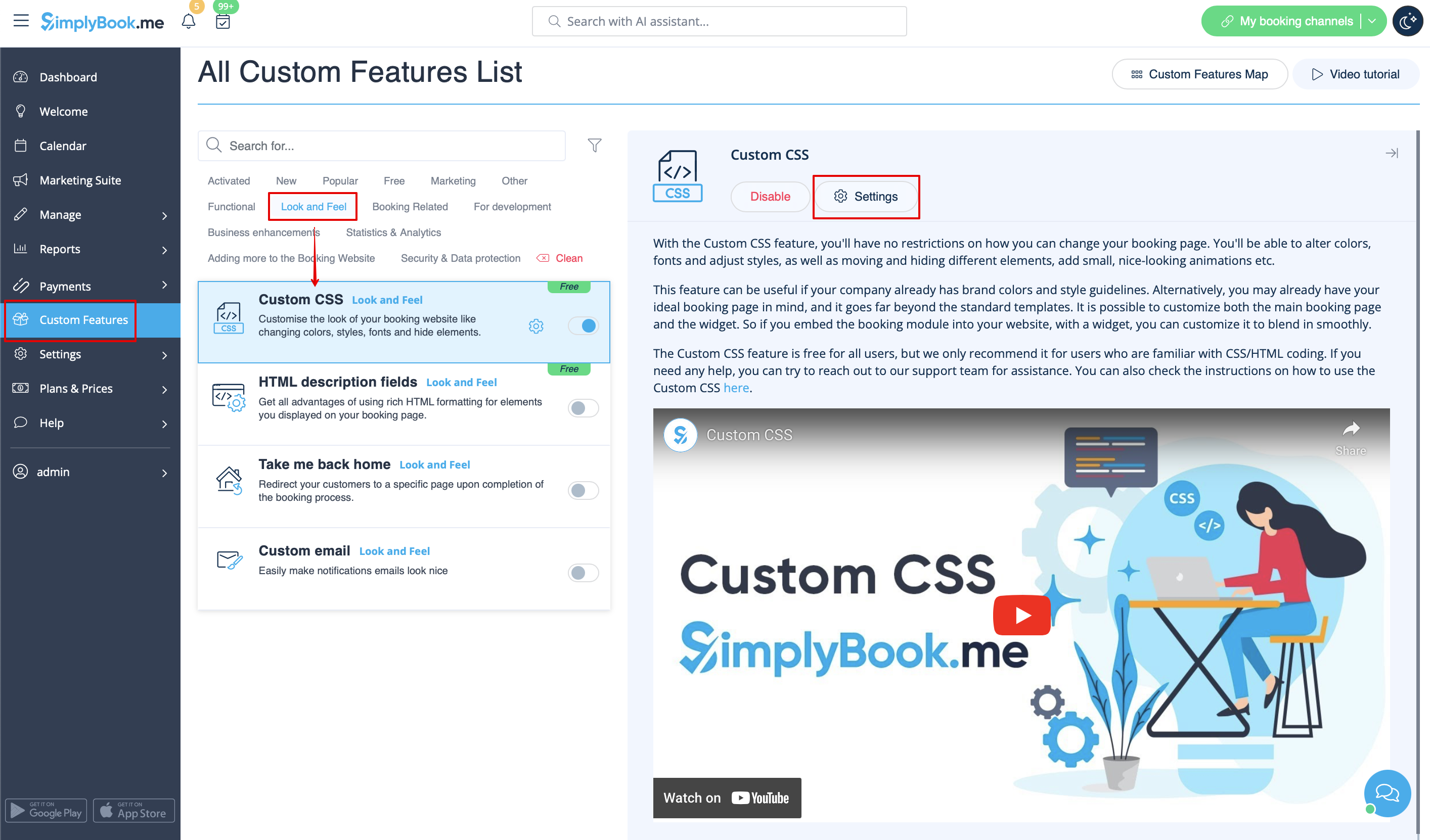
- 2. Click on "Settings" for this feature.
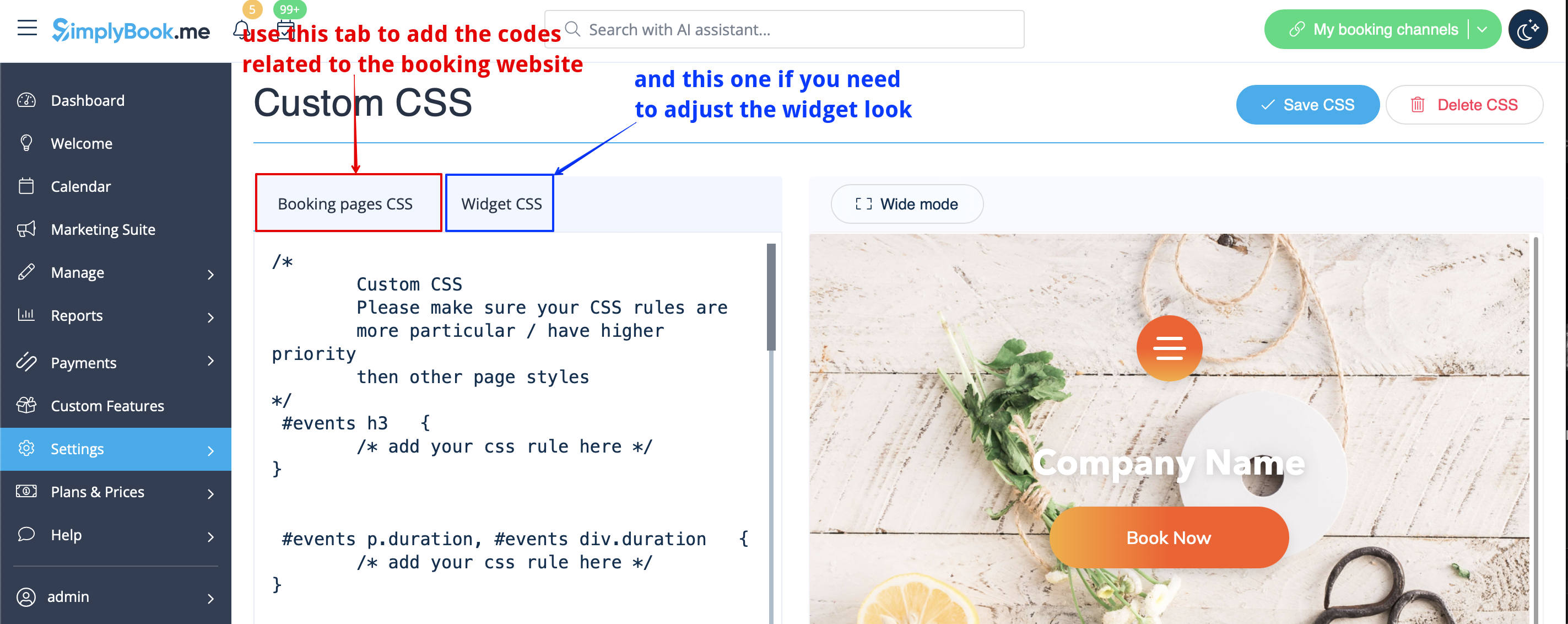
- 3. Add the code(s) to adjust the styles to "Booking pages CSS" tab if you wish to edit the booking page
- or "Widget CSS" if you are editing widget on your website.