Translations:Integration with Mailchimp/3/en
From SimplyBook.me
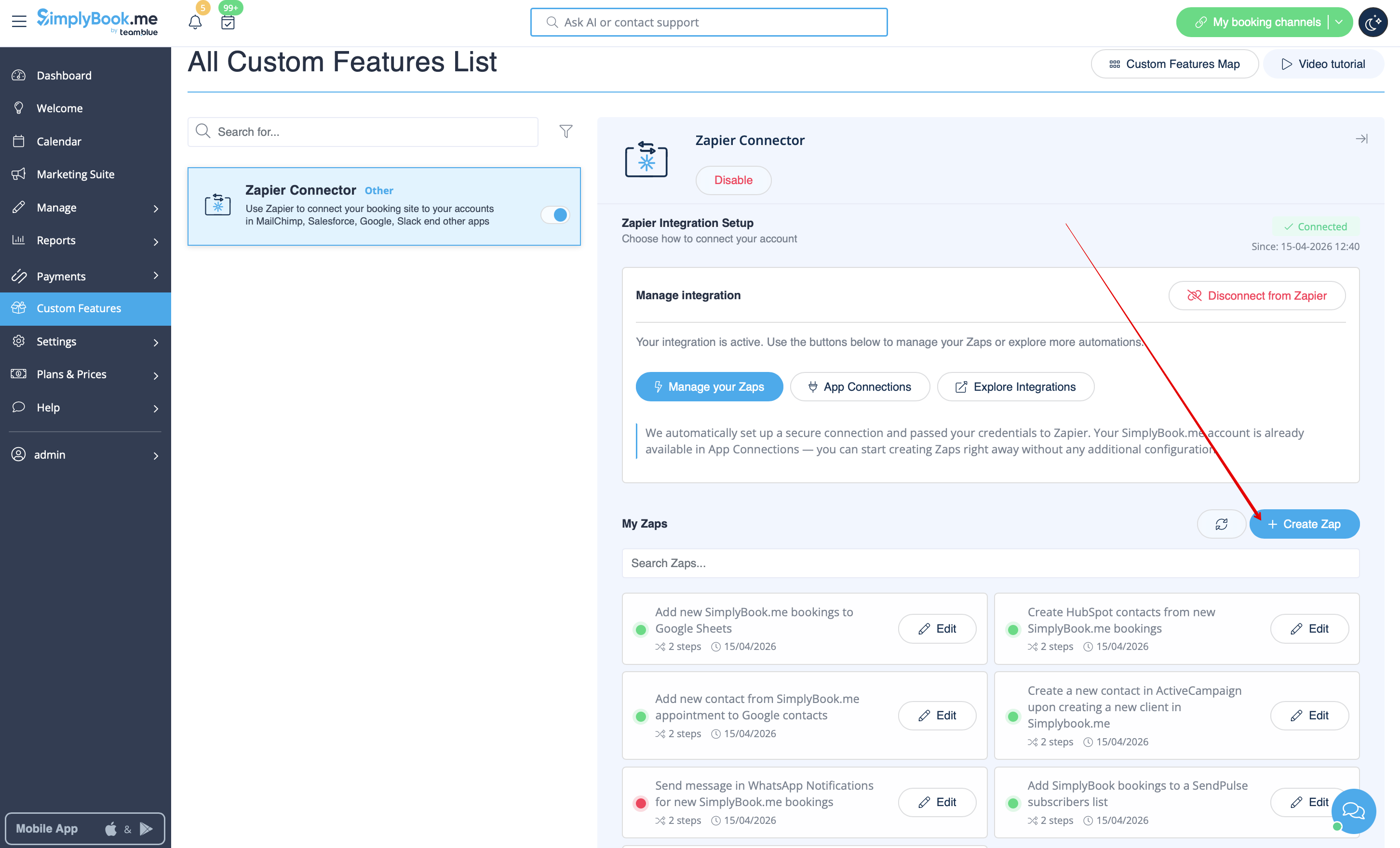
- 5. Click on + Create Zap button.
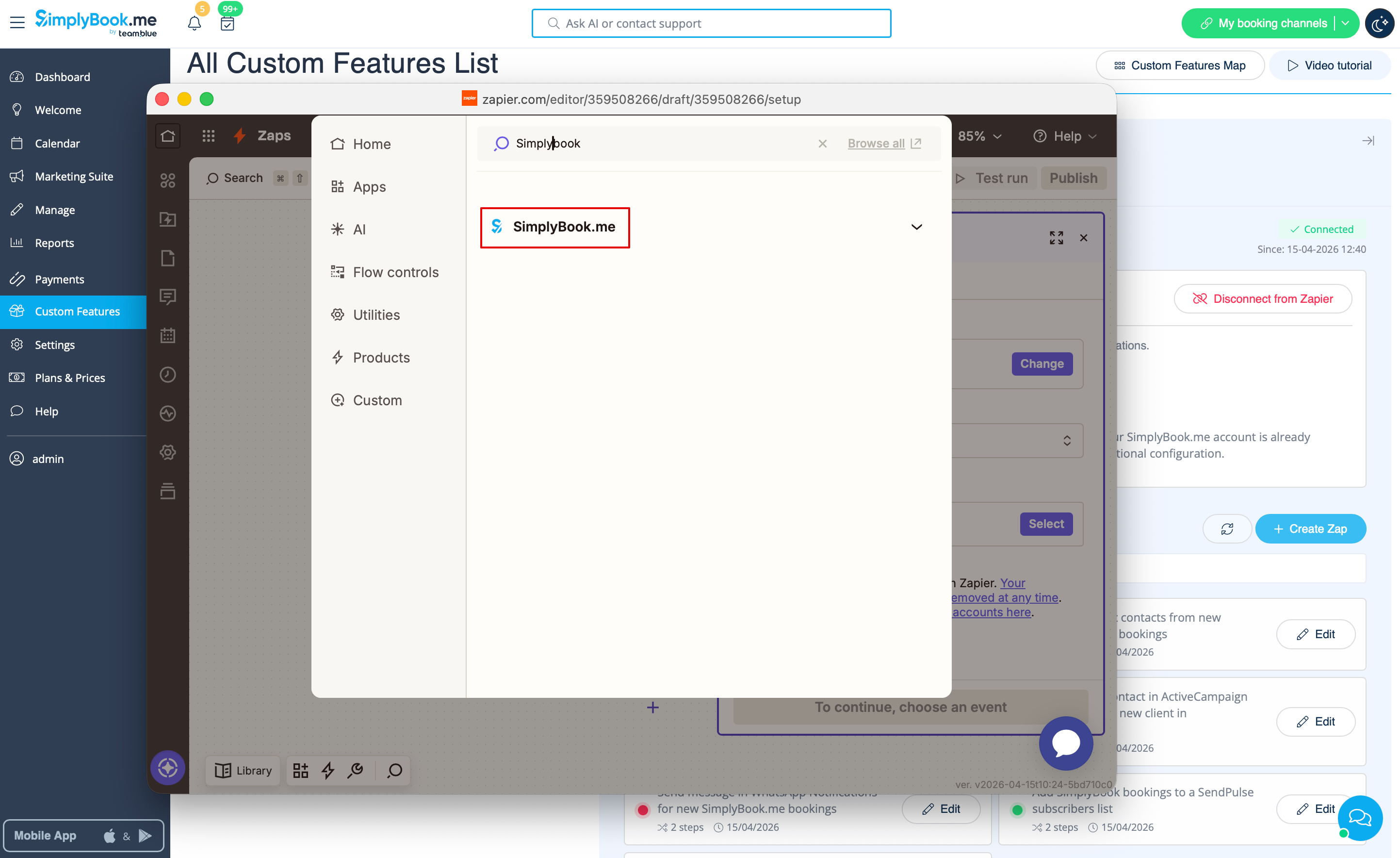
- 6. In the popup that appears find SimplyBook.me in the list of apps to connect to.
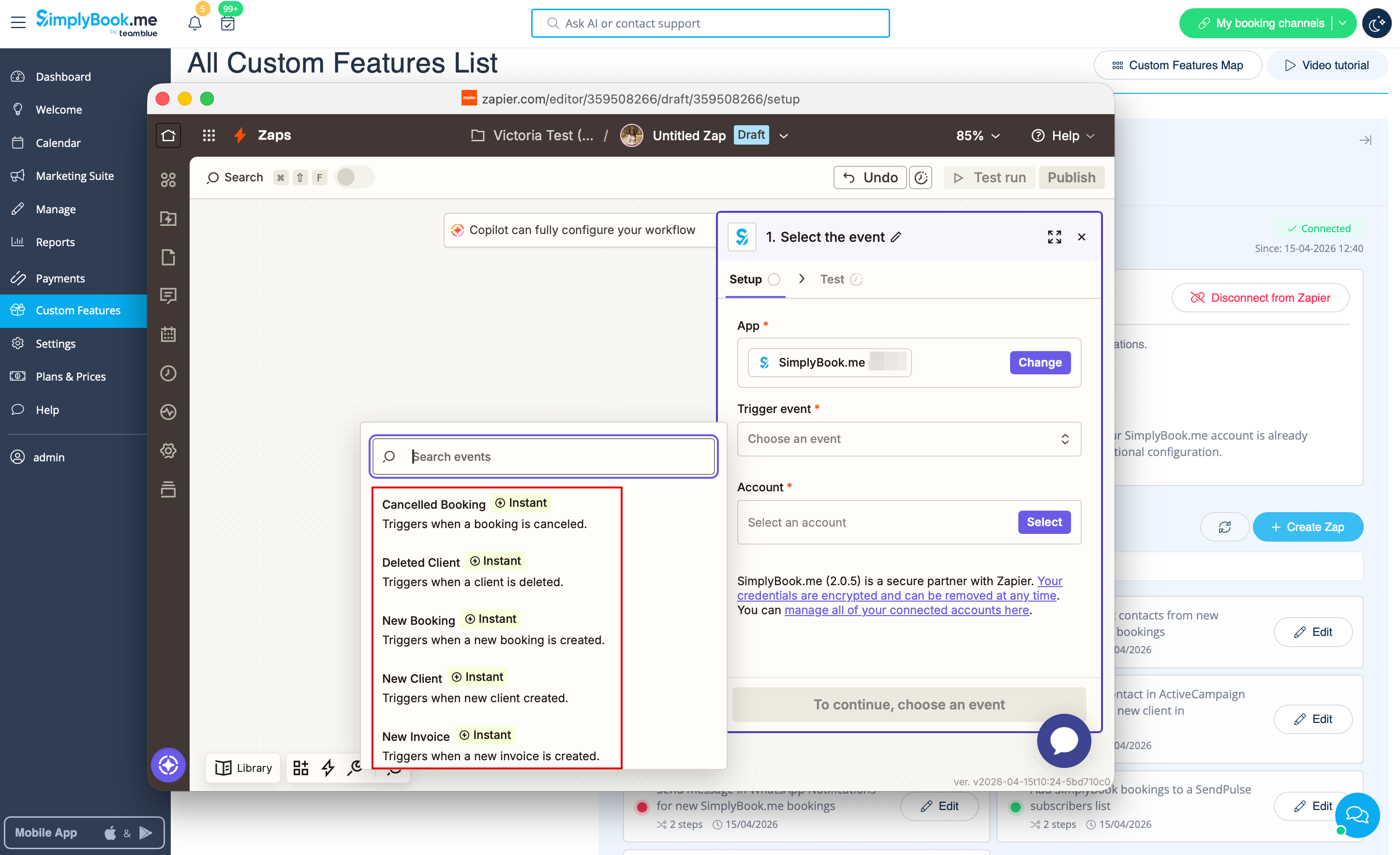
- 7. Choose the desired trigger and the account that you have previously connected. Click "Continue".
- 8. Test your trigger, select the sample record and proceed to the action step.
- 9. Now select MailChimp as an action app and select the action that will take place when the trigger works.


- 10. Connect your MailChimp account.

- 11. Set the required fields depending on the action you have selected.

- 12. Confirm your choices and turn the Zap on.
