Translations:Adding other users to the system/3/en
From SimplyBook.me
You can create a separate user for the person who needs to access your admin page in Manage -> Users page and assign the corresponding rights to that user.
See the list of available user roles below.
- To create new user please click on + button at the top:
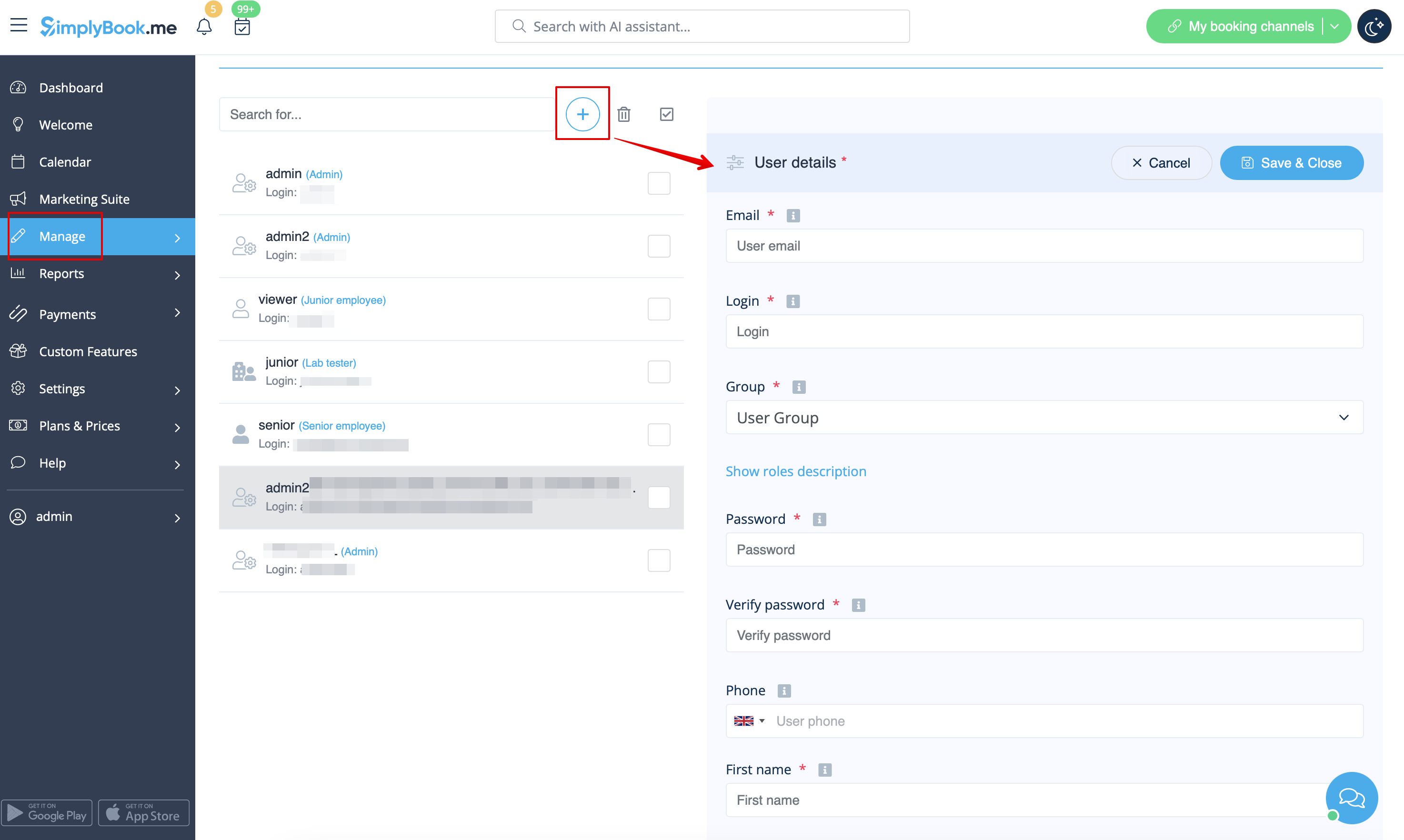
- Fill in login, email address, select user level group, set first password, relate with a provider if necessary, add first and last names, phone number.
- Please note! Login is unique for every user. If you delete some user it will not be possible to reuse the same login for another user.
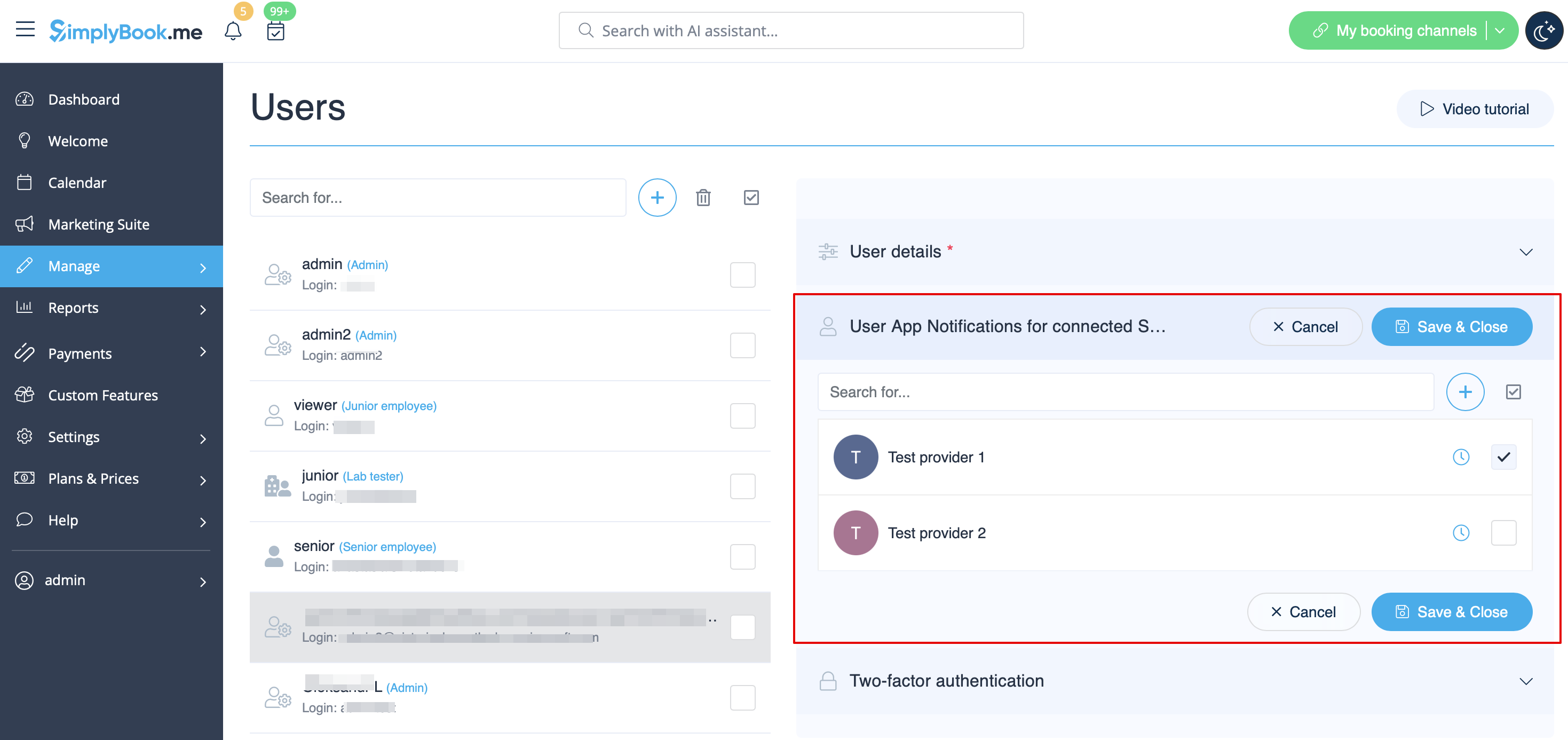
After this, just enable the switch Send login information to user and save the user record.
The system will automatically send the email with the login credentials according to the template you have set in Settings -> Email and SMS Settings -> New user login notification.
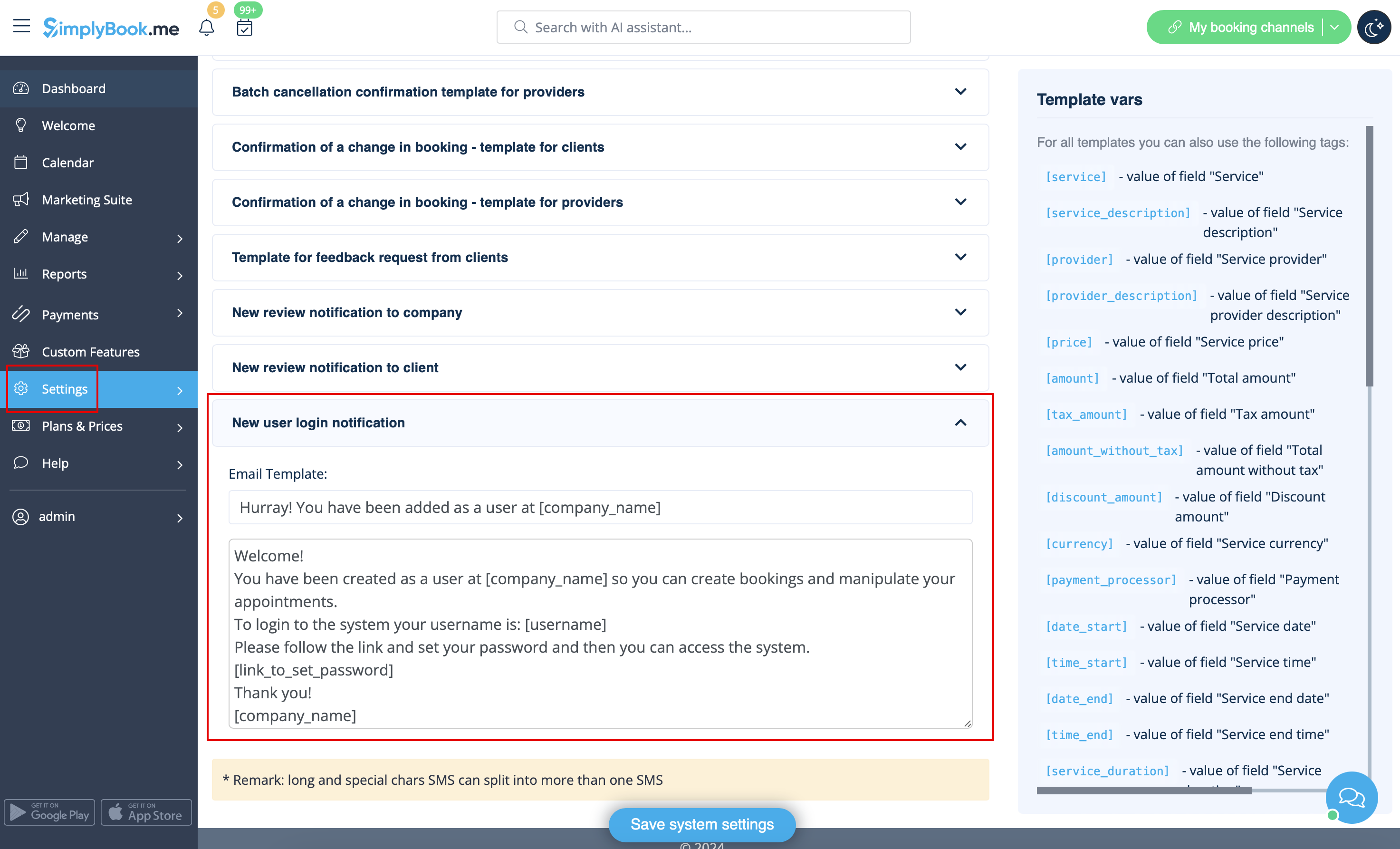
Or you can manually send login and password to your users along with the link to your admin page after saving the user.
