Translations:Adding services, providers and availability(new interface)/13/en
From SimplyBook.me
In Manage -> Service Providers press + button.
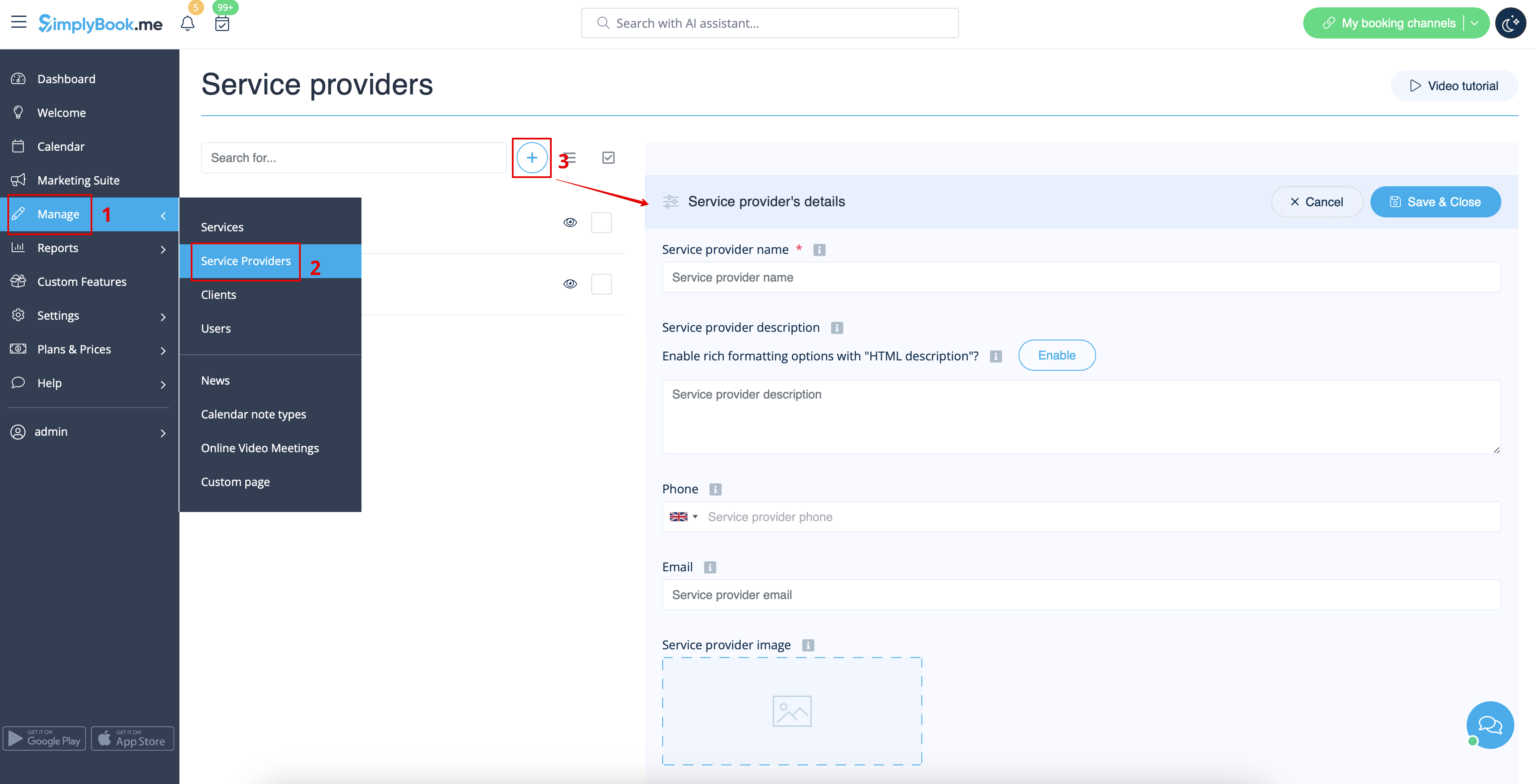
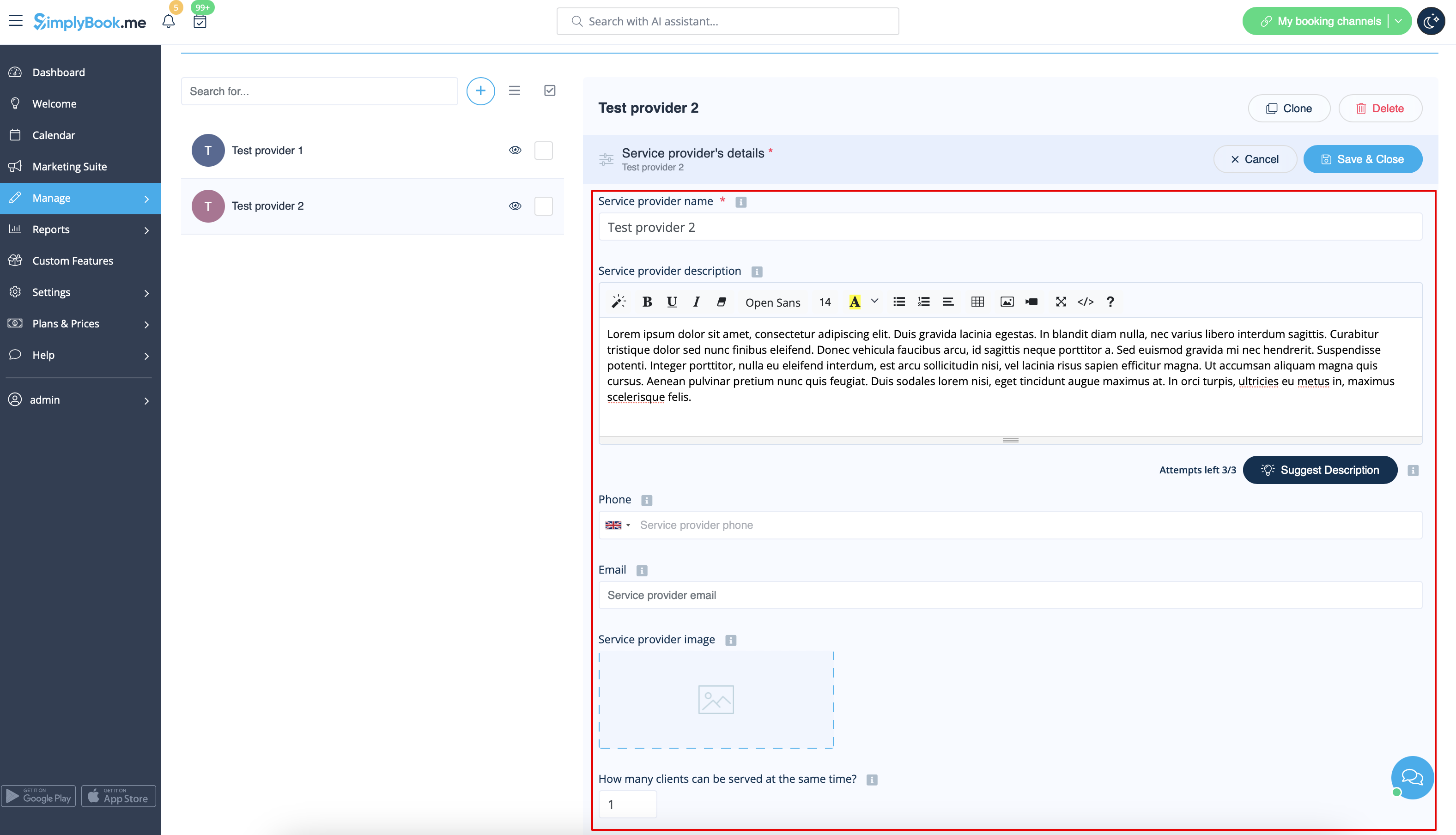
On the right side of the page insert the name of your service provider, set number of clients he/she can serve at a time and write service provider description.
You can also upload picture and set his/her phone number and email address if necessary.
Save settings.
Please note! Phone number should be added in international format for SMS notifications to be sent correctly.