Translations:Calendar Notes/5/en
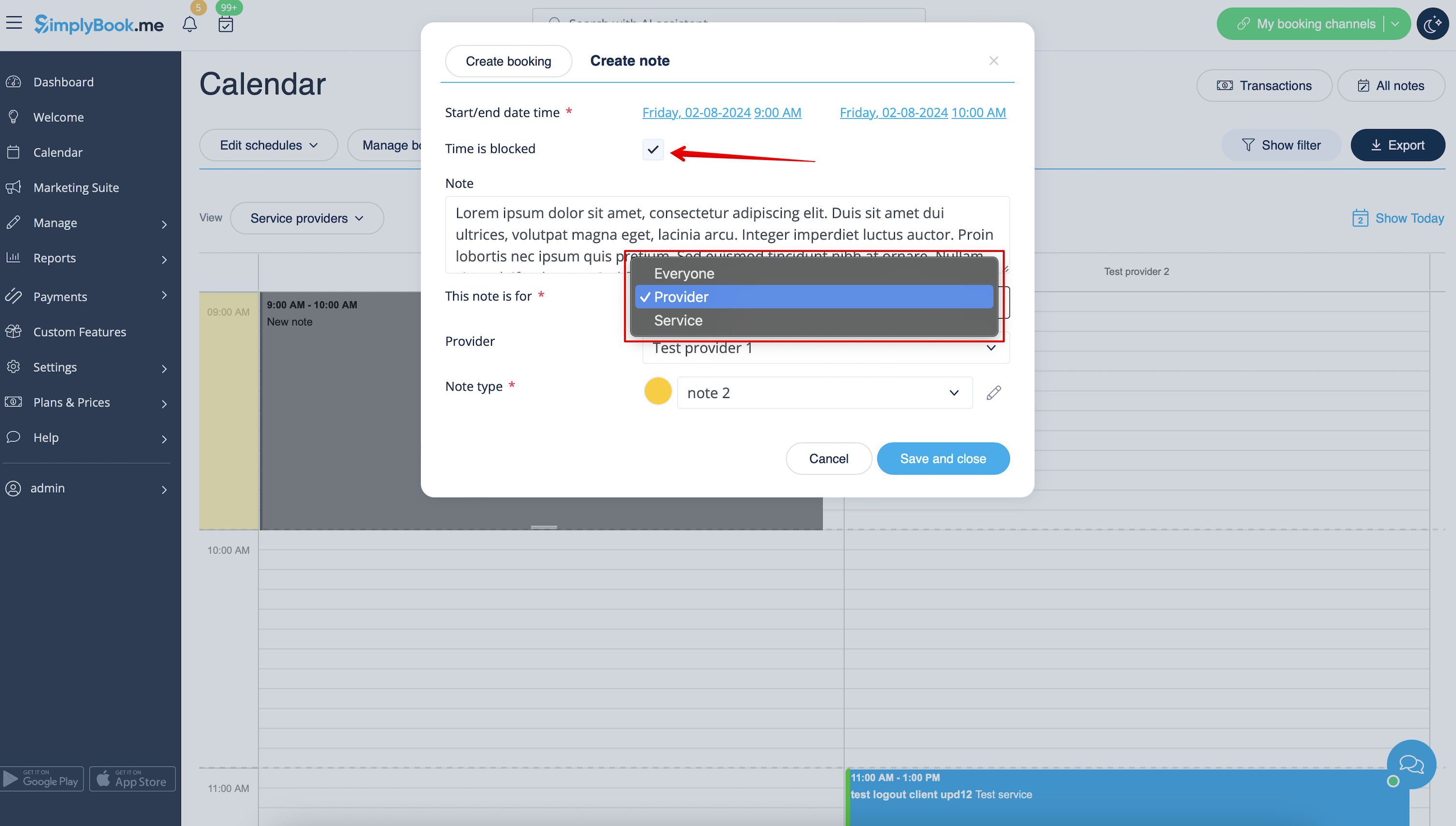
- 4. Click on the free space in the Calendar table where you would like to insert the information or block time to get note popup form.
- 5. Check Time is blocked option to close the availability if needed, add the details to the textbox and select the assignee: you can add a note or close time per specific provider, service or everyone.