Translations:ClassPass custom feature/3/en
From SimplyBook.me
- How to use
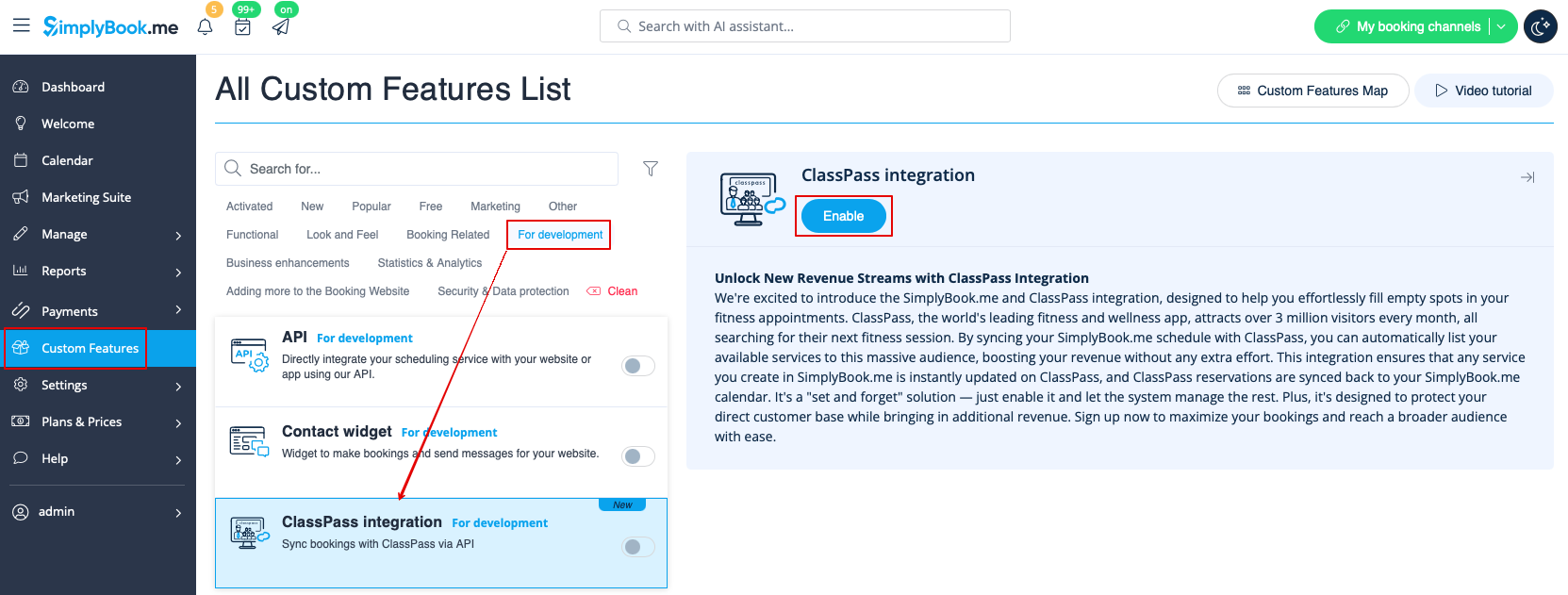
1. Simply enable ClassPass custom feature on your Custm features page, "For Development" section.
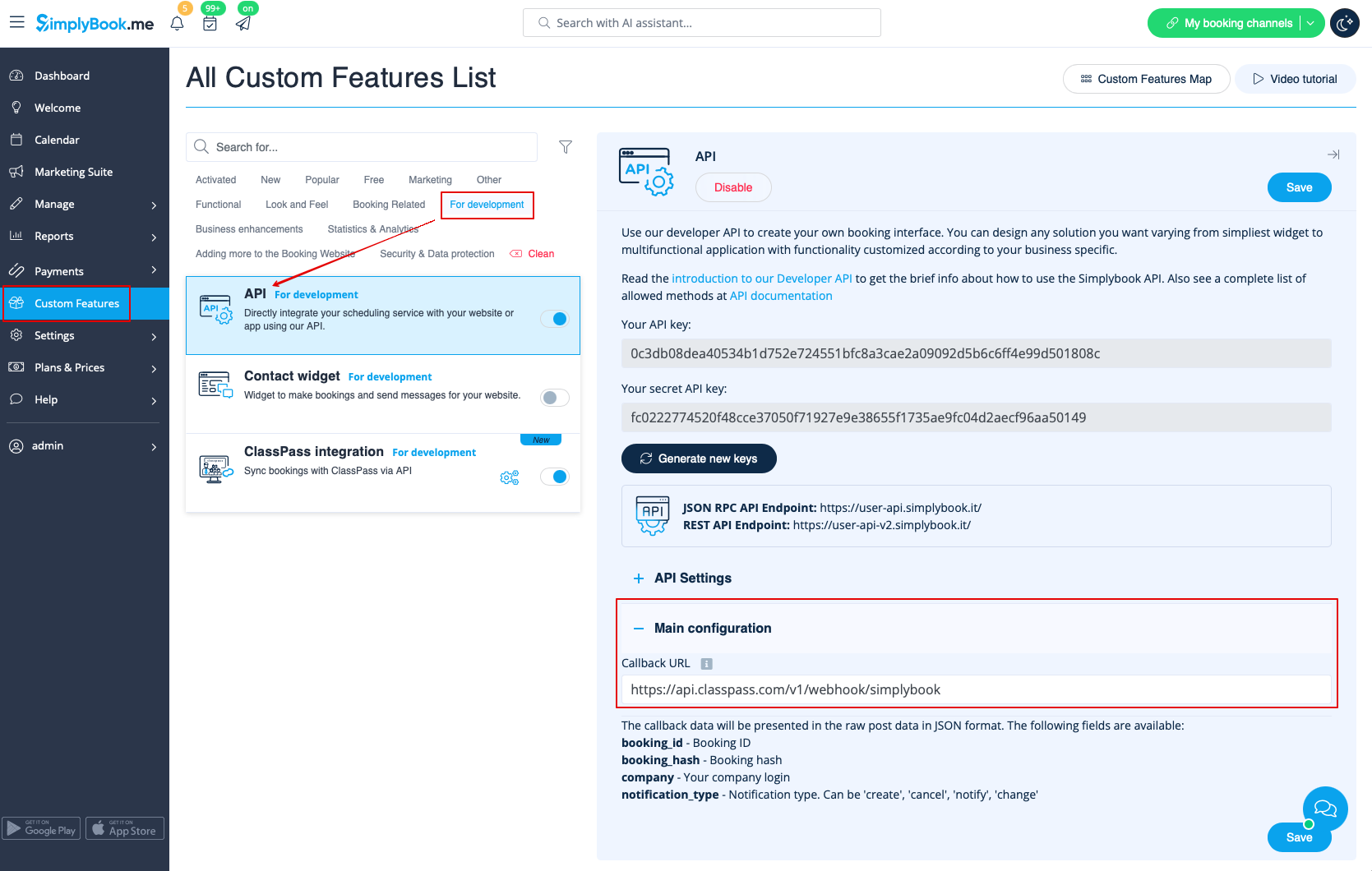
2. The system will automatically add special callback url to the settings of the "API" custom feature that will be used to exchange the data with the ClassPass.
3. That's it! ClassPass will receive the information that you have enabled (or disabled) the functionality, as well as your account data, and will take care of the rest.
On our side we will be getting the information when the bookings are created, changed or canceled.
