Translations:Email notifications with Zapier/4/en
From SimplyBook.me
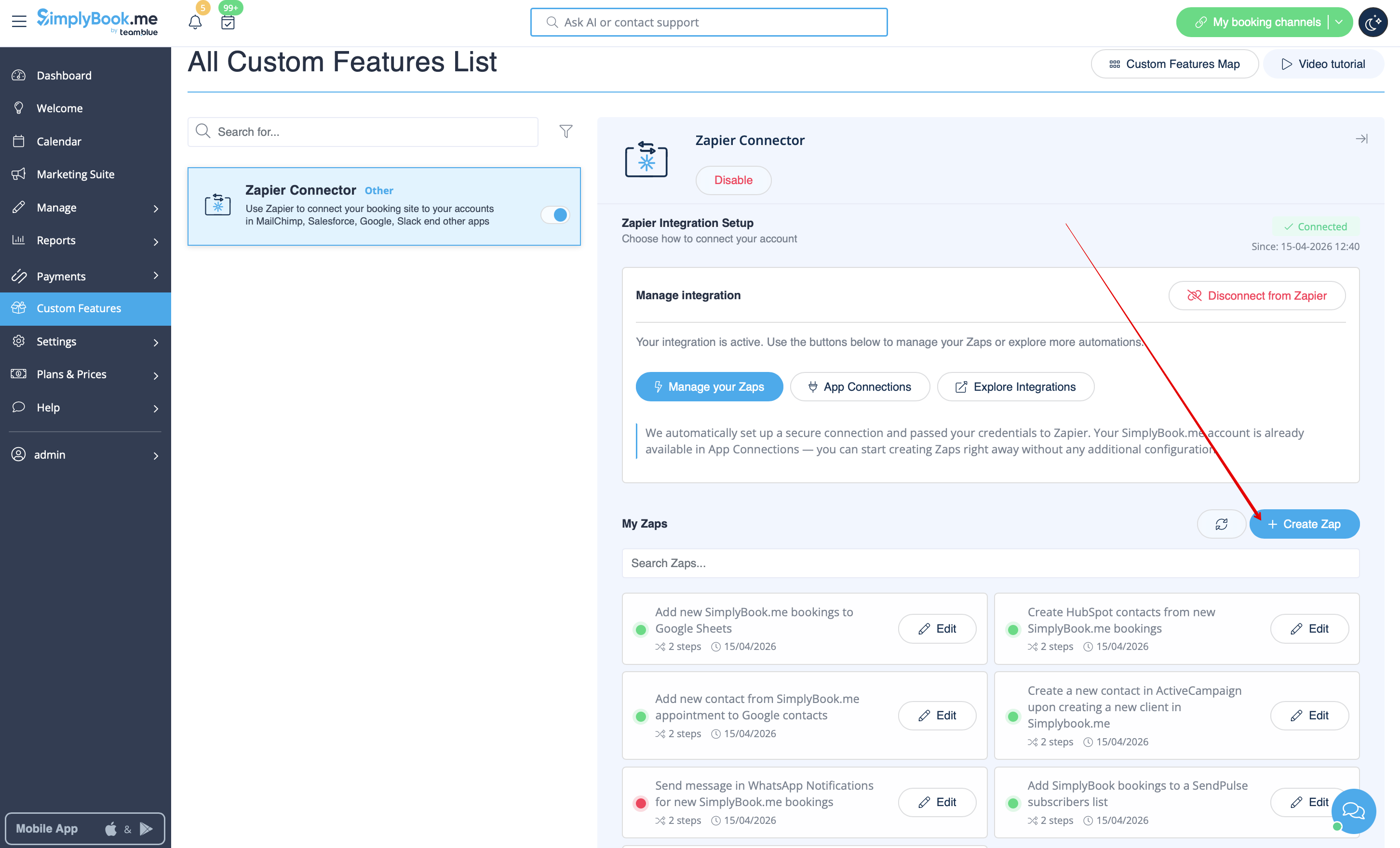
- 3. Click on + Create Zap button.
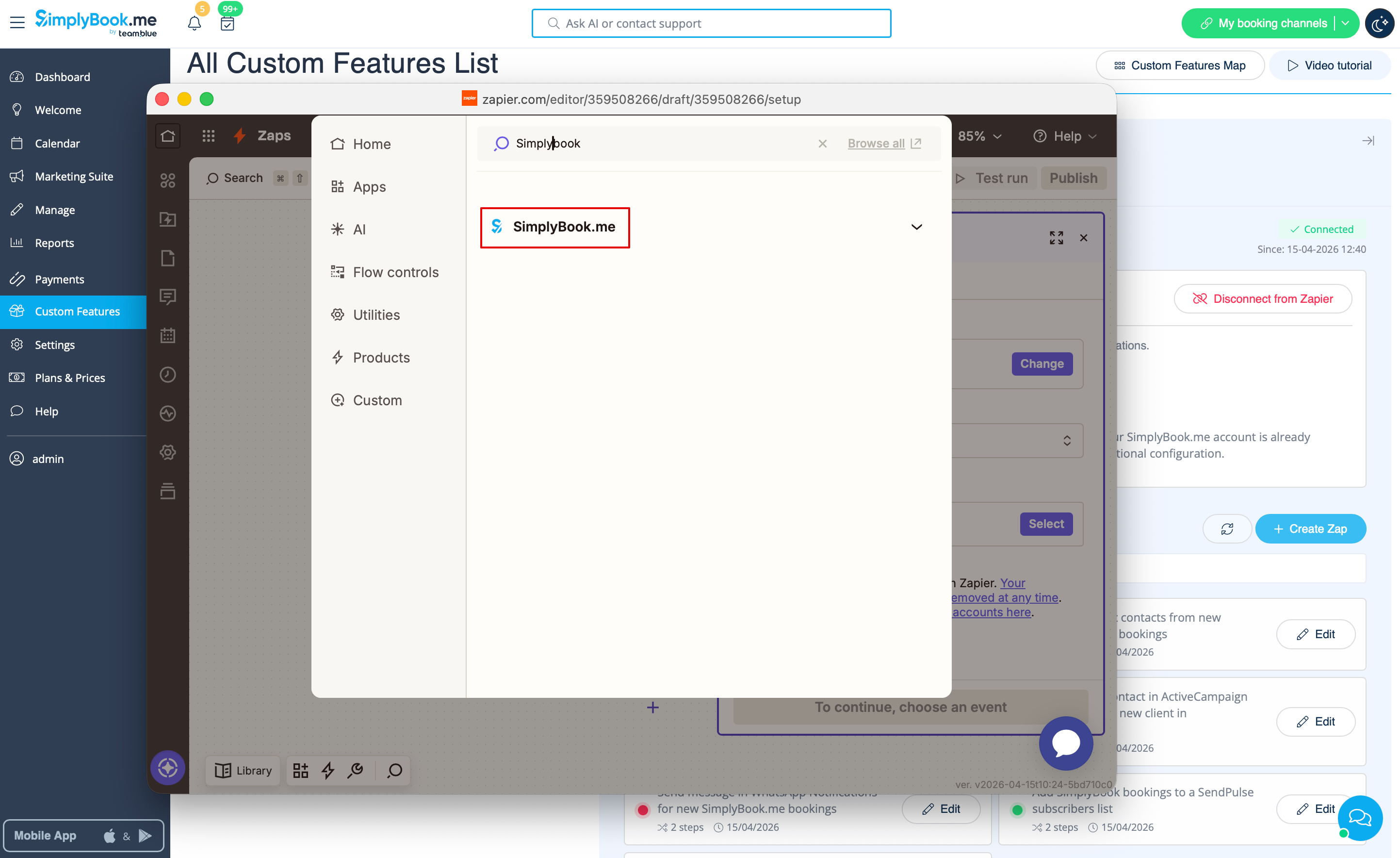
- 4. In the popup that appears find SimplyBook.me in the list of apps to connect to.
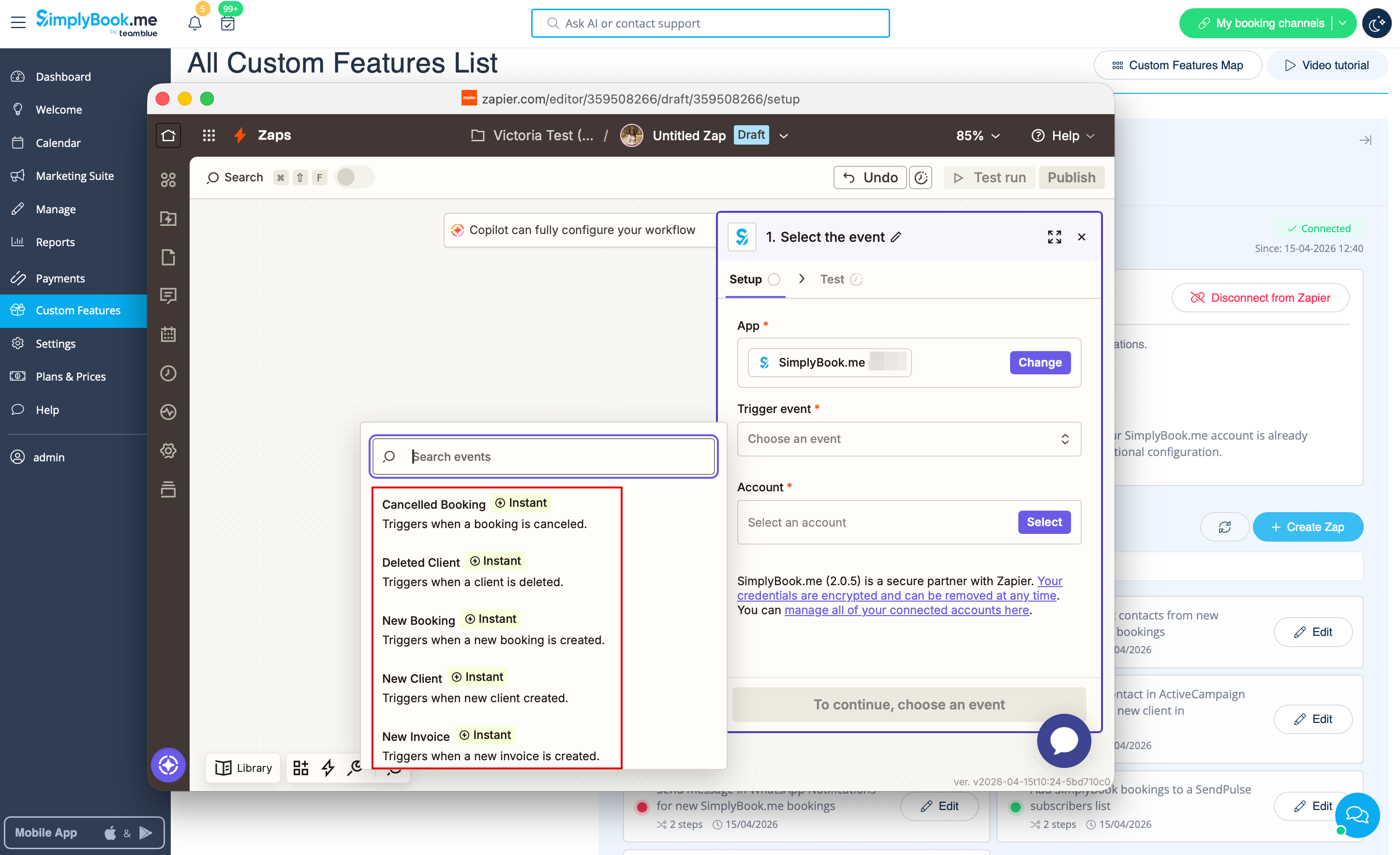
- 5. Choose "New booking" trigger and the account that you have previously connected. Click "Continue".
- 6. Test your trigger, select the sample record and proceed to the action step.
If Zapier shows an error "We could not find the booking" on test step don't worry, it may occur when your account is new or you have not got new bookings recently.
You can skip test step and continue with setup.
