Translations:How to set my availability/19/en
Special Days Use Guide
There are cases where you or one of your employees may need a day off or wish to adjust working hours for a specific date without affecting other scheduled days.
Simplybook.me provides a simple solution for this.
- How to use
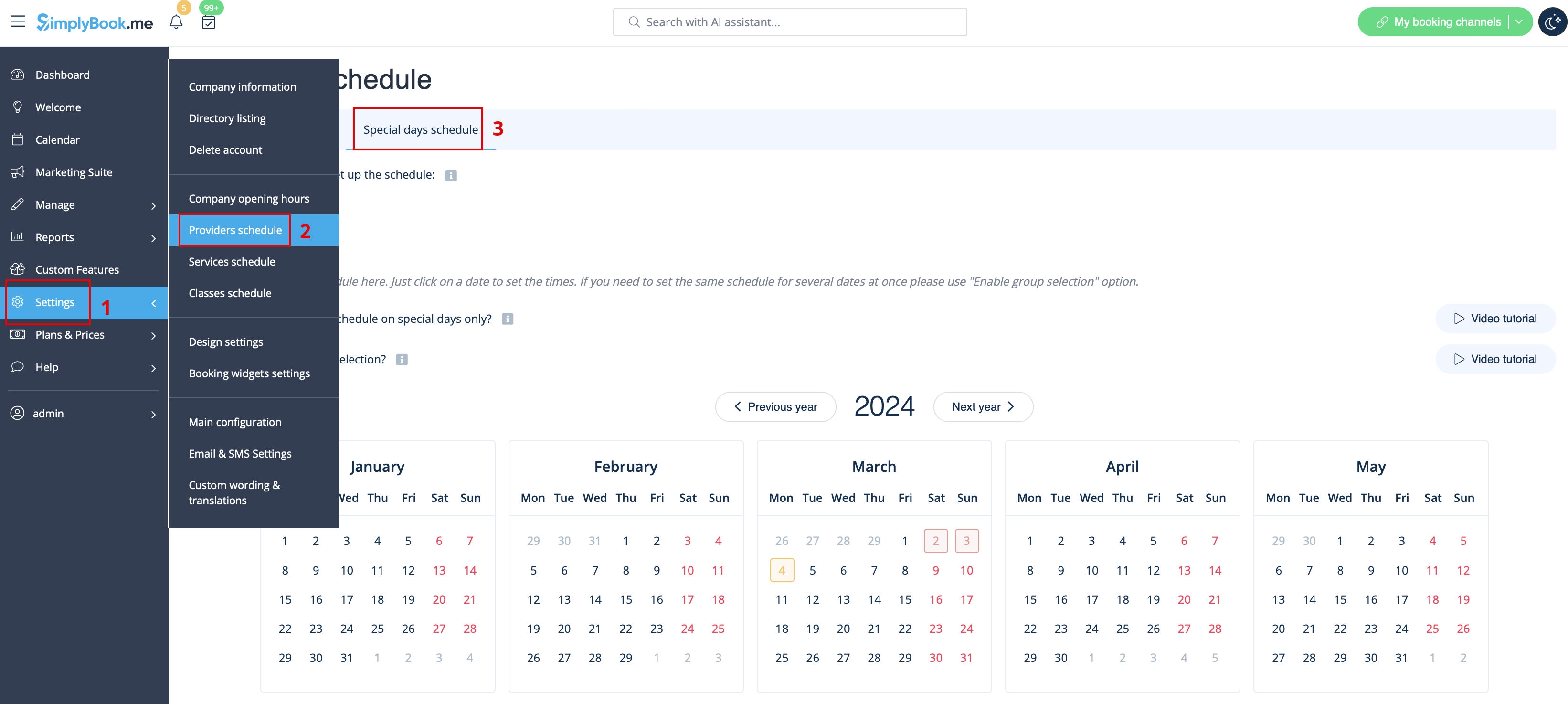
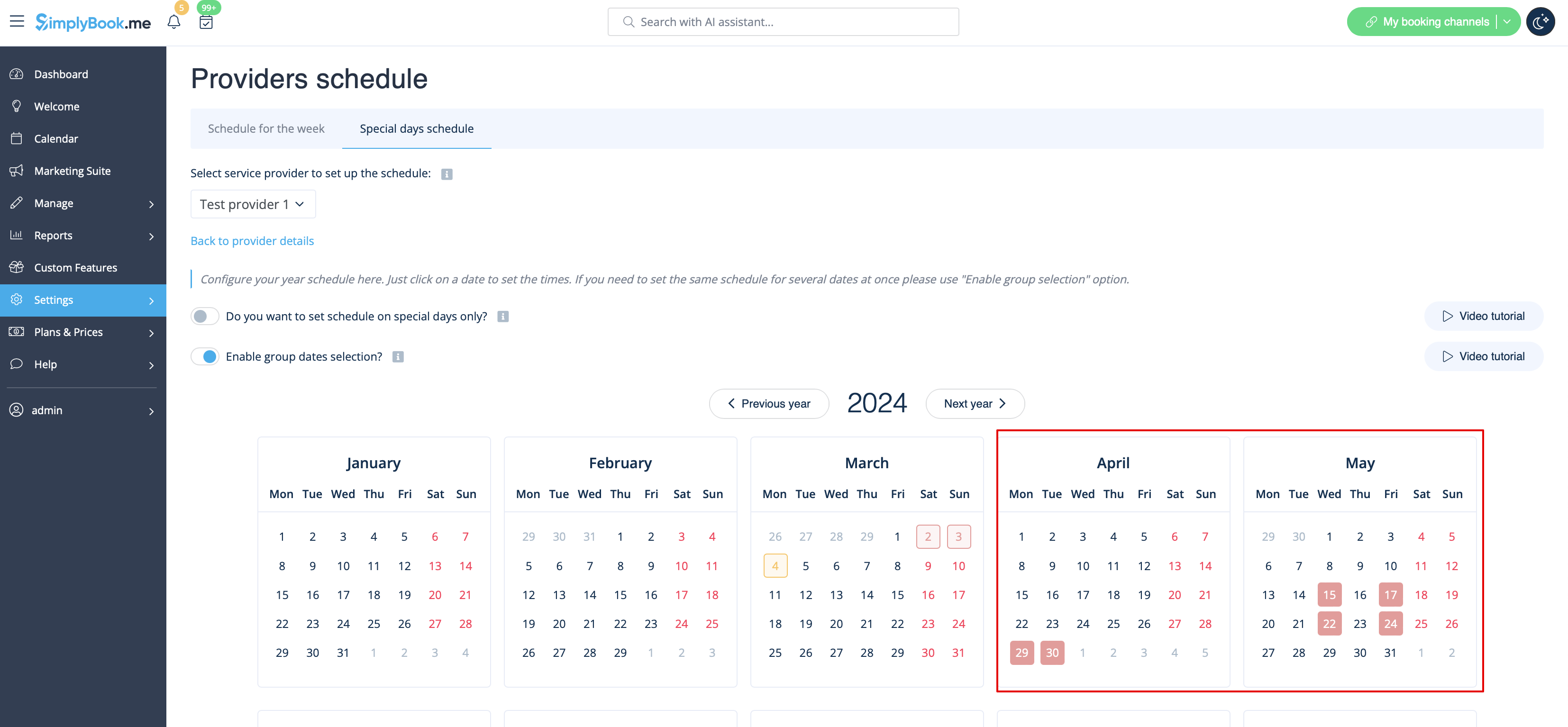
1. To set up a special day schedule for a specific provider, navigate to Settings > Providers schedule > Special days schedule section (located at the top of the page).
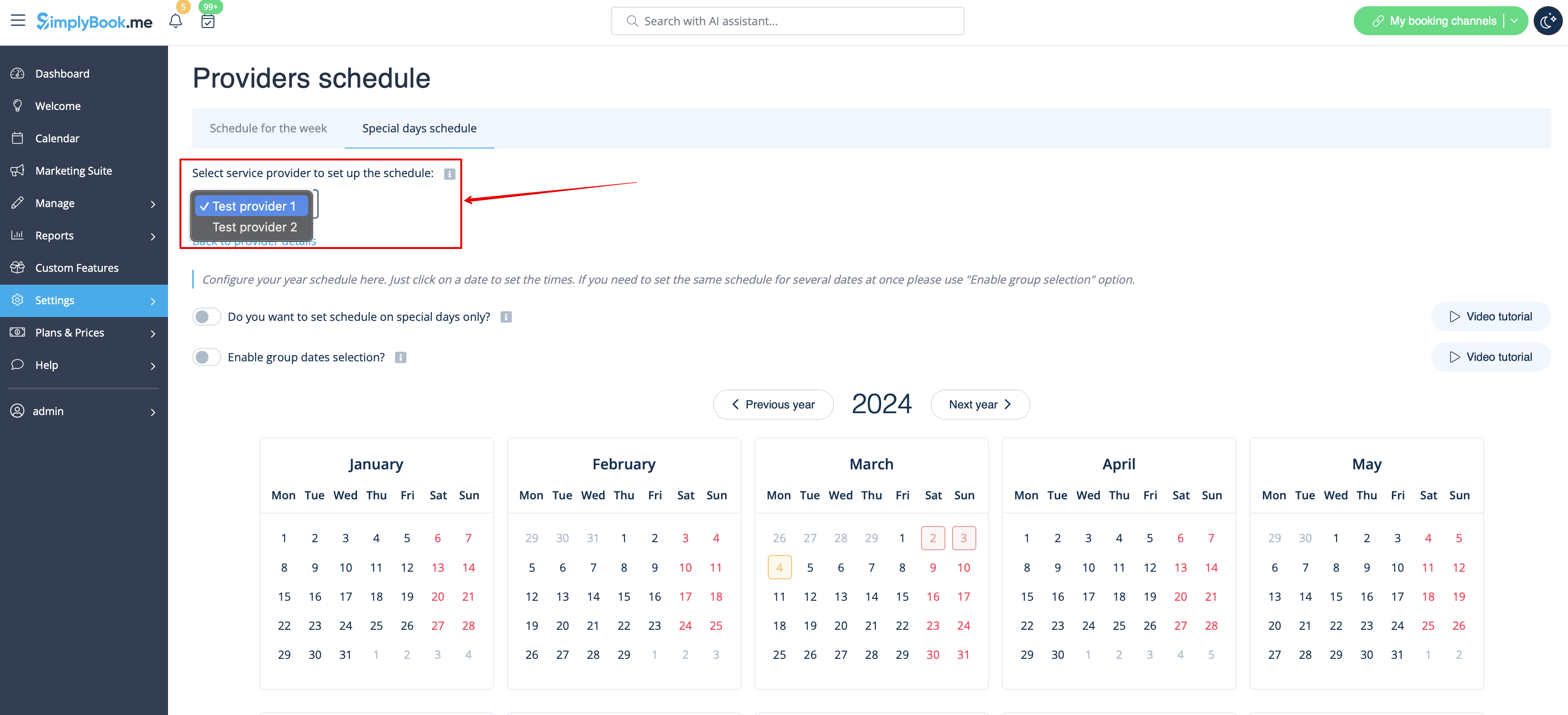
2. Choose the service provider on this page to set up the special days schedule.
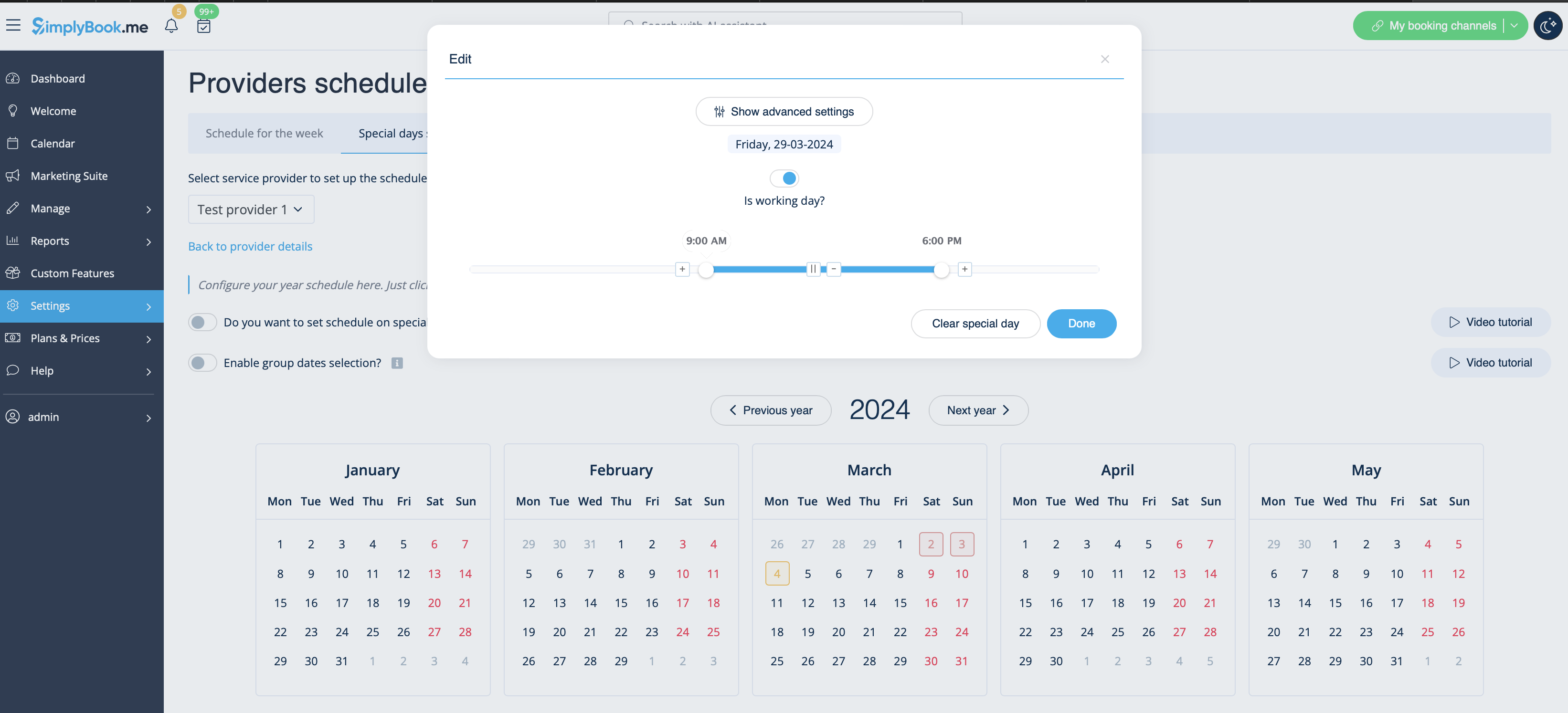
3. Clicking on the desired date opens a window for setting up the schedule for that provider on a specific date. You can adjust the working hours or create a day-off by toggling “Is working day?” and clicking the “Done” button.
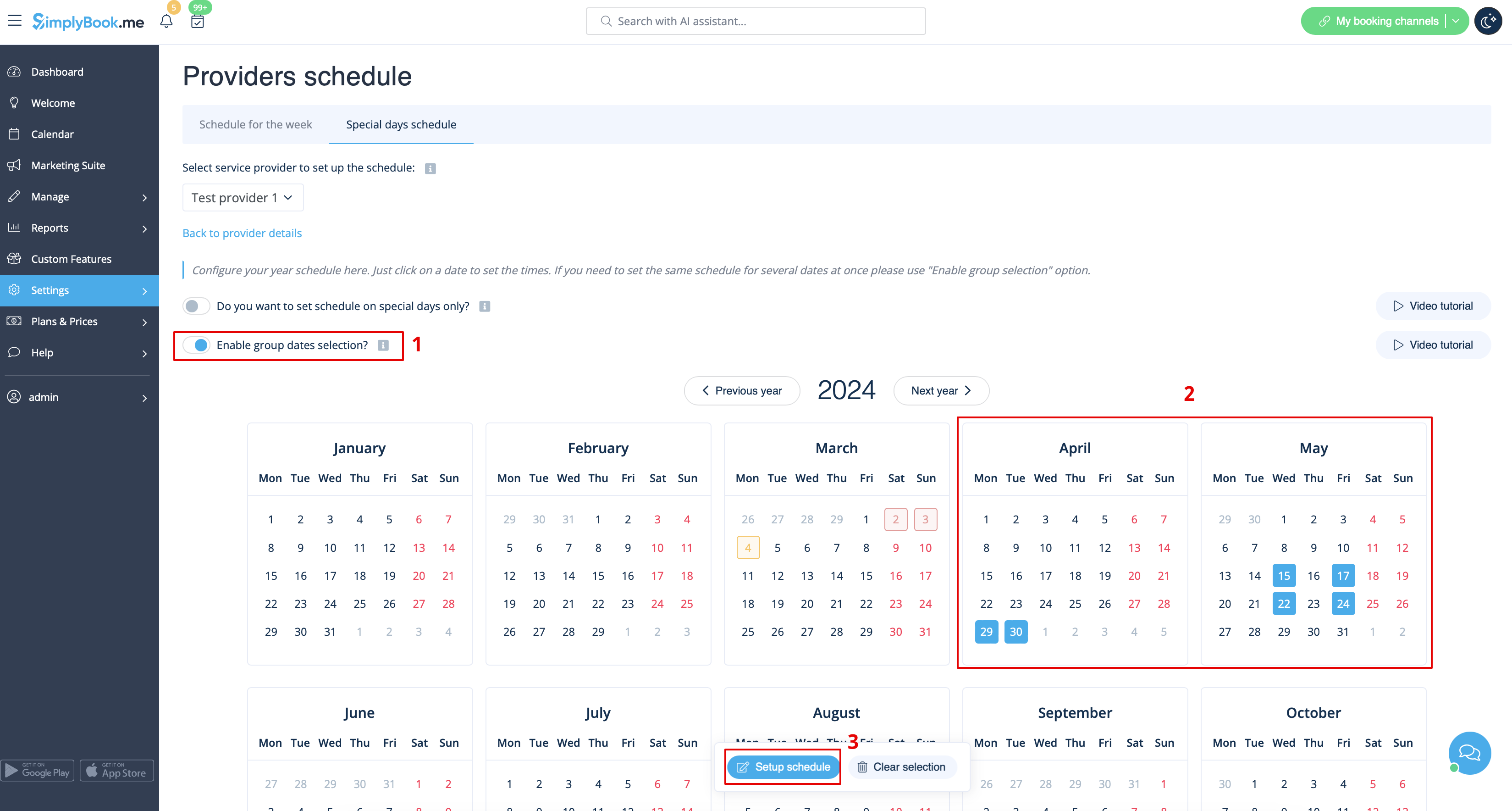
4. If there's a need to adjust several dates for a particular provider with the same schedule, use the toggle “Enable group dates selection.” Click on it, choose the dates, and click the “Edit schedule” button.
You'll see the same window with options to adjust the schedule or create a day-off for the provider. The calendar will display special days highlighted in red.
Similar actions can be performed for a particular service on a special day in Settings > Service schedule > Special days schedule section, following the steps described in this guide.