Translations:Service Add-Ons custom feature/4/en
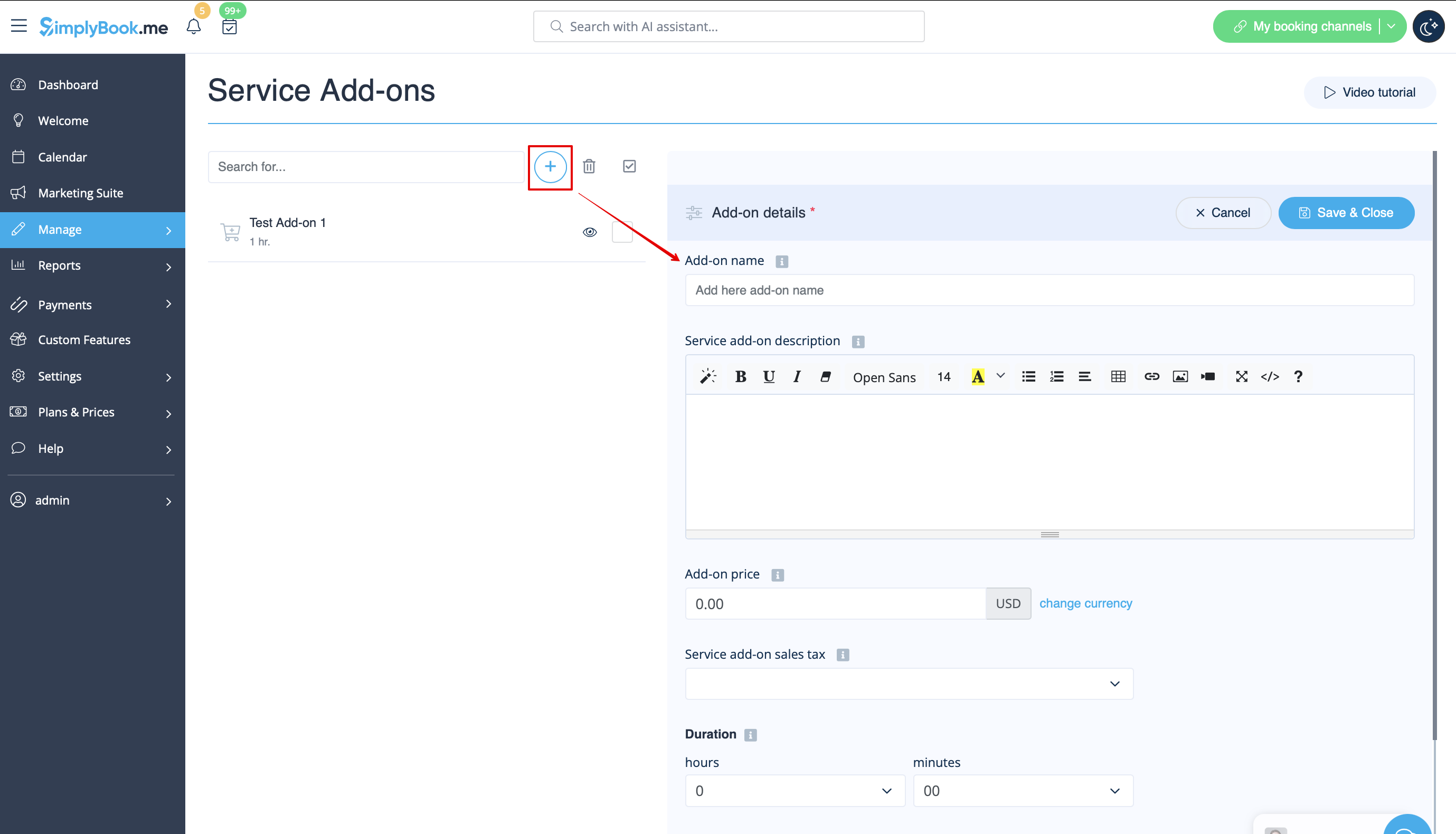
- 1. To enable this option please go to your Custom Features page and click on “Enable” near “Service Add-ons” option.
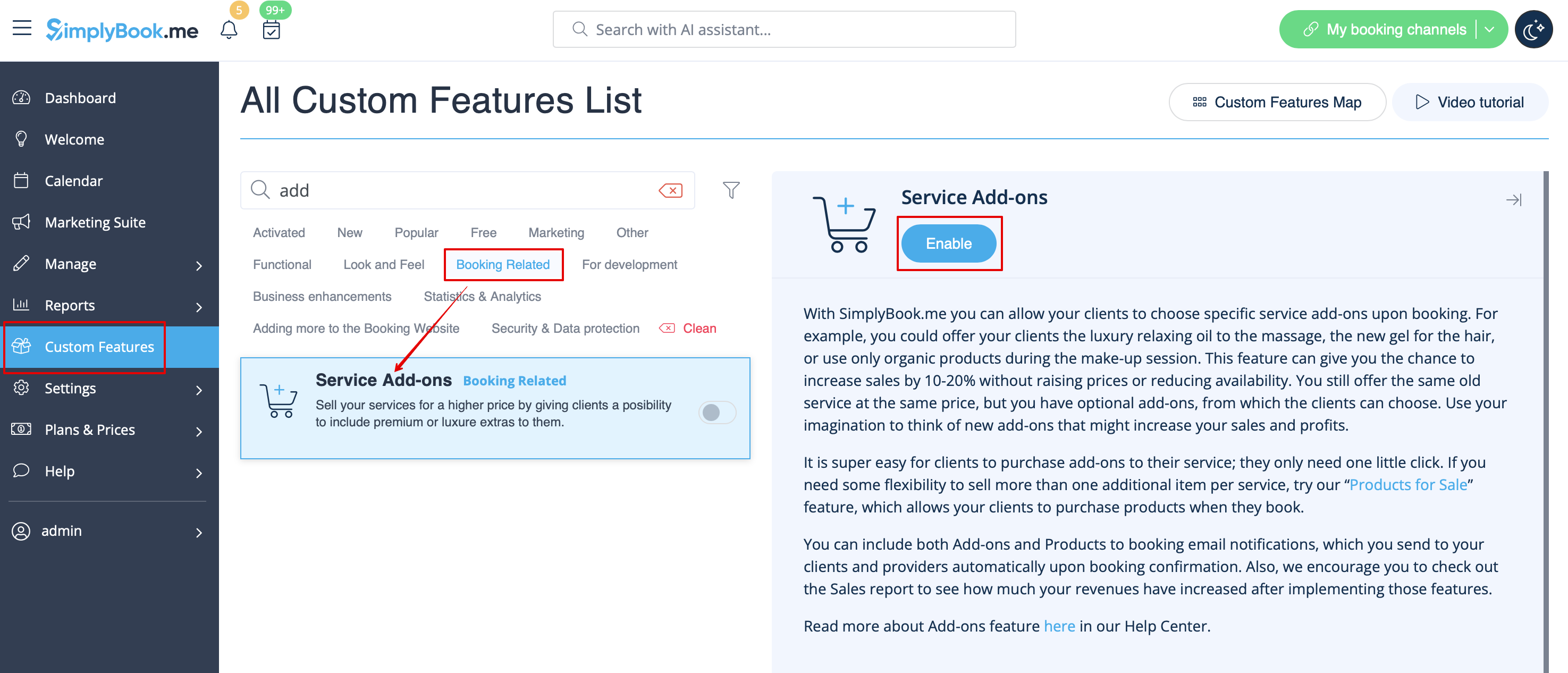
- 2. Click on “Manage” button that will appear there or go to Manage -> Service Add-ons section and you will get to a page where you will be able to create all necessary items.
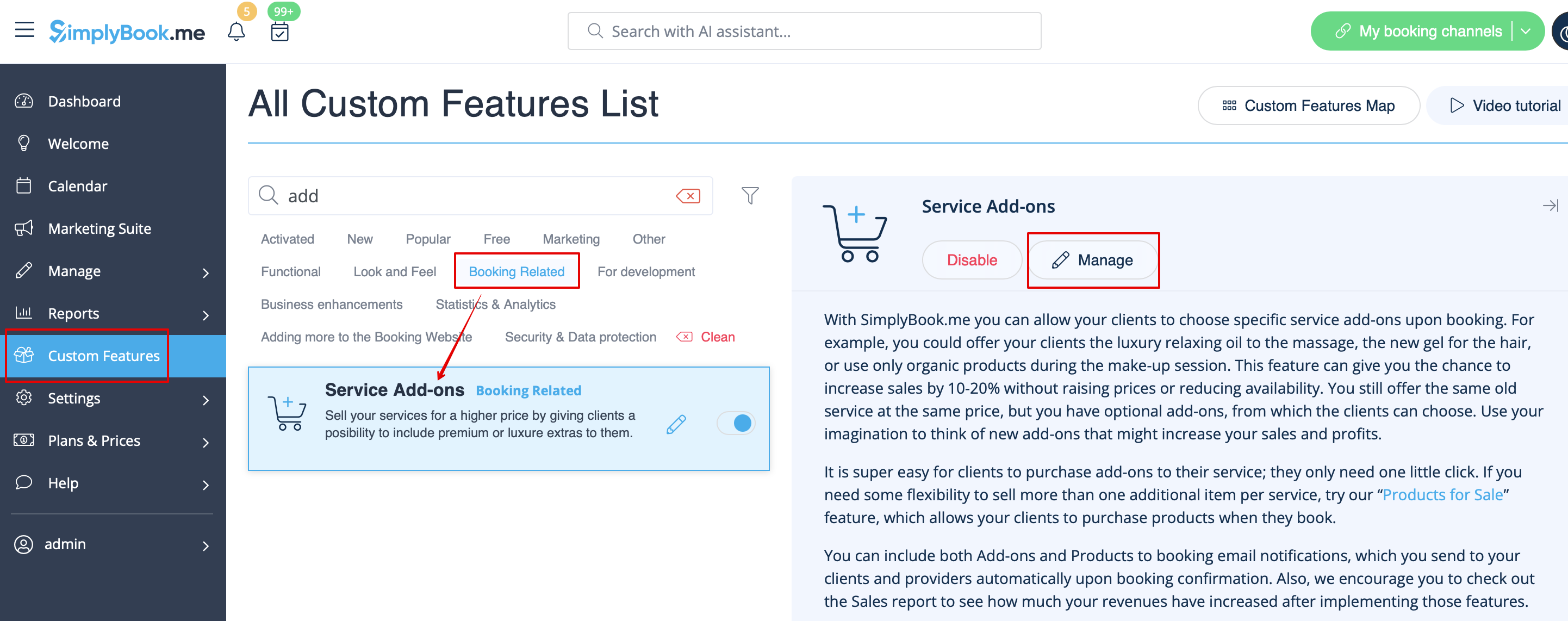
- 3. Click on “+” icon to create new add-on, set its name and price.
- Add the desired duration if you need it to influence the overall appointment time.
- Upload the image and set description is necessary.