Translations:Service Add-Ons custom feature/5/en
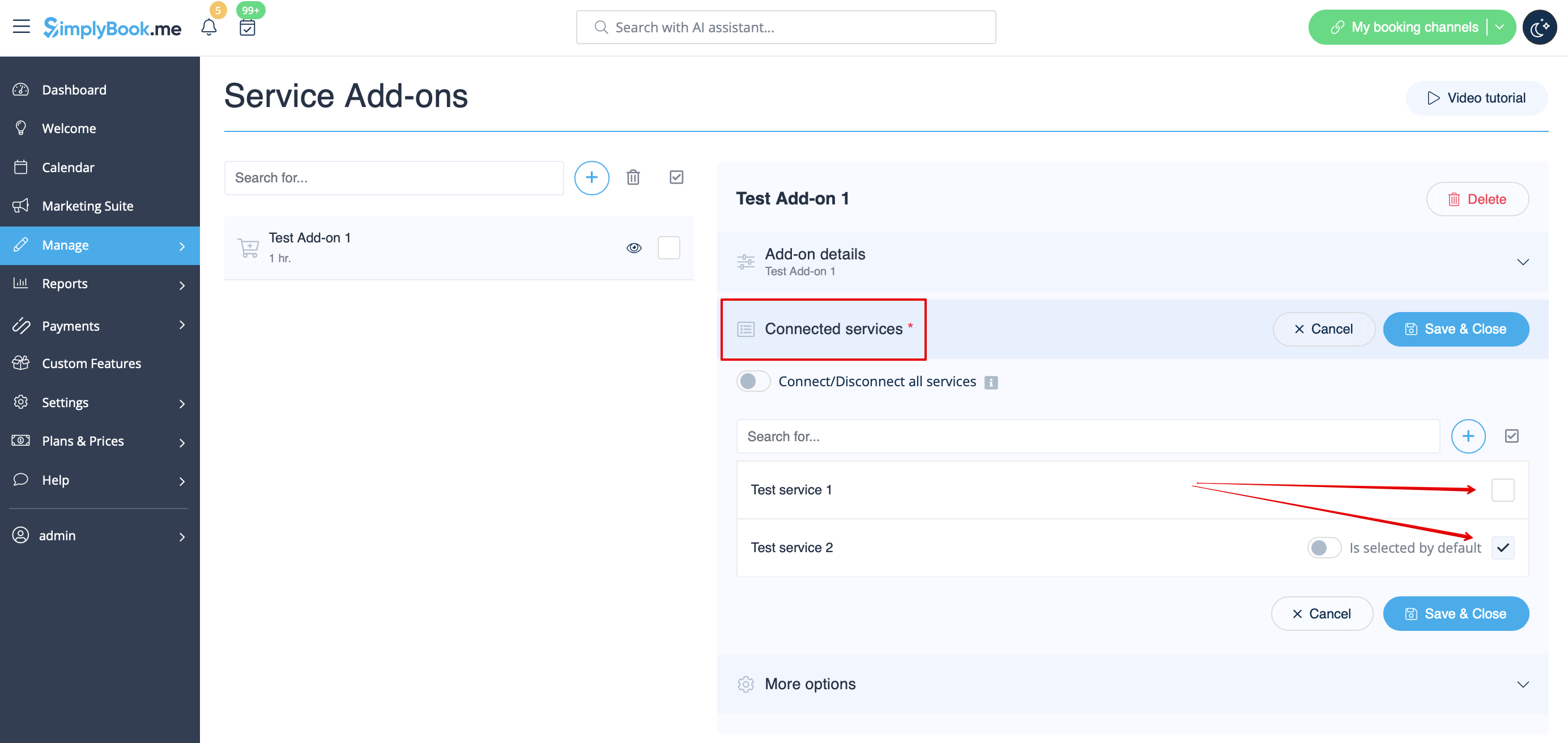
- 4. To relate the add-on with particular service(s) please use “Connected services” tab and check the boxes with desired services/classes.
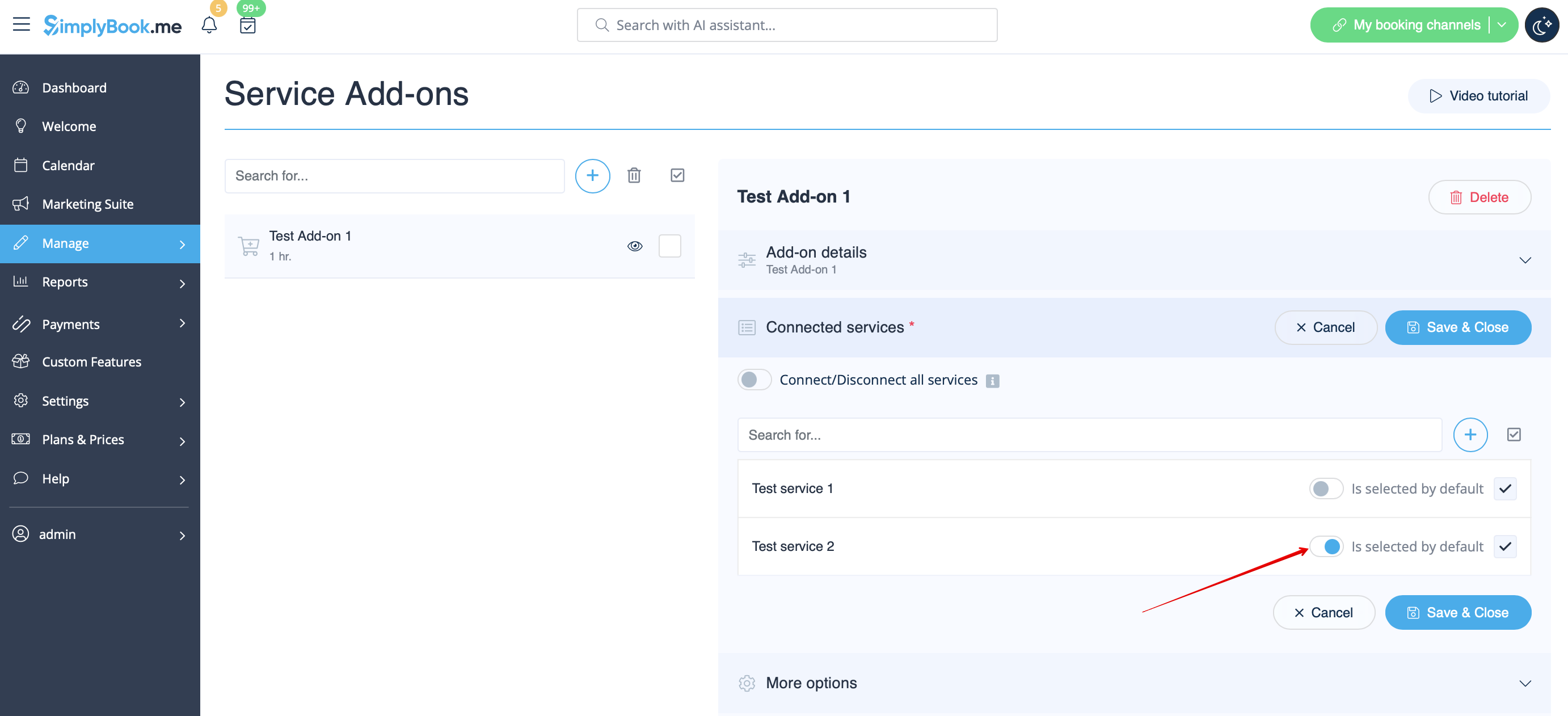
- 5. You can also make add-on to be selected by default on the booking page
- Please note! The clients will be able to uncheck this item if they wish to on the booking page.
- Here you can see how the add-ons can look like on the booking page:
- Please note! We recommend using the following timelines in case you set service add-ons with duration: modern, slots weekly, flexible, flexible weekly or flexible provider.
- In this case add-ons step will be shown before time step and the timeslots displayed should suit the items selected in most cases.

- With other timelines such as: daily classes, weekly classes и modern provider this step will be shown after time selection step and
- if all the selections do not fit the choices the clients will get an error that the service cannot be booked.
