Translations:Zapier Connector custom feature/9/en
Ho to use manual connection
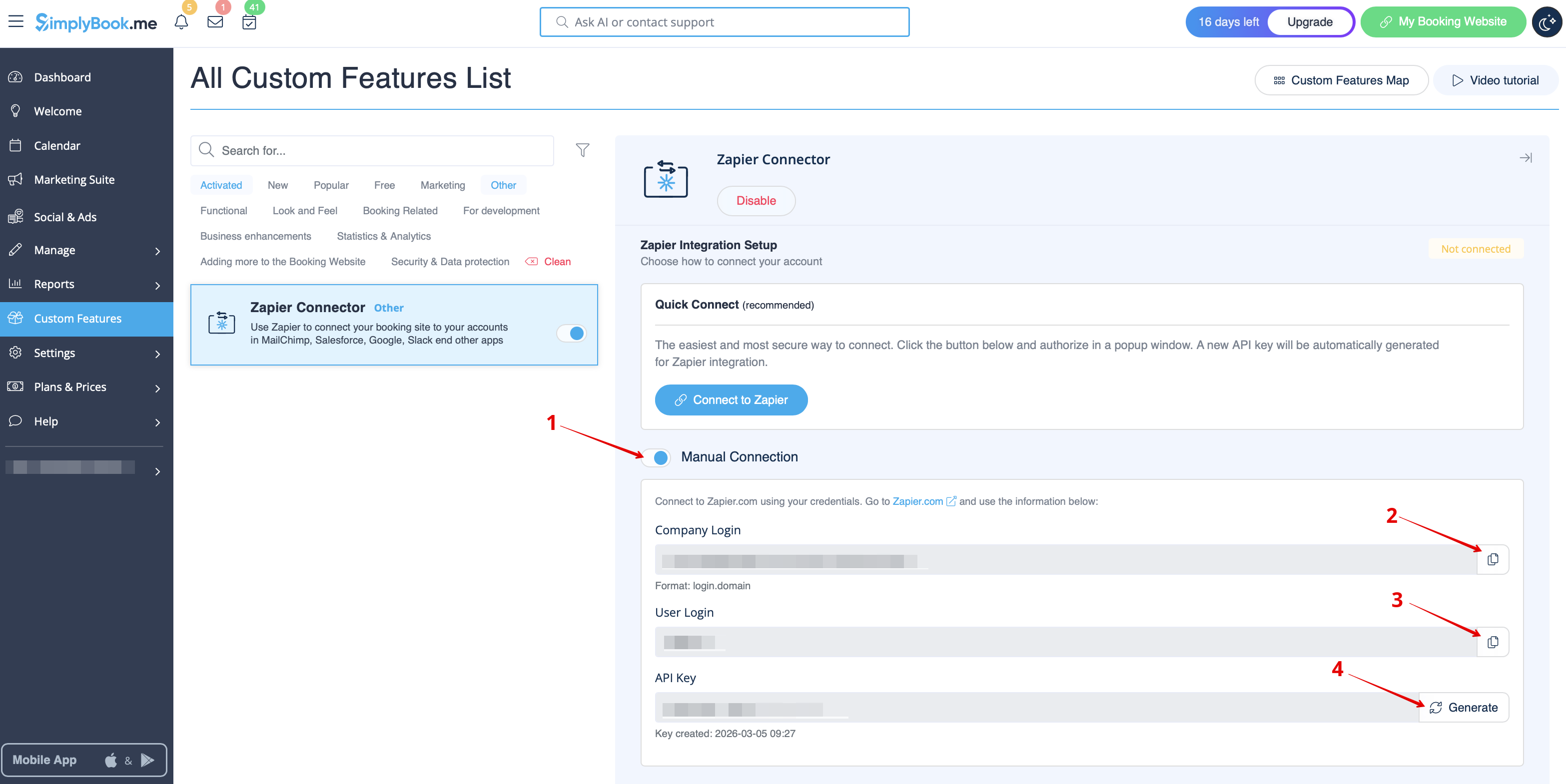
- 1. You can choose a manual connection by credentials. But in this case the option to manage the Zaps inside SimplyBook.me interface will not be available.
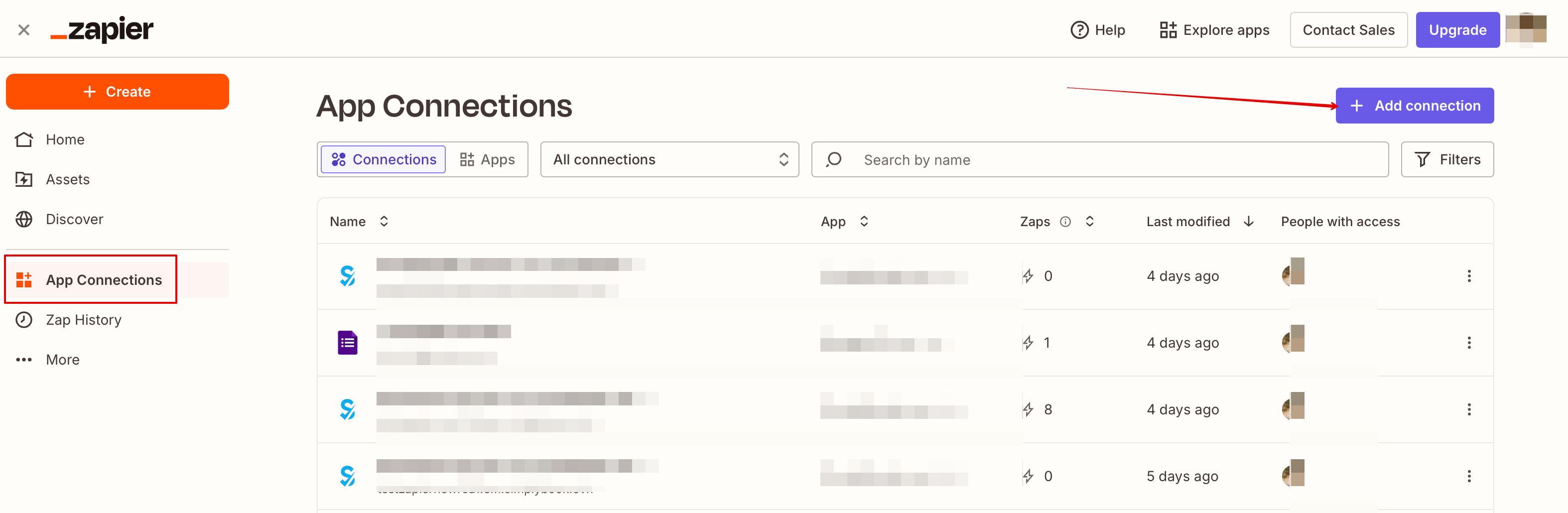
- 2. Go to Zapier.com -> App connections page and click on “Add connection” button
- 3. Select SimplyBook.me
- 4. Copy company login, user login, generate and copy API key from your SimpyBook.me account
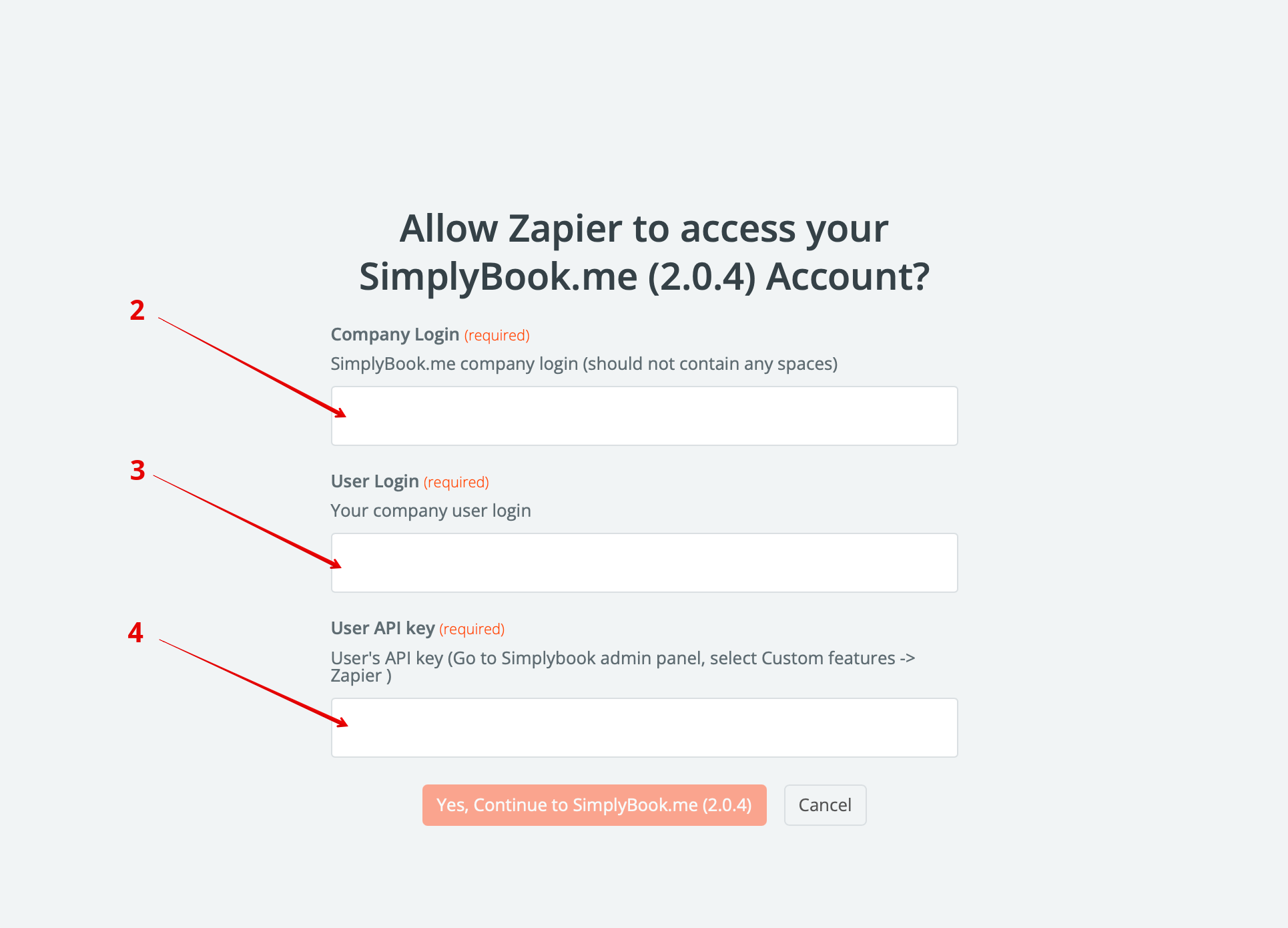
- 5. Paste them to the corresponding fields on Zapier.com side and click on “Continue” option there. The account gets connected.
- 6. Now you can create a new Zap by clicking on Create button in Zapier interface.
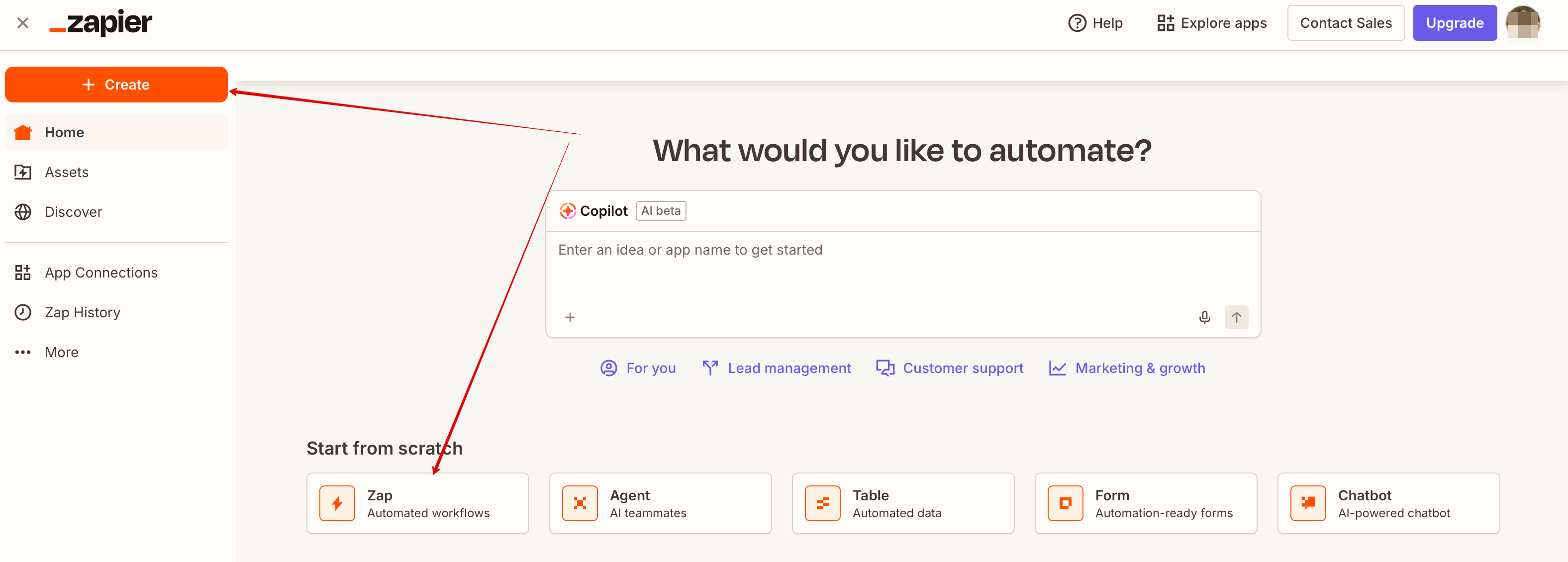
- 7. Look for Simplybook in Trigger step.
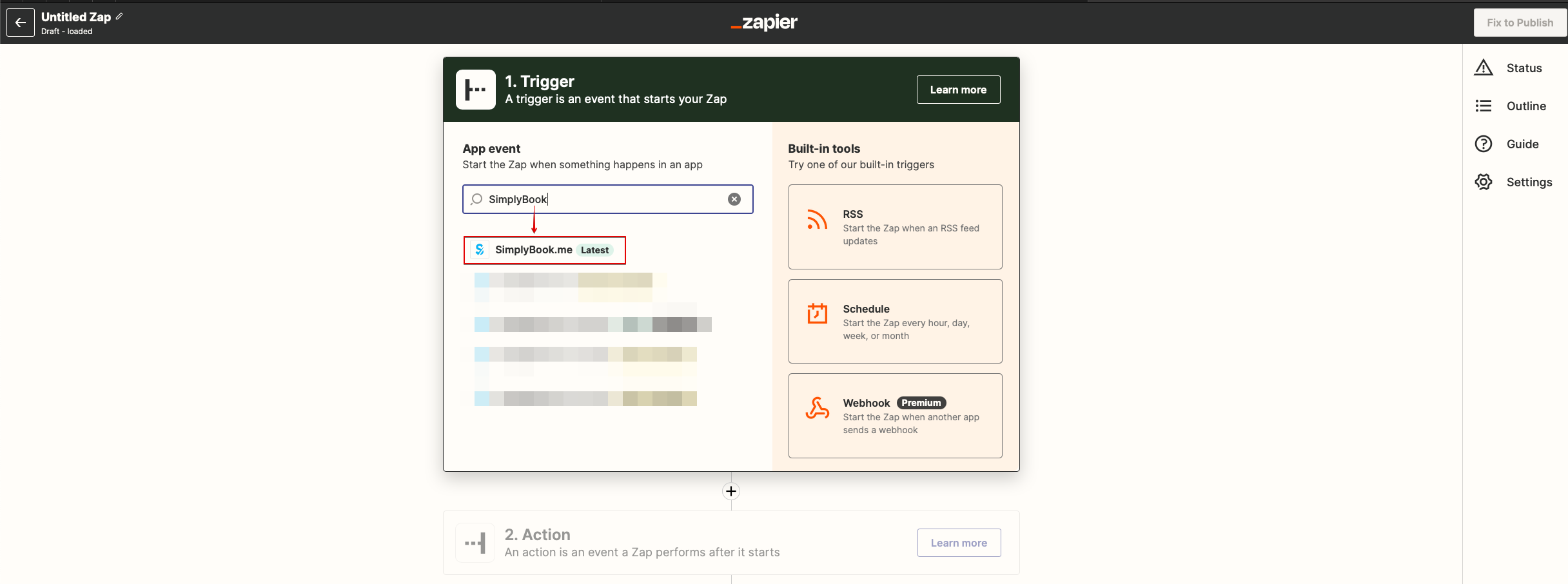
- 8. Select the desirable trigger.
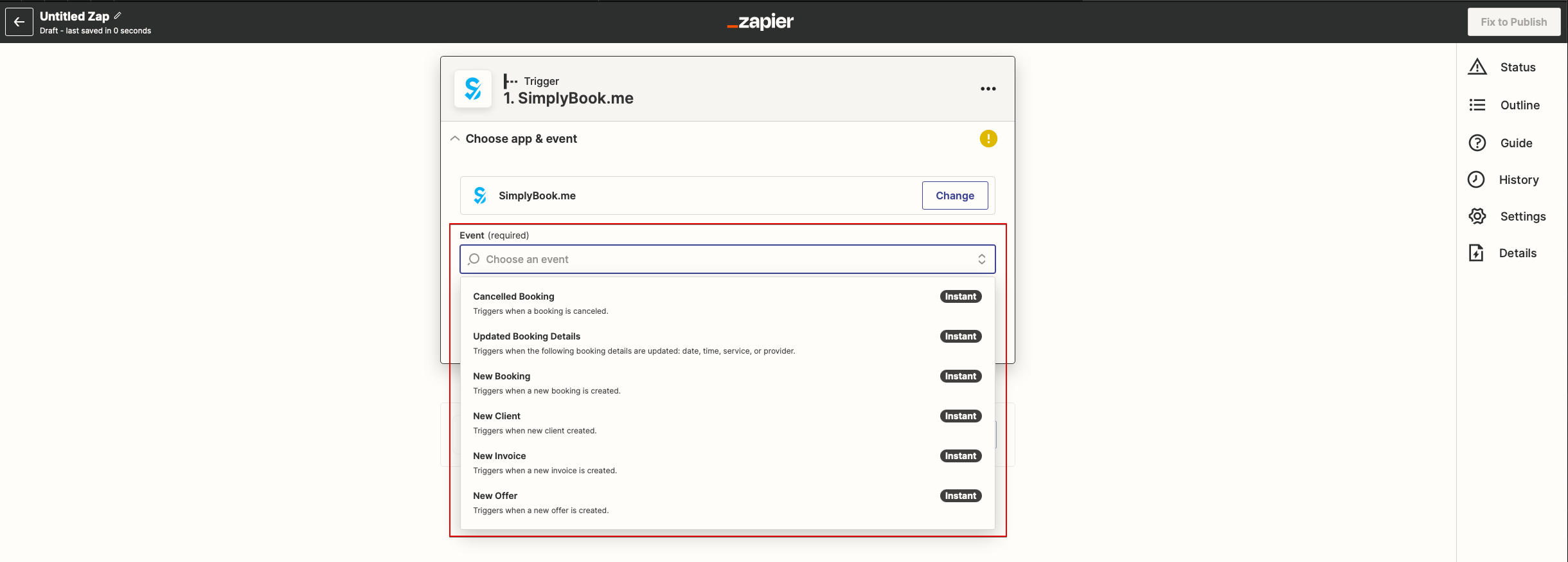
- 9. Select SimplyBook.me account you've connected before.
- 10. Click Continue to test this step.
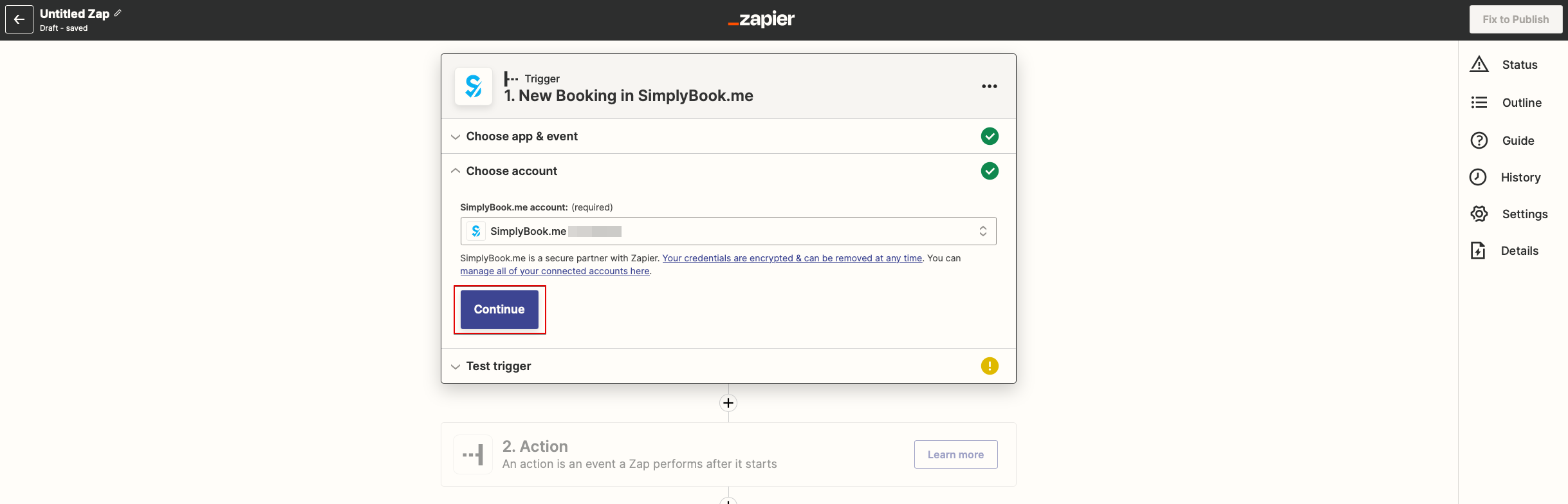
- 11. Proceed to adding the Action step and search for the app you wish to connect SimplyBook.me to.
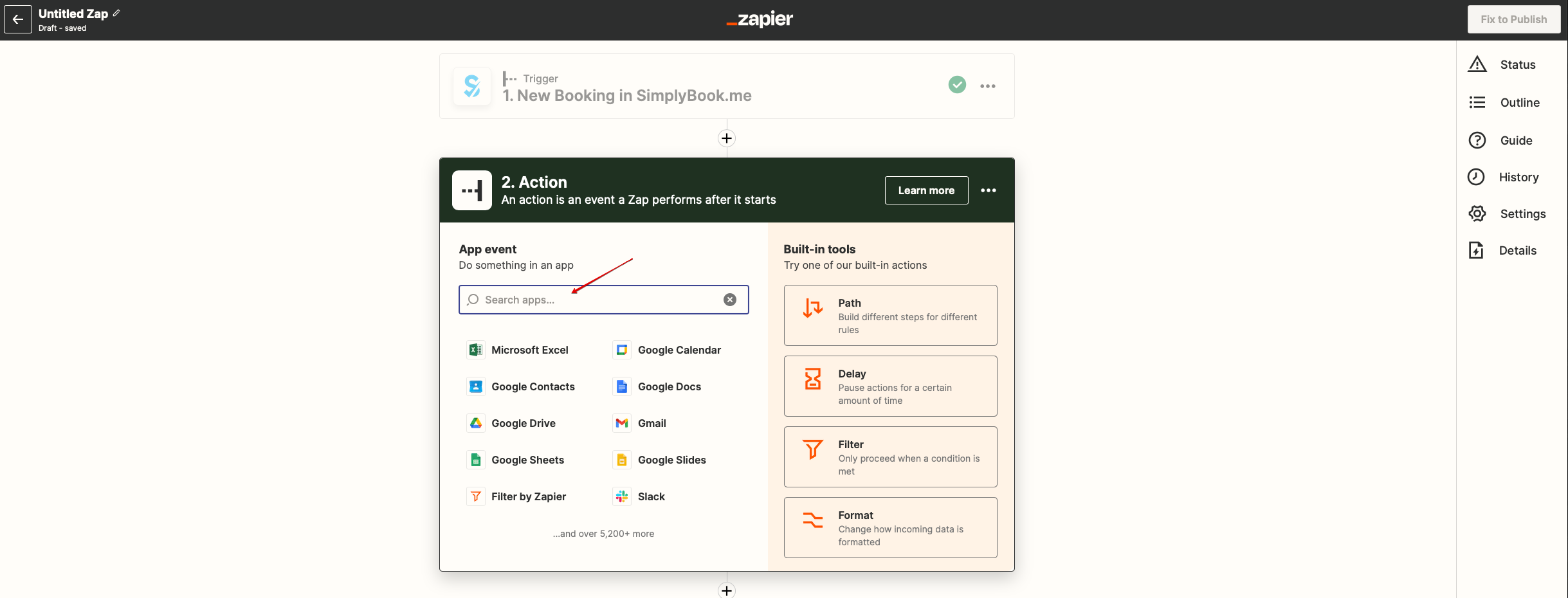
- 12. Connect this application account and setup the template using the available data mentioned above.
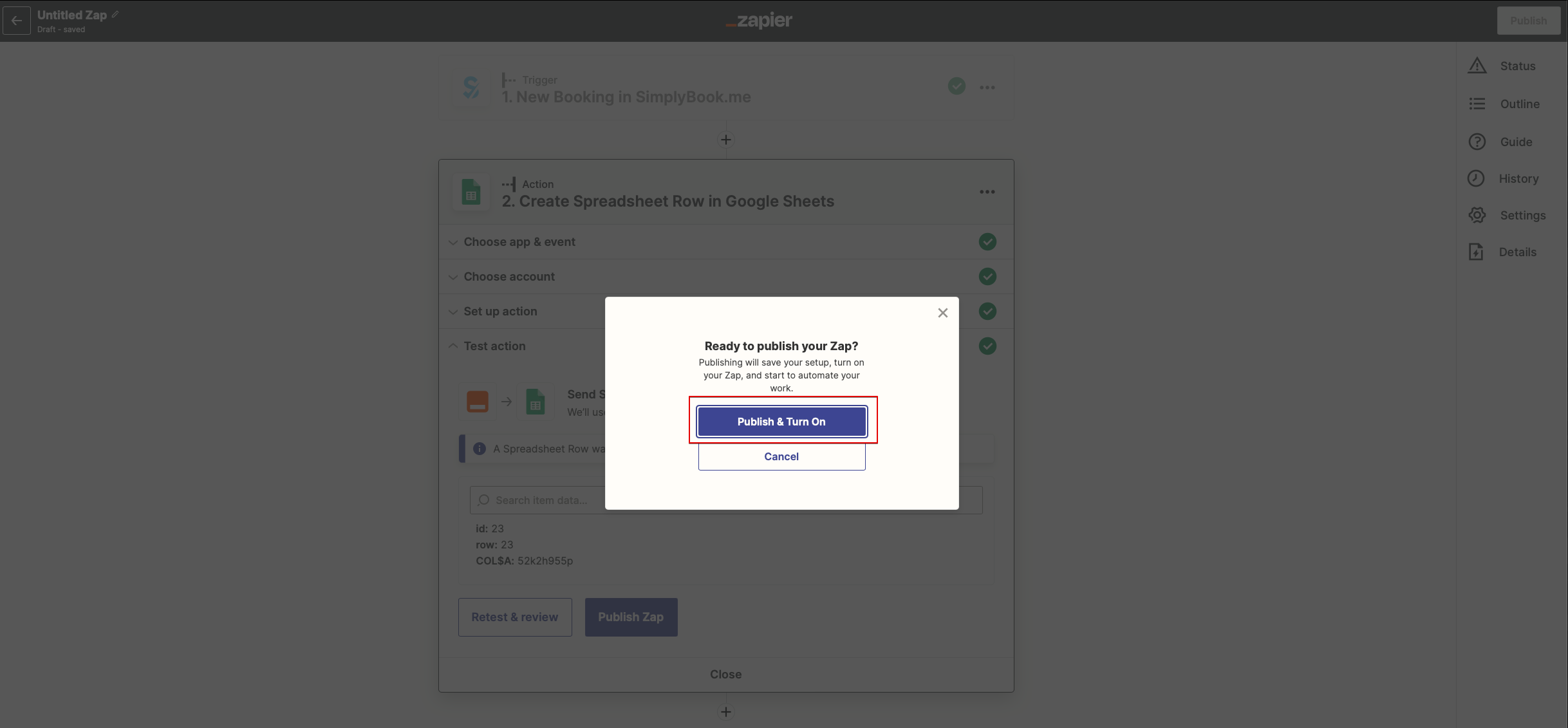
- 13. You can test this step operation as well if necessary or skip it.
- 14. Finish the setup, add Zap name and turn it on.