From SimplyBook.me
Updating to match new version of source page |
Updating to match new version of source page Tags: Mobile edit Mobile web edit |
||
| (One intermediate revision by the same user not shown) | |||
| Line 2: | Line 2: | ||
{{#seo: | {{#seo: | ||
|title=Custom Features - SimplyBook.me | |title=Custom Features - SimplyBook.me | ||
|description= | |description=Issue digital QR code tickets for events. Clients scan via mobile. Validate attendance, prevent fraud, track capacity in real-time. | ||
|titlemode=append | |titlemode=append | ||
|keywords=faq, frequently asked questions, booking software, appointment system questions, appointments online, calendar software, booking system, booking calendar, scheduling software, online appointment scheduling, online scheduling, plugins, custom features, additional functionality, tickets, tickets for events, events tickets, issue tickets, appointment tickets | |keywords=faq, frequently asked questions, booking software, appointment system questions, appointments online, calendar software, booking system, booking calendar, scheduling software, online appointment scheduling, online scheduling, plugins, custom features, additional functionality, tickets, tickets for events, events tickets, issue tickets, appointment tickets | ||
| Line 14: | Line 14: | ||
<br><br> | <br><br> | ||
Video tutorial | Video tutorial <p><youtube>Ge3IGjgLDE8</youtube></p> | ||
<span style="background-color:#ffe9e9; padding:5px; border-radius:5px;">'''Please note:'''</span> | <span style="background-color:#ffe9e9; padding:5px; border-radius:5px;">'''Please note:'''</span> | ||
*<span style="background-color:#ffe9e9; padding:5px; border-radius:5px;">this feature is not compatible with <span style="background-color:#cdeffc; padding:5px; border-radius:5px;">[[Accept deposits custom feature|Accept Deposits]];</span></span> | *<span style="background-color:#ffe9e9; padding:5px; border-radius:5px;">this feature is not compatible with <span style="background-color:#cdeffc; padding:5px; border-radius:5px;">[[Special:MyLanguage/Accept deposits custom feature|Accept Deposits]];</span></span> | ||
*<span style="background-color:#ffe9e9; padding:5px; border-radius:5px;">the tickets are attached in PDF format to client confirmation email;</span> | *<span style="background-color:#ffe9e9; padding:5px; border-radius:5px;">the tickets are attached in PDF format to client confirmation email;</span> | ||
*<span style="background-color:#ffe9e9; padding:5px; border-radius:5px;">if <span style="background-color:#d4f8e5; padding:5px; border-radius:5px;">Pay Later</span> is enabled within <span style="background-color:#cdeffc; padding:5px; border-radius:5px;">[[Accept payments custom feature|Accept Payments]]</span> feature, the client selects it during booking,<br></span> | *<span style="background-color:#ffe9e9; padding:5px; border-radius:5px;">if <span style="background-color:#d4f8e5; padding:5px; border-radius:5px;">Pay Later</span> is enabled within <span style="background-color:#cdeffc; padding:5px; border-radius:5px;">[[Special:MyLanguage/Accept payments custom feature|Accept Payments]]</span> feature, the client selects it during booking,<br></span> | ||
:<span style="background-color:#ffe9e9; padding:5px; border-radius:5px;">the tickets will be sent within the separate email template after admin accepts the payment in <span style="background-color:#d4f8e5; padding:5px; border-radius:5px;">Payment transactions</span> report.<br></span> | :<span style="background-color:#ffe9e9; padding:5px; border-radius:5px;">the tickets will be sent within the separate email template after admin accepts the payment in <span style="background-color:#d4f8e5; padding:5px; border-radius:5px;">Payment transactions</span> report.<br></span> | ||
:<span style="background-color:#ffe9e9; padding:5px; border-radius:5px;">It can be edited in <span style="background-color:#d4f8e5; padding:5px; border-radius:5px;">Custom features</span> -> <span style="background-color:#d4f8e5; padding:5px; border-radius:5px;">Tickets.</span></span> | :<span style="background-color:#ffe9e9; padding:5px; border-radius:5px;">It can be edited in <span style="background-color:#d4f8e5; padding:5px; border-radius:5px;">Custom features</span> -> <span style="background-color:#d4f8e5; padding:5px; border-radius:5px;">Tickets.</span></span> | ||
Latest revision as of 18:21, 11 February 2026

Issue tickets for services, classes and events. The tickets can be printed or shown from mobile screen by clients and then be scanned using the SimplyBook.me admin app, or manually inserted in the Validate tickets section of SimplyBook.me. If you have HTML/CSS knowledge and Premium plan, you can customize the look of your tickets.
Video tutorial
Please note:
- this feature is not compatible with Accept Deposits;
- the tickets are attached in PDF format to client confirmation email;
- if Pay Later is enabled within Accept Payments feature, the client selects it during booking,
- the tickets will be sent within the separate email template after admin accepts the payment in Payment transactions report.
- It can be edited in Custom features -> Tickets.
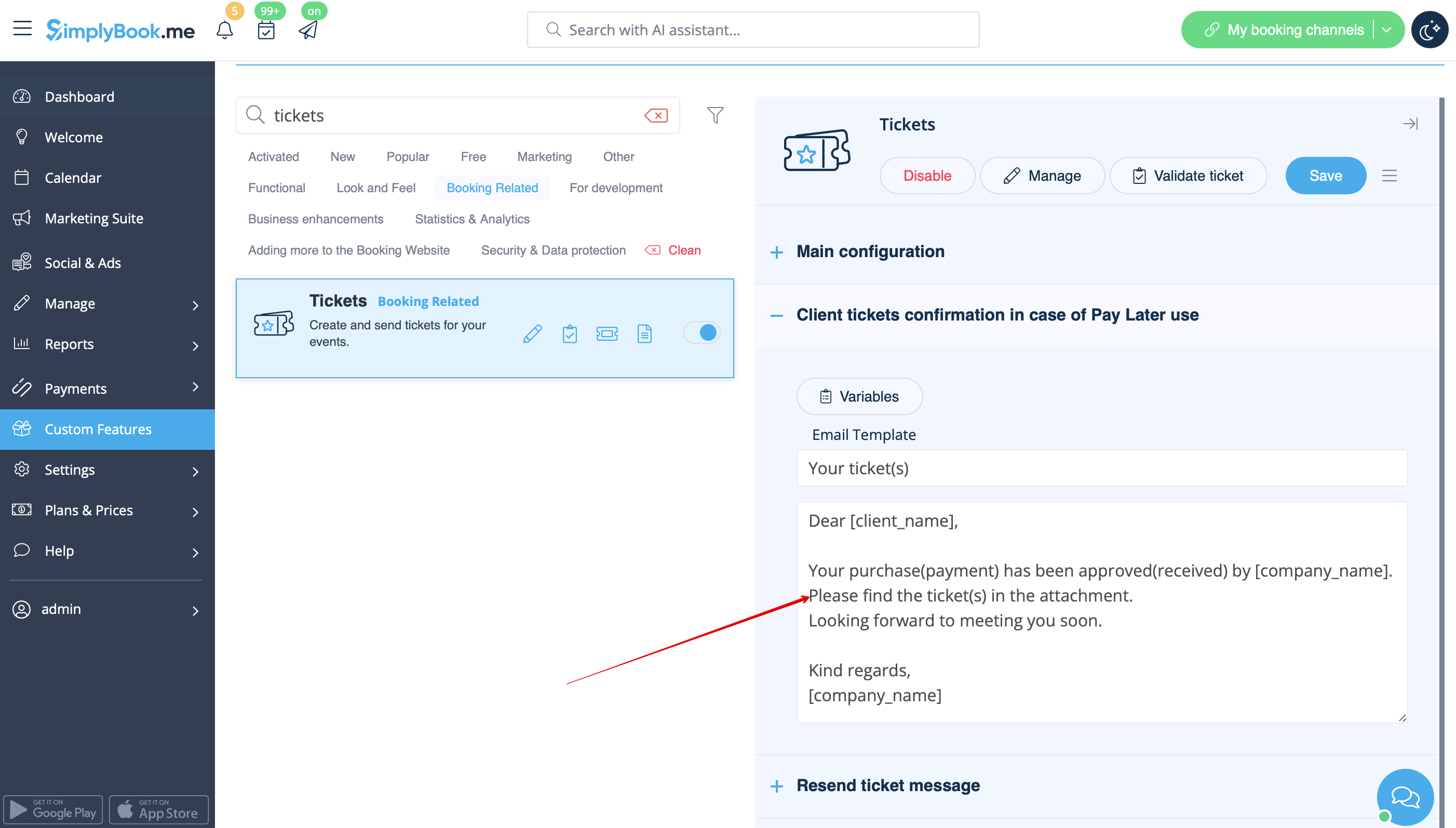
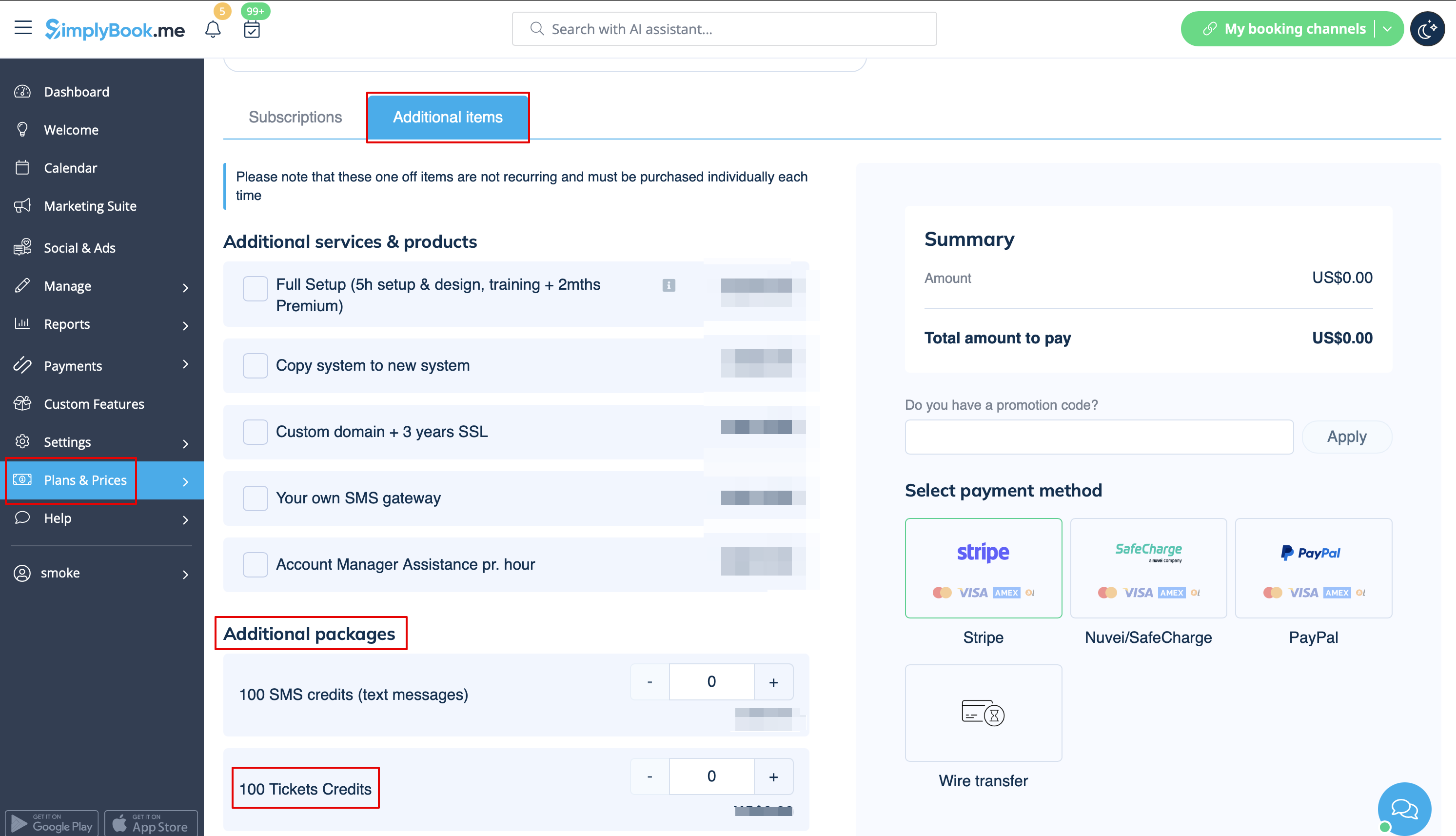
- the tickets are limited: every subscription has a definite amount of tickets per month included(140 in trial period). To check the number of tickets you have please go to Plans&Prices -> Subscriptions and scroll to the bottom of the page. To buy more tickets please navigate to Plans&Prices -> Additional items.
- How to use
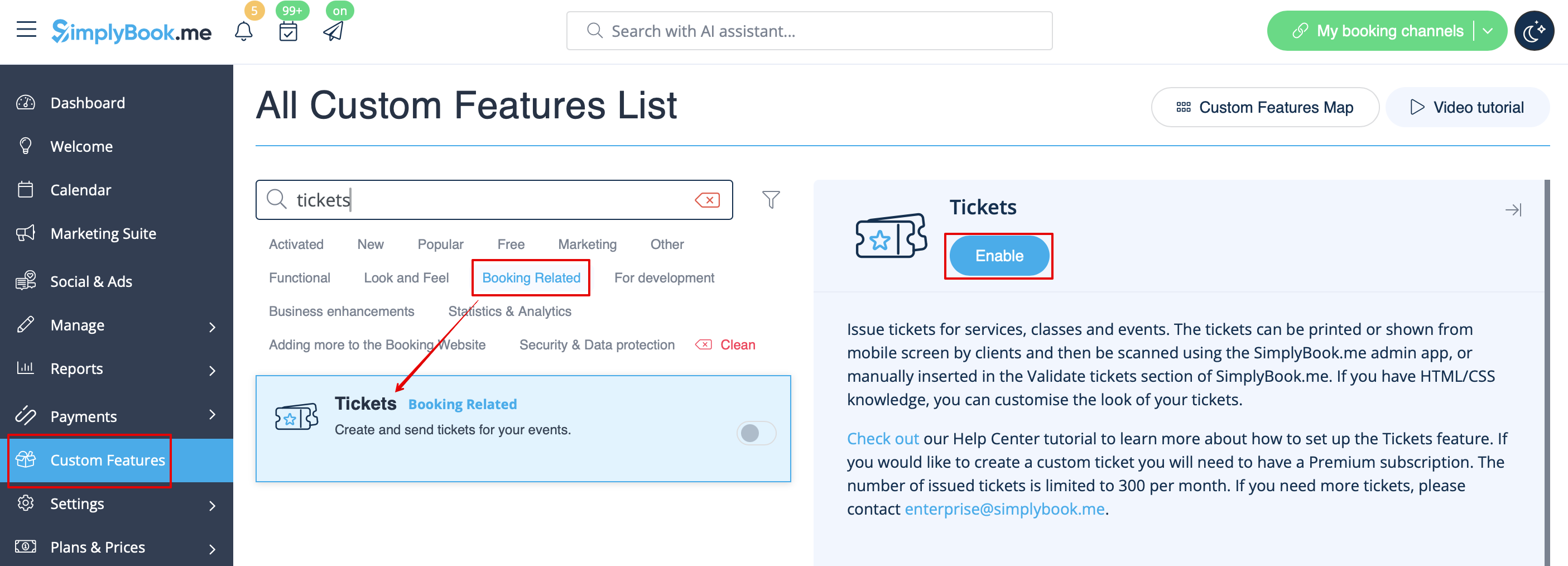
- 1. Enable this feature on your Custom Features page.
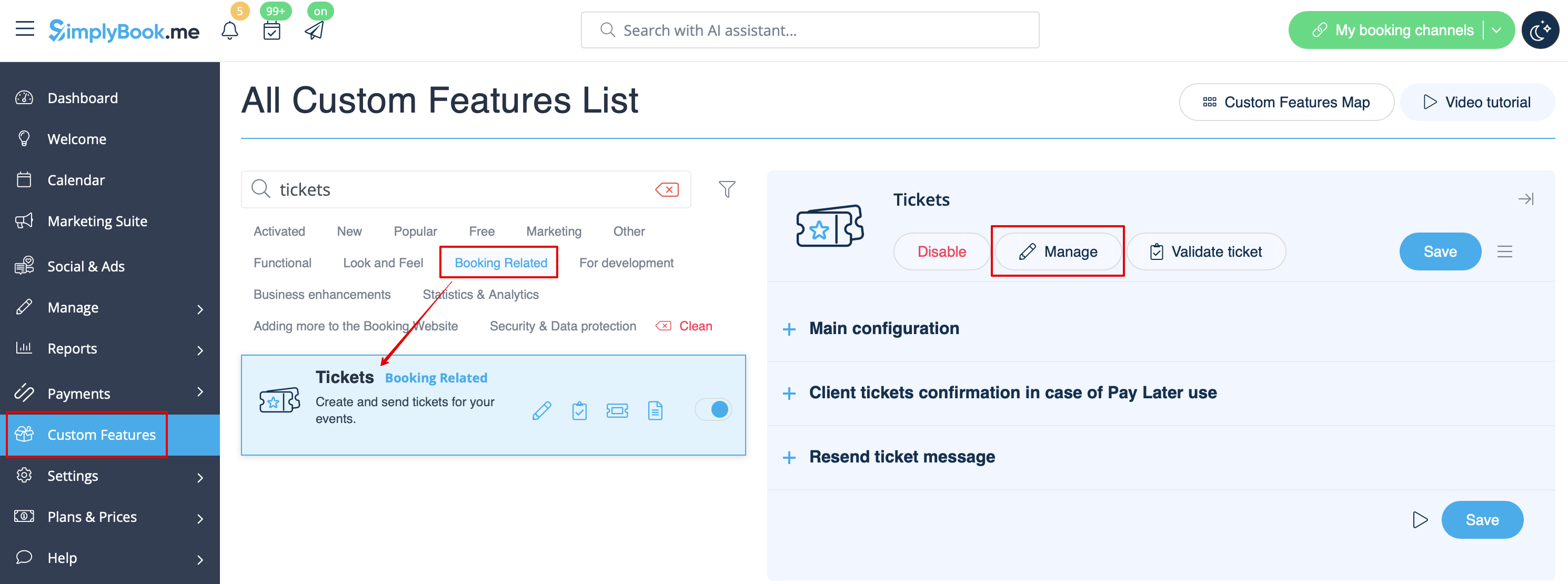
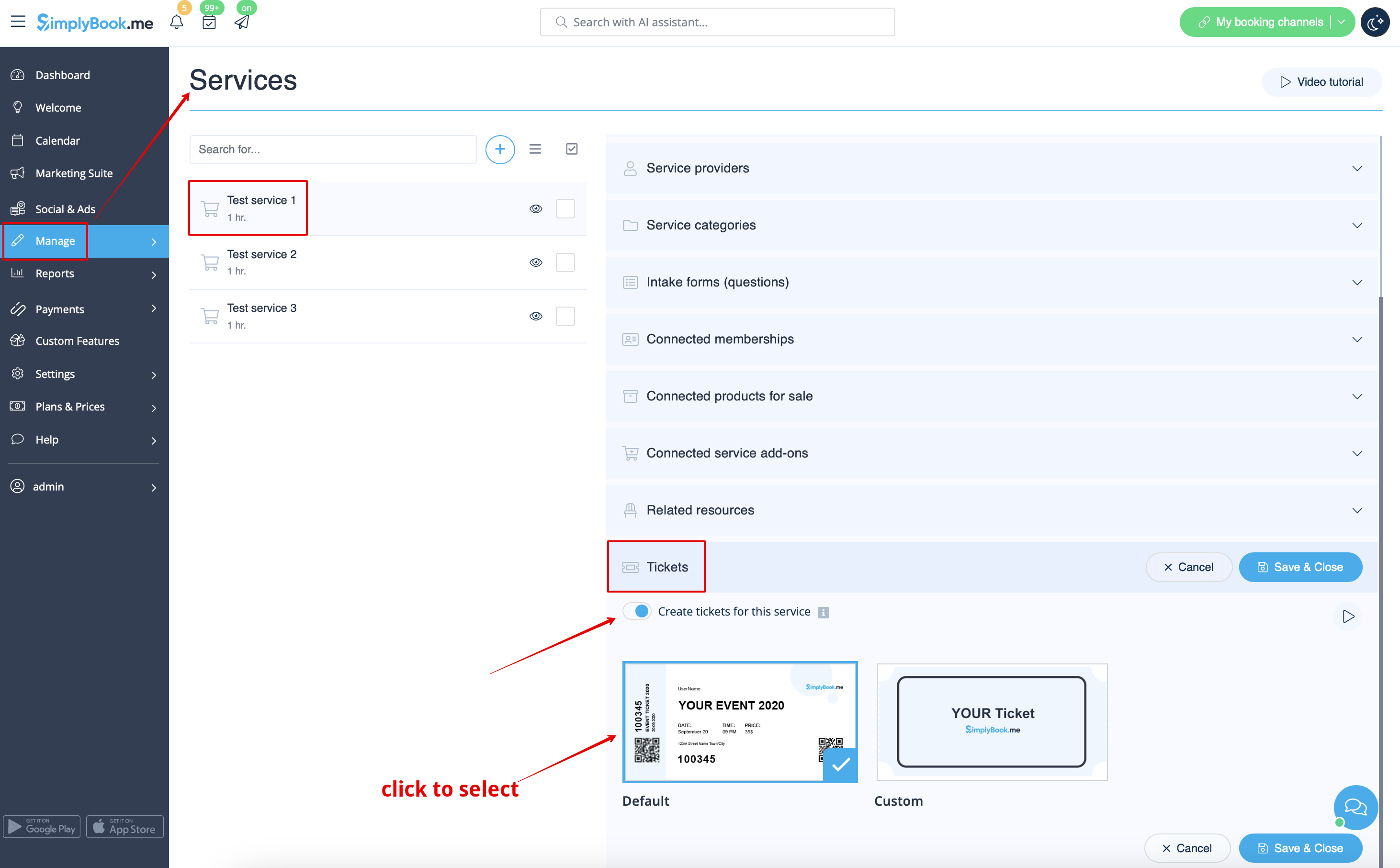
- 2. Navigate to Manage using the link near the enabled feature or go to Manage -> Services section.
- 3. Select the service you would like to sell the tickets for with a click and go to Tickets tab.
- 4. Enable tickets issuing and connect the template by clicking on it. Save settings.
- (There is one default template, but with Premium plan you can create your own one).
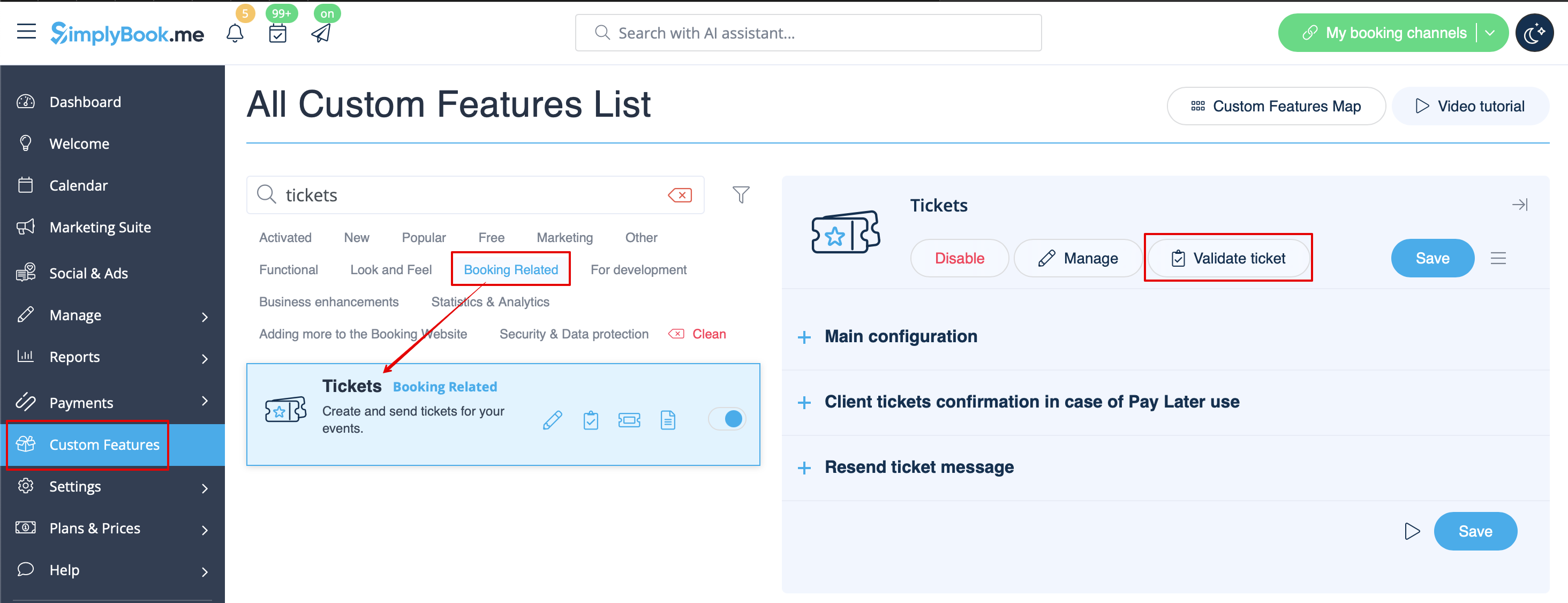
- 5. When the event time comes and you need to validate tickets please go to Custom Features -> Tickets -> Validate ticket.
(or access it from Calendar page)
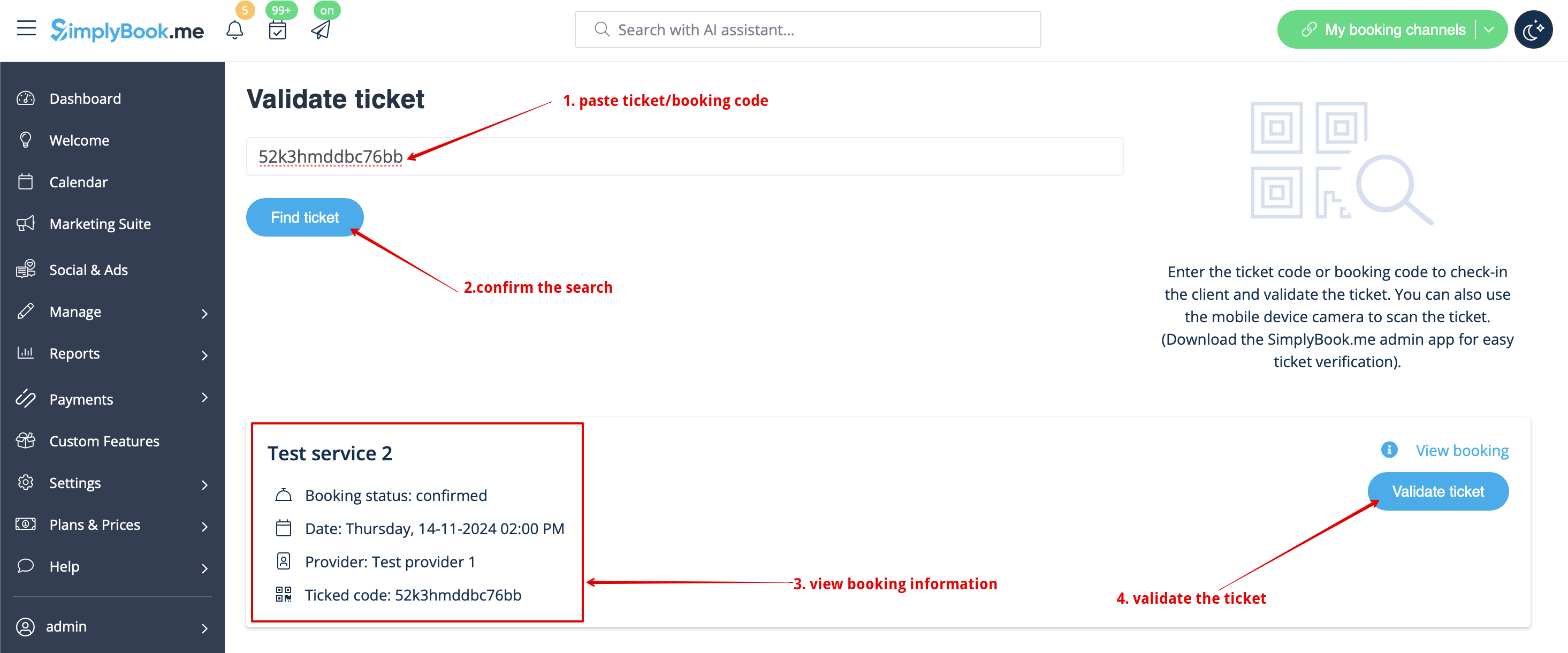
- 6. Look for the ticket by its unique number(can be used on desktop and mobile) or scan the QR code(open that page from mobile device).
- Check the booking information if necessary and click on Validate ticket

- 7. If you have SimplyBook.me admin application you can easily scan and check-in tickets there from Dashboard.

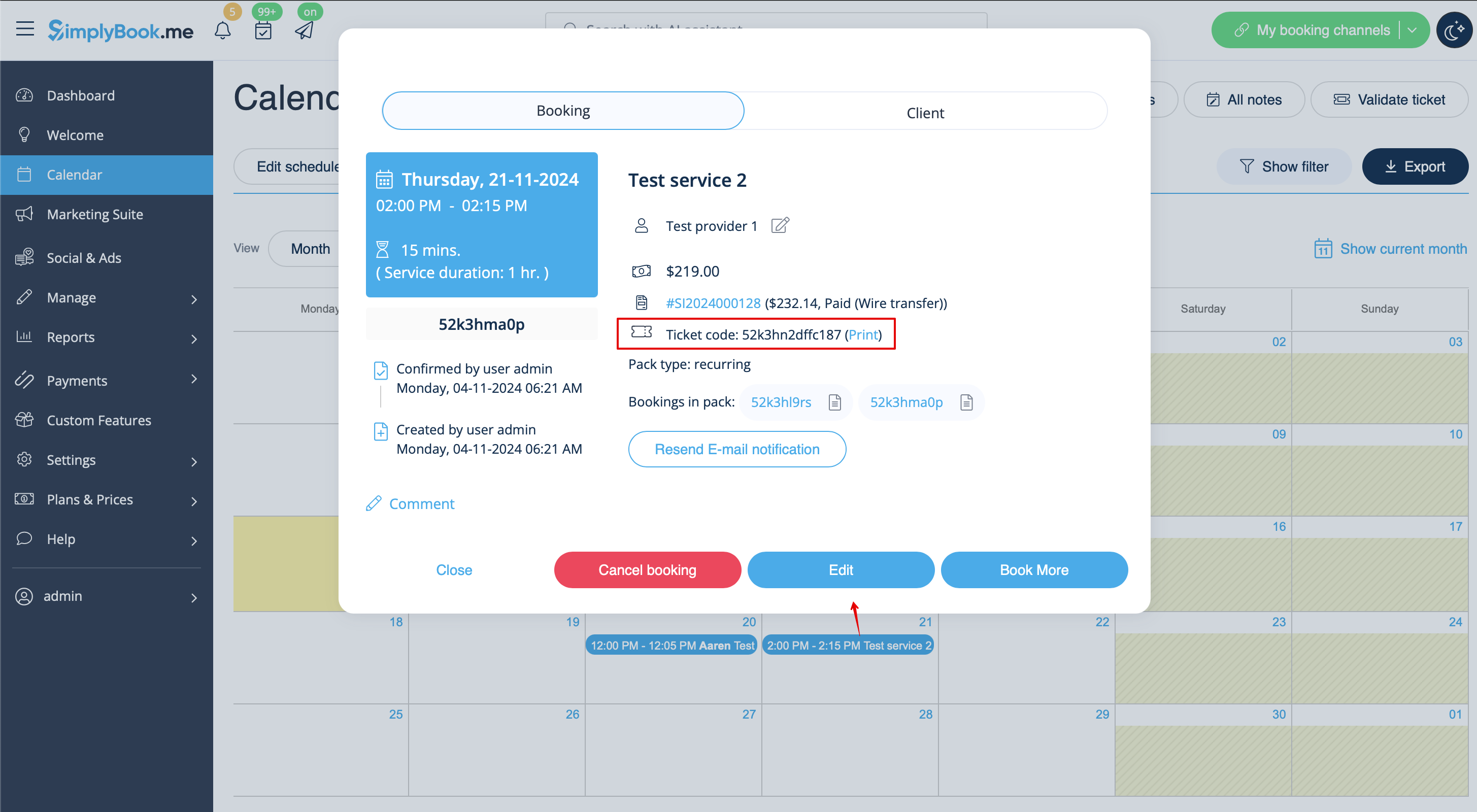
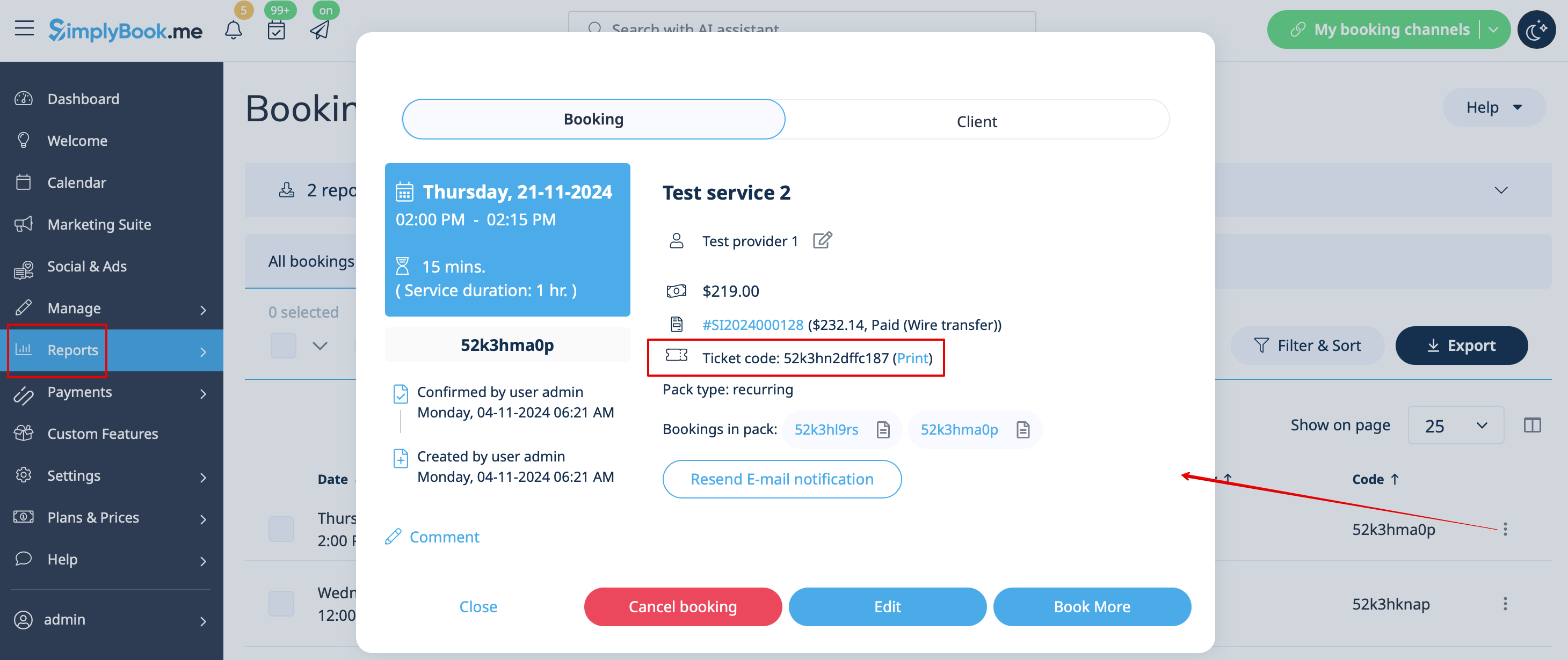
- 8. Ticket codes can be found in the related bookings on Calendar page or in Booking details report.
- You can also print tickets from there.
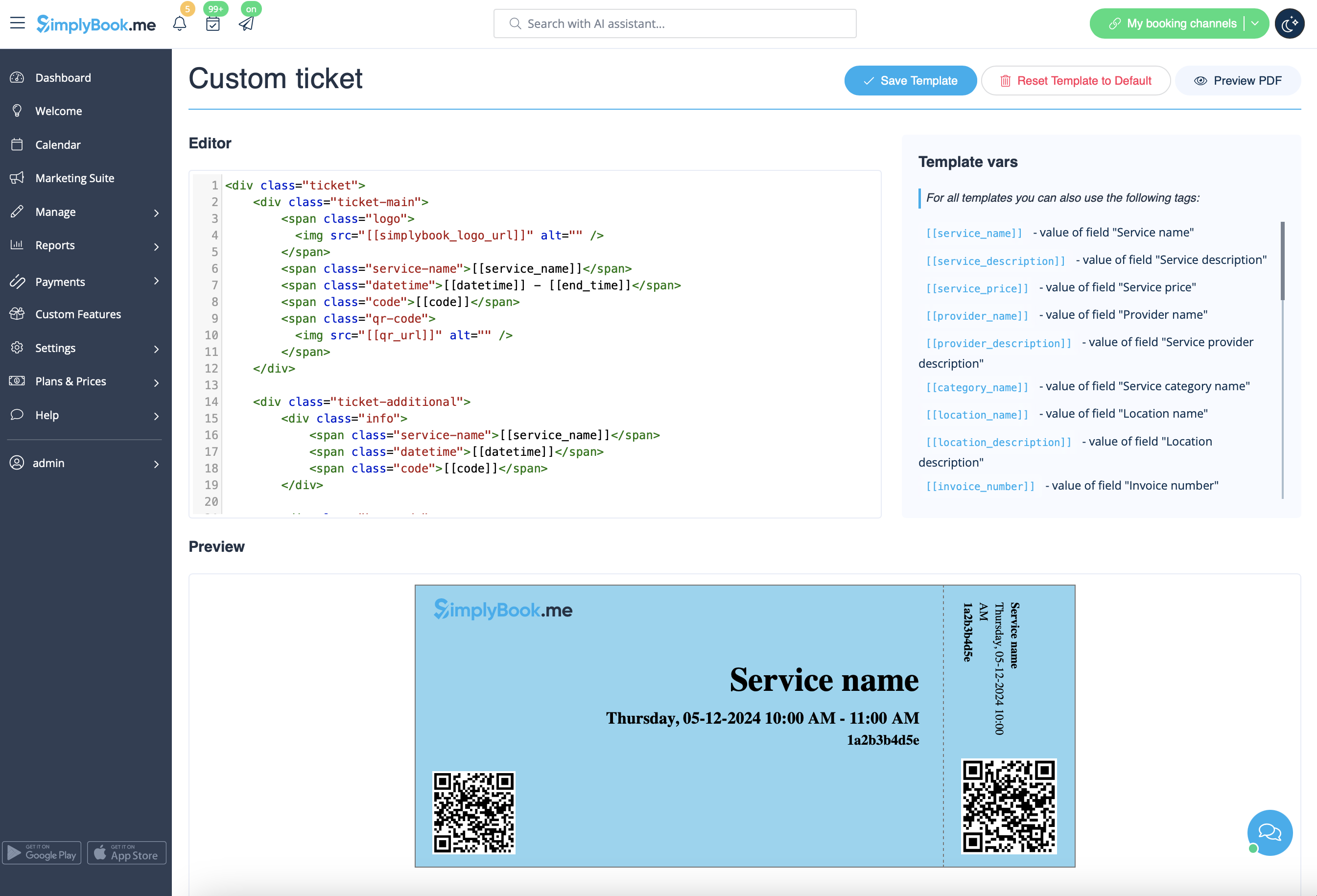
- 9. (optional) If you have Premium plan and know HTML/CSS or have someone who can help with it you can create a custom ticket template in Custom features -> Tickets -> Custom ticket.
- 10. From the client side they can get tickets on the appointment/payment confirmation page when the booking process is completed.
- Or they can go to My bookings tab and use the corresponding button there to download ticket PDF and print.


